

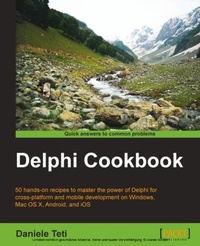
Delphi Cookbook
50 hands-on recipes to master the power of Delphi for cross-platform and mobile development on Windows, Mac OS X, Android, and iOS
1st Edition
Published on 25. September 2014
328 pages
978-1-78355-959-6 (ISBN)
Description

Key FeaturesBook DescriptionIntended to refresh the basics of Delphi as well as advance your knowledge to the next level, it is assumed you will know RAD studio and the Object Pascal language. However, if you are not an experienced RAD studio programmer this accessible guide will still develop those initial crucial skills.What you will learn - Create visually stunning applications using FireMonkey
- Effectively use LiveBindings with the right OOP approach
- Create serverside programs to serve RESTful web services and provide data to your mobile apps
- Develop mobile apps using welldefined GUI design patterns for a great user experience
- Build efficient mobile apps that read data from a remote server
- Call the platformnative API on Android and iOS even for an unpublished API
- Use extended RTTI to better manage the software customization for your customer
- Leverage the most popular design patterns for a better design without wasting too much time debugging
Who this book is for
- Effectively use LiveBindings with the right OOP approach
- Create serverside programs to serve RESTful web services and provide data to your mobile apps
- Develop mobile apps using welldefined GUI design patterns for a great user experience
- Build efficient mobile apps that read data from a remote server
- Call the platformnative API on Android and iOS even for an unpublished API
- Use extended RTTI to better manage the software customization for your customer
- Leverage the most popular design patterns for a better design without wasting too much time debugging
Who this book is for
All prices
More details
Other editions
New editions
Daniele Spinetti | Daniele Teti
Delphi Cookbook
Recipes to master Delphi for IoT integrations, cross-platform, mobile and server-side development
E-Book
09/2024
3rd Edition
Packt Publishing Limited
€38.99
Available for download
Additional editions
Content
- Cover
- Copyright
- Credits
- About the Author
- About the Reviewers
- www.PacktPub.com
- Table of Contents
- Preface
- Chapter 1: Delphi Basics
- Introduction
- Changing your application's look and feel with VCL styles and no code
- Changing the style of your VCL application at runtime
- Customizing TDBGrid
- Using the owner's draw combos and listboxes
- Creating a stack of embedded forms
- Manipulating JSON
- Manipulating and transforming XML documents
- I/O in the twenty-first century - knowing streams
- Putting your VCL application in the tray
- Creating a Windows service
- Associating a file extension with your application on Windows
- Chapter 2: Become a Delphi Language Ninja
- Introduction
- Fun with anonymous methods - using higher-order functions
- Writing enumerable types
- RTTI to the rescue - configuring your class at runtime
- Duck typing using RTTI
- Creating helpers for your classes
- Checking strings with regular expressions
- Chapter 3: Going Cross Platform with FireMonkey
- Introduction
- Giving a new appearance to the standard FireMonkey controls using styles
- Creating a styled TListBox
- Impressing your clients with animations
- Using master/details with LiveBindings
- Showing complex vector shapes using paths
- Using FireMonkey in a VCL application
- Chapter 4: The Thousand Faces of Multithreading
- Introduction
- Synchronizing shared resources with TMonitor
- Talking with the main thread using a thread-safe queue
- Synchronizing multiple threads using TEvent
- Displaying a measure on a 2D graph like an oscilloscope
- Chapter 5: Putting Delphi on the Server
- Introduction
- Web client JavaScript application with WebBroker on the server
- Converting a console service application to a Windows service
- Serializing a dataset to JSON and back
- Serializing objects to JSON and back using RTTI
- Sending a POST HTTP request encoding parameters
- Implementing a RESTful interface using WebBroker
- Controlling remote applications using UDP
- Using App Tethering to create a companion app
- Creating DataSnap Apache modules
- Chapter 6: Riding the Mobile Revolution with FireMonkey
- Introduction
- Taking a photo, applying effects, and sharing it
- Using listview to show and search local data
- Do not block the main thread!
- Using SQLite databases to handle a to-do list
- Using a styled TListView to handle a long list of data
- Taking a photo and location and sending it to a server continuously
- Talking to the backend
- Making a phone call from your app!
- Tracking the application's life cycle
- Chapter 7: Using Specific Platform Features
- Introduction
- Using Android SDK Java classes
- Using iOS Objective-C SDK classes
- Displaying PDF files in your app
- Sending Android intents
- Letting your phone talk - using the Android TextToSpeech engine
- Index

