
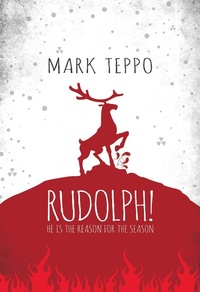
Rudolph!
Description
Alles über E-Books | Antworten auf Fragen rund um E-Books, Kopierschutz und Dateiformate finden Sie in unserem Info- & Hilfebereich.
Rudolph! is a first-person account of the behind-the-scenes workings at the North Pole. Narrated by Bernard Rosewood, one of the elves of the North Pole Consortium, the story begins with Santa's realization that a young girl's request to get her dad back for Christmas isn't going to happen. Dad, you see, died in a car accident on a snowy road shortly after Thanksgiving. The NPC can do a lot, but they can't do miracles. Enter Rudolph, who has been hairless, cranky, and perpetually irradiated since the unfortunate malfunction of the Nuclear Clock in 1964. Rudolph is a survivor of the worst accident in the 400-plus years of NPC delivery, and if there is anyone on staff who believes in miracles more than jolly Saint Nick, it's Rudolph. Bernie, in a valiant effort to keep Christmas from going off the rails, is swept up into a Heaven-storming, Hell-crusading, Night of Bad Musical Numbers adventure to ensure that every child wakes up with presents on Christmas morning. Rudolph! is a funny and fast-paced reaction to 40 years of world-weary cynicism, technological advances, and post-millennial ennui since Rankin/Bass brought a stop motion reindeer into our living rooms.

More details
System requirements
File format: ePUB
Copy protection: Adobe-DRM (Digital Rights Management)
System requirements:
- Computer (Windows; MacOS X; Linux): Install the free reader Adobe Digital Editions prior to download (see eBook Help).
- Tablet/smartphone (Android; iOS): Install the free app Adobe Digital Editions or the app PocketBook before downloading (see eBook Help).
- E-reader: Bookeen, Kobo, Pocketbook, Sony, Tolino and many more (not Kindle).
The file format ePub works well for novels and non-fiction books – i.e., „flowing” text without complex layout. On an e-reader or smartphone, line and page breaks automatically adjust to fit the small displays.
This eBook uses Adobe-DRM, a „hard” copy protection. If the necessary requirements are not met, unfortunately you will not be able to open the eBook. You will therefore need to prepare your reading hardware before downloading.
Please note: We strongly recommend that you authorise using your personal Adobe ID after installation of any reading software.
For more information, see our ebook Help page.