

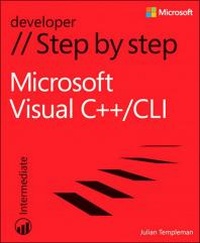
Microsoft Visual C++/CLI Step by Step
1st Edition
Published on 15. August 2013
540 pages
978-0-7356-7572-8 (ISBN)
Description

Your hands-on guide to Visual C++/CLI fundamentals
Expand your expertise-and teach yourself the fundamentals of the Microsoft Visual C++/CLI language. If you have previous programming experience but are new to Visual C++, this tutorial delivers the step-by-step guidance and coding exercises you need to master core topics and techniques.
Discover how to:
Write and debug object-oriented C++ programs in Visual Studio 2012
Utilize the various features of the C++/CLI language
Make use of the Microsoft .NET Framework Class Library
Create a simple Windows Store app
Use .NET features such as properties, delegates and events
Access data from disparate sources using ADO.NET
Create and consume web services using Windows Communication Foundation
Work effectively with legacy code and COM
Expand your expertise-and teach yourself the fundamentals of the Microsoft Visual C++/CLI language. If you have previous programming experience but are new to Visual C++, this tutorial delivers the step-by-step guidance and coding exercises you need to master core topics and techniques.
Discover how to:
Write and debug object-oriented C++ programs in Visual Studio 2012
Utilize the various features of the C++/CLI language
Make use of the Microsoft .NET Framework Class Library
Create a simple Windows Store app
Use .NET features such as properties, delegates and events
Access data from disparate sources using ADO.NET
Create and consume web services using Windows Communication Foundation
Work effectively with legacy code and COM
More details
Series
Language
English
Place of publication
Redmond
United States
Target group
College/higher education
ISBN-13
978-0-7356-7572-8 (9780735675728)
Copyright in bibliographic data and cover images is held by Nielsen Book Services Limited or by the publishers or by their respective licensors: all rights reserved.
Schweitzer Classification
Other editions
Additional editions
Julian Templeman
Microsoft Visual C++/CLI Step by Step
Book
08/2013
Microsoft Press
€61.46
Article exhausted; check different version
Person
Julian Templeman is a professional consultant, trainer, and writer who has been using and teaching C++ for nearly 20 years and has been involved with .NET since its first alpha release in 1998. He is the author or coauthor of 10 programming books, including COM Programming with Microsoft .NET.
Content
Introduction
Part I: Getting Started with C++ .NET
Chapter 1: Hello C++!
Chapter 2: Introducing Object-Oriented Programming
Chapter 3: Variables and Operators
Chapter 4: Using Functions
Chapter 5: Decision and Loop Statements
Chapter 6: More About Classes and Objects
Chapter 7: Controlling Object Lifetimes
Chapter 8: Inheritance
Part II: Microsoft .NET Programming Basics
Chapter 9: Value Types
Chapter 10: Operator Overloading
Chapter 11: Exception Handling
Chapter 12: Arrays and Collections
Chapter 13: Properties
Chapter 14: Delegates and Events
Chapter 15: The .NET Framework Class Library
Part III: Using the .NET Framework
Chapter 16: Working with Files
Chapter 17: Reading and Writing XML
Chapter 18: Using ADO.NET
Chapter 19: Writing a Service by Using Windows Communication Foundation
Chapter 20: Introducing Windows Store Apps
Chapter 21: More About Windows Store Apps
Part IV: Advanced topics
Chapter 22: Working with Unmanaged Code
Chapter 23: Attributes and Reflection
Chapter 24: Living with COM
Part I: Getting Started with C++ .NET
Chapter 1: Hello C++!
Chapter 2: Introducing Object-Oriented Programming
Chapter 3: Variables and Operators
Chapter 4: Using Functions
Chapter 5: Decision and Loop Statements
Chapter 6: More About Classes and Objects
Chapter 7: Controlling Object Lifetimes
Chapter 8: Inheritance
Part II: Microsoft .NET Programming Basics
Chapter 9: Value Types
Chapter 10: Operator Overloading
Chapter 11: Exception Handling
Chapter 12: Arrays and Collections
Chapter 13: Properties
Chapter 14: Delegates and Events
Chapter 15: The .NET Framework Class Library
Part III: Using the .NET Framework
Chapter 16: Working with Files
Chapter 17: Reading and Writing XML
Chapter 18: Using ADO.NET
Chapter 19: Writing a Service by Using Windows Communication Foundation
Chapter 20: Introducing Windows Store Apps
Chapter 21: More About Windows Store Apps
Part IV: Advanced topics
Chapter 22: Working with Unmanaged Code
Chapter 23: Attributes and Reflection
Chapter 24: Living with COM
