

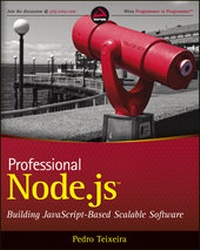
Professional Node.js
Description

More details
Other editions
Additional editions
Person
Content
PART I: INTRODUCTION AND SETUP
CHAPTER 1: INSTALLING NODE 3
Installing Node on Windows 4
Installing on Mac OS X 5
Installing Node Using the Source Code 6
Choosing the Node Version 6
Downloading the Node Source Code 6
Building Node 7
Installing Node 7
Running Node 8
Setting Up and Using Node Package Manager 8
Using NPM to Install, Update, and Uninstall Packages 9
Summary 13
CHAPTER 2: INTRODUCING NODE 15
Introducing the Event-Driven Programming Style 16
How Node and JavaScript Make Writing Asynchronous Applications Easier 17
What Are Closures? 18
How Closures Help When Programming Asynchronously 19
Summary 19
PART II: NODE CORE API BASICS
CHAPTER 3: LOADING MODULES 23
Understanding How Node Loads Modules 24
Exporting a Module 24
Loading a Module 25
Summary 28
CHAPTER 4: USING BUFFERS TO MANIPULATE, ENCODE, AND DECODE BINARY DATA 29
Creating a Buffer 30
Getting and Setting Bytes in a Buffer 30
Slicing a Buffer 32
Copying a Buffer 32
Decoding a Buffer 32
Summary 33
CHAPTER 5: USING THE EVENT EMITTER PATTERN TO SIMPLIFY EVENT BINDING 35
Understanding the Standard Callback Pattern 36
Understanding the Event Emitter Pattern 36
Understanding Event Types 37
Using the Event Emitter API 38
Binding Callbacks Using .addListener() or .on() 38
Binding Multiple Event Listeners 39
Removing an Event Listener from an Event Emitter
Using .removeListener() 40
Getting a Callback Executed at Most Once Using .once() 40
Removing All Event Listeners from an Event Emitter Using .removeAllListeners() 41
Creating an Event Emitter 41
Inheriting from Node Event Emitter 42
Emitting Events 42
Summary 43
CHAPTER 6: SCHEDULING THE EXECUTION OF FUNCTIONS USING TIMERS 45
Using setTimeout to Defer the Execution of a Function 46
Using clearTimeout to Cancel the Execution of a Function 46
Scheduling and Canceling the Repetitive Execution of a Function 47
Using process.nextTick to Defer the Execution of a Function Until the Next Event Loop Iteration 47
Blocking the Event Loop 48
Escaping the Event Loop 49
Using setTimeout Instead of setInterval to Force Serialization 49
Summary 50
PART III: FILES, PROCESSES, STREAMS, AND NETWORKING
CHAPTER 7: QUERYING, READING FROM, AND WRITING TO FILES 53
Manipulating File Paths 54
Normalizing Paths 54
Joining Paths 54
Resolving Paths 55
Finding the Relative Path Between Two Absolute Paths 55
Extracting Components of a Path 55
Determining the Existence of a Path 56
Introducing the fs Module 57
Querying File Statistics 57
Opening a File 58
Reading from a File 59
Writing to a File 60
Closing a File 60
Summary 62
CHAPTER 8: CREATING AND CONTROLLING EXTERNAL PROCESSES 63
Executing External Commands 64
Spawning Child Processes 69
Creating the Child Process 69
Listening for Data from the Child Process 69
Sending Data to the Child Process 70
Receiving Notification When the Child Process Exits 72
Signaling and Killing Processes 73
Summary 74
CHAPTER 9: READING AND WRITING STREAMS OF DATA 75
Using a Readable Stream 76
Waiting for Data 76
Pausing and Resuming a Stream 77
Knowing When the Stream Ends 77
Using Writable Streams 77
Writing Data into a Stream 78
Waiting for a Stream to Drain 78
Considering Some Stream Examples 78
Creating File-System Streams 79
Understanding Networking Streams 80
Avoiding the Slow Client Problem and Saving Your Server 80
Understanding the Slow Client Problem 80
Avoiding the Slow Client Problem 81
Using stream.pipe() to Prevent the Slow Client Problem and Assembling Readable and Writable Streams Using pipe() 82
Summary 82
CHAPTER 10: BUILDING TCP SERVERS 83
Creating a TCP Server 83
Using the Socket Object 85
Understanding Idle Sockets 86
Setting Up Keep-Alive 87
Using Delay or No Delay 87
Listening for Client Connections 88
Closing the Server 88
Handling Errors 88
Building a Simple TCP Chat Server 89
Accepting Connections 89
Reading Data from a Connection 90
Collecting All the Clients 90
Broadcasting Data 91
Removing Closed Connections 92
Using Your TCP Chat Server 93
Summary 93
CHAPTER 11: BUILDING HTTP SERVERS 95
Understanding the http.ServerRequest Object 97
Understanding the http.ServerResponse Object 98
Writing a Header 98
Changing or Setting a Header 99
Removing a Header 99
Writing a Piece of the Response Body 99
Streaming HTTP Chunked Responses 99
Piping a File 100
Piping the Output of Another Process 100
Shutting Down the Server 101
Example 1: Building a Server that Serves Static Files 101
Example 2: Making Use of HTTP Chunked Responses and Timers 102
Summary 102
CHAPTER 12: BUILDING A TCP CLIENT 103
Connecting to a Server 104
Sending and Receiving Data 105
Ending the Connection 105
Handling Errors 106
Building an Example Command-Line TCP Client 106
Connecting to the Server 107
Sending the Command Line to the Server 107
Printing Server Messages 107
Reconnecting if the Connection Dies 108
Closing the Connection 109
Putting the Client Together 111
Summary 112
CHAPTER 13: MAKING HTTP REQUESTS 113
Making GET Requests 113
Using Other HTTP Verbs 114
Inspecting the Response Object 115
Obtaining the Response Body 116
Streaming the Response Body 116
Pooling Sockets Using http.Agent 116
Using a Third-Party Request Module to Simplify HTTP Requests 118
Installing and Using Request 118
Creating a Testing Server 120
Following Redirects 121
Setting Some Request Options 123
Encoding the Request Body 125
Streaming 127
Using a Cookie Jar 127
Summary 128
CHAPTER 14: USING DATAGRAMS (UDP) 129
Understanding UDP 129
Understanding the Uses of UDP 130
Building a Datagram Server 130
Listening for Messages 130
Testing the Server 131
Inspecting Additional Message Information 132
Creating a Simple Datagram Echo Server 132
Waiting for Messages 132
Sending Messages Back to Senders 132
Putting the Echo Server Together 133
Building a Datagram Client 134
Creating the Client 134
Sending Messages 134
Closing the Socket 134
Creating a Simple Datagram Command-Line Client 135
Reading from the Command Line 135
Sending Data to the Server 135
Receiving Data from the Server 136
Putting the Command-Line UDP Client Together 136
Understanding and Using Datagram Multicast 136
Receiving Multicast Messages 137
Sending Multicast Messages 138
Understanding Maximum Datagram Size 138
Summary 138
CHAPTER 15: SECURING YOUR TCP SERVER WITH TLS/SSL 139
Understanding Private and Public Keys 139
Generating a Private Key 140
Generating a Public Key 140
Building a TLS Server 141
Initializing the Server 141
Listening for Connections 141
Reading Data from the Client 142
Sending Data to the Client 142
Ending the Connection 142
Building a TLS Client 143
Initializing the Client 143
Connecting to the Server 143
Verifying the Server Certificate 143
Sending Data to the Server 144
Reading Data from the Server 144
Ending the Connection 144
Building Some Examples 145
Creating a TLS Chat Server 145
Creating a TLS Command-Line Chat Client 146
Verifying the Client Certificate 147
Summary 148
CHAPTER 16: SECURING YOUR HTTP SERVER WITH HTTPS 149
Building a Secure HTTP Server 149
Setting Up the Server Options 150
Listening for Connections 150
Validating the HTTPS Client Certificate 151
Creating an HTTPS Client 152
Initializing the Client 152
Making the Request 152
Validating the HTTPS Server Certificate 153
Summary 154
PART IV: BUILDING AND DEBUGGING MODULES AND APPLICATIONS
CHAPTER 17: TESTING MODULES AND APPLICATIONS 157
Using a Test Runner 157
Writing Tests 158
Running Tests 159
Using an Assertion Testing Module 159
Using the assert Module 159
Using the Built-in Assertion Functions in Node-Tap 161
Testing Your Asynchronous Module 163
Summary 166
CHAPTER 18: DEBUGGING MODULES AND APPLICATIONS 167
Using console.log 167
Using Node's Built-in Debugger 169
Using Node Inspector 173
Summary 175
CHAPTER 19: CONTROLLING THE CALLBACK FLOW 177
Understanding the Boomerang Effect 177
Avoiding the Boomerang Effect
by Declaring Functions 179
Using the async Flow Control Library 183
Executing in Series 184
Executing in Parallel 185
Cascading 186
Queuing 187
Iterating 189
Mapping 190
Reducing 191
Filtering 192
Detecting 193
Summary 194
PART V: BUILDING WEB APPLICATIONS
CHAPTER 20: BUILDING AND USING HTTP MIDDLEWARE 197
Understanding the Connect HTTP Middleware Framework 198
Building Your Own HTTP Middleware 198
Creating Asynchronous Middleware 200
Registering Callbacks Inside Middleware 201
Handling Errors Inside Middleware 203
Using the HTTP Middleware Bundled in Connect 206
Logging Requests 206
Handling Errors 208
Serving Static Files 209
Parsing the Query String 210
Parsing the Request Body 211
Parsing Cookies 212
Using a Session 213
Other Available Middleware 216
Summary 216
CHAPTER 21: MAKING A WEB APPLICATION USING EXPRESS.JS 217
Initializing Your Express.js Application 218
Setting Up Middleware in Your Application 220
Routing Requests 222
Handling Routes 222
Using Sessions 229
Using Route Middleware 234
Summary 238
CHAPTER 22: MAKING UNIVERSAL REAL-TIME WEB APPLICATIONS USING SOCKET.IO 241
Understanding How WebSockets Work 242
Using Socket.IO to Build WebSocket Applications 243
Installing and Running Socket.IO on the Server 243
Building a Real-Time Web Chat with Socket.IO 245
Extending the Chat Application 250
Detecting Disconnections 254
Separating Users into Rooms 255
Using Namespaces 259
Distributing the Server-Side Application Using Redis 259
Summary 263
PART VI: CONNECTING TO DATABASES
CHAPTER 23: CONNECTING TO MYSQL USING NODE-MYSQL 267
Using a Library to Connect to and Communicate
with a MySQL Database 268
Adding Data to the Database with
Security Concerns in Mind 270
Reading Data Effi ciently 272
Summary 276
CHAPTER 24: CONNECTING TO COUCHDB USING NANO 277
Installing Nano 278
Connecting and Creating a Database 281
Storing Documents 285
Creating and Using CouchDB Views 286
Attaching Files to a CouchDB Document 298
Summary 310
CHAPTER 25: CONNECTING TO MONGODB USING MONGOOSE 311
Installing Mongoose 313
Understanding How Mongoose Uses Models to Encapsulate Database Access 313
Connecting to MongoDB 314
Defining a Schema 314
Defining a Model 315
Using Validators 324
Using Modifiers 330
Using Getters 331
Using Virtual Attributes 332
Using Default Values 338
Defining Indexes 340
Referencing Other Documents Using DB Refs 341
Defining Instance Methods 347
Defining Static Methods 348
Summary 349
INDEX 351
Chapter 2
Introducing Node
WHAT’S IN THIS CHAPTER?
- What is the event-driven programming style and what are the advantages of using it
- How Node.js and JavaScript make event-driven programming easy
Traditional programming does I/O the same way as it does local function calls: Processing cannot continue until an operation finishes. This programming model of blocking when doing I/O operations derives from the early days of time-sharing systems in which each process corresponded to one human user. The purpose was to isolate users from one another. In those systems, a user would typically need to finish one operation before deciding what the next operation would be. But with widespread use of computer networks and the Internet, this model of “one user, one process” did not scale well. Managing many processes places a big burden on the operating system — in memory and context switching costs — and the performance of these tasks starts to decay after a certain number is reached.
Multi-threading is one alternative to this programming model. A thread is a kind of lightweight process that shares memory with every other thread within the same process. Threads were created as an ad hoc extension of the previous model to accommodate several concurrent threads of execution. When one thread is waiting for an I/O operation, another thread can take over the CPU. When the I/O operation finishes, that thread can wake up, which means the thread that was running can be interrupted and eventually be resumed later. Furthermore, some systems allow threads to execute in parallel in different CPU cores.
This means that programmers do not know what set of threads is executing at any given time, so they must be careful with concurrent access to the shared memory state. They have to use synchronization primitives like locks and semaphores to synchronize access to some data structures, forcing them to foresee every possible way threads can be scheduled to execute to try to prevent problems. If the application relies heavily on a shared state between threads, this type of programming can easily lead to strange bugs that happen at random and are usually difficult to find.
An alternative to having the operating system scheduling the thread execution for you is to use cooperative multi-threading. In this scheme you are responsible for explicitly relinquishing the CPU to give time for another thread to execute. Because you are now responsible for thread scheduling, this can relax the synchronization requirements. However, this approach can become complex and error-prone for the same reasons as regular multi-threading.
INTRODUCING THE EVENT-DRIVEN PROGRAMMING STYLE
Event-driven programming is a programming style whereby the flow of execution is determined by events. Events are handled by event handlers or event callbacks. An event callback is a function that is invoked when something significant happens — such as when the result of a database query is available or when the user clicks on a button.
Consider how a query to a database is completed in typical blocking I/O programming:
result = query('SELECT * FROM posts WHERE id = 1'); do_something_with(result); This query requires that the current thread or process wait until the database layer finishes processing it.
In event-driven systems, this query would be performed in this way:
query_finished = function(result) { do_something_with(result); } query('SELECT * FROM posts WHERE id = 1', query_finished); Here you are first defining what will happen when the query is finished and storing that in a function named query_finished. Then you are passing that function as an argument to the query. When it’s finished, the query will invoke the query_finished function, instead of simply returning the result.
This style of programming — whereby instead of using a return value you define functions that are called by the system when interesting events occur — is called event-driven or asynchronous programming. This is one of the defining features of Node. This style of programming means the current process will not block when it is doing I/O. Therefore, several I/O operations can occur in parallel, and each respective callback function will be invoked when the operation finishes.
The event-driven programming style is accompanied by an event loop. An event loop is a construct that mainly performs two functions in a continuous loop — event detection and event handler triggering. In any run of the loop, it has to detect which events just happened. Then, when an event happens, the event loop must determine the event callback and invoke it.
This event loop is just one thread running inside one process, which means that, when an event happens, the event handler can run without interruption. This means the following:
- There is at most one event handler running at any given time.
- Any event handler will run to completion without being interrupted.
This allows the programmer to relax the synchronization requirements and not have to worry about concurrent threads of execution changing the shared memory state.
A WELL-KNOWN SECRET For quite some time, the systems-programming community has known that event-driven programming is the best way to create a service that can handle many concurrent connections. It has been known to be more efficient regarding memory because there is less context to store, and more efficient regarding time because there is less context switching. This knowledge has infiltrated other platforms and communities; some of the most well-known event loop implementations are Ruby’s Event Machine, Perl’s AnyEvent, and Python’s Twisted. There are also others for these and other languages. Implementing an application using one of these frameworks requires framework-specific knowledge and framework-specific libraries. For example, when using Event Machine, you should avoid using synchronous libraries. To gain the benefit of not blocking, you are limited to using asynchronous libraries built specifically for Event Machine. If you use any blocking library (like most of the ones in the Ruby standard library), your server will not be able to scale optimally because the event loop will be constantly blocking, which prevents timely processing of I/O events. Node was devised as a non-blocking I/O server platform from day one, so generally you should expect everything built on top of it to be non-blocking. Because JavaScript itself is very minimal and does not impose any way of doing I/O (it does not have a standard I/O library), Node has a clean slate to build upon.HOW NODE AND JAVASCRIPT MAKE WRITING ASYNCHRONOUS APPLICATIONS EASIER
Ryan Dahl, the author of Node, began his project building a C platform, but maintaining the context between function calls was too complicated and led to complex code. He then turned to Lua, but Lua already had several blocking I/O libraries. This mix of blocking and non-blocking could confuse developers and prevent many of them from building scalable applications, thus Lua was not ideal either.
Dahl then turned to JavaScript. JavaScript has closures and first-class functions, which makes it a powerful match for event-driven programming. The power of JavaScript is one of the main reasons Node has become so popular.
What Are Closures?
Closures are functions that inherit variables from their enclosing environment. When you pass a function callback as an argument to another function that will do I/O, this callback function will be invoked later, and this function will — almost magically — remember the context in which it was declared, along with all the variables available in that context and any parent contexts. This powerful feature is at the heart of Node’s success.
The following example shows how a closure works when programming JavaScript in the web browser. For instance, if you want to listen for an event — a button click, for instance — you can do something like:
var clickCount = 0; document.getElementById('myButton').onclick = function() { clickCount += 1; alert("clicked " + clickCount + " times."); }; Or, using jQuery:
var clickCount = 0; $('button#mybutton').click(function() { clickedCount ++; alert('Clicked ' + clickCount + ' times.'); }); In JavaScript, functions are first-class objects, which means you can pass functions as arguments to other functions. In both examples you assigned or passed a function as an argument to be executed later. The click handling function — your callback function — has every variable in scope at the point where the function was declared, which means that, in this case, it has access to the clickCount variable declared in the parent closure.
The variable clickCount stores the number of times that the user has clicked on the button. This variable is stored in the global scope (the outermost scope you can get to in JavaScript). Storing variables in the global scope is generally bad practice because they can easily collide with other code; you should keep variables in a scope that is local to the functions that need to use them. Most of the time you can easily avoid global scope pollution by wrapping all of your code inside another function to create an additional closure, as in the next example:
(function() { var clickCount = 0; ...
