

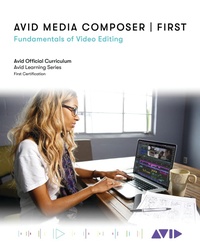
Avid Media Composer / First
Fundamentals of Video Editing
1st Edition
Published on 7. May 2021
264 pages
978-1-5381-4383-4 (ISBN)
Description

Avid Media Composer | First: Fundamentals of Video Editing introduces users to the power of Media Composer software and marks the first steps toward developing core skills in video editing. The book covers the basic principles you'll need to complete a Media Composer | First project, from initial setup to final output, and it is designed for those who are new to professional video editing and also for experienced editors who are unfamiliar with Media Composer software.
Each lesson and exercise will focus on a phase of the editing process, starting with organizing media, assembling a sequence, refining a sequence, creating titles and effects, and outputting your program so that others can view it. Although this book is not aimed at teaching the theory behind film and television production, the content provides some background on the craft of editing, making it appropriate for students and others new to the art.
For those interested in gaining official Avid certification, this book is also a valuable introduction for further learning and through the Avid Learning Series curriculum.
Each lesson and exercise will focus on a phase of the editing process, starting with organizing media, assembling a sequence, refining a sequence, creating titles and effects, and outputting your program so that others can view it. Although this book is not aimed at teaching the theory behind film and television production, the content provides some background on the craft of editing, making it appropriate for students and others new to the art.
For those interested in gaining official Avid certification, this book is also a valuable introduction for further learning and through the Avid Learning Series curriculum.
More details
Edition
1. Auflage
Language
English
Place of publication
New York
United States
Publishing group
Bloomsbury Publishing Plc
Illustrations
262 b/w illustrations; 1 b/w photos; 3 tables; 10 textboxes
ISBN-13
978-1-5381-4383-4 (9781538143834)
Copyright in bibliographic data and cover images is held by Nielsen Book Services Limited or by the publishers or by their respective licensors: all rights reserved.
Schweitzer Classification
Other editions
Additional editions
Book
05/2021
Rowman & Littlefield Publishers
€37.20
Shipment within 3-4 weeks
Person
By Avid Technology
Content
- Avid Media Composer First Fundamentals of Video Editing
- ACKNOWLEDGMENTS
- About the Author
- ABOUT THE MEDIA
- CONTENTS
- Lesson 1: Introduction to Media Composer | First
- About the Media Composer | First software
- About This Book
- System Requirements
- Accessing and Installing the Media Composer | First Software
- Course Media
- Creating a YouTube Account
- Becoming Avid Certified
- Avid Certified. Real skills. Proven
- Exercise 1
- Lesson 2: A Quick Start Guide
- Launching Media Composer| First
- Opening a Project
- The Interface
- Playing Media
- Review/Discussion Questions
- Exercise 2
- Lesson 3: Getting Organized
- Creating a new project
- The Bins
- Inputting Media
- Saving a Project
- Review/Discussion Questions
- Exercise 3
- Lesson 4: Ingest
- Getting Started
- How to Ingest Video Clips
- Ingesting Audio Media
- Ingesting from Camera Cards
- Media Management
- Review/Discussion Questions
- Exercise 4
- Lesson 5: Drag and Drop Editing
- Deciding Which Part of a Clip to Use
- Getting Started
- Performing the First Edit
- Overwriting a Clip Onto the Timeline
- Splicing a Shot Onto the Timeline
- Replacing a Shot in the Timeline
- Adding Voice Over
- Review/Discussion Questions
- Exercise 5
- Lesson 6: Refining the Sequence
- Moving Segments in the Timeline
- Deleting Segments From the Timeline Using Extract/Splice-in
- Automatic Selection of Segment Modes
- Review/Discussion Questions
- Exercise 6
- Lesson 7: Music and Audio
- Locating Audio Cues
- Adjusting Audio in the Sequence
- Review/Discussion Questions
- Exercise 7
- Lesson 8: Introduction to Transition Effects
- Creating Visual Transition Effects
- Accessing effects from the Effects Palette
- Modifying Effects in the Effect Editor
- Review/Discussion Questions
- Exercise 8
- Lesson 9: Using 3-Point Editing
- Building Your Sequence with Splice-In
- Editing with Overwrite
- Removing Material From a Sequence
- Review/Discussion Questions
- Exercise 9
- Lesson 10: Using Multiple Tracks
- Overview
- Working with Tracks
- Review/Discussion Questions
- Exercise 10
- Lesson 11: Assembling a Dialogue Scene
- The Unscripted Documentary
- The Scripted Drama
- Review/Discussion Questions
- Exercise 11
- Lesson 12: Trimming Dialogue Scenes
- Understanding Trim
- Using Overwrite Trim to Clean up Audio
- Using Ripple Trim to Adjust Pacing
- Creating Split Edits
- Maintaining Sync
- Review/Discussion Questions
- Exercise 12
- Lesson 13: Introduction to Segment Effects
- Adding Segment Effects
- Stabilizing Shaky Footage
- Using Color Correction to Improve the Footage
- Hiding Jump Cuts with FluidMorph
- Resizing a Shot
- Using Standard Keyframes
- Review/Discussion Questions
- Exercise 13
- Lesson 14: Combining Multiple Effects
- Nesting Effects
- Review/Discussion Questions
- Exercise 14
- Lesson 15: Freeze Frames and Motion Effects
- Types of Motion Effects
- Creating Freeze Frames
- Creating Motion Effects
- Review/Discussion Questions
- Exercise 15
- Lesson 16: Combining Layers and Creating Titles
- Vertical Effects
- Creating Titles Using Avid Titler+
- Review/Discussion Questions
- Exercise 16
- Lesson 17: Exporting Your Video
- Exporting Your Video
- Review/Discussion Questions
- Exercise 17
