

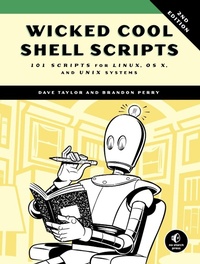
Wicked Cool Shell Scripts, 2nd Edition
101 Scripts for Linux, OS X, and UNIX Systems
Published on 15. October 2016
392 pages
978-1-59327-783-3 (ISBN)
Description

Shell scripts are an efficient way to interact with your machine and manage your files and system operations. With just a few lines of code, your computer will do exactly what you want it to do. But you can also use shell scripts for many other essential (and not-so-essential) tasks.
This second edition of Wicked Cool Shell Scripts offers a collection of useful, customizable, and fun shell scripts for solving common problems and personalizing your computing environment. Each chapter contains ready-to-use scripts and explanations of how they work, why you'd want to use them, and suggestions for changing and expanding them. You'll find a mix of classic favorites, like a disk backup utility that keeps your files safe when your system crashes, a password manager, a weather tracker, and several games, as well as 23 brand-new scripts, including:
- ZIP code lookup tool that reports the city and state
- Bitcoin address information retriever
- suite of tools for working with cloud services like Dropbox and iCloud
- for renaming and applying commands to files in bulk
- processing and editing tools
Whether you want to save time managing your system or just find new ways to goof off, these scripts are wicked cool!
More details
Other editions
Additional editions
Dave Taylor | Brandon Perry
Wicked Cool Shell Scripts
101 Scripts for Linux, Mac OS X, and UNIX Systems
Book
10/2016
2nd Edition
No Starch Press
€33.00
Shipment within 3-4 weeks
Book
01/2004
1st Edition
No Starch Press
€30.00
Article exhausted; check for reprint
Persons
Dave Taylor has been in the computer industry since 1980. He was a contributor to BSD 4.4 UNIX, and his software is included in all major UNIX distributions. He is an award-winning public speaker and has written thousands of magazine and newspaper articles. He is the author of 20 books, including Learning UNIX for Mac OS X (O'Reilly), Solaris for Dummies (Hungry Minds), and Teach Yourself UNIX in 24 Hours (SAMS). A popular columnist for Linux Journal magazine, he also maintains a customer tech support website at http://www.askdavetaylor.com.
Brandon Perry started writing C# applications with the advent of the open source .NET implementation called Mono. In his free time, he enjoys writing modules for the Metasploit framework, parsing binary files, and fuzzing things.
Brandon Perry started writing C# applications with the advent of the open source .NET implementation called Mono. In his free time, he enjoys writing modules for the Metasploit framework, parsing binary files, and fuzzing things.
Content
- Intro
- Title Page
- Copyright Page
- About the Authors
- About the Technical Reviewer
- Brief Contents
- Contents in Detail
- Acknowledgments for the First Edition
- Acknowledgments for the Second Edition
- Introduction
- What to Take Away
- This Book Is for You If . . .
- Organization of This Book
- Finally . . .
- Chapter 0: A Shell Scripts Crash Course
- What Is a Shell Script, Anyway?
- Running Commands
- Configuring Your Login Script
- Running Shell Scripts
- Making Shell Scripts More Intuitive
- Why Shell Scripts?
- Let's Get Cracking
- Chapter 1: The Missing Code Library
- What Is POSIX?
- #1 Finding Programs in the PATH
- The Code
- How It Works
- Running the Script
- The Results
- Hacking the Script
- #2 Validating Input: Alphanumeric Only
- The Code
- How It Works
- Running the Script
- The Results
- Hacking the Script
- #3 Normalizing Date Formats
- The Code
- How It Works
- Running the Script
- The Results
- Hacking the Script
- #4 Presenting Large Numbers Attractively
- The Code
- How It Works
- Running the Script
- The Results
- Hacking the Script
- #5 Validating Integer Input
- The Code
- How It Works
- Running the Script
- The Results
- Hacking the Script
- #6 Validating Floating-Point Input
- The Code
- How It Works
- Running the Script
- The Results
- Hacking the Script
- #7 Validating Date Formats
- The Code
- How It Works
- Running the Script
- The Results
- Hacking the Script
- #8 Sidestepping Poor echo Implementations
- The Code
- Running the Script
- The Results
- Hacking the Script
- #9 An Arbitrary-Precision Floating-Point Calculator
- The Code
- How It Works
- Running the Script
- The Results
- #10 Locking Files
- The Code
- How It Works
- Running the Script
- The Results
- Hacking the Script
- #11 ANSI Color Sequences
- The Code
- How It Works
- Running the Script
- The Results
- Hacking the Script
- #12 Building a Shell Script Library
- The Code
- How It Works
- Running the Script
- The Results
- #13 Debugging Shell Scripts
- The Code
- How It Works
- Running the Script
- The Results
- Hacking the Script
- Chapter 2: Improving on User Commands
- #14 Formatting Long Lines
- The Code
- How It Works
- Running the Script
- The Results
- #15 Backing Up Files as They're Removed
- The Code
- How It Works
- Running the Script
- The Results
- Hacking the Script
- #16 Working with the Removed File Archive
- The Code
- How It Works
- Running the Script
- The Results
- Hacking the Script
- #17 Logging File Removals
- The Code
- How It Works
- Running the Script
- The Results
- Hacking the Script
- #18 Displaying the Contents of Directories
- The Code
- How It Works
- Running the Script
- The Results
- Hacking the Script
- #19 Locating Files by Filename
- The Code
- How It Works
- Running the Script
- The Results
- Hacking the Script
- #20 Emulating Other Environments: MS-DOS
- The Code
- How It Works
- Running the Script
- The Results
- Hacking the Script
- #21 Displaying Time in Different Time Zones
- The Code
- How It Works
- Running the Script
- The Results
- Hacking the Script
- Chapter 3: Creating Utilities
- #22 A Reminder Utility
- The Code
- How It Works
- Running the Script
- The Results
- Hacking the Script
- #23 An Interactive Calculator
- The Code
- How It Works
- Running the Script
- The Results
- Hacking the Script
- #24 Converting Temperatures
- The Code
- How It Works
- Running the Script
- The Results
- Hacking the Script
- #25 Calculating Loan Payments
- The Code
- How It Works
- Running the Script
- The Results
- Hacking the Script
- #26 Keeping Track of Events
- The Code
- How It Works
- Running the Script
- The Results
- Hacking the Script
- Chapter 4: Tweaking Unix
- #27 Displaying a File with Line Numbers
- The Code
- How It Works
- Running the Script
- The Results
- Hacking the Script
- #28 Wrapping Only Long Lines
- The Code
- How It Works
- Running the Script
- The Results
- #29 Displaying a File with Additional Information
- The Code
- How It Works
- Running the Script
- The Results
- #30 Emulating GNU-Style Flags with quota
- The Code
- How It Works
- Running the Script
- The Results
- #31 Making sftp Look More Like ftp
- The Code
- How It Works
- Running the Script
- The Results
- Hacking the Script
- #32 Fixing grep
- The Code
- How It Works
- Running the Script
- The Results
- Hacking the Script
- #33 Working with Compressed Files
- The Code
- How It Works
- Running the Script
- The Results
- Hacking the Script
- #34 Ensuring Maximally Compressed Files
- The Code
- How It Works
- Running the Script
- The Results
- Chapter 5: System Administration: Managing Users
- #35 Analyzing Disk Usage
- The Code
- How It Works
- Running the Script
- The Results
- Hacking the Script
- #36 Reporting Disk Hogs
- The Code
- How It Works
- Running the Script
- The Results
- Hacking the Script
- #37 Improving the Readability of df Output
- The Code
- How It Works
- Running the Script
- The Results
- Hacking the Script
- #38 Figuring Out Available Disk Space
- The Code
- How It Works
- Running the Script
- The Results
- Hacking the Script
- #39 Implementing a Secure locate
- The Code
- How It Works
- Running the Script
- The Results
- Hacking the Script
- #40 Adding Users to the System
- The Code
- How It Works
- Running the Script
- The Results
- Hacking the Script
- #41 Suspending a User Account
- The Code
- How It Works
- Running the Script
- The Results
- #42 Deleting a User Account
- The Code
- How It Works
- Running the Script
- The Results
- Hacking the Script
- #43 Validating the User Environment
- The Code
- How It Works
- Running the Script
- The Results
- #44 Cleaning Up After Guests Leave
- The Code
- How It Works
- Running the Script
- The Results
- Chapter 6: System Administration: System Maintenance
- #45 Tracking Set User ID Applications
- The Code
- How It Works
- Running the Script
- The Results
- #46 Setting the System Date
- The Code
- How It Works
- Running the Script
- The Results
- #47 Killing Processes by Name
- The Code
- How It Works
- Running the Script
- The Results
- Hacking the Script
- #48 Validating User crontab Entries
- The Code
- How It Works
- Running the Script
- The Results
- Hacking the Script
- #49 Ensuring that System cron Jobs Are Run
- The Code
- How It Works
- Running the Script
- The Results
- Hacking the Script
- #50 Rotating Log Files
- The Code
- How It Works
- Running the Script
- The Results
- Hacking the Script
- #51 Managing Backups
- The Code
- How It Works
- Running the Script
- The Results
- #52 Backing Up Directories
- The Code
- How It Works
- Running the Script
- The Results
- Chapter 7: Web and Internet Users
- #53 Downloading Files via FTP
- The Code
- How It Works
- Running the Script
- The Results
- Hacking the Script
- #54 Extracting URLs from a Web Page
- The Code
- How It Works
- Running the Script
- The Results
- Hacking the Script
- #55 Getting GitHub User Information
- The Code
- How It Works
- Running the Script
- The Results
- Hacking the Script
- #56 ZIP Code Lookup
- The Code
- How It Works
- Running the Script
- The Results
- Hacking the Script
- #57 Area Code Lookup
- The Code
- How It Works
- Running the Script
- The Results
- Hacking the Script
- #58 Keeping Track of the Weather
- The Code
- How It Works
- Running the Script
- The Results
- Hacking the Script
- #59 Digging Up Movie Info from IMDb
- The Code
- How It Works
- Running the Script
- The Results
- Hacking the Script
- #60 Calculating Currency Values
- The Code
- How It Works
- Running the Script
- The Results
- Hacking the Script
- #61 Retrieving Bitcoin Address Information
- The Code
- How It Works
- Running the Script
- The Results
- Hacking the Script
- #62 Tracking Changes on Web Pages
- The Code
- How It Works
- Running the Script
- The Results
- Hacking the Script
- Chapter 8: Webmaster Hacks
- Running the Scripts in This Chapter
- #63 Seeing the CGI Environment
- The Code
- How It Works
- Running the Script
- The Results
- #64 Logging Web Events
- The Code
- How It Works
- Running the Script
- The Results
- Hacking the Script
- #65 Building Web Pages on the Fly
- The Code
- How It Works
- Running the Script
- The Results
- Hacking the Script
- #66 Turning Web Pages into Email Messages
- The Code
- How It Works
- Running the Script
- The Results
- Hacking the Script
- #67 Creating a Web-Based Photo Album
- The Code
- How It Works
- Running the Script
- The Results
- Hacking the Script
- #68 Displaying Random Text
- The Code
- How It Works
- Running the Script
- The Results
- Hacking the Script
- Chapter 9: Web and Internet Administration
- #69 Identifying Broken Internal Links
- The Code
- How It Works
- Running the Script
- The Results
- Hacking the Script
- #70 Reporting Broken External Links
- The Code
- How It Works
- Running the Script
- The Results
- #71 Managing Apache Passwords
- The Code
- How It Works
- Running the Script
- The Results
- Hacking the Script
- #72 Syncing Files with SFTP
- The Code
- How It Works
- Running the Script
- The Results
- Hacking the Script
- Chapter 10: Internet Server Administration
- #73 Exploring the Apache access_log
- The Code
- How It Works
- Running the Script
- The Results
- Hacking the Script
- #74 Understanding Search Engine Traffic
- The Code
- How It Works
- Running the Script
- The Results
- Hacking the Script
- #75 Exploring the Apache error_log
- The Code
- How It Works
- Running the Script
- The Results
- #76 Avoiding Disaster with a Remote Archive
- The Code
- How It Works
- Running the Script
- The Results
- Hacking the Script
- #77 Monitoring Network Status
- The Code
- How It Works
- Running the Script
- The Results
- Hacking the Script
- #78 Renicing Tasks by Process Name
- The Code
- How It Works
- Running the Script
- The Results
- Hacking the Script
- Chapter 11: OS X Scripts
- #79 Automating screencapture
- The Code
- How It Works
- Running the Script
- The Results
- Hacking the Script
- #80 Setting the Terminal Title Dynamically
- The Code
- How It Works
- Running the Script
- The Results
- Hacking the Script
- #81 Producing Summary Listings of iTunes Libraries
- The Code
- How It Works
- Running the Script
- The Results
- Hacking the Script
- #82 Fixing the open Command
- The Code
- How It Works
- Running the Script
- The Results
- Hacking the Script
- Chapter 12: Shell Script Fun and Games
- #83 Unscramble: A Word Game
- The Code
- How It Works
- Running the Script
- The Results
- Hacking the Script
- #84 Hangman: Guess the Word Before It's Too Late
- The Code
- How It Works
- Running the Script
- The Results
- Hacking the Script
- #85 A State Capitals Quiz
- The Code
- How It Works
- Running the Script
- The Results
- Hacking the Script
- #86 Is That Number a Prime?
- The Code
- How It Works
- Running the Script
- The Results
- Hacking the Script
- #87 Let's Roll Some Dice
- The Code
- How It Works
- Running the Script
- Hacking the Script
- #88 Acey Deucey
- The Code
- How It Works
- Running the Script
- The Results
- Hacking the Script
- Chapter 13: Working with the Cloud
- #89 Keeping Dropbox Running
- The Code
- How It Works
- Running the Script
- The Results
- Hacking the Script
- #90 Syncing Dropbox
- The Code
- How It Works
- Running the Script
- The Results
- Hacking the Script
- #91 Creating Slide Shows from Cloud Photo Streams
- The Code
- How It Works
- Running the Script
- The Results
- Hacking the Script
- #92 Syncing Files with Google Drive
- The Code
- How It Works
- Running the Script
- The Results
- Hacking the Script
- #93 The Computer Says . . .
- The Code
- How It Works
- Running the Script
- The Results
- Hacking the Script
- Chapter 14: Imagemagick and Working with Graphics Files
- #94 A Smarter Image Size Analyzer
- The Code
- How It Works
- Running the Script
- The Results
- Hacking the Script
- #95 Watermarking Images
- The Code
- How It Works
- Running the Script
- The Results
- Hacking the Script
- #96 Framing Images
- The Code
- How It Works
- Running the Script
- The Results
- Hacking the Script
- #97 Creating Image Thumbnails
- The Code
- How It Works
- Running the Script
- The Results
- Hacking the Script
- #98 Interpreting GPS Geolocation Information
- The Code
- How It Works
- Running the Script
- The Results
- Hacking the Script
- Chapter 15: Days and Dates
- #99 Finding the Day of a Specific Date in the Past
- The Code
- How It Works
- Running the Script
- Hacking the Script
- #100 Calculating Days Between Dates
- The Code
- How It Works
- Running the Script
- Hacking the Script
- #101 Calculating Days Until a Specified Date
- The Code
- How It Works
- Running the Script
- Hacking the Script
- Appendix A: Installing Bash on Windows 10
- Turning On Developer Mode
- Installing Bash
- Microsoft's Bash Shell vs. a Linux Distro
- Appendix B: Bonus Scripts
- #102 Bulk-Renaming Files
- The Code
- How It Works
- Running the Script
- The Results
- Hacking the Script
- #103 Bulk-Running Commands on Multiprocessor Machines
- The Code
- How It Works
- Running the Script
- The Results
- Hacking the Script
- #104 Finding the Phase of the Moon
- The Code
- How It Works
- Running the Script
- The Results
- Hacking the Script
- Index
- Resources
- 101 Time-Saving, Problem-Solving Shell Scripts
- Footnote
- Chapter 5: System Administr Ation: Managing Users
