

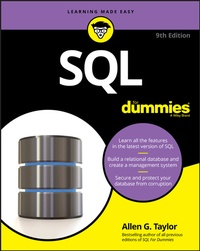
SQL For Dummies
Description

Updated for the latest version of SQL, the new edition of this perennial bestseller shows programmers and web developers how to use SQL to build relational databases and get valuable information from them. Covering everything you need to know to make working with SQL easier than ever, topics include how to use SQL to structure a DBMS and implement a database design; secure a database; and retrieve information from a database; and much more.
SQL is the international standard database language used to create, access, manipulate, maintain, and store information in relational database management systems (DBMS) such as Access, Oracle, SQL Server, and MySQL. SQL adds powerful data manipulation and retrieval capabilities to conventional languages--and this book shows you how to harness the core element of relational databases with ease.
* Server platform that gives you choices of development languages, data types, on-premises or cloud, and operating systems
* Find great examples on the use of temporal data
* Jump right in--without previous knowledge of database programming or SQL
As database-driven websites continue to grow in popularity--and complexity--SQL For Dummies is the easy-to-understand, go-to resource you need to use it seamlessly.
More details
Other editions
Additional editions
Content
- Intro
- Table of Contents
- Introduction
- About This Book
- Foolish Assumptions
- Icons Used in This Book
- Beyond the Book
- Where to Go from Here
- Part 1: Getting Started with SQL
- Chapter 1: Relational Database Fundamentals
- Keeping Track of Things
- What Is a Database?
- Database Size and Complexity
- What Is a Database Management System?
- Flat Files
- Database Models
- Database Design Considerations
- Chapter 2: SQL Fundamentals
- What SQL Is and Isn't
- A (Very) Little History
- SQL Statements
- Reserved Words
- Data Types
- Null Values
- Constraints
- Using SQL in a Client/Server System
- Using SQL on the Internet or an Intranet
- Chapter 3: The Components of SQL
- Data Definition Language
- Data Manipulation Language
- Data Control Language
- Part 2: Using SQL to Build Databases
- Chapter 4: Building and Maintaining a Simple Database Structure
- Using a RAD Tool to Build a Simple Database
- Building POWER with SQL's DDL
- Portability Considerations
- Chapter 5: Building a Multi-table Relational Database
- Designing a Database
- Working with Indexes
- Maintaining Data Integrity
- Normalizing the Database
- Part 3: Storing and Retrieving Data
- Chapter 6: Manipulating Database Data
- Retrieving Data
- Creating Views
- Updating Views
- Adding New Data
- Updating Existing Data
- Transferring Data
- Deleting Obsolete Data
- Chapter 7: Handling Temporal Data
- Understanding Times and Periods
- Working with Application-Time Period Tables
- Working with System-Versioned Tables
- Tracking Even More Time Data with Bitemporal Tables
- Formatting and Parsing Dates and Times
- Chapter 8: Specifying Values
- Values
- Value Expressions
- Functions
- Chapter 9: Using Advanced SQL Value Expressions
- CASE Conditional Expressions
- CAST Data-Type Conversions
- Row Value Expressions
- Chapter 10: Zeroing In on the Data You Want
- Modifying Clauses
- FROM Clauses
- WHERE Clauses
- Logical Connectives
- GROUP BY Clauses
- HAVING Clauses
- ORDER BY Clauses
- Limited FETCH
- Peering through a Window to Create a Result Set
- Chapter 11: Using Relational Operators
- UNION
- INTERSECT
- EXCEPT
- Join Operators
- ON versus WHERE
- Chapter 12: Delving Deep with Nested Queries
- What Subqueries Do
- Chapter 13: Recursive Queries
- What Is Recursion?
- What Is a Recursive Query?
- Where Might You Use a Recursive Query?
- Where Else Might You Use a Recursive Query?
- Part 4: Controlling Operations
- Chapter 14: Providing Database Security
- The SQL Data Control Language
- User Access Levels
- Granting Privileges to Users
- Granting Privileges across Levels
- Granting the Power to Grant Privileges
- Taking Privileges Away
- Using GRANT and REVOKE Together to Save Time and Effort
- Chapter 15: Protecting Data
- Threats to Data Integrity
- Reducing Vulnerability to Data Corruption
- Constraints Within Transactions
- Avoiding SQL Injection Attacks
- Chapter 16: Using SQL within Applications
- SQL in an Application
- Hooking SQL into Procedural Languages
- Part 5: Taking SQL to the Real World
- Chapter 17: Accessing Data with ODBC and JDBC
- ODBC
- ODBC in a Client/Server Environment
- ODBC and the Internet
- ODBC and an Intranet
- JDBC
- Chapter 18: Operating on XML Data with SQL
- How XML Relates to SQL
- The XML Data Type
- Mapping SQL to XML and XML to SQL
- SQL Functions That Operate on XML Data
- Predicates
- Transforming XML Data into SQL Tables
- Mapping Non-Predefined Data Types to XML
- The Marriage of SQL and XML
- Chapter 19: SQL and JSON
- Using JSON with SQL
- The SQL/JSON Data Model
- SQL/JSON Functions
- SQL/JSON Path Language
- There's More
- Part 6: Advanced Topics
- Chapter 20: Stepping through a Dataset with Cursors
- Declaring a Cursor
- Opening a Cursor
- Fetching Data from a Single Row
- Closing a Cursor
- Chapter 21: Adding Procedural Capabilities with Persistent Stored Modules
- Compound Statements
- Flow of Control Statements
- Stored Procedures
- Stored Functions
- Privileges
- Stored Modules
- Chapter 22: Handling Errors
- SQLSTATE
- WHENEVER Clause
- Diagnostics Areas
- Handling Exceptions
- Chapter 23: Triggers
- Examining Some Applications of Triggers
- Creating a Trigger
- Firing a Succession of Triggers
- Referencing Old Values and New Values
- Firing Multiple Triggers on a Single Table
- Part 7: The Parts of Tens
- Chapter 24: Ten Common Mistakes
- Assuming That Your Clients Know What They Need
- Ignoring Project Scope
- Considering Only Technical Factors
- Not Asking for Client Feedback
- Always Using Your Favorite Development Environment
- Using Your Favorite System Architecture Exclusively
- Designing Database Tables in Isolation
- Neglecting Design Reviews
- Skipping Beta Testing
- Not Documenting Your Process
- Chapter 25: Ten Retrieval Tips
- Verify the Database Structure
- Try Queries on a Test Database
- Double-Check Queries That Include Joins
- Triple-Check Queries with Subselects
- Summarize Data with GROUP BY
- Watch GROUP BY Clause Restrictions
- Use Parentheses with AND, OR, and NOT
- Control Retrieval Privileges
- Back Up Your Databases Regularly
- Handle Error Conditions Gracefully
- Appendix: ISO/IEC SQL: 2016 Reserved Words
- Index
- About the Author
- Connect with Dummies
- End User License Agreement
Chapter 1
Relational Database Fundamentals
IN THIS CHAPTER
Organizing information
Defining "database" in digital terms
Deciphering DBMS
Looking at the evolution of database models
Defining "relational database" (can you relate?)
Considering the challenges of database design
SQL (pronounced ess-que-ell, not see'qwl, though database geeks still argue about that) is a language specifically designed with databases in mind. SQL enables people to create databases, add new data to them, maintain the data in them, and retrieve selected parts of the data. Developed in the 1970s at IBM, SQL has grown and advanced over the years to become the industry standard. It is governed by a formal standard maintained by the International Standards Organization (ISO).
Various kinds of databases exist, each adhering to a different model of how the data in the database is organized.
SQL was originally developed to operate on data in databases that follow the relational model. Recently, the international SQL standard has incorporated part of the object model, resulting in hybrid structures called object-relational databases. In this chapter, I discuss data storage, devote a section to how the relational model compares with other major models, and provide a look at the important features of relational databases.
Before I talk about SQL, however, I want to nail down what I mean by the term database. Its meaning has changed, just as computers have changed the way people record and maintain information.
Keeping Track of Things
Today people use computers to perform many tasks formerly done with other tools. Computers have replaced typewriters for creating and modifying documents. They've surpassed calculators as the best way to do math. They've also replaced millions of pieces of paper, file folders, and file cabinets as the principal storage medium for important information. Compared with those old tools, of course, computers do much more, much faster - and with greater accuracy. These increased benefits do come at a cost, however: Computer users no longer have direct physical access to their data.
When computers occasionally fail, office workers may wonder whether computerization really improved anything at all. In the old days, a manila file folder "crashed" only if you dropped it - then you merely knelt down, picked up the papers, and put them back in the folder. Barring earthquakes or other major disasters, file cabinets never "went down," and they never gave you an error message. A hard-drive crash is another matter entirely: You can't "pick up" lost bits and bytes. Mechanical, electrical, and human failures can make your data go away into the Great Beyond, never to return. Backing up your data frequently is one thing you can do to enhance your peace of mind. Another thing you can do is store your data in the cloud and let your cloud provider do the backing up.
Taking the necessary precautions to protect yourself from accidental data loss allows you to start cashing in on the greater speed and accuracy that computers provide.
If you're storing important data, you have four main concerns:
- Storing data must be quick and easy because you're likely to do it often.
- The storage medium must be reliable. You don't want to come back later and find some (or all) of your data missing.
- Data retrieval must be quick and easy, regardless of how many items you store.
- You need an easy way to separate the exact information you want now from the tons of data that you don't want right now.
State-of-the-art computer databases satisfy these four criteria. If you store more than a dozen or so data items, you probably want to store those items in a database.
What Is a Database?
The term database has fallen into loose use lately, losing much of its original meaning. To some people, a database is any collection of data items (phone books, laundry lists, parchment scrolls . whatever). Other people define the term more strictly.
In this book, I define a database as a self-describing collection of integrated records. And yes, that does imply computer technology, complete with programming languages such as SQL.
A record is a representation of some physical or conceptual object. Say, for example, that you want to keep track of a business's customers. You assign a record for each customer. Each record has multiple attributes, such as name, address, and telephone number. Individual names, addresses, and so on are the data.
A database consists of both data and metadata. Metadata is the data that describes the data's structure within a database. If you know how your data is arranged, then you can retrieve it. Because the database contains a description of its own structure, it's self-describing. The database is integrated because it includes not only data items but also the relationships among data items.
The database stores metadata in an area called the data dictionary, which describes the tables, columns, indexes, constraints, and other items that make up the database.
Because a flat-file system (described later in this chapter) has no metadata, applications written to work with flat files must contain the equivalent of the metadata as part of the application program.
Database Size and Complexity
Databases come in all sizes, from simple collections of a few records to mammoth systems holding millions of records. Most databases fall into one of three categories, which are based on the size of the database itself, the size of the equipment it runs on, and the size of the organization that is maintaining it:
- A personal database is designed for use by a single person on a single computer. Such a database usually has a rather simple structure and a relatively small size.
- A departmental or workgroup database is used by the members of a single department or workgroup within an organization. This type of database is generally larger than a personal database and is necessarily more complex; such a database must handle multiple users trying to access the same data at the same time.
- An enterprise database can be huge. Enterprise databases may model the critical information flow of entire large organizations.
What Is a Database Management System?
Glad you asked. A database management system (DBMS) is a set of programs used to define, administer, and process databases and their associated applications. The database being managed is, in essence, a structure that you build to hold valuable data. A DBMS is the tool you use to build that structure and operate on the data contained within the database.
You can find many DBMS programs on the market today. Some run on large and powerful machines, and some on personal computers, notebooks, and tablets. Some even run on smartphones. A strong trend, however, is for such products to work on multiple platforms or on networks that contain different classes of machines. An even stronger trend is to store data in data centers or even to store it out in the cloud, which could be a public cloud run by a large company such as Amazon, Google, or Microsoft, via the Internet, or it could be a private cloud operated by the same organization that is storing the data on its own intranet.
These days, cloud is a buzzword that is bandied about incessantly in techie circles. Like the puffy white things up in the sky, it has indistinct edges and seems to float somewhere out there. In reality, it is a collection of computing resources that is accessible via a browser, either over the Internet or on a private intranet. The thing that distinguishes the computing resources in the cloud from similar computing resources in a physical data center is the fact that the resources are accessible via a browser rather than an application program that directly accesses those resources.
A DBMS that runs on platforms of multiple classes, large and small, is called scalable.
Whatever the size of the computer that hosts the database - and regardless of whether the machine is connected to a network - the flow of information between database and user is always the same. Figure 1-1 shows that the user communicates with the database through the DBMS. The DBMS masks the physical details of the database storage so that the application need only concern itself with the logical characteristics of the data, not with how the data is stored.
FIGURE 1-1: A block diagram of a DBMS-based information system.
THE VALUE IS NOT IN THE DATA, BUT IN THE STRUCTURE
Years ago, some clever person calculated that if you reduce human beings to their components of carbon, hydrogen, oxygen, and nitrogen atoms (plus traces of others), they would be worth only 97 cents. However droll this assessment, it's misleading. People aren't composed of mere isolated collections of atoms. Our atoms combine into enzymes, proteins, hormones, and many other substances that would cost millions of dollars per ounce on the pharmaceutical market. The precise structure of these combinations of atoms is what gives them...
