

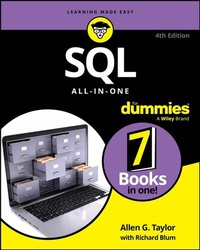
SQL All-in-One For Dummies
4th Edition
Published on 20. March 2024
800 pages
978-1-394-24232-0 (ISBN)
Description

The most thorough SQL reference, now updated for SQL:2023
SQL All-in-One For Dummies has everything you need to get started with the SQL programming language, and then to level up your skill with advanced applications. This relational database coding language is one of the most used languages in professional software development. And, as it becomes ever more important to take control of data, there's no end in sight to the need for SQL know-how. You can take your career to the next level with this guide to creating databases, accessing and editing data, protecting data from corruption, and integrating SQL with other languages in a programming environment. Become a SQL guru and turn the page on the next chapter of your coding career.
* Get 7 mini-books in one, covering basic SQL, database development, and advanced SQL concepts
* Read clear explanations of SQL code and learn to write complex queries
* Discover how to apply SQL in real-world situations to gain control over large datasets
* Enjoy a thorough reference to common tasks and issues in SQL development
This Dummies All-in-One guide is for all SQL users--from beginners to more experienced programmers. Find the info and the examples you need to reach the next stage in your SQL journey.
SQL All-in-One For Dummies has everything you need to get started with the SQL programming language, and then to level up your skill with advanced applications. This relational database coding language is one of the most used languages in professional software development. And, as it becomes ever more important to take control of data, there's no end in sight to the need for SQL know-how. You can take your career to the next level with this guide to creating databases, accessing and editing data, protecting data from corruption, and integrating SQL with other languages in a programming environment. Become a SQL guru and turn the page on the next chapter of your coding career.
* Get 7 mini-books in one, covering basic SQL, database development, and advanced SQL concepts
* Read clear explanations of SQL code and learn to write complex queries
* Discover how to apply SQL in real-world situations to gain control over large datasets
* Enjoy a thorough reference to common tasks and issues in SQL development
This Dummies All-in-One guide is for all SQL users--from beginners to more experienced programmers. Find the info and the examples you need to reach the next stage in your SQL journey.
More details
Other editions
Additional editions
Allen G. Taylor | Richard Blum
SQL All-in-One For Dummies
Book
04/2024
4th Edition
Wiley
€39.00
Available immediately
Persons
Allen G. Taylor is a 30-year veteran of the computer industry and the author of more than 40 books, including previous editions of SQL For Dummies and SQL All-in-One For Dummies. Richard Blum has more than 30 years of experience in the IT industry as a systems and network administrator. He is author of Linux All-in-One For Dummies 7th Edition, and PHP, MySQL, & JavaScript All-in-One For Dummies.
Content
- Intro
- Title Page
- Copyright Page
- Table of Contents
- Introduction
- About This Book
- Foolish Assumptions
- Icons Used in This Book
- Beyond the Book
- Where to Go from Here
- Book 1 Getting Started with SQL
- Chapter 1 Understanding Relational Databases
- Understanding Why Today's Databases Are Better than Early Databases
- Irreducible complexity
- Managing data with complicated programs
- Managing data with simple programs
- Which type of organization is better?
- Databases, Queries, and Database Applications
- Making data useful
- Retrieving the data you want - and only the data you want
- Examining Competing Database Models
- Looking at the historical background of the competing models
- The hierarchical database model
- The network database model
- The relational database model
- Defining what makes a database relational
- Protecting the definition of relational databases with Codd's rules
- Highlighting the relational database model's inherent flexibility
- The object-oriented database model
- The object-relational database model
- The nonrelational NoSQL model
- Why the Relational Model Won
- Chapter 2 Modeling a System
- Capturing the Users' Data Model
- Identifying and interviewing stakeholders
- Reconciling conflicting requirements
- Obtaining stakeholder buy-in
- Translating the Users' Data Model to a Formal Entity-Relationship Model
- Entity-Relationship modeling techniques
- Entities
- Attributes
- Identifiers
- Relationships
- Drawing Entity-Relationship diagrams
- Maximum cardinality
- Minimum cardinality
- Understanding advanced ER model concepts
- Strong entities and weak entities
- ID-dependent entities
- Supertype and subtype entities
- Incorporating business rules
- A simple example of an ER model
- A slightly more complex example
- Problems with complex relationships
- Simplifying relationships using normalization
- Translating an ER model into a relational model
- Chapter 3 Getting to Know SQL
- Where SQL Came From
- Knowing What SQL Does
- The ISO/IEC SQL Standard
- Knowing What SQL Does Not Do
- Choosing and Using an Available DBMS Implementation
- Microsoft Access
- Microsoft SQL Server
- IBM DB2
- Oracle Database
- Sybase SQL Anywhere
- MySQL
- PostgreSQL
- Chapter 4 SQL and the Relational Model
- Sets, Relations, Multisets, and Tables
- Functional Dependencies
- Keys
- Views
- Users
- Privileges
- Schemas
- Catalogs
- Connections, Sessions, and Transactions
- Routines
- Paths
- Chapter 5 Knowing the Major Components of SQL
- Creating a Database with the Data Definition Language
- The containment hierarchy
- Creating tables
- Specifying columns
- Creating other objects
- Views
- Schemas
- Domains
- Modifying tables
- Removing tables and other objects
- Operating on Data with the Data Manipulation Language (DML)
- Retrieving data from a database
- Adding data to a table
- Adding data the dull and boring way (typing it in)
- Adding incomplete records
- Adding data in the fastest and most efficient way: Bypassing typing altogether
- Updating data in a table
- Deleting data from a table
- Updating views doesn't make sense
- Maintaining Security in the Data Control Language (DCL)
- Granting access privileges
- Revoking access privileges
- Preserving database integrity with transactions
- Chapter 6 Drilling Down to the SQL Nitty-Gritty
- Executing SQL Statements
- Interactive SQL
- Challenges to combining SQL with a host language
- Embedded SQL
- Module language
- Using Reserved Words Correctly
- SQL's Data Types
- Exact numerics
- INTEGER
- SMALLINT
- BIGINT
- NUMERIC
- DECIMAL
- DECFLOAT
- Approximate numerics
- REAL
- DOUBLE PRECISION
- FLOAT
- Character strings
- CHARACTER
- CHARACTER VARYING
- CHARACTER LARGE OBJECT (CLOB)
- NATIONAL CHARACTER, NATIONAL CHARACTER VARYING, and NATIONAL CHARACTER LARGE OBJECT
- Binary strings
- BINARY
- BINARY VARYING
- BINARY LARGE OBJECT (BLOB)
- Booleans
- Datetimes
- DATE
- TIME WITHOUT TIME ZONE
- TIME WITH TIME ZONE
- TIMESTAMP WITHOUT TIME ZONE
- TIMESTAMP WITH TIME ZONE
- Intervals
- XML type
- ROW type
- Collection types
- ARRAY
- Multiset
- REF types
- JSON types
- User-defined types
- Distinct types
- Structured types
- Data type summary
- Handling Null Values
- Applying Constraints
- Column constraints
- NOT NULL
- UNIQUE
- CHECK
- Table constraints
- Foreign key constraints
- Assertions
- Book 2 Developing Relational Databases
- Chapter 1 System Development Overview
- The Components of a Database System
- The database
- The database engine
- The DBMS front end
- The database application
- The user
- The System Development Life Cycle
- Definition phase
- Requirements phase
- The users' data model
- Statement of Requirements
- Evaluation phase
- Determining project scope
- Reassessing feasibility
- Documenting the Evaluation phase
- Design phase
- Designing the database
- The database application
- Documenting the Design phase
- Implementation phase
- Final Documentation and Testing phase
- Testing the system with sample data
- Finalizing the documentation
- Delivering the results (and celebrating)
- Maintenance phase
- Chapter 2 Building a Database Model
- Finding and Listening to Interested Parties
- Your immediate supervisor
- The users
- The standards organization
- Upper management
- Building Consensus
- Gauging what people want
- Arriving at a consensus
- Building a Relational Model
- Reviewing the three database traditions
- Knowing what a relation is
- Functional dependencies
- Keys
- Being Aware of the Danger of Anomalies
- Eliminating anomalies
- Examining the higher normal forms
- The Database Integrity versus Performance Tradeoff
- Chapter 3 Balancing Performance and Correctness
- Designing a Sample Database
- The ER model for Honest Abe's
- Converting an ER model into a relational model
- Normalizing a relational model
- Handling binary relationships
- A sample conversion
- Maintaining Integrity
- Entity integrity
- Domain integrity
- Referential integrity
- Avoiding Data Corruption
- Speeding Data Retrievals
- Hierarchical storage
- Full table scans
- Working with Indexes
- Creating the right indexes
- Indexes and the ANSI/ISO standard
- Index costs
- Query type dictates the best index
- Point query
- Multipoint query
- Range query
- Prefix match query
- Extremal query
- Ordering query
- Grouping query
- Equi-join query
- Data structures used for indexes
- Indexes, sparse and dense
- Index clustering
- Composite indexes
- Index effect on join performance
- Table size as an indexing consideration
- Indexes versus full table scans
- Reading SQL Server Execution Plans
- Robust execution plans
- A sample database
- A typical query
- The execution plan
- Chapter 4 Creating a Database with SQL
- First Things First: Planning Your Database
- Building Tables
- Locating table rows with keys
- Using the CREATE TABLE statement
- Setting Constraints
- Column constraints
- Table constraints
- Keys and Indexes
- Ensuring Data Validity with Domains
- Establishing Relationships between Tables
- Altering Table Structure
- Deleting Tables
- Book 3 Writing SQL Queries
- Chapter 1 Values, Variables, Functions, and Expressions
- Entering Data Values
- Row values have multiple parts
- Identifying values in a column
- Literal values don't change
- Variables vary
- Special variables hold specific values
- Working with Functions
- Summarizing data with set functions
- COUNT
- AVG
- MAX
- MIN
- SUM
- LISTAGG
- ANY_VALUE
- Dissecting data with value functions
- String value functions
- Numeric value functions
- Datetime value functions
- Polymorphic table functions
- Using Expressions
- Numeric value expressions
- String value expressions
- Datetime value expressions
- Interval value expressions
- Boolean value expressions
- Array value expressions
- Conditional value expressions
- Handling different cases
- The NULLIF special CASE
- Bypassing null values with COALESCE
- Converting data types with a CAST expression
- Casting one SQL data type to another
- Using CAST to overcome data type incompatibilities between SQL and its host language
- Row value expressions
- Chapter 2 SELECT Statements and Modifying Clauses
- Finding Needles in Haystacks withthe SELECT Statement
- Modifying Clauses
- FROM clauses
- WHERE clauses
- Comparison predicates
- BETWEEN
- IN and NOT IN
- LIKE and NOT LIKE
- NULL
- ALL, SOME, and ANY
- EXISTS
- UNIQUE
- DISTINCT
- OVERLAPS
- MATCH
- The MATCH predicate and referential integrity
- Logical connectives
- GROUP BY clauses
- HAVING clauses
- ORDER BY clauses
- Tuning Queries
- SELECT DISTINCT
- Temporary tables
- The ORDER BY clause
- The HAVING clause
- The OR logical connective
- Chapter 3 Querying Multiple Tables with Subqueries
- What Is a Subquery?
- What Subqueries Do
- Subqueries that return multiple values
- Subqueries that retrieve rows satisfying a condition
- Subqueries that retrieve rows that don't satisfy a condition
- Subqueries that return a single value
- Quantified subqueries return a single value
- Correlated subqueries
- Using a subquery as an existence test
- Introducing a correlated subquery with the IN keyword
- Introducing a correlated subquery with a comparison operator
- Correlated subqueries in a HAVING clause
- Using Subqueries in INSERT, DELETE, and UPDATE Statements
- Tuning Considerations for Statements Containing Nested Queries
- Tuning Correlated Subqueries
- Chapter 4 Querying Multiple Tables with Relational Operators
- UNION
- UNION ALL
- UNION CORRESPONDING
- INTERSECT
- EXCEPT
- JOINS
- Cartesian product or cross join
- Equi-join
- Natural join
- Condition join
- Column-name join
- Inner join
- Outer join
- Left outer join
- Right outer join
- Full outer join
- ON versus WHERE
- Join Conditions and Clustering Indexes
- Chapter 5 Cursors
- Declaring a Cursor
- The query expression
- Ordering the query result set
- Updating table rows
- Sensitive versus insensitive cursors
- Scrolling a cursor
- Holding a cursor
- Declaring a result set cursor
- Opening a Cursor
- Operating on a Single Row
- FETCH syntax
- Absolute versus relative fetches
- Deleting a row
- Updating a row
- Closing a Cursor
- Book 4 Securing Your Data
- Chapter 1 Protecting Against Hardware Failure and External Threats
- What Could Possibly Go Wrong?
- Equipment failure
- Platform instability
- Database design flaws
- Data-entry errors
- Operator error
- Taking Advantage of RAID
- Striping
- RAID levels
- RAID 0
- RAID 1
- RAID 5
- RAID 10
- Backing Up Your System
- Preparation for the worst
- Full or incremental backup
- Frequency
- Backup maintenance
- Coping with Internet Threats
- Viruses
- Trojan horses
- Worms
- Denial-of-service attacks
- Ransomware
- SQL injection attacks
- Chipping away at your wall of protection
- Understanding SQL injection
- Using a GET parameter
- Recognizing unsafe configurations
- Finding vulnerabilities on your site
- Phishing scams
- Zombie spambots
- Installing Layers of Protection
- Network-layer firewalls
- Application-layer firewalls
- Antivirus software
- Vulnerabilities, exploits, and patches
- Education
- Alertness
- Chapter 2 Protecting Against User Errors and Conflicts
- Reducing Data-Entry Errors
- Data types: The first line of defense
- Constraints: The second line of defense
- Sharp-eyed humans: The third line of defense
- Coping with Errors in Database Design
- Handling Programming Errors
- Solving Concurrent-Operation Conflicts
- Passing the ACID Test: Atomicity, Consistency, Isolation, and Durability
- Operating with Transactions
- Using the SET TRANSACTION statement
- Starting a transaction
- Access modes
- Isolation levels
- Committing a transaction
- Rolling back a transaction
- Why roll back a transaction?
- The log file
- The write-ahead log protocol
- Checkpoints
- Implementing deferrable constraints
- Getting Familiar with Locking
- Two-phase locking
- Granularity
- Deadlock
- Tuning Locks
- Measuring performance with throughput
- Eliminating unneeded locks
- Shortening transactions
- Weakening isolation levels (ver-r-ry carefully)
- Controlling lock granularity
- Scheduling DDL statements correctly
- Partitioning insertions
- Cooling hot spots
- Tuning the deadlock interval
- Enforcing Serializability with Timestamps
- Tuning the Recovery System
- Chapter 3 Assigning Access Privileges
- Working with the SQL Data Control Language
- Identifying Authorized Users
- Understanding user identifiers
- Getting familiar with roles
- Creating roles
- Destroying roles
- Classifying Users
- Granting Privileges
- Looking at data
- Deleting data
- Adding data
- Changing data
- Referencing data in another table
- Using certain database facilities
- Responding to an event
- Defining new data types
- Executing an SQL statement
- Doing it all
- Passing on the power
- Revoking Privileges
- Granting Roles
- Revoking Roles
- Chapter 4 Error Handling
- Identifying Error Conditions
- Getting to Know SQLSTATE
- Handling Conditions
- Handler declarations
- Handler actions and handler effects
- Conditions that aren't handled
- Dealing with Execution Exceptions: The WHENEVER Clause
- Getting More Information: The Diagnostics Area
- The diagnostics header area
- The diagnostics detail area
- Examining an Example Constraint Violation
- Adding Constraints to an Existing Table
- Interpreting SQLSTATE Information
- Handling Exceptions
- Book 5 Programming with SQL
- Chapter 1 Database Development Environments
- Microsoft Access
- The Jet engine
- DAO
- ADO
- ODBC
- OLE DB
- Files with the .mdb extension
- The Access Database Engine
- Microsoft SQL Server
- IBM Db2
- Oracle 23c
- SQL Anywhere
- PostgreSQL
- MySQL
- Chapter 2 Interfacing SQL to a Procedural Language
- Building an Application with SQL and a Procedural Language
- Access and VBA
- The ADOdb library
- The ADOX library
- Other libraries
- SQL Server and the .NET languages
- MySQL and C++.NET or C#
- MySQL and C
- MySQL and Perl
- MySQL and Python
- MySQL and PHP
- MySQL and Java
- Oracle SQL and Java
- Db2 and Java
- Chapter 3 Using SQL in an Application Program
- Comparing SQL with Procedural Languages
- Classic procedural languages
- Object-oriented procedural languages
- Nonprocedural languages
- Difficulties in Combining SQL with a Procedural Language
- Challenges of using SQL with a classical procedural language
- Contrasting operating modes
- Data type incompatibilities
- Challenges of using SQL with an object-oriented procedural language
- Embedding SQL in an Application
- Embedding SQL in an Oracle Pro*C application
- Declaring host variables
- Converting data types
- Embedding SQL in a Java application
- Using SQL in a Perl application
- Embedding SQL in a PHP application
- Using SQL with a Visual Basic .NET application
- Using SQL with other .NET languages
- Using SQL Modules with an Application
- Module declarations
- Module procedures
- Modules in Oracle
- Chapter 4 Designing a Sample Application
- Understanding the Client's Problem
- Approaching the Problem
- Interviewing the stakeholders
- Drafting a detailed statement of requirements
- Following up with a proposal
- Determining the Deliverables
- Finding out what's needed now and later
- Planning for organization growth
- Greater database needs
- Increased need for data security
- Growth in the example scenario
- Nailing down project scope
- Building an Entity-Relationship Model
- Determining what the entities are
- Relating the entities to one another
- Relationships
- Maximum cardinality
- Minimum cardinality
- Business rules
- Transforming the Model
- Eliminating any many-to-many relationships
- Normalizing the ER model
- Creating Tables
- Changing Table Structure
- Removing Tables
- Designing the User Interface
- Chapter 5 Building an Application
- Designing from the Top Down
- Determining what the application should include
- Designing the user interface
- Connecting the user interface to the database
- Coding from the Bottom Up
- Preparing to build the application
- Creating the database
- Filling database tables with sample data
- Creating the application's building blocks
- Developing screen forms
- Developing reports
- Gluing everything together
- Testing, Testing, Testing
- Fixing the bugs
- Turning naive users loose
- Bringing on the hackers
- Fixing the newly found bugs
- Retesting everything one last time
- Chapter 6 Understanding SQL's Procedural Capabilities
- Embedding SQL Statements in Your Code
- Introducing Compound Statements
- Atomicity
- Variables
- Cursors
- Assignment
- Following the Flow of Control Statements
- IF . . . THEN . . . ELSE . . . END IF
- CASE . . . END CASE
- Simple CASE statement
- Searched CASE statement
- LOOP . . . END LOOP
- LEAVE
- WHILE . . . DO . . . END WHILE
- REPEAT . . . UNTIL . . . END REPEAT
- FOR . . . DO . . . END FOR
- ITERATE
- Using Stored Procedures
- Working with Triggers
- Trigger events
- Trigger action time
- Triggered actions
- Triggered SQL statement
- Using Stored Functions
- Passing Out Privileges
- Using Stored Modules
- Chapter 7 Connecting SQL to a Remote Database
- Native Drivers
- ODBC and Its Major Components
- Application
- Driver manager
- Drivers
- Data sources
- What Happens When the Application Makes a Request
- Using handles to identify objects
- Following the six stages of an ODBC operation
- Stage 1: The application allocates environment and connection handles in the driver manager
- Stage 2: The driver manager finds the appropriate driver
- Stage 3: The driver manager loads the driver
- Stage 4: The driver manager allocates environment and connection handles in the driver
- Stage 5: The driver manager connects to the data source through the driver
- Stage 6: The data source (finally) executes an SQL statement
- Book 6 Working with Advanced Data Types in SQL: XML, JSON, and PGQ
- Chapter 1 Using XML with SQL
- Introducing XML
- Knowing the Parts of an XML Document
- XML declaration
- Elements
- Nested elements
- The document element
- Empty elements
- Attributes
- Entity references
- Numeric character references
- Using XML Schema
- Relating SQL to XML
- Using the XML Data Type
- When to use the XML type
- When not to use the XML type
- Mapping SQL to XML
- Mapping character sets to XML
- Mapping identifiers to XML
- Mapping data types to XML
- Mapping nonpredefined data types to XML
- DOMAIN
- DISTINCT UDT
- ROW
- ARRAY
- MULTISET
- Mapping tables to XML
- Handling null values
- Creating an XML schema for an SQL table
- Operating on XML Data with SQL Functions
- XMLELEMENT
- XMLFOREST
- XMLCONCAT
- XMLAGG
- XMLCOMMENT
- XMLPARSE
- XMLPI
- XMLQUERY
- XMLCAST
- Working with XML Predicates
- DOCUMENT
- CONTENT
- XMLEXISTS
- VALID
- Chapter 2 Storing XML Data in SQL Tables
- Inserting XML Data into an SQL Pseudotable
- Creating a Table to Hold XML Data
- Updating XML Documents
- Discovering Oracle's Tools for Updating XML Data in a Table
- APPENDCHILDXML
- INSERTCHILDXML
- INSERTXMLBEFORE
- DELETEXML
- UPDATEXML
- Introducing Microsoft's Tools for Updating XML Data in a Table
- Inserting data into a table using OPENXML
- Using updategrams to map data into database tables
- Using an updategram namespace and keywords
- Specifying a mapping schema
- Implicit mapping
- Explicit mapping
- Elementcentric mapping
- Attributecentric mapping
- Mixed elementcentric and attributecentric mapping
- Schemas that allow null values
- Chapter 3 Retrieving Data from XML Documents
- XQuery
- Where XQuery came from
- What XQuery requires
- XQuery functionality
- Usage scenarios
- FLWOR Expressions
- The for clause
- The let clause
- The where clause
- The order by clause
- The return clause
- XQuery versus SQL
- Comparing XQuery's FLWOR expression with SQL's SELECT expression
- Relating XQuery data types to SQL data types
- Chapter 4 Using JSON with SQL
- Using JSON with SQL
- The SQL/JSON Data Model
- SQL/JSON items
- SQL/JSON scalar
- SQL/JSON null
- SQL/JSON array
- SQL/JSON object
- SQL/JSON sequences
- Parsing JSON
- Serializing JSON
- SQL/JSON Functions
- Query functions
- JSON value expression
- Path expression
- Passing clause
- JSON output clause
- JSON_EXISTS
- JSON_VALUE
- JSON_QUERY
- JSON_TABLE
- Constructor functions
- JSON_OBJECT
- JSON_OBJECTAGG
- JSON_ARRAY
- JSON_ARRAYAGG
- IS JSON predicate
- JSON nulls and SQL nulls
- SQL/JSON Path Language
- SQL:2023 JSON Enhancements
- The JSON data type
- Additional functions for the JSON data type
- Chapter 5 Exploring Property Graph Queries
- What Are Property Graph Queries?
- Looking at node and edge properties
- Connecting nodes by multiple edges
- Using edges to connect a node to itself
- Following paths with SQL queries
- Examining SQL/PGQ
- Working with SQL/PGQ
- Building the property graph tables
- Adding data to node and edge tables
- Querying data in graph tables
- Book 7 Optimizing Your Database
- Chapter 1 Tuning the Database
- Analyzing the Workload
- Considering the Physical Design
- Choosing the Right Indexes
- Avoiding unnecessary indexes
- Choosing a column to index
- Using multicolumn indexes
- Clustering indexes
- Choosing an index type
- Weighing the cost of index maintenance
- Using composite indexes
- Tuning Indexes
- Tuning Queries
- Tuning Transactions
- Separating User Interactions from Transactions
- Minimizing Traffic between Application and Server
- Precompiling Frequently Used Queries
- Chapter 2 Tuning the Environment
- Surviving Failures with Minimum Data Loss
- What happens to transactions when no failure occurs?
- What happens when a failure occurs and a transaction is still active?
- Tuning the Recovery System
- Volatile and nonvolatile memory
- Memory system hierarchy
- Putting logs and transactions on different disks
- Hard disk drive construction
- Hard disk drive performance considerations
- Tuning write operations
- Performing database dumps
- Setting checkpoints
- Optimizing batch transactions
- Tuning the Operating System
- Scheduling threads
- Context switching
- Round-robin scheduling
- Priority-based scheduling
- Priority inversion
- Deadlock
- Determining database buffer size
- Tuning the page usage factor
- Maximizing the Hardware You Have
- Optimizing the placement of code and data on hard disks
- Tuning the page replacement algorithm
- Tuning the disk controller cache
- Adding Hardware
- Faster processor
- More RAM
- Faster hard disks
- More hard disks
- Solid State Disk (SSD)
- RAID arrays
- Working in Multiprocessor Environments
- Chapter 3 Finding and Eliminating Performance Bottlenecks
- Pinpointing the Problem
- Slow query
- Slow update
- Determining the Possible Causes of Trouble
- Problems with indexes
- B+ tree indexes
- Index pluses and minuses
- Index-only queries
- Full table scans versus indexed table access
- Pitfalls in communication
- ODBC/JDBC versus native drivers
- Locking and client performance
- Application development tools making suboptimal decisions
- Determining whether hardware is robust enough and configured properly
- Implementing General Principles: A First Step Toward Improving Performance
- Avoid direct user interaction
- Examine the application/database interaction
- Don't ask for columns that you don't need
- Don't use cursors unless you absolutely have to
- Precompiled queries
- Tracking Down Bottlenecks
- Isolating performance problems
- Performing a top-down analysis
- DBMS operations
- Hardware
- Partitioning
- Locating hotspots
- Analyzing Query Efficiency
- Using query analyzers
- The Database Engine Tuning Advisor
- SQL Server Profiler
- The Oracle Tuning Advisor
- Finding problem queries
- Analyzing a query's access plan
- Examining a query's execution profile
- Managing Resources Wisely
- The disk subsystem
- The database buffer manager
- The logging subsystem
- The locking subsystem
- Book 8 Appendixes
- Appendix A SQL:2023 Reserved Words
- Appendix B Glossary
- Index
- EULA
