

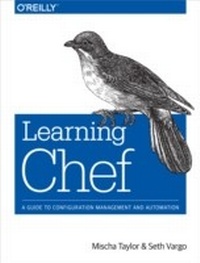
Learning Chef
A Guide to Configuration Management and Automation
1st Edition
Published on 6. November 2014
366 pages
978-1-4919-4511-7 (ISBN)
Description

Get a hands-on introduction to the Chef, the configuration management tool for solving operations issues in enterprises large and small. Ideal for developers and sysadmins new to configuration management, this guide shows you to automate the packaging and delivery of applications in your infrastructure. Youll be able to build (or rebuild) your infrastructures application stack in minutes or hours, rather than days or weeks.After teaching you how to write Ruby-based Chef code, this book walks you through different Chef tools and configuration management concepts in each chapter, using detailed examples throughout. All you need to get started is command-line experience and familiarity with basic system administration.Configure your Chef development environment and start writing recipesCreate Chef cookbooks with recipes for each part of your infrastructureUse Test Kitchen to manage sandbox testing environmentsManage single nodes with Chef client, and multiple nodes with Chef ServerUse data bags for storing shared global data between nodesSimulate production Chef Server environments with Chef ZeroClassify different types of services in your infrastructure with rolesModel life stages of your application, including development, testing, staging, and production
More details
Other editions
Additional editions
Book
10/2014
1st Edition
O'Reilly
€37.50
Shipment within 10-20 days
Content
- Cover
- Copyright
- Table of Contents
- Preface
- What Is This Book?
- Who Should Read This Book?
- Why All the Culinary Terminology?
- Conventions Used in This Book
- Using Code Examples
- Safari® Books Online
- How to Contact Us
- Acknowledgments
- Chapter 1. Configuration Management and Chef
- What Is Configuration Management?
- Why You Need a Configuration Management Tool to Automate IT
- What Is Chef?
- Why Chef Might Be a Good Tool for Your Enterprise
- Where Do We Go From Here?
- Chapter 2. Configure Your Chef Development Environment
- Install a Programmer's Text Editor
- Chef Development Tools
- Install the Chef Development Tools on Linux
- Verify the Chef Development Kit/Chef Client Install on Linux
- Install Test Kitchen on Linux (Chef Client Only)
- Verify the Test Kitchen Installation on Linux (Chef Client only)
- Install the Chef Development Tools on Mac OS X
- Verify the Chef Development Kit/Chef Client Installation on Mac OS X
- Install Test Kitchen on Mac OS X (Chef Client Only)
- Verify the Test Kitchen Installation on Mac OS X (Chef Client Only)
- Install the Chef Development Tools on Windows
- Verify the Chef Development Kit/Chef Client Installer in Windows
- Install Test Kitchen in Windows (Chef Client Only)
- Verify the Test Kitchen Installer in Windows (Chef Client Only)
- Install Unix Tools for Windows
- Install ConEmu (Optional)
- Summary
- Chapter 3. Ruby and Chef Syntax
- Overview of Ruby
- Ruby Syntax and Examples
- Comments
- Variables
- Mathematical Operations
- Strings
- Heredoc Notation
- True and False
- Arrays
- Hashes
- Regular Expressions
- Conditionals and Flow
- Methods, Classes, and Modules
- Chef Syntax and Examples
- Chapter 4. Write Your First Chef Recipe
- Create a Directory Structure for Your Code
- Write Your First Chef Recipe
- Verify Your First Chef Recipe
- Examine hello.rb
- Recipes Specify Desired Configuration
- To Uninstall, Specify What Not to Do
- Summary
- Chapter 5. Manage Sandbox Environments with Test Kitchen
- Installing Vagrant and VirtualBox
- Host versus Guest
- Introducing Test Kitchen
- Spinning Up Your First Virtual Machine
- YAML Overview
- Test Kitchen Configuration with .kitchen.yml
- Summary
- Chapter 6. Manage Nodes with Chef Client
- What Is a Node?
- Create a New Sandbox Environment for a Node
- Installing Chef Client with Test Kitchen
- Your First Chef-Client Run
- Chef Client Modes
- Ohai
- Accessing Node Information
- Summary
- Chapter 7. Cookbook Authoring and Use
- Your First Cookbook: Message of the Day
- Your First Cookbook: Message of the Day (Chef Development Kit)
- Introducing the Cookbook_file Resource
- Your First Cookbook: Message of the Day (Chef Client)
- Introducing the Cookbook_file Resource
- Performing Your First Converge
- Validate Your Results
- Anatomy of a Chef Run
- Cookbook Structure
- The Four Resources You Need to Know
- Apache Cookbook: A Step-By-Step Primer for Creating a Cookbook
- Define Prerequisites
- Generate the Cookbook Skeleton
- Edit the README.md File
- Update Metadata.rb
- Introducing the Package Resource
- Introducing the Service Resource
- Introducing the Template Resource
- Verify Success Criteria Are Met
- Summary
- Chapter 8. Attributes
- Motd-Attributes Cookbook
- Setting Attributes
- Basic Attribute Priority
- Include_Recipe
- Attribute Precedence
- Debugging Attributes
- Summary
- Chapter 9. Manage Multiple Nodes at Once with Chef Server
- How to Install Enterprise Chef Server Manually
- Install Enterprise Chef Server
- Introducing Idempotence
- Configure Enterprise Chef Server
- Testing the Connection
- Bootstrapping a Node
- Create a Node in a Sandbox Environment
- Bootstrap the Node with Knife
- Bootstrap Chef Server with Chef Solo
- Summary
- Chapter 10. Community and the Chef-Client Cookbook
- Using Community Cookbooks
- Chef-Client Cookbook
- Knife Cookbook Site Plugin
- Search for Community Cookbooks Using Knife Cookbook Site
- Manage Chef Supermarket Cookbooks on Your Chef Server Using Knife Cookbook Site
- Chef-Client Recipes
- Configure Knife to Use a Production SSL Setup
- Configure Chef-Client to Use a Production SSL Setup
- Summary
- Chapter 11. Chef Zero
- Test Kitchen and Chef Zero
- Running Chef-Zero on Your Host Using Chef-Playground
- Summary
- Chapter 12. Search
- Search from the Command Line
- Search from the Command Line with Knife
- Search in a Recipe Using Test Kitchen
- Summary
- Chapter 13. Data Bags
- Basic Command Line Data Bag Usage with Knife
- Creating Local Users Based on Data Bag Items in a Recipe
- Verify Users
- Encrypted Data Bags
- chef-vault
- Summary
- Chapter 14. Roles
- Create a Web Server Role
- Attributes and Roles
- Roles and Search
- Role Cookbook
- Summary
- Chapter 15. Environments
- Create a Dev Environment
- Attributes and Environments
- Putting All the Pieces Together
- Simulate a Production Environment
- Simulate a Development Environment
- Summary
- Chapter 16. Testing
- Testing Rationale
- Revisiting the Apache Cookbook
- Test Automation with Serverspec
- Write Your First Serverspec Test
- RSpec DSL Syntax
- More Serverspec Resources
- Test Automation with Foodcritic
- Test Automation with ChefSpec
- Write Your First ChefSpec Test
- Lazy Evaluation with Let
- Generate a Coverage Report
- Share Test Code with spec_helper.rb
- Summary
- Chapter 17. Conclusion
- Appendix A. Open Source Chef Server
- How to Install Open Source Chef Server Manually
- Install Open Source Chef Server
- Introducing Idempotence
- Configure Open Source Chef Server
- Testing the Connection
- Bootstrapping a Node
- Create a Node
- Bootstrap the Node with Knife
- Appendix B. Hosted Enterprise Chef
- Testing the Connection
- Glossary
- Index
- About the Authors
