

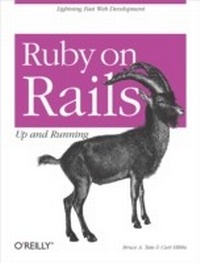
Ruby on Rails: Up and Running
Up and Running
1st Edition
Published on 22. August 2006
192 pages
978-0-596-55478-1 (ISBN)
Description

Ruby on Rails is the super-productive new way to develop full-featuredweb applications. With Ruby on Rails, powerful web applications thatonce took weeks or months to develop can now be produced in a matter ofdays. If it sounds too good to be true, it isn't.If you're like a lot of web developers, you've probably consideredkicking the tires on Rails - the framework of choice for the newgeneration of Web 2.0 developers. Ruby on Rails: Up and Running takes you out for a test drive and shows you just how fastRuby on Rails can go.This compact guide teaches you the basics of installing and using boththe Ruby scripting language and the Rails framework for the quickdevelopment of web applications. Ruby on Rails: Up andRunning covers just about everything youneed - from making a simple database-backed application toadding elaborate Ajaxian features and all the juicy bits in between.While Rails is praised for its simplicity and speed of development,there are still a few steps to master on the way. More advancedmaterial helps you map data to an imperfect table, traverse complexrelationships, and build custom finders. A section on working with Ajaxand REST shows you how to exploit the Rails service frameworks to sendemails, implement web services, and create dynamic user-centric webpages. The book also explains the essentials of logging to findperformance problems and delves into other performance-optimizingtechniques.As new web development frameworks go, Ruby on Rails is the talk of thetown. And Ruby on Rails: Up and Running can makesure you're in on the discussion.
More details
Other editions
Additional editions
Book
09/2006
1st Edition
O'Reilly
€24.50
Article exhausted; check for reprint
Content
- Intro
- Table of Contents
- Preface
- Who Should Read This Book?
- Conventions Used in This Book
- Using Code Examples
- Platforms
- Safari® Enabled
- How to Contact Us
- Acknowledgments
- Zero to Sixty: Introducing Rails
- Rails Strengths
- Putting Rails into Action
- Organization
- The Web Server
- Choosing a Server
- WEBrick
- Apache
- lighttpd
- Mongrel
- Other web servers
- Creating a Controller
- Running the Controller
- Building a View
- Tying the Controller to the View
- Expressions and Scriptlets
- Under the Hood
- What's Next?
- Active Record Basics
- Active Record Basics
- Wrapping, Not Mapping
- A Brief Example
- The Secret Sauce
- Introducing Photo Share
- Defining the Model
- Configuring Active Record
- Schema Migrations
- Basic Active Record Classes
- Wrapping the Table
- The Rails Console
- Attributes
- Columns
- Accessors
- Identifiers
- Complex Classes
- Inheritance
- Composition
- Behavior
- Finders
- Validation
- Transactions
- Moving Forward
- Active Record Relationships
- belongs_to
- has_many
- has_one
- has_and_belongs_to_many
- Join models
- acts_as_list
- Trees
- What You Haven't Seen
- Looking Ahead
- Scaffolding
- Using the Scaffold Method
- A List of Photos
- More Metaprogramming
- Replacing Scaffolding
- Scaffolding Is Dynamic
- Pros and Cons
- Generating Scaffolding Code
- Inside the Generated Code
- The Best of Both Worlds
- Moving Forward
- Extending Views
- The Big Picture
- Seeing Real Photos
- View Templates
- Layouts
- Setting the Default Root
- Stylesheets
- Hierarchical Categories
- Assign a Category to a Photo
- Styling the Slideshows
- Creating Your Own Helper Functions
- Creating the Stylesheet
- Ajax
- How Rails Implements Ajax
- Playing a Slideshow
- Using Drag-and-Drop to Reorder Slides
- Drag and Drop Everything (Almost Everything)
- Filtering by Category
- Testing
- Background
- Ruby's Test::Unit
- Testing in Rails
- Unit Tests, Functional Tests, and Integration Tests
- Environments
- Fixtures
- Unit tests
- Functional tests
- Integration tests
- Advanced Testing
- ZenTest
- Selenium
- Wrapping Up
- Installing Rails
- Windows
- Instant Rails
- RadRails
- OS X
- TextMate and RadRails
- Linux
- Quick Reference
- General
- Testing
- RJS (Ruby JavaScript)
- Active Record
- Controllers
- Views
- Ajax
- Configuring Your Application
- Index
