

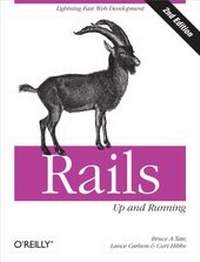
Rails: Up and Running
Lightning-Fast Web Development
1st Edition
Published on 7. October 2008
216 pages
978-0-596-15613-8 (ISBN)
Description

In just a matter of days, you can develop powerful web applications with Rails that once took weeks or months to produce with other web frameworks. If that sounds too good to be true, it isn't. Find out for yourself with Rails: Up and Running, the concise and popular book that not only explains how Rails works, but guides you through a complete test drive.Perfect for beginning web developers, this thoroughly revised edition teaches you the basics of installing and using Rails 2.1 and the Ruby scripting language. While Rails is praised for its simplicity, there are still a few tricky steps to master along the way. Rails: Up and Running offers lots of examples and covers just about everything you need to build functional Rails applications right away. Learn how to:Create simple database-backed applications, and build dynamic user-centric web pages using Ajax and RESTExploit the Rails service frameworks to send emails and implement web servicesMap data to an imperfect table, traverse complex relationships, and build custom findersUse techniques to solve common database performance problemsSee how fast you can go on Rails, and how reliable it's become with the stability and power of version 2.1. With Rails: Up and Running, you'll discover why Rails is a remarkable new way to build database-driven web applications.
More details
Other editions
Additional editions
Book
11/2008
2nd Edition
O'Reilly
€28.50
Article not available at the moment
Content
- Intro
- Table of Contents
- Preface
- Who Should Read This Book?
- Conventions Used in This Book
- Using Code Examples
- Platforms
- Safari® Books Online
- How to Contact Us
- Acknowledgments
- Chapter 1. Zero to Sixty: Introducing Rails
- Putting Rails into Action
- Organization
- The Web Server
- Choosing a Server
- Apache
- nginx
- Mongrel
- WEBrick
- Other web servers
- Creating a Controller
- Mapping params
- Building a View
- Tying Controller Data to the View
- Expressions and Scriptlets
- Under the Hood
- What's Next?
- Chapter 2. Scaffolding, REST, and Routes
- Introducing Photo Share
- Defining the Resources
- Preparing Your Project and Database
- Generating a Resource Scaffold
- A List of Photos
- RESTful Routes
- Named Routes
- REST
- The Controller Code
- Wrapping Up the Scaffolding
- What's Next?
- Chapter 3. Active Record Basics
- Active Record Basics
- Wrapping, Not Mapping
- A Brief Example
- Generating Models
- Basic Active Record Classes
- Wrapping the Table
- The Rails Console
- Attributes
- Columns
- Identifiers
- Complex Classes
- Inheritance
- Composition
- Behavior
- Finders
- Validation
- Transactions
- Conversions
- Moving Forward
- Chapter 4. Active Record Relationships
- belongs_to
- has_many
- has_one
- has_and_belongs_to_many
- Join Models
- acts_as_list
- Trees
- What You Haven't Seen
- Looking Ahead
- Chapter 5. Working with Views
- The Big Picture
- Seeing Real Photos
- View Templates
- Layouts
- Setting the Default Root
- Stylesheets
- Hierarchical Categories
- Assign a Category to a Photo
- Styling the Slideshows
- Creating Your Own Helper Functions
- Creating the Stylesheet
- Chapter 6. Ajax
- How Rails Implements Ajax
- Playing a Slideshow
- Using Drag-and-Drop to Reorder Slides
- Drag-and-Drop Everything (Almost Everything)
- Filtering by Category
- Chapter 7. Testing
- Background
- Ruby's Test::Unit
- Testing in Rails
- Unit Tests, Functional Tests, and Integration Tests
- Environments
- Fixtures
- Unit tests
- Functional tests
- Test Coverage
- Mocking with Mocha
- Assertions and Integration Tests
- Assertions in Rails
- Integration Tests
- Selenium
- Wrapping Up
- Appendix A. Installing Rails
- Windows
- Ruby One-Click Installer
- Ruby on Rails
- Mongrel
- SQLite
- RadRails
- OS X
- TextMate and RadRails
- Linux
- Appendix B. Quick Reference
- General
- Documentation
- Supported Web Servers
- Supported Databases
- Integrated Development Environments (IDEs)
- Open Source
- Commercial
- Editors
- Debugging
- Create a New Rails Application
- Testing
- Unit Tests
- Functional Tests
- Requests
- Redirects
- Rendered with template
- Variable assignments
- Rendering of specific tags
- Integration Tests
- More on Testing
- rake
- Generators
- Plug-ins
- RJS (Ruby JavaScript)
- Active Record
- Automated Mapping
- Associations
- Association Join Models (As Shown in Figure B-3)
- Validations
- Calculations
- Finders
- Dynamic attribute-based finders
- Scope
- Named scope
- Acts
- Callbacks
- Observers
- Migration
- Controllers
- REST
- Named routes
- Controller Methods
- Render
- Action
- Partials
- Templates
- Files
- Text
- Inline Template
- RJS
- Change content_type
- Redirects
- Nothing
- URL Routing
- Filter
- Session/Flash
- Session management
- Cookies
- Setting
- Reading
- Deleting
- Views
- View Templates
- html.erb
- xml.erb
- RJS
- Helpers
- Links
- HTML Forms
- Form
- Text fields
- Text area
- Radio button
- Checkbox
- Options
- Date and time
- end_form tag
- Layouts
- Partials
- Ajax
- Linking to Remote Action
- Callbacks
- Ajax Forms
- Autocompleting Text Field
- Observe Field
- Observe Form
- periodically_call_remote
- Configuring Your Application
- Session Configuration
- Caching Configuration
- Index
