

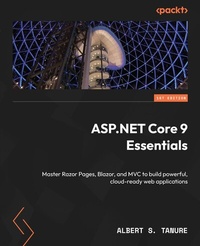
ASP.NET Core 9 Essentials
Master Razor Pages, Blazor, and MVC to build powerful, cloud-ready web applications
1st Edition
Published on 5. March 2025
402 pages
978-1-83546-732-9 (ISBN)
Description

Make the most of the ASP.NET Core platform to create robust, high-quality solutions using approaches adopted by leading companiesKey Features - Create robust, web-based solutions optimized for continuous delivery using key cloud computing principles and practices
- Explore advanced concepts and techniques to create resilient and secure applications
- Adopt a cloud-native mindset to build applications leveraging Docker, CI/CD, and more
- Purchase of the print or Kindle book includes a free PDF eBook
Book DescriptionBuild cutting-edge web applications using ASP.NET Core 9 with this comprehensive guide from Microsoft MVP Albert Tanure, a seasoned.NET expert with over 20 years of experience as a cloud solutions architect. Albert brings unparalleled expertise in building modern web applications to ASP.NET Core 9 Essentials to help you kickstart your journey on the right foot. Starting with the platform's fundamental concepts, you'll work through practical exercises to develop web applications with powerful UI frameworks, deliver flexible and scalable solutions through an API approach, and explore advanced topics such as customizing request flows and implementing robust security measures. You'll get to grips with cloud-native practices to prepare your applications for cloud environments. Whether you're a beginner or an experienced developer, this book is your guide to building modern, secure, and adaptable web applications with ASP.NET Core. By the end, you'll have the skills to create professional web applications that are scalable, resilient, and secure.What you will learn - Deliver UI solutions using client-side, server-side, and hybrid model approaches with Razor Pages, MVC, and Blazor
- Implement real-time solutions and manage data streaming using SignalR
- Connect applications to a data persistence model using Entity Framework and Dapper
- Apply logging and monitoring strategies to maintain control over your applications
- Understand how.NET Aspire enhances your experience of building.NET cloud-native apps
Who this book is forThis book is for web developers and software engineers who want to build modern web applications using ASP.NET Core. It's ideal for those working on both frontend and backend development. If you're familiar with C# or Java, and have basic experience with HTML and CSS, you'll benefit the most. Whether you're a beginner exploring ASP.NET Core or an experienced developer looking to advance your skills, this book is tailored for you.
- Explore advanced concepts and techniques to create resilient and secure applications
- Adopt a cloud-native mindset to build applications leveraging Docker, CI/CD, and more
- Purchase of the print or Kindle book includes a free PDF eBook
Book DescriptionBuild cutting-edge web applications using ASP.NET Core 9 with this comprehensive guide from Microsoft MVP Albert Tanure, a seasoned.NET expert with over 20 years of experience as a cloud solutions architect. Albert brings unparalleled expertise in building modern web applications to ASP.NET Core 9 Essentials to help you kickstart your journey on the right foot. Starting with the platform's fundamental concepts, you'll work through practical exercises to develop web applications with powerful UI frameworks, deliver flexible and scalable solutions through an API approach, and explore advanced topics such as customizing request flows and implementing robust security measures. You'll get to grips with cloud-native practices to prepare your applications for cloud environments. Whether you're a beginner or an experienced developer, this book is your guide to building modern, secure, and adaptable web applications with ASP.NET Core. By the end, you'll have the skills to create professional web applications that are scalable, resilient, and secure.What you will learn - Deliver UI solutions using client-side, server-side, and hybrid model approaches with Razor Pages, MVC, and Blazor
- Implement real-time solutions and manage data streaming using SignalR
- Connect applications to a data persistence model using Entity Framework and Dapper
- Apply logging and monitoring strategies to maintain control over your applications
- Understand how.NET Aspire enhances your experience of building.NET cloud-native apps
Who this book is forThis book is for web developers and software engineers who want to build modern web applications using ASP.NET Core. It's ideal for those working on both frontend and backend development. If you're familiar with C# or Java, and have basic experience with HTML and CSS, you'll benefit the most. Whether you're a beginner exploring ASP.NET Core or an experienced developer looking to advance your skills, this book is tailored for you.
All prices
More details
Other editions
Additional editions
Albert S. Tanure
ASP.NET Core 9 Essentials
Master Razor Pages, Blazor, and MVC to build powerful, cloud-ready web applications
Book
01/2025
Packt Publishing
€42.90
Shipment within 3-4 weeks
Person
Tanure Albert S. :
Albert S. Tanure is a cloud computing, software development, and DevOps expert with over 20 years of experience, serving as a software engineer, software architect, cloud solutions architect, and enterprise architect. He is a specialist in Microsoft technologies, having worked with.NET Framework since version 1.1. Currently, he develops cloud-native solutions, defining architectures for global companies for worldwide environments. He has been a Microsoft MVP since 2018 in the development technology category, MCT, and he actively contributes to the technical community through videos on his YouTube channel, Code FC, in addition to writing articles and giving lectures at various face-to-face and online events.
Albert S. Tanure is a cloud computing, software development, and DevOps expert with over 20 years of experience, serving as a software engineer, software architect, cloud solutions architect, and enterprise architect. He is a specialist in Microsoft technologies, having worked with.NET Framework since version 1.1. Currently, he develops cloud-native solutions, defining architectures for global companies for worldwide environments. He has been a Microsoft MVP since 2018 in the development technology category, MCT, and he actively contributes to the technical community through videos on his YouTube channel, Code FC, in addition to writing articles and giving lectures at various face-to-face and online events.
Content
- Cover
- Title Page
- Copyright and Credits
- Dedication
- Contributors
- Table of Contents
- Preface
- Free Benefits with Your Book
- Part 1: ASP.NET Core 9 Fundamentals
- Chapter 1: Introducing ASP.NET Core 9 Concepts
- Technical requirements
- Why ASP.NET Core 9?
- Comparing .NET and .NET Framework
- Preparing our development environment
- The development tool
- SDK and runtime
- CLI (Command-Line Interface)
- Windows installation
- macOS installation
- Linux installation
- Visual Studio Code
- Testing the development environment
- What is new in ASP.NET Core 9?
- Summary
- Get This Book's PDF Version and Exclusive Extras
- Chapter 2: Building Dynamic UIs with Razor Pages, MVC, and Blazor
- Technical requirements
- Learning about the ASP.NET Core UI
- Rendering the UI
- Implementing a UI server render model with Razor Pages and ASP.NET MVC
- ASP.NET Core Razor Pages
- ASP.NET Core MVC
- Exploring UI client rendering with Blazor and JavaScript frameworks
- Rich UIs with Blazor
- ASP.NET Core 9 and JavaScript frameworks
- Working with hybrid solutions
- Summary
- Get This Book's PDF Version and Exclusive Extras
- Chapter 3: Crafting Web APIs for Service Delivery
- Technical requirements
- Delivering business as a service
- HTTP verbs and conventions
- REST
- HTTP status codes
- Exploring minimal APIs
- Implementing APIs using the controller-based approach
- Creating a controller-based API
- Understanding the product controller
- ControllerBase utilities
- Working with binding
- Performing validations
- Working with documentation
- Documenting APIs with Swagger
- Summary
- Get This Book's PDF Version and Exclusive Extras
- Chapter 4: Real-Time Interactions with SignalR
- Technical requirements
- What is SignalR?
- Understanding the concepts of Servers and Clients
- Working with a task management application
- Creating the Hub
- Preparing the server application
- Preparing the client application
- Understanding the client and server communication flow
- Working with streaming
- Implementing basic streaming
- Hosting the ASP.NET Core SignalR application
- The basics of hosting a SignalR application
- Summary
- Get This Book's PDF Version and Exclusive Extras
- Part 2: Data and Security
- Chapter 5: Working with Data and Persistence
- Technical requirements
- Docker installation
- Azure Data Studio
- Connecting to a SQL database
- Preparing SQL Server
- Using the SQL client
- Understanding SQL, NoSQL, ORM, and Micro ORM
- SQL versus NoSQL
- ORM and Micro ORM
- Working with EF Core and Dapper
- EF Core
- Dapper
- Summary
- Get This Book's PDF Version and Exclusive Extras
- Chapter 6: Enhancing Security and Quality
- Technical requirements
- Understanding the security principles of web-based applications
- Security topics in web applications
- Comparing authorization and authentication
- Authentication
- Authorization
- Understanding OAuth 2.0 and OIDC
- Working with the ASP.NET Core Identity framework
- Understanding the ASP.NET Core Identity architecture
- Getting started with integrating ASP.NET Core Identity
- Configuring the database context
- Updating the database
- Adding ASP.NET Core Identity services and routes
- Securing APIs with ASP.NET Core Identity
- Securing application routes
- Requesting an API with the access token
- Strengthening application security
- Managing secrets properly
- Enforcing HTTPS and working with CORS
- Preventing common vulnerabilities
- Summary
- Get This Book's PDF Version and Exclusive Extras
- Part 3: Applying Best Practices
- Chapter 7: Adding Capabilities to Applications
- Technical requirements
- Working with ASP.NET Core 9 best practices
- HTTP request best practices
- Asynchronous requests and I/O optimization
- Improving performance with a cache strategy and making the application resilient
- Caching strategies
- Integrating Redis in our application
- Working with cache in the controller class
- Configuring Redis Insight
- Resilience mechanisms
- Understanding and implementing logging and monitoring
- Introduction to logging and monitoring
- Get This Book's PDF Version and Exclusive Extras
- Summary
- Chapter 8: Enhancing Applications with Middleware in ASP.NET Core 9
- Technical requirements
- Knowing the middleware pipeline
- Understanding middleware flow
- Benefits of middleware and best practices
- Implementing custom middleware
- Working with factory-based middleware
- Adding capabilities to applications using middleware
- Global error handling
- Adding request logging
- Rate limiting
- Creating an extension method for middleware registration
- Get This Book's PDF Version and Exclusive Extras
- Summary
- Chapter 9: Managing Application Settings
- Technical requirements
- Understanding IConfiguration concepts and abstractions
- IConfiguration interface
- Working with configuration providers
- Adding configuration providers
- Creating a custom configuration provider
- Learning the Options pattern
- What is the Options pattern?
- Implementing the Options pattern
- Working with dynamic configurations and behaviors
- Working with dynamic settings
- Connecting an ASP.NET Core 9 application to Azure App Configuration
- Summary
- Get This Book's PDF Version and Exclusive Extras
- Part 4: Hosting, Deploying, and Preparing to the Cloud
- Chapter 10: Deploying and Hosting Applications
- Technical requirements
- Preparing to publish your application and host locally
- The importance of the publishing process
- Generating a publishing package
- Publishing the solution in a cloud environment
- Creating Azure app services and database resources
- Configuring Azure SQL Server
- Publishing an application with Visual Studio Code
- Understanding the Docker principles and how to package the application in a container
- Understanding what a container is
- Understanding Docker fundamentals
- Packing the UrlShortener application
- Generating a container image
- Running a Docker container
- Understanding the DevOps approach with CI/CD
- CI
- CD
- Automating with GitHub Actions
- Summary
- Get This Book's PDF Version and Exclusive Extras
- Chapter 11: Cloud-Native Development with ASP.NET Core 9
- Technical requirements
- Creating a cloud-native mindset
- Understanding the service layers in a cloud environment
- Cloud-native development best practices
- Going beyond code development
- Working with cloud-native tools
- Getting to know CNCF
- Working with CNCF
- The twelve-factor app principles
- Code base
- Dependencies
- Config
- Backing services
- Build, release, run
- Processes
- Port binding
- Concurrency
- Disposability
- Dev/prod parity
- Logs
- Admin process
- The importance of the twelve-factor app methodology
- Understanding cloud architecture principles
- Working with modern design architecture
- Event-driven architectures
- Understanding microservices
- Considering deployment strategies
- Summary
- Get This Book's PDF Version and Exclusive Extras
- Chapter 12: Unlock Your Exclusive Benefits
- Unlock this Book's Free Benefits in 3 Easy Steps
- Index
- Other Books You May Enjoy
