

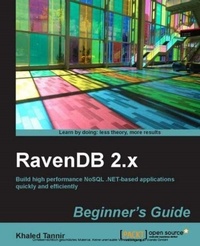
RavenDB 2.x Beginner's Guide
For .NET developers who want to acquire document-oriented database skills, there is no better introduction to RavenDB than this book. It covers all the bases in a user-friendly style that makes learning fast and easy.
Published on 13. January 2025
356 pages
978-1-78328-380-4 (ISBN)
Description

For .NET developers who want to acquire document-oriented database skills, there is no better introduction to RavenDB than this book. It covers all the bases in a user-friendly style that makes learning fast and easy.
Key Features
Build high performance NoSQL .NET based applications with step-by-step practical examples
Master advanced RavenDB indexes and queries
Create objects in .NET and map them to RavenDB
Book DescriptionRavenDB is a second generation document database written in .NET, offering a flexible data model designed to address requirements coming from real-world systems. It is different from the other document databases around, as with RavenDB you can get up and running in a few minutes, and that includes grasping all the basics. It allows you to build high-performance, low-latency applications with ease and efficiency.RavenDB 2.x Beginner's Guide introduces RavenDB concepts and teaches you everything, right from installing RavenDB, to creating documents, and querying indexes. This book will help you take advantage of powerful, document-oriented NoSQL databases and build a solid foundation on which you can create your .NET applications. This book presents RavenDB, the .NET document-oriented NoSQL database, through a series of clear and practical exercises that will help you to take advantage of this database server. The book starts off with an introduction to RavenDB and its Management Studio. You will then move ahead and learn how to quickly and efficiently build high performance, NoSQL document-oriented .NET applications using the .NET client API or the HTTP REST API. Next, Dynamic and static indexes that use map/reduce to process datasets are covered. You will then see how to create and query these indexes, with the help of detailed examples. You will also learn how to deploy your RavenDB server in a production environment and how to optimize and secure it.With numerous practical examples, RavenDB 2.x Beginner's Guide teaches you everything you need to know for building high performance .NET document-oriented NoSQL databases.What you will learn
Get RavenDB up and running on your local machine or server, and discover the RavenDB Management Studio
Interact with RavenDB using the .NET Client API and REST HTTP API
Map .NET objects to RavenDB documents
Create and query dynamic indexes, and single-map and multi-map static indexes
Implement map/reduce to process large datasets
Learn and implement paging, exact matching, and full-text search queries
Host RavenDB within IIS and run it as a Windows service or in embedded mode
Secure RavenDB using a replication bundle and optimize it with sharding
Who this book is forIf you are a .NET developer, new to document-oriented databases, and you wish to learn how to build applications using NoSQL databases, then this book is for you. Experience with relational database systems will be helpful, but not necessary.
Key Features
Build high performance NoSQL .NET based applications with step-by-step practical examples
Master advanced RavenDB indexes and queries
Create objects in .NET and map them to RavenDB
Book DescriptionRavenDB is a second generation document database written in .NET, offering a flexible data model designed to address requirements coming from real-world systems. It is different from the other document databases around, as with RavenDB you can get up and running in a few minutes, and that includes grasping all the basics. It allows you to build high-performance, low-latency applications with ease and efficiency.RavenDB 2.x Beginner's Guide introduces RavenDB concepts and teaches you everything, right from installing RavenDB, to creating documents, and querying indexes. This book will help you take advantage of powerful, document-oriented NoSQL databases and build a solid foundation on which you can create your .NET applications. This book presents RavenDB, the .NET document-oriented NoSQL database, through a series of clear and practical exercises that will help you to take advantage of this database server. The book starts off with an introduction to RavenDB and its Management Studio. You will then move ahead and learn how to quickly and efficiently build high performance, NoSQL document-oriented .NET applications using the .NET client API or the HTTP REST API. Next, Dynamic and static indexes that use map/reduce to process datasets are covered. You will then see how to create and query these indexes, with the help of detailed examples. You will also learn how to deploy your RavenDB server in a production environment and how to optimize and secure it.With numerous practical examples, RavenDB 2.x Beginner's Guide teaches you everything you need to know for building high performance .NET document-oriented NoSQL databases.What you will learn
Get RavenDB up and running on your local machine or server, and discover the RavenDB Management Studio
Interact with RavenDB using the .NET Client API and REST HTTP API
Map .NET objects to RavenDB documents
Create and query dynamic indexes, and single-map and multi-map static indexes
Implement map/reduce to process large datasets
Learn and implement paging, exact matching, and full-text search queries
Host RavenDB within IIS and run it as a Windows service or in embedded mode
Secure RavenDB using a replication bundle and optimize it with sharding
Who this book is forIf you are a .NET developer, new to document-oriented databases, and you wish to learn how to build applications using NoSQL databases, then this book is for you. Experience with relational database systems will be helpful, but not necessary.
All prices
More details
Edition
Digital original
Language
English
Place of publication
Birmingham
United Kingdom
Target group
Professional and scholarly
US School Grade: College Graduate Student
Edition type
Digital original
File size
9,67 MB
ISBN-13
978-1-78328-380-4 (9781783283804)
Copyright in bibliographic data and cover images is held by Nielsen Book Services Limited or by the publishers or by their respective licensors: all rights reserved.
Schweitzer Classification
Other editions
Additional editions
Person
Tannir Khaled :
Khaled Tannir has been working with computers since 1980. He began programming with the legendary Sinclair Zx81 and later with Commodore home computer products (Vic 20, Commodore 64, Commodore 128D, and Amiga 500). He has a Bachelor's degree in Electronics, a Master's degree in System Information Architectures, in which he graduated with a professional thesis, and completed his education with a Master of Research degree. He is a Microsoft Certified Solution Developer (MCSD) and has more than 20 years of technical experience leading the development and implementation of software solutions and giving technical presentations. He now works as an independent IT consultant and has worked as an infrastructure engineer, senior developer, and enterprise/solution architect for many companies in France and Canada. With significant experience in Microsoft .Net, Microsoft Server Systems, and Oracle Java technologies, he has extensive skills in online/offline applications design, system conversions, and multilingual applications in both domains: Internet and Desktops. He is always researching new technologies, learning about them, and looking for new adventures in France, North America, and the Middle-east. He owns an IT and electronics laboratory with many servers, monitors, open electronic boards such as Arduino, Netduino, RaspBerry Pi, and .Net Gadgeteer, and some smartphone devices based on Windows Phone, Android, and iOS operating systems. In 2012, he contributed to the EGC 2012 (International Complex Data Mining forum at Bordeaux University, France) and presented, in a workshop session, his work on "how to optimize data distribution in a cloud computing environment". This work aims to define an approach to optimize the use of data mining algorithms such as k-means and Apriori in a cloud computing environment. He is the author of RavenDB 2.x Beginner's Guide, Packt Publishing. He aims to get a PhD in Cloud Computing and Big Data and wants to learn more and more about these technologies. He enjoys taking landscape and night time photos, travelling, playing video games, creating funny electronic gadgets with Arduino/.Net Gadgeteer, and of course, spending time with his wife and family. You can reach him at contact@khaledtannir.net.
Khaled Tannir has been working with computers since 1980. He began programming with the legendary Sinclair Zx81 and later with Commodore home computer products (Vic 20, Commodore 64, Commodore 128D, and Amiga 500). He has a Bachelor's degree in Electronics, a Master's degree in System Information Architectures, in which he graduated with a professional thesis, and completed his education with a Master of Research degree. He is a Microsoft Certified Solution Developer (MCSD) and has more than 20 years of technical experience leading the development and implementation of software solutions and giving technical presentations. He now works as an independent IT consultant and has worked as an infrastructure engineer, senior developer, and enterprise/solution architect for many companies in France and Canada. With significant experience in Microsoft .Net, Microsoft Server Systems, and Oracle Java technologies, he has extensive skills in online/offline applications design, system conversions, and multilingual applications in both domains: Internet and Desktops. He is always researching new technologies, learning about them, and looking for new adventures in France, North America, and the Middle-east. He owns an IT and electronics laboratory with many servers, monitors, open electronic boards such as Arduino, Netduino, RaspBerry Pi, and .Net Gadgeteer, and some smartphone devices based on Windows Phone, Android, and iOS operating systems. In 2012, he contributed to the EGC 2012 (International Complex Data Mining forum at Bordeaux University, France) and presented, in a workshop session, his work on "how to optimize data distribution in a cloud computing environment". This work aims to define an approach to optimize the use of data mining algorithms such as k-means and Apriori in a cloud computing environment. He is the author of RavenDB 2.x Beginner's Guide, Packt Publishing. He aims to get a PhD in Cloud Computing and Big Data and wants to learn more and more about these technologies. He enjoys taking landscape and night time photos, travelling, playing video games, creating funny electronic gadgets with Arduino/.Net Gadgeteer, and of course, spending time with his wife and family. You can reach him at contact@khaledtannir.net.
Content
Table of Contents
Getting Stared with RavenDB
RavenDB Management Studio
Connection to RavenDB using .NET Client API
RavenDB Indexes and Queries
Advanced RavenDB Indexes and Queries
Advanced RavenDB Documents Capabilities
RavenDB Administration
Deploying RavenDB
Scaling out RavenDB
RavenDB Profiling
Connection to RavenDB using HTTP API
Putting All Together
Getting Stared with RavenDB
RavenDB Management Studio
Connection to RavenDB using .NET Client API
RavenDB Indexes and Queries
Advanced RavenDB Indexes and Queries
Advanced RavenDB Documents Capabilities
RavenDB Administration
Deploying RavenDB
Scaling out RavenDB
RavenDB Profiling
Connection to RavenDB using HTTP API
Putting All Together

