

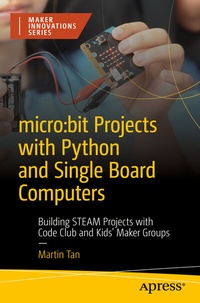
micro:bit Projects with Python and Single Board Computers
Description

Rather than just being a guide to learning these skills, this book will include tips and stories about implementing the these ideas in classrooms, Code Clubs, and Maker environments. Practical logistics for preparation and easy set-up, as well as, acceptance criteria and accountability for students and participants is included. These ideas were gained over years of running a Code Club and running Maker workshops and events.
You'll learn about programming collaborative solutions and design logic. Then you'll scale that logic up to more complex projects. By the end, you'll have added additional electronic and physical components to projects that interact with the world. You'll create fun inventions together, using hardware, coding, electronics, physical objects, and e-textiles.What You'll Learn
-
Solve problems and create art by modelling solutions and ideas with a combination of Python coding, electronic systems engineering, and creative design.
-
Navigate the logistical and unique challenges that come with running your own Code Club, Makerspace, or feeding these activities into STEAM design and technology curriculums.
- Take new Makers from simply copying and duplicating through to debugging and understanding.
Who This Book Is For
Makers and instructors interested in starting group projects while learning to code and gain other Maker skills along the way.Essential information is provided in a form that enables beginners and intermediate Makers to get hands-on quickly, but with enough depth to keep building on these projects and pushing the boundaries.More details
Other editions
Additional editions
Person
Content
Chapter 1: Getting Started.- Chapter 2: Getting Our Hands Dirty with MicroPython.- Chapter 3: General Python Programming.- Chapter 4: Getting Tactile with Python.- Chapter 5: Freestyling with Python - Going Off-Map and Applying Your Own Skills.- Chapter 6: Collaboration - Writing Code With Others.- Chapter 7: Electronics - Basic Skills and Tools.- Chapter 8: Putting It All Together.- Appendix: Traffic Light Workshops.
