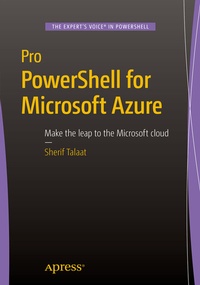
Pro PowerShell for Microsoft Azure
Description

This book is written for Windows professionals who are familiar with PowerShell and want to learn to build, operate, and administer their Windows workloads in the Microsoft cloud . Pro PowerShell for Microsoft Azure is packed with practical examples and scripts, with easy-to-follow explanations for a wide range of day-to-day needs and essential administration tasks.
Author Sherif Talaat begins by explaining the fundamental concepts behind the Microsoft Azure platform and how to get started configuring it through PowerShell. Readers will find out how to deploy, configure and manage the various components of the Azure platform, from storage and virtual networks to Azure Web Sites, HDInsight clusters and the Azure SQL Database. Workload automation, scheduling and resource management are covered in depth to help build efficiency in everyday tasks, and administrators will gain full control over Azure identity and access rights using Azure Active Directory and Rights Management Services.
Put your PowerShell skills to good use and ensure that your applications and data are available anywhere at any time, with Pro PowerShell for Microsoft Azure .
What You'll Learn-
Create and manage virtual networks and VPNs using PowerShell.
-
Configure and maintain Azure Storage accounts, blobs, and containers.
-
Provision and manage a redundant Windows or Linux server.
-
Deploy and configure your sites in the cloud using Microsoft Azure Web Sites.
-
Provision Apache Hadoop clusters in the cloud using Azure HDInsight.
-
Deploy, configure and manage a Microsoft Azure SQL Database.
-
Protect and secure identities and resources with Azure Active Directory and Azure Rights Management Services.
Who This Book Is For
This is book is for the intermediate to advanced Windows professional who is ready to make theleap to the cloud.
More details
Other editions
Additional editions