

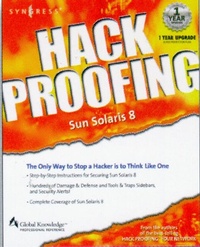
Hack Proofing Sun Solaris 8
Published on 31. October 2001
608 pages
978-0-08-047812-8 (ISBN)
Description

The only way to stop a hacker is to think like one!
Sun Microsystem's venerable and well-respected operating system Solaris is currently in version 8, and runs on both Intel and Sun Hardware. Solaris is one of the most comprehensive and popular UNIX operating systems available. Hundreds of thousands of business enterprises, both small and large, depend on Sun Solaris to keep their business alive - but have they protected themselves against hackers?
Hack Proofing Sun Solaris 8 is the latest addition to the popular Hack Proofing series from Syngress Publishing. Providing hands-on information written by both security professionals and self-proclaimed hackers, this book will give system administrators the edge they need to fortify their Sun Solaris operating system against the never-ending threat of hackers.
- The fifth title in the popular series that brought us the bestseller Hack Proofing Your Network
- Teaches strategy and techniques using forensic-based analysis
- Up to the minute Web-based support with solutions@syngress.com
More details
Other editions
Additional editions
Syngress
Hack Proofing Sun Solaris 8
Book
10/2001
Syngress
€70.75
Article exhausted; check different version
Content
Foreword Chapter 1 Introducing Solaris Security: Evaluating Your Risk Introduction Exposing Default Solaris Security Levels Altering Default Permissions Making Services Available after Installation Working with Default Environmental Settings Evaluating Current Solaris Security Configurations Evaluating Network Services Evaluating Network Processes Monitoring Solaris Systems Using the sdtprocess and sdtperfmeter Applications Monitoring Solaris Logfiles Testing Security Testing Passwords Testing File Permissions Securing against Physical Inspections Securing OpenBoot Documenting Security Procedures and Configurations Documenting Security Procedures Documenting System Configurations Summary Solutions Fast Track Frequently Asked Questions Chapter 2 Securing Solaris with the Bundled Security Tools Introduction The Orange Book Choosing Solaris 8 C2 Security Configuring Auditing Managing the Audit Log Understanding Auditing Classifications Configuring Auditing Extracting and Analyzing Auditing Data Choosing Trusted Solaris 8 Using Trusted Solaris 8's B1-Level Security Understanding the Concept of Mandatory Access Control Administrative Labels Auditing and Analyzing Trusted Solaris 8 Solaris 8 Security Enhancements Using SunScreen Secure Net Utilizing SunScreen SKIP Using the Solaris Security Toolkit Using OpenSSH Summary Solutions Fast Track Frequently Asked Questions Chapter 3 Securing Solaris with Freeware Security Tools Introduction Detecting Vulnerabilities with Portscanning Advanced Portscanning Discovering Unauthorized Systems Using IP Scanning Using the arp Command on Solaris Detecting Unusual Traffic with Network Traffic Monitoring Using Snoop Using Snort Using a Dedicated Sniffer Using Sudo Summary Solutions Fast Track Frequently Asked Questions Chapter 4 Securing Your Users Introduction Creating Secure Group Memberships Role-Based Access Control Understanding Solaris User Authentication Authenticating Users with NIS and NIS+ Authenticating Users with Kerberos Authenticating Users with the Pluggable Authentication Modules Summary Solutions Fast Track Frequently Asked Questions Chapter 5 Securing Your Files Introduction Establishing Permissions and Ownership Access Control Lists Role-Based Access Control Changing Default Settings Using NFS Share and Share Alike Locking Down FTP Services Using Samba Monitoring and Auditing File Systems Summary 1 Solutions Fast Track Frequently Asked Questions Chapter 6 Securing Your Network Introduction Configuring Solaris as a DHCP Server Using the dhcpmgr GUI Configuration Tool Using the dhcpconfig Command-Line Tool Securing DNS Services on Solaris Using BIND Configuring Solaris to Provide Anonymous FTP Services Using X-Server Services Securely Using Host-Based Authentication Using User-Based Authentication Using X-Windows Securely with SSH Using Remote Commands Using Built-In Remote Access Methods Using SSH for Remote Access Summary Solutions Fast Track Frequently Asked Questions Chapter 7 Providing Secure Web and Mail Services Introduction Configuring the Security Features of an Apache Web Server Limiting CGI Threats Using Virtual Hosts Monitoring Web Page Usage and Activity Configuring the Security Features of Sendmail Stopping the Relay-Host Threat
