

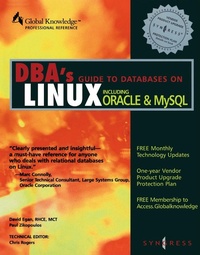
DBAs Guide to Databases Under Linux
Published on 26. April 2000
485 pages
978-0-08-053029-1 (ISBN)
Description

In an effort to increase its marketshare and threat to Windows NT, Oracle8 was ported to Linux in late 1998, opening the popular database to an additional 10 million Linux users worldwide. The availability of Oracle8 enables current Linux users to deploy enterprise-class applications at low cost and provides an alternative to Microsoft Windows NT. This book covers that marriage of the most popular database and the fastest growing operating system.* Complete coverage. Covers both Oracle8i and Oracle8i Lite, as well as Oracle Applications, Oracle Applications Server, and Oracle Developer* Organizations and Oracle database administrators will be looking for information on Linux as is gets adopted - this book fits the bill* Covers two growth markets and fills a need for information not covered elsewhere
More details
Other editions
Additional editions

Syngress Media
Oracle DBA Linux Handbook
Book
04/2000
Syngress
€69.51
Article exhausted; check different version
Content
PrefaceChapter 1. The Linux Operating System A Brief History of Linux The Linux Kernel The Future of Linux Development Linux Distributions The Difference between Linux and Other Operating Systems Feature Rich Multitasking Why Choose Linux When to Use Linux Servers and Workstations Recommended Hardware Migrating to Linux Workstations Distributions of Linux Quick Distribution Reviews Considerations Before Upgrading or Migrating Hardware Compatibility Upgrading Migrating from Another OS Choosing a Distribution How to Begin the Process How to Get Your People Started Summary FAQsChapter 2. A Basic Red Hat Linux Installation Introduction Separate Physical Machine Choosing a Distribution of Linux Preliminary Installation Decisions Hardware Multiple CPUs RAM Disks RAID Network Interface(s) Backup Issues Support Issues Installation Preliminaries Installing Red Hat A Quick Installation Run-Through Choosing an Installation Type Custom (Manual) Installation Creating the Partitions to Your Specifications Network Setup Time Zone Selection root Account Configuration Authentication Package Selection X Window Installation (Optional) Package Installation Linux Loader (LILO) and Boot Disk Installation Done Configuring the Server to Run a Database Things to Watch Out For Other Flavors of Linux Summary FAQsChapter 3. Installing and Running Oracle on Linux Introduction Concepts System Global Area Program Global Area Tablespace Datafile Extent Segment Control Files Redo Logs Rollback Segments Parameter Files Version Identifiers PL/SQL Schema Installation Pre-Installation Installing Oracle8 Installing Oracle8i Post-Installation Using Oracle8/8i Startup and Shutdown Background Processes Creating an Account SQL*Plus Data Dictionary Import/Export Third-Party Software Orasoft Orac Perl/DBI Summary FAQsChapter 4. An Informix Installation on Linux Introduction Installation Part I: Acquisition and Server Placement of the Software Part II : Installation and Branding Part III: Disk Setup and Server Operation Setting Up Data Files for Informer About Disks Disks and Directories Space Considerations Configuration $INFORMIXDIR/etc/$ONCONFIG $INFORMIXDIR/etc/sglhosts /etc/services /opt/data/rootdbs Starting Your Engine with oninit Stopping Your Engine Final Configuration Review Physdbs Create a physdbs File Logsdbs Create logsdbs Create New Logical Logs Tempdbs Final $ONCONFIG Configuration Settings Restart Your Engine Other Tools Dbaccess Onmonitor Resources Informix Technical Support Informix Web Site Usenet News Group comp .databases.informix International Informix User Group (IIUG) Informix Press Informix Training Summary FAQChapter 5. Installing and Utilizing Sybase on Linux Introduction Installation Installing SQL Server 11.0.
