

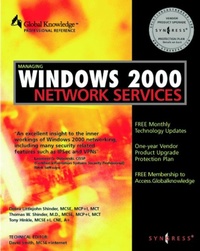
Managing Windows 2000 Network Services
Published on 1. February 2000
705 pages
978-0-08-053576-0 (ISBN)
Description

Many organizations and network administrators are looking for information on Windows 2000 and its new features. IT professionals responsible for installing, configuring and managing Microsoft products will be highly motivated to migrate to this new technology, based on its promise of reducing administrative overhead.Microsoft Windows 2000 Server (the predecessor to Windows NT 4 Server) integrates network services for companies and administrators to set up and manage networks, remote access and extranets, as well as to manage other communications. Managing Windows 2000 Network Services will be the first book to focus exclusively on networking and integrated voice, video, and data on networks. Readers will learn how to deploy and integrate all Windows 2000 networking technologies within an enterprise network.* The publication of the book will be with or soon after the release of Windows 2000* Focuses completely on Network Services
More details
Language
English
Place of publication
San Diego
United States
Product notice
Windows
ISBN-13
978-0-08-053576-0 (9780080535760)
Copyright in bibliographic data and cover images is held by Nielsen Book Services Limited or by the publishers or by their respective licensors: all rights reserved.
Schweitzer Classification
Other editions
Additional editions

Syngress Media
Managing Windows 2000 Network Services
Book
01/2000
Syngress
€60.91
Shipment within 3-4 weeks
Content
- Front Cover
- Managing Windows 2000 Network Services
- Copyright Page
- Contents
- Preface
- Chapter 1. What Is New in Windows 2000
- Introduction
- New Features of Windows 2000
- Active Directory
- Product Line
- What Has Not Changed
- Considerations Before Upgrading
- Developing an Upgrade Plan
- The Upgrade Team
- Summary
- FAQs
- Chapter 2. Microsoft TCP/IP 2000
- Introduction
- TCP/IP-A Quick Overview
- The TCP/IP Protocol Suite
- Windows TCP/IP
- New TCP/IP Features in Windows 2000
- TCP/IP Utilities
- Summary
- FAQs
- Chapter 3. DHCP Server Management
- Introduction
- DHCP Overview
- Operating without a DHCP Server
- Design of a DHCP Configuration
- Configuring a DHCP Server
- Managing DHCP Servers
- Best Practices
- Router Support Required
- Walkthrough
- Summary
- FAQs
- Chapter 4. Windows 2000 DNS
- Introduction
- Understanding DNS
- Understanding Name Resolution
- Active Directory and DNS Integration
- Installing DNS Server Service
- Configuring DNS Services
- Configuring DNS Client
- Walkthrough
- Summary
- FAQs
- Chapter 5. Developing a WINS Strategy
- Introduction
- WINS Functional Description
- WINS Configuration
- New Features of Windows 2000 WINS
- Walkthrough
- Summary
- FAQs
- Chapter 6. Secure TCP/IP Connections
- Introduction
- SSL
- Secure Communications over Virtual Private Networks
- IPSec
- Walkthrough
- Summary
- FAQs
- Chapter 7. External Network Connections
- Introduction
- Remote Connection Options
- Connecting to the Internet
- Establishing VPNs Over the Internet
- Dial-Up Access
- Outsourcing Dial-up Access
- Security for Internet-Connected Networks
- Summary
- FAQs
- Chapter 8. Connecting Small Offices and Home Offices to the Internet
- Introduction
- Connecting a Workgroup to the Internet
- Network Address Translation (NAT)
- What Is a Private Network Address?
- Accessing Other Computers' Printers and Network Drives
- Comparison of ICS, NAT and Windows Routing
- Walkthrough
- Summary
- FAQs
- Chapter 9. Creating a Routable Network Using Windows 2000
- Introduction
- Routing Overview
- Unicast Routing
- Routing over a VPN Connection
- Administration and Management Tools
- Role of IP Routing Services in a Network
- Implementing RIP
- Implementing OSPF
- What Is Multicast?
- Demand-Dial Networking
- Walkthrough
- Summary
- FAQs
- Chapter 10. Administration and Ease of Use
- Introduction
- Network and Dial-up Connections
- Connection Manager Administration Kit
- Connection Point Services
- Enabling Remote Access with Active Directory
- Plug and Play
- Summary
- FAQs
- Chapter 11. Managing Windows 2000 Network Services Fast Track
- What is a Managing Windows 2000 Network Services Fast Track?
- Managing Windows 2000 TCP/IP
- Managing Windows 2000 DHCP
- Managing Windows 2000 DNS Service
- Managing Windows 2000 WINS Service
- Managing Windows 2000 TCP/IP Security
- Managing Windows 2000 External Network Connections
- Managing Windows 2000 Internet Access for Small and Home Offices
- Managing Windows 2000 Routing
- Managing Windows 2000 Administrative Tools
- Summary
- Appendix A Secrets
- Lesser Known Functions
- Under-documented Functions and Procedures
- Undocumented Features
- For Experts Only
- Troubleshooting Tips
- Optimization Tips
- Index
- The Global Knowledge Advantage
- Global Knowledge Courses Available
- Custom Corporate Network Training
- The premier online information source for IT professionals
- Syngress Solutions...
