

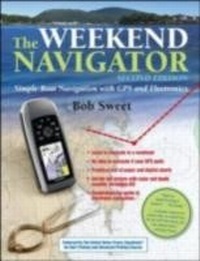
Weekend Navigator, 2nd Edition
1st Edition
Published on 4. August 2011
516 pages
978-0-07-176041-6 (ISBN)
Available for download
Description

Read what the the U.S. Power Squadron and the U.S. Coast Guard trust as the definitive authority on electronic navigation, now updated with the latest electronic technologies and methods The Weekend Navigator teaches you how to navigate using today's tools and methods, including the latest technologies such as smart phones. While electronic navigation is here to stay, author Bob Sweet recognizes that they are still based on traditional charts and piloting skills, and he combines the two to pass along to you a solid understanding of all the principles of marine navigation. In addition to its continued ground-breaking instruction for the now-digital process of navigation on board power- and sailboats, Sweet helps you understand recent options for chartplotters, less expensive handheld GPS units, smart phones, and the navigation possibilities presented by phone apps. New to this edition is a section entitled ",Ooops,", which provides an insightful collection of boating accident tales resulting from common GPS and chartplotters no-nos. Using The Weekend Navigator, you can get on the water right away and learn to navigate in an afternoon with GPS, master chart-and-compass piloting while, not before, he or she departs, plot courses and fix positions on paper or electronic charts, and more.
More details
Other editions
Additional editions
Robert Sweet
The Weekend Navigator
Book
09/2011
2nd Edition
Ragged Mountain Press
€56.40
Shipment within 15-20 days
Content
- Cover Page
- The Weekend Navigator
- Copyright Page
- Dedication
- Contents
- Preface and Acknowledgments to the Second Edition
- Part 1 Introduction
- Chapter 1 About This Book
- Chapter 2 What Is Navigation?
- Chapter 3 Fundamentals of Waypoint Navigation
- Chapter 4 The Tools of Navigation
- Part II Prevoyage Planning
- Chapter 5 Planning with GPS and Paper Charts
- Chapter 6 Planning with Digital Charts
- Chapter 7 Planning to Avoid Danger
- Part III Navigating Underway
- Chapter 8 Underway with GPS and Paper Charts
- Chapter 9 Underway with Digital Charts
- Part IV Double-Checking Your Navigation
- Chapter 10 Double-Checking Using Instruments
- Chapter 11 Eye of the Mariner
- Part V Responding to Changing Conditions
- Chapter 12 What to Do If the GPS Quits
- Chapter 13 Planning as You Go with GPS
- Chapter 14 Tides, Winds, and Currents
- Part VI Other Electronics
- Chapter 15 Navigating with Radar
- Chapter 16 Using Depth In Navigation
- Chapter 17 Using Radio in Navigation
- Chapter 18 Using an Electronic Compass
- Chapter 19 Automatic Identification System
- Chapter 20 Using an Autopoliot in Navigation
- Part VII Special Techniques
- Chapter 21 Navigating While Tacking into the Wind
- Chapter 22 Navigating Harbors and Channels with Electronics
- Chapter 23 Navigating under Adverse Conditions
- Chapter 24 A Last Word on Avoiding Danger
- Chapter 25 Advanced Topics in Radar
- Chapter 26 Other Instrumentation
- Chapter 27 Connecting It All Together
- Chapter 28 Electronic Navigation Toolsand Rules-A Summary
- Chapter 29 Measuring Compass Deviation Using GPS
- Appendix 1 Using Digital Charts
- Appendix 2 GPS Display Overview-A Side-by-Side Comparison
- Appendix 3 Resources and References
- Index

