

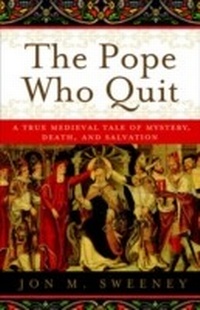
The Pope Who Quit
A True Medieval Tale of Mystery, Death, and Salvation
1st Edition
Published on 14. February 2012
304 pages
978-0-385-53188-7 (ISBN)
Description

The riveting story of Pope St. Celestine V, the pope who retired from the papacy.
At the close of the tumultuous Middle Ages, there lived a man who seemed destined from birth to save the world. His name was Peter Morrone, a hermit, a founder of a religious order, and, depending on whom you talk to, a reformer, an instigator, a prophet, a coward, a saint, and possibly the victim of murder. A stroke of fate would, practically overnight, transform this humble servant of God into the most powerful man in the Catholic Church. Half a year later, he would be the only pope in history to abdicate the chair of St. Peter, an act that nearly brought the papacy to its knees. What led him to make that decision and what happened afterward would be shrouded in mystery for centuries. The Pope Who Quit pulls back the veil of secrecy on this dramatic time in history and showcases a story that involves deadly dealings, apocalyptic maneuverings, and papal intrigue.
At the close of the tumultuous Middle Ages, there lived a man who seemed destined from birth to save the world. His name was Peter Morrone, a hermit, a founder of a religious order, and, depending on whom you talk to, a reformer, an instigator, a prophet, a coward, a saint, and possibly the victim of murder. A stroke of fate would, practically overnight, transform this humble servant of God into the most powerful man in the Catholic Church. Half a year later, he would be the only pope in history to abdicate the chair of St. Peter, an act that nearly brought the papacy to its knees. What led him to make that decision and what happened afterward would be shrouded in mystery for centuries. The Pope Who Quit pulls back the veil of secrecy on this dramatic time in history and showcases a story that involves deadly dealings, apocalyptic maneuverings, and papal intrigue.
More details
Other editions
Additional editions
Book
02/2012
Image
€18.90
Article exhausted; check different version
Person
JON M. SWEENEY is an author, a book publisher, and a popular speaker. He is the editor of The Road to Assisi: The Essential Biography of St. Francis and the author of many books, including Verily, Verily: The KJV-400 Years of Influence and Beauty. He lives in Vermont with his wife and three children.
