

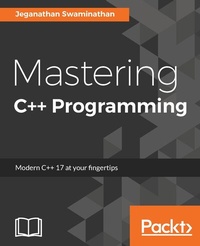
Mastering C++ Programming
Modern C++ 17 at your fingertips
Published on 8. July 2025
384 pages
978-1-78646-193-3 (ISBN)
Description

No detailed description available for "Mastering C++ Programming".
All prices
More details
Edition
Digital original
Language
English
Place of publication
Birmingham
United Kingdom
Target group
Professional and scholarly
US School Grade: College Graduate Student
Edition type
Digital original
File size
31,79 MB
ISBN-13
978-1-78646-193-3 (9781786461933)
Copyright in bibliographic data and cover images is held by Nielsen Book Services Limited or by the publishers or by their respective licensors: all rights reserved.
Schweitzer Classification
Other editions
Additional editions
Book
08/2017
Packt Publishing
€63.80
Shipment within 3-4 weeks
Person
Swaminathan Jeganathan :
Jeganathan Swaminathan, Jegan for short, is a freelance software consultant and founder of TekTutor, with over 17 years of IT industry experience. In the past, he has worked for AMD, Oracle, Siemens, Genisys Software, Global Edge Software Ltd, and PSI Data Systems. He has consulted for Samsung WTD (South Korea) and National Semiconductor (Bengaluru). He now works as a freelance external consultant for Amdocs (India). He works as freelance software consultant and freelance corporate trainer. He holds CSM, CSPO, CSD, and CSP certifications from Scrum Alliance. He is a polyglot software professional and his areas of interest include a wide range of C++, C#, Python, Ruby, AngularJS, Node.js, Kubernetes, Ansible, Puppet, Chef, and Java technologies. He is well known for JUnit, Mockito, PowerMock, gtest, gmock, CppUnit, Cucumber, SpecFlow, Qt, QML, POSIX Pthreads, TDD, BDD, ATDD, NoSQL databases (MongoDB and Cassandra), Apache Spark, Apache Kafka, Apache Camel, Dockers, Continuous Integration (CI), Continuous Delivery (CD), Maven, Git, cloud computing, and DevOps. You can reach him for any C++, Java, Qt, QML, TDD, BDD, and DevOps-related training or consulting assignments. Jegan is a regular speaker at various technical conferences.
Jeganathan Swaminathan, Jegan for short, is a freelance software consultant and founder of TekTutor, with over 17 years of IT industry experience. In the past, he has worked for AMD, Oracle, Siemens, Genisys Software, Global Edge Software Ltd, and PSI Data Systems. He has consulted for Samsung WTD (South Korea) and National Semiconductor (Bengaluru). He now works as a freelance external consultant for Amdocs (India). He works as freelance software consultant and freelance corporate trainer. He holds CSM, CSPO, CSD, and CSP certifications from Scrum Alliance. He is a polyglot software professional and his areas of interest include a wide range of C++, C#, Python, Ruby, AngularJS, Node.js, Kubernetes, Ansible, Puppet, Chef, and Java technologies. He is well known for JUnit, Mockito, PowerMock, gtest, gmock, CppUnit, Cucumber, SpecFlow, Qt, QML, POSIX Pthreads, TDD, BDD, ATDD, NoSQL databases (MongoDB and Cassandra), Apache Spark, Apache Kafka, Apache Camel, Dockers, Continuous Integration (CI), Continuous Delivery (CD), Maven, Git, cloud computing, and DevOps. You can reach him for any C++, Java, Qt, QML, TDD, BDD, and DevOps-related training or consulting assignments. Jegan is a regular speaker at various technical conferences.
Content
- Cover
- Copyright
- Credits
- About the Author
- About the Reviewer
- www.PacktPub.com
- Customer Feedback
- Dedication
- Table of Contents
- Preface
- Chapter 1: C++17 Features
- C++17 background
- What's new in C++17?
- What features are deprecated or removed in C++17?
- Key features in C++17
- Easier nested namespace syntax
- New rules for type auto-detection from braced initializer list
- Simplified static_assert
- The std::invoke( ) method
- Structured binding
- If and Switch local scoped variables
- Template type auto-deduction for class templates
- Inline variables
- Summary
- Chapter 2: Standard Template Library
- The Standard Template Library architecture
- Algorithms
- Iterators
- Containers
- Functors
- Sequence containers
- Array
- Code walkthrough
- Commonly used APIs in an array
- Vector
- Code walkthrough
- Commonly used vector APIs
- Code walkthrough
- Pitfalls of a vector
- List
- Commonly used APIs in a list
- Forward list
- Code walkthrough
- Commonly used APIs in a forward_list container
- Deque
- Commonly used APIs in a deque
- Associative containers
- Set
- Code walkthrough
- Commonly used APIs in a set
- Map
- Code walkthrough
- Commonly used APIs in a map
- Multiset
- Multimap
- Unordered sets
- Unordered maps
- Unordered multisets
- Unordered multimaps
- Container adapters
- Stack
- Commonly used APIs in a stack
- Queue
- Commonly used APIs in a queue
- Priority queue
- Commonly used APIs in a priority queue
- Summary
- Chapter 3: Template Programming
- Generic programming
- Function templates
- Code walkthrough
- Overloading function templates
- Code walkthrough
- Class template
- Code walkthrough
- Explicit class specializations
- Code walkthrough
- Partial template specialization
- Summary
- Chapter 4: Smart Pointers
- Memory management
- Issues with raw pointers
- Smart pointers
- auto_ptr
- Code walkthrough - Part 1
- Code walkthrough - Part 2
- unique_ptr
- Code walkthrough
- shared_ptr
- Code walkthrough
- weak_ptr
- Circular dependency
- Summary
- Chapter 5: Developing GUI Applications in C++
- Qt
- Installing Qt 5.7.0 in Ubuntu 16.04
- Qt Core
- Writing our first Qt console application
- Qt Widgets
- Writing our first Qt GUI application
- Layouts
- Writing a GUI application with a horizontal layout
- Writing a GUI application with a vertical layout
- Writing a GUI application with a box layout
- Writing a GUI application with a grid layout
- Signals and slots
- Using stacked layout in Qt applications
- Writing a simple math application combining multiple layouts
- Summary
- Chapter 6: Multithreaded Programming and Inter-Process Communication
- Introduction to POSIX pthreads
- Creating threads with the pthreads library
- How to compile and run
- Does C++ support threads natively?
- How to write a multithreaded application using the native C++ thread feature
- How to compile and run
- Using std::thread in an object-oriented fashion
- How to compile and run
- What did you learn?
- Synchronizing threads
- What would happen if threads weren't synchronized?
- How to compile and run
- Let's use mutex
- How to compile and run
- What is a deadlock?
- How to compile and run
- What did you learn?
- Shared mutex
- Conditional variable
- How to compile and run
- What did you learn?
- Semaphore
- Concurrency
- How to compile and run
- Asynchronous message passing using the concurrency support library
- How to compile and run
- Concurrency tasks
- How to compile and run
- Using tasks with a thread support library
- How to compile and run
- Binding the thread procedure and its input to packaged_task
- How to compile and run
- Exception handling with the concurrency library
- How to compile and run
- What did you learn?
- Summary
- Chapter 7: Test-Driven Development
- TDD
- Common myths and questions around TDD
- Does it take more efforts for a developer to write a unit test?
- Is code coverage metrics good or bad?
- Does TDD work for complex legacy projects?
- Is TDD even applicable for embedded or products that involve hardware?
- Unit testing frameworks for C++
- Google test framework
- Installing Google test framework on Ubuntu
- How to build google test and mock together as one single static library without installing?
- Writing our first test case using the Google test framework
- Using Google test framework in Visual Studio IDE
- TDD in action
- Testing a piece of legacy code that has dependency
- Summary
- Chapter 8: Behavior-Driven Development
- Behavior-driven development
- TDD versus BDD
- C++ BDD frameworks
- The Gherkin language
- Installing cucumber-cpp in Ubuntu
- Installing the cucumber-cpp framework prerequisite software
- Building and executing the test cases
- Feature file
- Spoken languages supported by Gherkin
- The recommended cucumber-cpp project folder structure
- Writing our first Cucumber test case
- Integrating our project in cucumber-cpp CMakeLists.txt
- Executing our test case
- Dry running your cucumber test cases
- BDD - a test-first development approach
- Let's build and run our BDD test case
- It's testing time!
- Summary
- Chapter 9: Debugging Techniques
- Effective debugging
- Debugging strategies
- Debugging tools
- Debugging your application using GDB
- GDB commands quick reference
- Debugging memory leaks with Valgrind
- The Memcheck tool
- Detecting memory access outside the boundary of an array
- Detecting memory access to already released memory locations
- Detecting uninitialized memory access
- Detecting memory leaks
- Fixing the memory leaks
- Mismatched use of new and free or malloc and delete
- Summary
- Chapter 10: Code Smells and Clean Code Practices
- Code refactoring
- Code smell
- What is agile?
- SOLID design principle
- Single responsibility principle
- Open closed principle
- Liskov substitution principle
- Interface segregation
- Dependency inversion
- Code smell
- Comment smell
- Long method
- Long parameter list
- Duplicate code
- Conditional complexity
- Large class
- Dead code
- Primitive obsession
- Data class
- Feature envy
- Summary
- Index

