

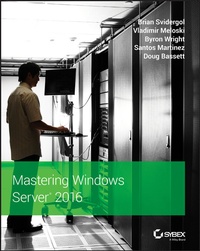
Mastering Windows Server 2016
1st Edition
Published on 13. June 2018
608 pages
978-1-119-40507-8 (ISBN)
Description

The IT pro's must-have guide to Windows Server 2016
Mastering Windows Server 2016 is a complete resource for IT professionals needing to get quickly up to date on the latest release. Designed to provide comprehensive information in the context of real-world usage, this book offers expert guidance through the new tools and features to help you get Windows Server 2016 up and running quickly. Straightforward discussion covers all aspects, including virtualization products, identity and access, automation, networking, security, storage and more, with clear explanations and immediately-applicable instruction. Find the answers you need, and explore new solutions as Microsoft increases their focus on security, software-defined infrastructure, and the cloud; new capabilities including containers and Nano Server, Shielded VMs, Failover Clustering, PowerShell, and more give you plenty of tools to become more efficient, more effective, and more productive.
Windows Server 2016 is the ideal server for Windows 10 clients, and is loaded with new features that IT professionals need to know. This book provides a comprehensive resource grounded in real-world application to help you get up to speed quickly.
* Master the latest features of Windows Server 2016
* Apply new tools in real-world scenarios
* Explore new capabilities in security, networking, and the cloud
* Gain expert guidance on all aspect of Windows Server 2016 migration and management
System administrators tasked with upgrading, migrating, or managing Windows Server 2016 need a one-stop resource to help them get the job done. Mastering Windows Server 2016 has the answers you need, the practicality you seek, and the latest information to get you up to speed quickly.
Mastering Windows Server 2016 is a complete resource for IT professionals needing to get quickly up to date on the latest release. Designed to provide comprehensive information in the context of real-world usage, this book offers expert guidance through the new tools and features to help you get Windows Server 2016 up and running quickly. Straightforward discussion covers all aspects, including virtualization products, identity and access, automation, networking, security, storage and more, with clear explanations and immediately-applicable instruction. Find the answers you need, and explore new solutions as Microsoft increases their focus on security, software-defined infrastructure, and the cloud; new capabilities including containers and Nano Server, Shielded VMs, Failover Clustering, PowerShell, and more give you plenty of tools to become more efficient, more effective, and more productive.
Windows Server 2016 is the ideal server for Windows 10 clients, and is loaded with new features that IT professionals need to know. This book provides a comprehensive resource grounded in real-world application to help you get up to speed quickly.
* Master the latest features of Windows Server 2016
* Apply new tools in real-world scenarios
* Explore new capabilities in security, networking, and the cloud
* Gain expert guidance on all aspect of Windows Server 2016 migration and management
System administrators tasked with upgrading, migrating, or managing Windows Server 2016 need a one-stop resource to help them get the job done. Mastering Windows Server 2016 has the answers you need, the practicality you seek, and the latest information to get you up to speed quickly.
More details
Other editions
Additional editions
Brian Svidergol | Vladimir Meloski | Byron Wright
Mastering Windows Server 2016
Book
08/2018
Sybex Inc.,U.S.
Unfortunately, price unknown
Article exhausted; check different version
Content
- Cover
- Title Page
- Copyright
- Acknowledgments
- About the Authors
- About the Contributing Author
- Contents
- Introduction
- Major Changes in Windows Server 2016
- The Mastering Series
- How to Use This Book
- How This Book Is Organized
- Getting More Information
- Errata
- Chapter 1 Windows Server 2016 Installation and Management
- Windows Server 2016 Editions and Licensing
- Processor Core-Based Licensing
- Client Access Licenses
- Licensing Programs
- Other Editions of Windows Server 2016
- Installing Windows Server 2016
- Installation Steps
- Post-Installation Configuration
- Activation
- Automating the Installation of Windows Server 2016
- Sysprep and Imaging
- Windows System Image Manager
- Windows Deployment Services
- Microsoft Deployment Toolkit
- Deployment Solutions for Virtualization
- Common Management Tools
- Overview of Server Manager
- Computer Management
- Device Manager
- Task Scheduler
- Monitoring and Troubleshooting Tools
- Event Viewer
- Task Manager
- Resource Monitor
- Performance Monitor
- The Bottom Line
- Chapter 2 PowerShell
- What Is PowerShell?
- Forward Compatible
- PowerShell Versions
- Running and Customizing PowerShell
- Customizing the PowerShell Console
- Cutting and Pasting in PowerShell
- Using PowerShell Integrated Scripting Environment (ISE)
- Exploring the Command Add-On Pane
- Setting Up PowerShell ISE Profiles
- Editing Profiles
- Setting Up Execution Policies
- Recording PowerShell Sessions
- Using Aliases and Getting Help
- Using CMD.EXE-Like Commands in PowerShell
- Exploring a Get-Help Example
- Getting Get-Help Updates
- Updating Help for Servers Without Internet Access
- Accessing Online Help Files
- Understanding Cmdlet Syntax
- Interpreting the Syntax
- Using Spaces in Cmdlets
- Passing Multiple Values to a Parameter
- Using Show-Command
- Using -WhatIf
- Using -Confirm
- All About "About" Files
- Understanding Shortened Command Syntax
- Exploring PowerShell Command Concepts
- Implementing Pipelines
- Exploring Objects and Members
- Exploring Properties, Events, and Methods
- Performing Object Sorting
- Measuring Objects
- Using Select-Object to Select a Subset of Objects in a Pipeline
- Using File Input and Output Operations
- Converting Objects to Different Formats
- Using ConvertTo-CSV
- Using Export-Csv
- Using ConvertTo-Html
- Using ConvertTo-Xml
- Using Export-Clixml
- Encrypting an Exported Credential Object with Export-Clixml
- Saving the Credentials to an XML File
- Importing Data into PowerShell
- Processing Pipeline Data
- Using Comparison Operators
- Using Wildcards and the -like Operator
- Exploring Common Data Types
- Determining Data Type with -is
- Finding Portions of Strings with -match
- Using the Containment Operators -contains and -notcontains
- Using the -in and -notin Operators
- Using the -replace Operator
- Using Variables
- Exploring Types of PowerShell Variables
- Clearing and Removing Variables
- Using the Variable Drive
- Using Environmental Variables
- Using Functions
- Seeing Them in Action
- Splatting
- Creating Functions
- Using Parameters
- Sending Pipeline Objects to a Function with Begin, Process, and End
- Viewing All Functions in a Session
- Formatting Output
- Using Format-Wide
- Using Format-List
- Using Format-Table
- Using Loops
- Using the For Loop
- Using the Foreach Loop
- Using the If Statement
- Using the Switch Statement
- Using the While Loop
- Using the Where-Object Method
- Managing Remote Systems via PowerShell
- Using Enable-PSRemoting
- Remoting to Workgroup Servers
- Running PowerShell Commands on Remote Systems
- Running Remote Scripts on Remote Computers
- Establishing Persistent Remote Connections
- Using PowerShell Direct
- The Bottom Line
- Chapter 3 Compute
- Overview of Hyper-V
- What's New in Windows Server 2016 Hyper-V
- Installing Hyper-V
- Nested Virtualization
- Storage Options in Hyper-V
- Virtual Hard Disk Types
- Virtual Hard Disk Recommendations
- Configuring Hyper-V
- Hyper-V Networking
- Hyper-V Virtual Machine Configurations
- Shielded Virtual Machines
- Virtual Machine Settings
- Virtual Machine State
- Virtual Machine Checkpoints
- Importing and Exporting Virtual Machines
- Live Migration
- PowerShell Direct
- Virtual Machine Migration
- Overview of Live Migration
- Live Migration Requirements
- Hyper-V Replica
- Planning for Hyper-V Replica
- Implementing Hyper-V Replica
- Failover Options in Hyper-V Replica
- High Availability with Failover Clustering in Windows Server 2016
- Host Clustering
- Guest Clustering
- Network Load Balancing
- What Is Failover Clustering?
- High Availability with Failover Clustering
- Clustering Terminology
- Clustering Categories and Types
- Failover-Clustering Components
- Hardware Requirements for a Failover-Cluster Implementation
- Dynamic Quorum
- Planning for Migrating and Upgrading Failover Clusters
- The Validation Wizard and the Cluster Support Policy Requirements
- Configuring Roles
- Managing Failover Clusters
- Configuring Cluster Properties
- Managing Cluster Nodes
- Configuring Quorum Properties
- What Is Cluster-Aware Updating?
- What Is a Stretch Cluster?
- Failover Clustering with Hyper-V
- Implementing Hyper-V Failover Clustering
- Implementing CSVs
- The Bottom Line
- Chapter 4 Storage
- Overview of Storage in Windows Server 2016
- File Systems
- NTFS
- ReFS
- Comparing NTFS and ReFS
- Data Deduplication
- How Data Is Optimized
- How Optimized Data Is Read
- How Data Deduplication Works in the Background
- How to Enable Data Deduplication
- Data Deduplication Advanced Settings
- Storage Spaces
- Storage Spaces Configuration Options
- Storage Spaces Direct
- Storage Replica
- Types of Replication
- Deploying Storage Replica
- Storage Quality of Service
- Working with Storage QoS
- The Bottom Line
- Chapter 5 Networking
- Windows Server 2016 Network Configuration
- IP Configuration
- Network Adapter Teaming
- Windows Firewall
- DNS
- DNS Zones
- Name Resolution Processing
- Removing Stale DNS Records
- Securing DNS
- Monitoring and Troubleshooting DNS
- DHCP
- DHCP Scopes
- DHCP Options
- DHCP Policies and Filters
- High Availability
- DHCP Database
- Remote Access
- VPN
- WAP
- Network Load Balancing
- Software Defined Networking
- Network Controller
- Hyper-V Network Virtualization
- RAS Gateway
- Datacenter Firewall
- Software Load Balancing
- Switch Embedded Teaming
- Internal DNS Service
- The Bottom Line
- Chapter 6 File Services
- File Services Overview
- File Server
- Installing the File Server
- Creating a File Share
- Assigning Permissions
- BranchCache for Network Files
- BranchCache Modes of Operation
- DFS Namespaces and DFS Replication
- Accessing Shared Folders in DFS
- Configuring DFS Replication
- DFS Monitoring and Troubleshooting
- File Server Resource Manager
- FSRM Features Deployment
- Configuring General FSRM Options
- Classification Management
- File Management Tasks
- Quota Management
- Templates for Monitoring Disk Usage
- File Screening Management
- Work Folders
- The Bottom Line
- Chapter 7 Windows Server Containers
- Containers Overview
- Container Limitations
- Container Terminology
- Hyper-V Containers
- Creating and Maintaining Containers
- Hardware and Software Requirements
- Installing Docker
- Retrieving Container Images from Docker Hub
- Creating and Running a Container
- Manually Customizing an Image
- Automating Image Creation
- Managing Container Images
- Configuring Containers
- Storage
- Networking
- Resource Constraints
- Authentication to AD
- Application Development and Deployment
- The Bottom Line
- Chapter 8 Security Mechanisms
- Security Overview
- Where to Begin?
- What Are the Risks?
- Thinking Like an Attacker
- Ethical Hacking
- Protecting Accounts
- Privileged Access
- Securing User Accounts
- Configuring Account Policy Settings
- Protected Users, Authentication Policies, and Authentication Policy Silos
- Delegating Privileges
- Credential Guard
- Protecting Data at Rest
- Encrypting File System
- BitLocker
- Protecting Data in Transit
- Windows Firewall with Advanced Security
- IPsec
- Protecting Administrative Access
- Privileged Access Workstations
- Local Administrator
- Just Enough Administration
- Role-Capability Files
- Session-Configuration Files
- Protecting Active Directory Infrastructure
- Enhanced Security Administrative Environment
- Privileged Access Management
- Malware Protection
- Software Restriction Policies
- AppLocker
- Device Guard
- Hardening Operating Systems Security with Additional Microsoft Products
- Advanced Threat Analytics
- Evidence of the Attack
- Auditing
- The Bottom Line
- Chapter 9 Active Directory Domain Services
- Overview of Features
- What Changed in AD DS for Windows Server 2016
- Features from Windows Server 2012 R2
- Features from Windows Server 2012
- Revisiting Privileged Access Management
- Design Considerations
- Forests and Domains
- Active Directory Trusts
- Active Directory Sites
- Active Directory Replication
- Flexible Single Master Operation Roles
- Designing the Organizational Unit Structure
- Domain Controllers
- Computer, User, and Group Management
- Computer Management
- User Management
- Group Management
- Group Policy
- Group Policy Inheritance and Enforcement
- Group Policy Day-to-Day Tasks
- The Bottom Line
- Chapter 10 Active Directory Certificate Services
- What's New in AD CS Windows Server 2016
- Windows Server 2012 R2
- Windows Server 2012
- Introduction to a Public Key Infrastructure and AD CS
- Planning and Design Considerations
- Implementing a Two-Tier Hierarchy
- Working with Certificate Templates
- Auto-Enrollment
- The Bottom Line
- Chapter 11 Active Directory Federation Services
- Overview of AD FS
- AD FS Terminology
- How AD FS Works
- Planning and Design Considerations
- Where Should You Place the AD FS Components?
- Should You Use SQL Server for the AD FS Database?
- What Are Your Certificate Options for Your AD FS Environment?
- Should You Use a Group-Managed Service Account for Your AD FS Environment?
- Deploying an AD FS Environment
- Installing the AD FS Server Role
- Configuring Internal DNS Name Resolution
- Configuring a Sample Federated Application
- Configuring an AD FS Relying Party
- Testing Application Access from an Internal Client
- Installing Web Application Proxy Server Role Service
- Publishing the Sample Federated Application
- Testing Application Access from an External Client
- The Bottom Line
- Chapter 12 Management with System Center
- Overview of System Center 2016
- Understanding the Upgrade Sequence
- Understanding the Install Sequence
- Installing an Instance in a Cluster
- Using System Center Virtual Machine Manager
- Installing and Configuring VMM
- Managing the VMM Compute Fabric
- Managing the VMM Library
- Managing the VMM Host Groups
- Managing Hyper-V Hosts and Clusters
- Managing VMware Servers
- Managing Infrastructure Servers
- Managing the VMM Networking Fabric
- Creating a Logical Network
- Creating a VM Network
- Managing the Storage Fabric
- Creating Virtual Machines
- Managing Windows Server 2016 with System Center Operations Manager
- The Operations Manager Infrastructure
- Installing the Prerequisites
- Managing Windows Server 2016 with System Center Configuration Manager
- Three Branches
- What You Should Know About Site Server Differences
- ConfigMgr Prerequisites
- Installing a Primary Site Server
- Configuring System Center Configuration Manager
- Boundaries and Boundary Groups
- Installing Clients
- Using Client Settings
- Using Collections
- The Bottom Line
- Chapter 13 Management with OMS
- What Is Operations Management Suite?
- A Brief History
- OMS Services
- OMS Pricing
- SLA Details
- System Requirements
- Log Analytics
- Performance Queries
- Event Queries
- The Bottom Line
- Index
- EULA
