

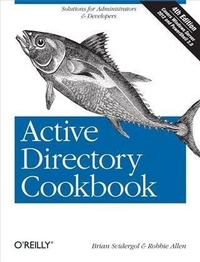
Active Directory Cookbook
Solutions for Administrators & Developers
4th Edition
Published on 29. May 2013
860 pages
978-1-4493-6139-6 (ISBN)
Description

Take the guesswork out of deploying, administering, and automating Active Directory. With hundreds of proven recipes, the updated edition of this popular cookbook provides quick, step-by-step solutions to common (and not so common) problems you might encounter when working with Microsofts network directory service.This fourth edition includes troubleshooting recipes for Windows Server 2012, Windows 8, and Exchange 2013, based on valuable input from Windows administrators. Youll also find quick solutions for the Lightweight Directory Access Protocol (LDAP), Active Directory Lightweight Directory Services (AD LDS), multi-master replication, DNS, Group Policy, and many other features.Manage new AD features, such as the Recycle Bin, Group Managed Service Accounts, and fine-grained password policiesWork with AD from the command line and use Windows PowerShell to automate tasksRemove and create forests, domains, and trustsCreate groups, modify group scope and type, and manage membershipDelegate control, view and modify permissions, and handle Kerberos ticketsImport and export data with LDAP Data Interchange Format (LDIF)Synchronize multiple directories and enforce data integrity within a single or multiple storesBack up AD, and perform authoritative and non-authoritative restores
More details
Other editions
Additional editions
Book
07/2013
4th Edition
O'Reilly
€56.00
Shipment within 10-20 days
Previous edition
Robbie Allen
Active Directory Cookbook
E-Book
06/2006
2nd Edition
O'Reilly
€41.99
Available for download
Content
- Intro
- Copyright
- Table of Contents
- Preface
- Who Should Read This Book?
- What's in This Book?
- Conventions Used in This Book
- Using Code Examples
- Safari® Books Online
- How to Contact Us
- Acknowledgments
- Chapter 1. Getting Started
- 1.1. Approach to the Book
- At Least Three Ways to Do It!
- Windows Server 2008, Windows Server 2008 R2, and Windows Server 2012
- 1.2. Where to Find the Tools
- Running Tools with Alternate Credentials
- Targeting Specific Domain Controllers
- 1.3. Getting Familiar with LDIF
- 1.4. Replaceable Text
- 1.5. Where to Find More Information
- Command-Line Tools
- Microsoft Knowledge Base
- Microsoft Developer Network
- Websites
- Mailing List
- Additional Resources
- Chapter 2. Forests, Domains, and Trusts
- 2.0. Introduction
- The Anatomy of a Forest
- The Anatomy of a Domain
- The Anatomy of a Trust
- 2.1. Creating a Forest
- Problem
- Solution
- Discussion
- See Also
- 2.2. Removing a Forest
- Problem
- Solution
- Discussion
- See Also
- 2.3. Creating a Domain
- Problem
- Solution
- Discussion
- See Also
- 2.4. Removing a Domain
- Problem
- Solution
- Discussion
- See Also
- 2.5. Removing an Orphaned Domain
- Problem
- Solution
- Discussion
- See Also
- 2.6. Finding the Domains in a Forest
- Problem
- Solution
- Discussion
- See Also
- 2.7. Finding the NetBIOS Name of a Domain
- Problem
- Solution
- Discussion
- 2.8. Renaming a Domain
- Problem
- Solution
- Discussion
- See Also
- 2.9. Raising the Domain Functional Level to Windows Server 2012
- Problem
- Solution
- Discussion
- See Also
- 2.10. Raising the Functional Level of a Windows Server 2008 or 2008 R2 Forest
- Problem
- Solution
- Discussion
- See Also
- 2.11. Using AdPrep to Prepare a Domain or Forest for Windows Server 2012
- Problem
- Solution
- Discussion
- See Also
- 2.12. Determining Whether AdPrep Has Completed
- Problem
- Solution
- Discussion
- See Also
- 2.13. Checking Whether a Windows Domain Controller Can Be Upgraded to Windows Server 2003 or 2008
- Problem
- Solution
- Discussion
- See Also
- 2.14. Creating an External Trust
- Problem
- Solution
- Discussion
- See Also
- 2.15. Creating a Transitive Trust Between Two AD Forests
- Problem
- Solution
- Discussion
- 2.16. Creating a Shortcut Trust Between Two AD Domains
- Problem
- Solution
- Discussion
- 2.17. Creating a Trust to a Kerberos Realm
- Problem
- Solution
- Discussion
- See Also
- 2.18. Viewing the Trusts for a Domain
- Problem
- Solution
- Discussion
- See Also
- 2.19. Verifying a Trust
- Problem
- Solution
- Discussion
- See Also
- 2.20. Resetting a Trust
- Problem
- Solution
- Discussion
- See Also
- 2.21. Removing a Trust
- Problem
- Solution
- Discussion
- 2.22. Enabling SID Filtering for a Trust
- Problem
- Solution
- Discussion
- See Also
- 2.23. Enabling Quarantine for a Trust
- Problem
- Solution
- Discussion
- 2.24. Managing Selective Authentication for a Trust
- Problem
- Solution
- Discussion
- 2.25. Finding Duplicate SIDs in a Domain
- Problem
- Solution
- Discussion
- See Also
- 2.26. Adding Additional Fields to Active Directory Users and Computers
- Problem
- Solution
- Discussion
- See Also
- Chapter 3. Domain Controllers, Global Catalogs, and FSMOs
- 3.0. Introduction
- The Anatomy of a Domain Controller
- 3.1. Promoting a Server to a Domain Controller
- Problem
- Solution
- Discussion
- See Also
- 3.2. Promoting a Server to a Read-Only Domain Controller
- Problem
- Solution
- Discussion
- See Also
- 3.3. Performing a Two-Stage RODC Installation
- Problem
- Solution
- Discussion
- See Also
- 3.4. Modifying the Password Replication Policy
- Problem
- Solution
- Discussion
- See Also
- 3.5. Promoting a Server to a Windows Server 2012 Domain Controller from Media
- Problem
- Solution
- Discussion
- See Also
- 3.6. Demoting a Domain Controller
- Problem
- Solution
- Discussion
- See Also
- 3.7. Automating the Promotion or Demotion of a Domain Controller
- Problem
- Solution
- Discussion
- See Also
- 3.8. Troubleshooting Domain Controller Promotion or Demotion Problems
- Problem
- Solution
- Discussion
- See Also
- 3.9. Verifying the Promotion of a Domain Controller
- Problem
- Solution
- Discussion
- See Also
- 3.10. Removing an Unsuccessfully Demoted Domain Controller
- Problem
- Solution
- Discussion
- See Also
- 3.11. Renaming a Domain Controller
- Problem
- Solution
- Discussion
- 3.12. Finding the Domain Controllers for a Domain
- Problem
- Solution
- Discussion
- See Also
- 3.13. Finding the Closest Domain Controller
- Problem
- Solution
- Discussion
- 3.14. Finding a Domain Controller's Site
- Problem
- Solution
- Discussion
- See Also
- 3.15. Moving a Domain Controller to a Different Site
- Problem
- Solution
- Discussion
- See Also
- 3.16. Finding the Services a Domain Controller Is Advertising
- Problem
- Solution
- Discussion
- See Also
- 3.17. Restoring a Deleted Domain Controller in Windows Server 2012
- Problem
- Solution
- Discussion
- See Also
- 3.18. Resetting the TCP/IP Stack on a Domain Controller
- Problem
- Solution
- Discussion
- See Also
- 3.19. Configuring a Domain Controller to Use an External Time Source
- Problem
- Solution
- Discussion
- See Also
- 3.20. Finding the Number of Logon Attempts Made Against a Domain Controller
- Problem
- Solution
- Discussion
- See Also
- 3.21. Enabling the /3GB Switch to Increase the LSASS Cache
- Problem
- Solution
- Discussion
- 3.22. Enabling and Disabling the Global Catalog
- Problem
- Solution
- Discussion
- See Also
- 3.23. Determining Whether Global Catalog Promotion Is Complete
- Problem
- Solution
- Discussion
- See Also
- 3.24. Finding the Global Catalog Servers in a Forest
- Problem
- Solution
- Discussion
- See Also
- 3.25. Finding the Domain Controllers or Global Catalog Servers in a Site
- Problem
- Solution
- Discussion
- 3.26. Finding Domain Controllers and Global Catalogs via DNS
- Problem
- Solution
- Discussion
- See Also
- 3.27. Changing the Preference for a Domain Controller
- Problem
- Solution
- Discussion
- See Also
- 3.28. Disabling the Global Catalog Requirement for User Logon
- Problem
- Solution
- 3.29. Finding the FSMO Role Holders
- Problem
- Solution
- Discussion
- See Also
- 3.30. Transferring a FSMO Role
- Problem
- Solution
- Discussion
- See Also
- 3.31. Seizing a FSMO Role
- Problem
- Solution
- Discussion
- See Also
- 3.32. Finding the PDC Emulator FSMO Role Owner via DNS
- Problem
- Solution
- Discussion
- See Also
- Chapter 4. Searching and Manipulating Objects
- 4.0. Introduction
- The Anatomy of an Object
- 4.1. Viewing the RootDSE
- Problem
- Solution
- Discussion
- See Also
- 4.2. Viewing the Attributes of an Object
- Problem
- Solution
- Discussion
- See Also
- 4.3. Counting Objects in Active Directory
- Problem
- Solution
- Discussion
- 4.4. Using LDAP Controls
- Problem
- Solution
- Discussion
- See Also
- 4.5. Using a Fast or Concurrent Bind
- Problem
- Solution
- Discussion
- See Also
- 4.6. Connecting to an Object GUID
- Problem
- Solution
- Discussion
- See Also
- 4.7. Connecting to a Well-Known GUID
- Problem
- Solution
- Discussion
- See Also
- 4.8. Searching for Objects in a Domain
- Problem
- Solution
- Discussion
- See Also
- 4.9. Searching the Global Catalog
- Problem
- Solution
- Discussion
- See Also
- 4.10. Searching for a Large Number of Objects
- Problem
- Solution
- Discussion
- See Also
- 4.11. Searching with an Attribute-Scoped Query
- Problem
- Solution
- Discussion
- See Also
- 4.12. Searching with a Bitwise Filter
- Problem
- Solution
- Discussion
- See Also
- 4.13. Creating an Object
- Problem
- Solution
- Discussion
- See Also
- 4.14. Modifying an Object
- Problem
- Solution
- Discussion
- See Also
- 4.15. Modifying a Bit-Flag Attribute
- Problem
- Solution
- Discussion
- See Also
- 4.16. Dynamically Linking an Auxiliary Class
- Problem
- Solution
- Discussion
- See Also
- 4.17. Creating a Dynamic Object
- Problem
- Solution
- Discussion
- See Also
- 4.18. Refreshing a Dynamic Object
- Problem
- Solution
- Discussion
- See Also
- 4.19. Modifying the Default TTL Settings for Dynamic Objects
- Problem
- Solution
- Discussion
- See Also
- 4.20. Moving an Object to a Different OU or Container
- Problem
- Solution
- Discussion
- See Also
- 4.21. Moving an Object to a Different Domain
- Problem
- Solution
- Discussion
- See Also
- 4.22. Referencing an External Domain
- Problem
- Solution
- Discussion
- See Also
- 4.23. Renaming an Object
- Problem
- Solution
- Discussion
- See Also
- 4.24. Deleting an Object
- Problem
- Solution
- Discussion
- See Also
- 4.25. Deleting a Container That Has Child Objects
- Problem
- Solution
- Discussion
- See Also
- 4.26. Viewing the Created and Last-Modified Timestamp of an Object
- Problem
- Solution
- Discussion
- See Also
- 4.27. Modifying the Default LDAP Query Policy
- Problem
- Solution
- Discussion
- See Also
- 4.28. Exporting Objects to an LDIF File
- Problem
- Solution
- Discussion
- See Also
- 4.29. Importing Objects Using an LDIF File
- Problem
- Solution
- Discussion
- See Also
- 4.30. Exporting Objects to a CSV File
- Problem
- Solution
- Discussion
- See Also
- 4.31. Importing Objects Using PowerShell and a CSV File
- Problem
- Solution
- Discussion
- See Also
- Chapter 5. Organizational Units
- 5.0. Introduction
- The Anatomy of an Organizational Unit
- 5.1. Creating an OU
- Problem
- Solution
- Discussion
- See Also
- 5.2. Enumerating the OUs in a Domain
- Problem
- Solution
- Discussion
- 5.3. Finding an OU
- Problem
- Solution
- Discussion
- See Also
- 5.4. Enumerating the Objects in an OU
- Problem
- Solution
- Discussion
- See Also
- 5.5. Deleting the Objects in an OU
- Problem
- Solution
- Discussion
- See Also
- 5.6. Deleting an OU
- Problem
- Solution
- Discussion
- See Also
- 5.7. Moving the Objects in an OU to a Different OU
- Problem
- Solution
- Discussion
- See Also
- 5.8. Moving an OU
- Problem
- Solution
- Discussion
- See Also
- 5.9. Renaming an OU
- Problem
- Solution
- Discussion
- See Also
- 5.10. Modifying an OU
- Problem
- Solution
- Discussion
- See Also
- 5.11. Determining Approximately How Many Child Objects an OU Has
- Problem
- Solution
- Discussion
- See Also
- 5.12. Delegating Control of an OU
- Problem
- Solution
- Discussion
- See Also
- 5.13. Assigning or Removing a Manager for an OU
- Problem
- Solution
- Discussion
- See Also
- 5.14. Linking a GPO to an OU
- Problem
- Solution
- Discussion
- See Also
- 5.15. Protecting an OU Against Accidental Deletion
- Problem
- Solution
- Discussion
- Chapter 6. Users
- 6.0. Introduction
- The Anatomy of a User
- 6.1. Modifying the Default Display Name Used When Creating Users in ADUC or ADAC
- Problem
- Solution
- Discussion
- See Also
- 6.2. Creating a User
- Problem
- Solution
- Discussion
- See Also
- 6.3. Creating a Large Number of Users
- Problem
- Solution
- Discussion
- See Also
- 6.4. Creating an inetOrgPerson User
- Problem
- Solution
- Discussion
- See Also
- 6.5. Converting a user Object to an inetOrgPerson Object (or Vice Versa)
- Problem
- Solution
- Discussion
- See Also
- 6.6. Modifying an Attribute for Several Users at Once
- Problem
- Solution
- Discussion
- See Also
- 6.7. Deleting a User
- Problem
- Solution
- Discussion
- See Also
- 6.8. Setting a User's Profile Attributes
- Problem
- Solution
- Discussion
- See Also
- 6.9. Moving a User
- Problem
- Solution
- Discussion
- See Also
- 6.10. Redirecting Users to an Alternative OU
- Problem
- Solution
- Discussion
- See Also
- 6.11. Renaming a User
- Problem
- Solution
- Discussion
- See Also
- 6.12. Copying a User
- Problem
- Solution
- Discussion
- See Also
- 6.13. Finding Locked-Out Users
- Problem
- Solution
- Discussion
- See Also
- 6.14. Unlocking a User
- Problem
- Solution
- Discussion
- See Also
- 6.15. Troubleshooting Account Lockout Problems
- Problem
- Solution
- Discussion
- See Also
- 6.16. Viewing the Domain-Wide Account Lockout and Password Policies
- Problem
- Solution
- Discussion
- See Also
- 6.17. Applying a Fine-Grained Password Policy to a User Object
- Problem
- Solution
- Discussion
- See Also
- 6.18. Viewing the Fine-Grained Password Policy That Is in Effect for a User Account
- Problem
- Solution
- Discussion
- See Also
- 6.19. Enabling and Disabling a User
- Problem
- Solution
- Discussion
- See Also
- 6.20. Finding Disabled Users
- Problem
- Solution
- Discussion
- See Also
- 6.21. Viewing a User's Group Membership
- Problem
- Solution
- Discussion
- See Also
- 6.22. Removing All Group Memberships from a User
- Problem
- Solution
- Discussion
- See Also
- 6.23. Changing a User's Primary Group
- Problem
- Solution
- Discussion
- See Also
- 6.24. Copying a User's Group Membership to Another User
- Problem
- Solution
- Discussion
- See Also
- 6.25. Setting a User's Password
- Problem
- Solution
- Discussion
- See Also
- 6.26. Preventing a User from Changing a Password
- Problem
- Solution
- Discussion
- See Also
- 6.27. Requiring a User to Change a Password at Next Logon
- Problem
- Solution
- Discussion
- 6.28. Preventing a User's Password from Expiring
- Problem
- Solution
- Discussion
- See Also
- 6.29. Finding Users Whose Passwords Are About to Expire
- Problem
- Solution
- Discussion
- See Also
- 6.30. Viewing the RODCs That Have Cached a User's Password
- Problem
- Solution
- Discussion
- See Also
- 6.31. Setting a User's Account Options (userAccountControl)
- Problem
- Solution
- Discussion
- See Also
- 6.32. Setting a User's Account to Expire
- Problem
- Solution
- Discussion
- See Also
- 6.33. Determining a User's Last Logon Time
- Problem
- Solution
- Discussion
- See Also
- 6.34. Finding Users Who Have Not Logged On Recently
- Problem
- Solution
- Discussion
- See Also
- 6.35. Viewing and Modifying a User's Permitted Logon Hours
- Problem
- Solution
- Discussion
- See Also
- 6.36. Viewing a User's Managed Objects
- Problem
- Solution
- Discussion
- 6.37. Creating a UPN Suffix for a Forest
- Problem
- Solution
- Discussion
- See Also
- 6.38. Restoring a Deleted User
- Problem
- Solution
- Discussion
- See Also
- 6.39. Protecting a User Against Accidental Deletion
- Problem
- Solution
- Discussion
- Chapter 7. Groups
- 7.0. Introduction
- The Anatomy of a Group
- 7.1. Creating a Group
- Problem
- Solution
- Discussion
- See Also
- 7.2. Viewing the Permissions of a Group
- Problem
- Solution
- Discussion
- See Also
- 7.3. Viewing the Direct Members of a Group
- Problem
- Solution
- Discussion
- See Also
- 7.4. Viewing the Nested Members of a Group
- Problem
- Solution
- Discussion
- See Also
- 7.5. Adding and Removing Members of a Group
- Problem
- Solution
- Discussion
- See Also
- 7.6. Moving a Group Within a Domain
- Problem
- Solution
- Discussion
- See Also
- 7.7. Moving a Group to Another Domain
- Problem
- Solution
- Discussion
- 7.8. Changing the Scope or Type of a Group
- Problem
- Solution
- Discussion
- See Also
- 7.9. Modifying Group Attributes
- Problem
- Solution
- Discussion
- See Also
- 7.10. Delegating Control for Managing Membership of a Group
- Problem
- Solution
- Discussion
- See Also
- 7.11. Resolving a Primary Group ID
- Problem
- Solution
- Discussion
- See Also
- 7.12. Enabling Universal Group Membership Caching
- Problem
- Solution
- Discussion
- See Also
- 7.13. Restoring a Deleted Group
- Problem
- Solution
- Discussion
- See Also
- 7.14. Protecting a Group Against Accidental Deletion
- Problem
- Solution
- Discussion
- 7.15. Applying a Fine-Grained Password Policy to a Group Object
- Problem
- Solution
- Discussion
- See Also
- Chapter 8. Computer Objects
- 8.0. Introduction
- The Anatomy of a Computer
- 8.1. Creating a Computer
- Problem
- Solution
- Discussion
- See Also
- 8.2. Creating a Computer for a Specific User or Group
- Problem
- Solution
- Discussion
- See Also
- 8.3. Deleting a Computer
- Problem
- Solution
- 8.4. Joining a Computer to a Domain
- Problem
- Solution
- Discussion
- See Also
- 8.5. Moving a Computer Within the Same Domain
- Problem
- Solution
- Discussion
- See Also
- 8.6. Moving a Computer to a New Domain
- Problem
- Solution
- Discussion
- See Also
- 8.7. Renaming a Computer
- Problem
- Solution
- Discussion
- See Also
- 8.8. Adding or Removing a Computer Account from a Group
- Problem
- Solution
- Discussion
- See Also
- 8.9. Testing the Secure Channel for a Computer
- Problem
- Solution
- Discussion
- See Also
- 8.10. Resetting a Computer Account
- Problem
- Solution
- Discussion
- See Also
- 8.11. Finding Inactive or Unused Computers
- Problem
- Solution
- Discussion
- See Also
- 8.12. Changing the Maximum Number of Computers a User Can Join to the Domain
- Problem
- Solution
- Discussion
- See Also
- 8.13. Modifying the Attributes of a computer Object
- Problem
- Solution
- Discussion
- See Also
- 8.14. Finding Computers with a Particular OS
- Problem
- Solution
- Discussion
- See Also
- 8.15. Binding to the Default Container for Computers
- Problem
- Solution
- Discussion
- See Also
- 8.16. Changing the Default Container for Computers
- Problem
- Solution
- Discussion
- See Also
- 8.17. Listing All the Computer Accounts in a Domain
- Problem
- Solution
- Discussion
- See Also
- 8.18. Identifying a Computer Role
- Problem
- Solution
- Discussion
- 8.19. Protecting a Computer Against Accidental Deletion
- Problem
- Solution
- Discussion
- 8.20. Viewing the RODCs That Have Cached a Computer's Password
- Problem
- Solution
- Discussion
- See Also
- Chapter 9. Group Policy Objects
- 9.0. Introduction
- Managing GPOs
- 9.1. Finding the GPOs in a Domain
- Problem
- Solution
- Discussion
- See Also
- 9.2. Creating a GPO
- Problem
- Solution
- Discussion
- See Also
- 9.3. Copying a GPO
- Problem
- Solution
- Discussion
- See Also
- 9.4. Deleting a GPO
- Problem
- Solution
- Discussion
- See Also
- 9.5. Viewing the Settings of a GPO
- Problem
- Solution
- Discussion
- See Also
- 9.6. Modifying the Settings of a GPO
- Problem
- Solution
- Discussion
- See Also
- 9.7. Importing Settings into a GPO
- Problem
- Solution
- Discussion
- See Also
- 9.8. Creating a Migration Table
- Problem
- Solution
- Discussion
- See Also
- 9.9. Creating Custom Group Policy Settings
- Problem
- Solution
- Discussion
- See Also
- 9.10. Assigning Logon/Logoff and Startup/Shutdown Scripts in a GPO
- Problem
- Solution
- Discussion
- 9.11. Installing Applications with a GPO
- Problem
- Solution
- Discussion
- 9.12. Disabling the User or Computer Settings in a GPO
- Problem
- Solution
- Discussion
- See Also
- 9.13. Listing the Links for a GPO
- Problem
- Solution
- Discussion
- See Also
- 9.14. Creating a GPO Link to an OU
- Problem
- Solution
- Discussion
- See Also
- 9.15. Blocking Inheritance of GPOs on an OU
- Problem
- Solution
- Discussion
- See Also
- 9.16. Enforcing the Settings of a GPO Link
- Problem
- Solution
- Discussion
- See Also
- 9.17. Applying a Security Filter to a GPO
- Problem
- Solution
- Discussion
- See Also
- 9.18. Delegating Administration of GPOs
- Problem
- Solution
- Discussion
- See Also
- 9.19. Importing a Security Template
- Problem
- Solution
- Discussion
- 9.20. Creating a WMI Filter
- Problem
- Solution
- Discussion
- See Also
- 9.21. Applying a WMI Filter to a GPO
- Problem
- Solution
- Discussion
- 9.22. Configuring Loopback Processing for a GPO
- Problem
- Solution
- Discussion
- See Also
- 9.23. Backing Up a GPO
- Problem
- Solution
- Discussion
- See Also
- 9.24. Restoring a GPO
- Problem
- Solution
- Discussion
- See Also
- 9.25. Simulating the RSoP
- Problem
- Solution
- Discussion
- See Also
- 9.26. Viewing the RSoP
- Problem
- Solution
- Discussion
- See Also
- 9.27. Refreshing GPO Settings on a Computer
- Problem
- Solution
- Discussion
- See Also
- 9.28. Restoring a Default GPO
- Problem
- Solution
- Discussion
- 9.29. Creating a Fine-Grained Password Policy
- Problem
- Solution
- Discussion
- See Also
- 9.30. Editing a Fine-Grained Password Policy
- Problem
- Solution
- Discussion
- See Also
- 9.31. Viewing the Effective PSO for a User
- Problem
- Solution
- Discussion
- See Also
- Chapter 10. Schema
- 10.0. Introduction
- The Anatomy of Schema Objects
- 10.1. Registering the Active Directory Schema MMC Snap-in
- Problem
- Solution
- Discussion
- 10.2. Generating an OID to Use for a New Class or Attribute
- Problem
- Solution
- Discussion
- 10.3. Extending the Schema
- Problem
- Solution
- Discussion
- See Also
- 10.4. Preparing the Schema for an Active Directory Upgrade
- Problem
- Solution
- Discussion
- See Also
- 10.5. Documenting Schema Extensions
- Problem
- Solution
- Discussion
- See Also
- 10.6. Adding a New Attribute
- Problem
- Solution
- Discussion
- See Also
- 10.7. Viewing an Attribute
- Problem
- Solution
- Discussion
- See Also
- 10.8. Adding a New Class
- Problem
- Solution
- Discussion
- See Also
- 10.9. Viewing a Class
- Problem
- Solution
- Discussion
- See Also
- 10.10. Indexing an Attribute
- Problem
- Solution
- Discussion
- See Also
- 10.11. Modifying the Attributes That Are Copied When Duplicating a User
- Problem
- Solution
- Discussion
- See Also
- 10.12. Modifying the Attributes Included with ANR
- Problem
- Solution
- Discussion
- See Also
- 10.13. Modifying the Set of Attributes Stored on a Global Catalog
- Problem
- Solution
- Discussion
- See Also
- 10.14. Finding Nonreplicated and Constructed Attributes
- Problem
- Solution
- Discussion
- See Also
- 10.15. Finding the Linked Attributes
- Problem
- Solution
- Discussion
- 10.16. Finding the Structural, Auxiliary, Abstract, and 88 Classes
- Problem
- Solution
- Discussion
- 10.17. Finding the Mandatory and Optional Attributes of a Class
- Problem
- Solution
- Discussion
- 10.18. Modifying the Default Security of a Class
- Problem
- Solution
- Discussion
- See Also
- 10.19. Managing the Confidentiality Bit
- Problem
- Solution
- Discussion
- See Also
- 10.20. Adding an Attribute to the Read-Only Filtered Attribute Set (RO-FAS)
- Problem
- Solution
- Discussion
- See Also
- 10.21. Deactivating Classes and Attributes
- Problem
- Solution
- Discussion
- See Also
- 10.22. Redefining Classes and Attributes
- Problem
- Solution
- Discussion
- See Also
- 10.23. Reloading the Schema Cache
- Problem
- Solution
- Discussion
- See Also
- 10.24. Managing the Schema Master FSMO
- Problem
- Solution
- Discussion
- See Also
- Chapter 11. Site Topology
- 11.0. Introduction
- The Anatomy of Site Topology Objects
- 11.1. Creating a Site
- Problem
- Solution
- Discussion
- See Also
- 11.2. Listing Sites in a Domain
- Problem
- Solution
- Discussion
- 11.3. Renaming a Site
- Problem
- Solution
- Discussion
- See Also
- 11.4. Deleting a Site
- Problem
- Solution
- Discussion
- See Also
- 11.5. Delegating Control of a Site
- Problem
- Solution
- Discussion
- 11.6. Configuring Universal Group Caching for a Site
- Problem
- Solution
- Discussion
- See Also
- 11.7. Creating a Subnet
- Problem
- Solution
- Discussion
- See Also
- 11.8. Listing the Subnets
- Problem
- Solution
- Discussion
- See Also
- 11.9. Finding Missing Subnets
- Problem
- Solution
- See Also
- 11.10. Deleting a Subnet
- Problem
- Solution
- Discussion
- See Also
- 11.11. Changing a Subnet's Site Assignment
- Problem
- Solution
- Discussion
- See Also
- 11.12. Creating a Site Link
- Problem
- Solution
- Discussion
- See Also
- 11.13. Finding the Site Links for a Site
- Problem
- Solution
- Discussion
- 11.14. Modifying the Sites That Are Part of a Site Link
- Problem
- Solution
- Discussion
- See Also
- 11.15. Modifying the Cost for a Site Link
- Problem
- Solution
- Discussion
- 11.16. Enabling Change Notification for a Site Link
- Problem
- Solution
- Discussion
- See Also
- 11.17. Modifying Replication Schedules
- Problem
- Solution
- Discussion
- See Also
- 11.18. Disabling Site Link Transitivity or Site Link Schedules
- Problem
- Solution
- Discussion
- See Also
- 11.19. Creating a Site Link Bridge
- Problem
- Solution
- Discussion
- See Also
- 11.20. Finding the Bridgehead Servers for a Site
- Problem
- Solution
- Discussion
- See Also
- 11.21. Setting a Preferred Bridgehead Server for a Site
- Problem
- Solution
- Discussion
- See Also
- 11.22. Listing the Servers
- Problem
- Solution
- Discussion
- 11.23. Moving a Domain Controller to a Different Site
- Problem
- Solution
- Discussion
- See Also
- 11.24. Configuring a Domain Controller to Cover Multiple Sites
- Problem
- Solution
- Discussion
- 11.25. Viewing the Site Coverage for a Domain Controller
- Problem
- Solution
- Discussion
- See Also
- 11.26. Disabling Automatic Site Coverage for a Domain Controller
- Problem
- Solution
- Discussion
- See Also
- 11.27. Finding the Site for a Client
- Problem
- Solution
- Discussion
- See Also
- 11.28. Forcing a Host into a Particular Site
- Problem
- Solution
- Discussion
- See Also
- 11.29. Creating a connection Object
- Problem
- Solution
- Discussion
- See Also
- 11.30. Listing the connection Objects for a Server
- Problem
- Solution
- Discussion
- See Also
- 11.31. Finding the ISTG for a Site
- Problem
- Solution
- Discussion
- See Also
- 11.32. Transferring the ISTG to Another Server
- Problem
- Solution
- Discussion
- See Also
- 11.33. Triggering the KCC
- Problem
- Solution
- Discussion
- See Also
- 11.34. Determining Whether the KCC Is Completing Successfully
- Problem
- Solution
- Discussion
- 11.35. Disabling the KCC for a Site
- Problem
- Solution
- Discussion
- See Also
- 11.36. Changing the Interval at Which the KCC Runs
- Problem
- Solution
- Discussion
- See Also
- Chapter 12. Replication
- 12.0. Introduction
- 12.1. Determining Whether Two Domain Controllers Are in Sync
- Problem
- Solution
- Discussion
- See Also
- 12.2. Viewing the Replication Status of Several Domain Controllers
- Problem
- Solution
- Discussion
- See Also
- 12.3. Viewing Unreplicated Changes Between Two Domain Controllers
- Problem
- Solution
- Discussion
- See Also
- 12.4. Forcing Replication from One Domain Controller to Another
- Problem
- Solution
- Discussion
- See Also
- 12.5. Enabling and Disabling Replication
- Problem
- Solution
- Discussion
- See Also
- 12.6. Changing the Intra-Site Replication Notification Interval
- Problem
- Solution
- Discussion
- See Also
- 12.7. Changing the Inter-Site Replication Interval
- Problem
- Solution
- Discussion
- See Also
- 12.8. Disabling Inter-Site Compression of Replication Traffic
- Problem
- Solution
- Discussion
- See Also
- 12.9. Checking for Potential Replication Problems
- Problem
- Solution
- Discussion
- See Also
- 12.10. Enabling Enhanced Logging of Replication Events
- Problem
- Solution
- Discussion
- See Also
- 12.11. Enabling Strict or Loose Replication Consistency
- Problem
- Solution
- Discussion
- See Also
- 12.12. Finding conflict Objects
- Problem
- Solution
- Discussion
- See Also
- 12.13. Finding Orphaned Objects
- Problem
- Solution
- Discussion
- See Also
- 12.14. Listing the Replication Partners for a DC
- Problem
- Solution
- Discussion
- See Also
- 12.15. Viewing Object Metadata
- Problem
- Solution
- Discussion
- See Also
- Chapter 13. DNS and DHCP
- 13.0. Introduction
- The Anatomy of a DNS Object
- 13.1. Creating a Forward Lookup Zone
- Problem
- Solution
- Discussion
- See Also
- 13.2. Creating a Reverse Lookup Zone
- Problem
- Solution
- Discussion
- See Also
- 13.3. Viewing a Server's Zones
- Problem
- Solution
- Discussion
- See Also
- 13.4. Converting a Zone to an AD Integrated Zone
- Problem
- Solution
- Discussion
- See Also
- 13.5. Moving AD Integrated Zones into an Application Partition
- Problem
- Solution
- Discussion
- See Also
- 13.6. Configuring Zone Transfers
- Problem
- Solution
- Discussion
- See Also
- 13.7. Configuring Forwarding
- Problem
- Solution
- Discussion
- See Also
- 13.8. Configuring Conditional Forwarding
- Problem
- Solution
- Discussion
- 13.9. Delegating Control of an Active Directory Integrated Zone
- Problem
- Solution
- Discussion
- See Also
- 13.10. Creating and Deleting Resource Records
- Problem
- Solution
- Discussion
- See Also
- 13.11. Querying Resource Records
- Problem
- Solution
- Discussion
- See Also
- 13.12. Modifying the DNS Server Configuration
- Problem
- Solution
- Discussion
- See Also
- 13.13. Scavenging Old Resource Records
- Problem
- Solution
- Discussion
- 13.14. Clearing the DNS Cache
- Problem
- Solution
- Discussion
- 13.15. Verifying That a Domain Controller Can Register Its Resource Records
- Problem
- Solution
- Discussion
- See Also
- 13.16. Enabling DNS Server Debug Logging
- Problem
- Solution
- Discussion
- See Also
- 13.17. Registering a Domain Controller's Resource Records
- Problem
- Solution
- Discussion
- See Also
- 13.18. Deregistering a Domain Controller's Resource Records
- Problem
- Solution
- Discussion
- 13.19. Preventing a Domain Controller from Dynamically Registering All Resource Records
- Problem
- Solution
- Discussion
- See Also
- 13.20. Preventing a Domain Controller from Dynamically Registering Certain Resource Records
- Problem
- Solution
- Discussion
- See Also
- 13.21. Allowing Computers to Use a Domain Suffix That Is Different from Their AD Domain
- Problem
- Solution
- Discussion
- See Also
- 13.22. Authorizing a DHCP Server
- Problem
- Solution
- Discussion
- See Also
- 13.23. Restricting DHCP Administrators
- Problem
- Solution
- Discussion
- See Also
- Chapter 14. Security and Authentication
- 14.0. Introduction
- 14.1. Enabling SSL/TLS
- Problem
- Solution
- Discussion
- See Also
- 14.2. Securing LDAP Traffic with SSL, TLS, or Signing
- Problem
- Solution
- Discussion
- See Also
- 14.3. Disabling LDAP Signing
- Problem
- Solution
- Discussion
- See Also
- 14.4. Enabling Anonymous LDAP Access
- Problem
- Solution
- Discussion
- See Also
- 14.5. Using the Delegation of Control Wizard
- Problem
- Solution
- Discussion
- See Also
- 14.6. Customizing the Delegation of Control Wizard
- Problem
- Solution
- Discussion
- See Also
- 14.7. Revoking Delegated Permissions
- Problem
- Solution
- Discussion
- See Also
- 14.8. Viewing the ACL for an Object
- Problem
- Solution
- Discussion
- See Also
- 14.9. Customizing the ACL Editor
- Problem
- Solution
- Discussion
- See Also
- 14.10. Viewing the Effective Permissions on an Object
- Problem
- Solution
- Discussion
- See Also
- 14.11. Configuring Permission Inheritance
- Problem
- Solution
- Discussion
- See Also
- 14.12. Changing the ACL of an Object
- Problem
- Solution
- Discussion
- See Also
- 14.13. Changing the Default ACL for an Object Class in the Schema
- Problem
- Solution
- Discussion
- See Also
- 14.14. Comparing the ACL of an Object to the Default Defined in the Schema
- Problem
- Solution
- Discussion
- See Also
- 14.15. Resetting an Object's ACL to the Default Defined in the Schema
- Problem
- Solution
- Discussion
- 14.16. Enabling Strong Domain Authentication
- Problem
- Solution
- Discussion
- See Also
- 14.17. Enabling List Object Access Mode
- Problem
- Solution
- Discussion
- See Also
- 14.18. Modifying the ACL on Administrator Accounts
- Problem
- Solution
- Discussion
- See Also
- 14.19. Viewing and Purging Your Kerberos Tickets
- Problem
- Solution
- Discussion
- See Also
- 14.20. Forcing Kerberos to Use TCP
- Problem
- Solution
- Discussion
- See Also
- 14.21. Modifying Kerberos Settings
- Problem
- Solution
- Discussion
- See Also
- 14.22. Viewing Access Tokens
- Problem
- Solution
- Discussion
- See Also
- 14.23. Creating a Claim Type
- Problem
- Solution
- Discussion
- See Also
- 14.24. Creating a Resource Property
- Problem
- Solution
- Discussion
- See Also
- 14.25. Configuring a Central Access Rule
- Problem
- Solution
- Discussion
- See Also
- 14.26. Creating a Central Access Policy
- Problem
- Solution
- Discussion
- See Also
- 14.27. Applying a Central Access Policy
- Problem
- Solution
- Discussion
- See Also
- 14.28. Enabling Domain Controller Support for Claims and Compound Authentication
- Problem
- Solution
- Discussion
- See Also
- 14.29. Enabling Claims for Devices in a Domain
- Problem
- Solution
- Discussion
- See Also
- Chapter 15. Logging, Monitoring, and Quotas
- 15.0. Introduction
- The Anatomy of a Quota Object Container
- The Anatomy of a Quota Object
- 15.1. Enabling Diagnostics Logging
- Problem
- Solution
- Discussion
- See Also
- 15.2. Enabling NetLogon Logging
- Problem
- Solution
- Discussion
- See Also
- 15.3. Enabling GPO Client Logging
- Problem
- Solution
- Discussion
- See Also
- 15.4. Enabling Kerberos Logging
- Problem
- Solution
- Discussion
- See Also
- 15.5. Viewing DNS Server Performance Statistics
- Problem
- Solution
- Discussion
- See Also
- 15.6. Monitoring the Windows Time Service
- Problem
- Solution
- Discussion
- See Also
- 15.7. Enabling Inefficient and Expensive LDAP Query Logging
- Problem
- Solution
- Discussion
- See Also
- 15.8. Using the STATS Control to View LDAP Query Statistics
- Problem
- Solution
- Discussion
- See Also
- 15.9. Monitoring the Performance of Active Directory
- Problem
- Solution
- Discussion
- 15.10. Using Perfmon Trace Logs to Monitor Active Directory
- Problem
- Solution
- Discussion
- 15.11. Creating an Administrative Alert
- Problem
- Solution
- Discussion
- See Also
- 15.12. Emailing an Administrator on a Performance Alert
- Problem
- Solution
- Discussion
- See Also
- 15.13. Enabling Auditing of Directory Access
- Problem
- Solution
- Discussion
- See Also
- 15.14. Enabling Auditing of Registry Keys
- Problem
- Solution
- Discussion
- See Also
- 15.15. Creating a Quota
- Problem
- Solution
- Discussion
- See Also
- 15.16. Finding the Quotas Assigned to a Security Principal
- Problem
- Solution
- Discussion
- See Also
- 15.17. Changing How Tombstone Objects Count Against Quota Usage
- Problem
- Solution
- Discussion
- See Also
- 15.18. Setting the Default Quota for All Security Principals in a Partition
- Problem
- Solution
- Discussion
- 15.19. Finding the Quota Usage for a Security Principal
- Problem
- Solution
- Discussion
- See Also
- Chapter 16. Backup, Recovery, DIT Maintenance, and Deleted Objects
- 16.0. Introduction
- The Anatomy of a Deleted Object
- 16.1. Backing Up the Active Directory Database
- Problem
- Solution
- Discussion
- See Also
- 16.2. Creating an Active Directory Snapshot
- Problem
- Solution
- Discussion
- See Also
- 16.3. Mounting an Active Directory Snapshot
- Problem
- Solution
- Discussion
- See Also
- 16.4. Accessing Active Directory Snapshot Data
- Problem
- Solution
- Discussion
- See Also
- 16.5. Restarting a Domain Controller in Directory Services Repair Mode
- Problem
- Solution
- Discussion
- See Also
- 16.6. Resetting the Directory Services Repair Mode Administrator Password
- Problem
- Solution
- Discussion
- See Also
- 16.7. Performing a Nonauthoritative Restore
- Problem
- Solution
- Discussion
- See Also
- 16.8. Performing an Authoritative Restore of an Object or Subtree
- Problem
- Solution
- Discussion
- See Also
- 16.9. Performing a Complete Authoritative Restore
- Problem
- Solution
- Discussion
- See Also
- 16.10. Checking the DIT File's Integrity
- Problem
- Solution
- Discussion
- See Also
- 16.11. Moving the DIT Files
- Problem
- Solution
- Discussion
- See Also
- 16.12. Repairing or Recovering the DIT
- Problem
- Solution
- Discussion
- See Also
- 16.13. Performing an Online Defrag Manually
- Problem
- Solution
- Discussion
- See Also
- 16.14. Performing a Database Recovery
- Problem
- Solution
- Discussion
- See Also
- 16.15. Creating a Reserve File
- Problem
- Solution
- Discussion
- See Also
- 16.16. Determining How Much Whitespace Is in the DIT
- Problem
- Solution
- Discussion
- See Also
- 16.17. Performing an Offline Defrag to Reclaim Space
- Problem
- Solution
- Discussion
- See Also
- 16.18. Changing the Garbage Collection Interval
- Problem
- Solution
- Discussion
- See Also
- 16.19. Logging the Number of Expired Tombstone Objects
- Problem
- Solution
- Discussion
- See Also
- 16.20. Determining the Size of the Active Directory Database
- Problem
- Solution
- Discussion
- See Also
- 16.21. Searching for Deleted Objects
- Problem
- Solution
- Discussion
- See Also
- 16.22. Undeleting a Single Object
- Problem
- Solution
- Discussion
- See Also
- 16.23. Undeleting a Container Object
- Problem
- Solution
- Discussion
- See Also
- 16.24. Modifying the Tombstone Lifetime for a Domain
- Problem
- Solution
- Discussion
- See Also
- Chapter 17. Application Partitions
- 17.0. Introduction
- The Anatomy of an Application Partition
- 17.1. Creating and Deleting an Application Partition
- Problem
- Solution
- Discussion
- See Also
- 17.2. Finding the Application Partitions in a Forest
- Problem
- Solution
- Discussion
- See Also
- 17.3. Adding or Removing a Replica Server for an Application Partition
- Problem
- Solution
- Discussion
- See Also
- 17.4. Finding the Replica Servers for an Application Partition
- Problem
- Solution
- Discussion
- See Also
- 17.5. Finding the Application Partitions Hosted by a Server
- Problem
- Solution
- Discussion
- See Also
- 17.6. Verifying Application Partitions Are Instantiated Correctly on a Server
- Problem
- Solution
- Discussion
- See Also
- 17.7. Setting the Replication Notification Delay for an Application Partition
- Problem
- Solution
- Discussion
- See Also
- 17.8. Setting the Reference Domain for an Application Partition
- Problem
- Solution
- Discussion
- See Also
- 17.9. Delegating Control of Managing an Application Partition
- Problem
- Solution
- Discussion
- See Also
- Chapter 18. Active Directory Lightweight Directory Service
- 18.0. Introduction
- 18.1. Installing AD LDS
- Problem
- Solution
- Discussion
- See Also
- 18.2. Creating a New AD LDS Instance
- Problem
- Solution
- Discussion
- See Also
- 18.3. Creating a New Replica of an AD LDS Configuration Set
- Problem
- Solution
- Discussion
- See Also
- 18.4. Stopping and Starting an AD LDS Instance
- Problem
- Solution
- Discussion
- See Also
- 18.5. Changing the Ports Used by an AD LDS Instance
- Problem
- Solution
- Discussion
- See Also
- 18.6. Listing the AD LDS Instances Installed on a Computer
- Problem
- Solution
- Discussion
- See Also
- 18.7. Extending the AD LDS Schema
- Problem
- Solution
- Discussion
- See Also
- 18.8. Managing AD LDS Application Partitions
- Problem
- Solution
- Discussion
- See Also
- 18.9. Managing AD LDS Organizational Units
- Problem
- Solution
- Discussion
- See Also
- 18.10. Managing AD LDS Users
- Problem
- Solution
- Discussion
- See Also
- 18.11. Changing the Password for an AD LDS User
- Problem
- Solution
- Discussion
- See Also
- 18.12. Enabling and Disabling an AD LDS User
- Problem
- Solution
- Discussion
- See Also
- 18.13. Creating AD LDS Groups
- Problem
- Solution
- Discussion
- See Also
- 18.14. Managing AD LDS Group Memberships
- Problem
- Solution
- Discussion
- See Also
- 18.15. Viewing and Modifying AD LDS Object Attributes
- Problem
- Solution
- Discussion
- See Also
- 18.16. Importing Data into an AD LDS Instance
- Problem
- Solution
- Discussion
- See Also
- 18.17. Configuring Intra-Site Replication
- Problem
- Solution
- Discussion
- See Also
- 18.18. Forcing AD LDS Replication
- Problem
- Solution
- Discussion
- See Also
- 18.19. Managing AD LDS Replication Authentication
- Problem
- Solution
- Discussion
- See Also
- 18.20. Managing AD LDS Permissions
- Problem
- Solution
- Discussion
- See Also
- 18.21. Enabling Auditing of AD LDS Access
- Problem
- Solution
- Discussion
- Chapter 19. Active Directory Federation Services
- 19.0. Introduction
- 19.1. Installing AD FS Prerequisites
- Problem
- Solution
- Discussion
- See Also
- 19.2. Installing the AD FS Federation Service
- Problem
- Solution
- Discussion
- See Also
- 19.3. Configuring an LDAP Attribute Store
- Problem
- Solution
- Discussion
- See Also
- 19.4. Configuring a Microsoft SQL Server Attribute Store
- Problem
- Solution
- Discussion
- 19.5. Creating Claim Descriptions
- Problem
- Solution
- Discussion
- See Also
- 19.6. Creating a Relying Party Trust
- Problem
- Solution
- Discussion
- See Also
- 19.7. Configuring a Claims Provider Trust
- Problem
- Solution
- Discussion
- See Also
- 19.8. Configuring an Alternate UPN Suffix
- Problem
- Solution
- Discussion
- See Also
- 19.9. Configuring AD FS 2.x and AD FS 1.x Interoperability
- Problem
- Solution
- Discussion
- See Also
- 19.10. Configuring Logging for AD FS
- Problem
- Solution
- Discussion
- See Also
- Chapter 20. Microsoft Exchange Server 2013
- 20.0. Introduction
- 20.1. Exchange Server and Active Directory
- 20.2. Exchange Server 2013 Architecture
- Exchange Server Tools
- Exchange Management Shell
- Exchange Administration Center
- Exchange Scripts Folder
- Third-Party Tools
- 20.3. Finding Exchange Server Cmdlets
- Problem
- Solution
- Discussion
- See Also
- 20.4. Preparing Active Directory for Exchange
- Problem
- Solution
- Discussion
- See Also
- 20.5. Installing the First Exchange Server 2013 Server in an Organization
- Problem
- Solution
- Discussion
- See Also
- 20.6. Creating Unattended Installation Files for Exchange Server
- Problem
- Solution
- Discussion
- See Also
- 20.7. Installing Exchange Management Tools
- Problem
- Solution
- Discussion
- See Also
- 20.8. Stopping and Starting Exchange Server
- Problem
- Solution
- Discussion
- See Also
- 20.9. Mail-Enabling a User
- Problem
- Solution
- Discussion
- 20.10. Mail-Disabling a User
- Problem
- Solution
- Discussion
- See Also
- 20.11. Mailbox-Enabling a User
- Problem
- Solution
- Discussion
- See Also
- 20.12. Deleting a User's Mailbox
- Problem
- Solution
- Discussion
- See Also
- 20.13. Moving a Mailbox
- Problem
- Solution
- Discussion
- See Also
- 20.14. Viewing Mailbox Sizes and Message Counts
- Problem
- Solution
- Discussion
- See Also
- 20.15. Configuring Mailbox Limits
- Problem
- Solution
- Discussion
- See Also
- 20.16. Creating an Address List
- Problem
- Solution
- Discussion
- See Also
- 20.17. Creating a Database Availability Group
- Problem
- Solution
- Discussion
- See Also
- 20.18. Creating a Mailbox Database
- Problem
- Solution
- Discussion
- See Also
- 20.19. Enabling or Disabling Anti-Malware Scanning
- Problem
- Solution
- Discussion
- See Also
- 20.20. Enabling Message Tracking
- Problem
- Solution
- Discussion
- See Also
- Chapter 21. Microsoft Forefront Identity Manager
- 21.0. Introduction
- Requirements for FIM 2010 R2
- FIM Primer
- Management Agents
- See Also
- 21.1. Creating a SQL Server Management Agent
- Problem
- Solution
- Discussion
- See Also
- 21.2. Creating an Active Directory Management Agent
- Problem
- Solution
- Discussion
- See Also
- 21.3. Setting Up a Metaverse Object Deletion Rule
- Problem
- Solution
- Discussion
- See Also
- 21.4. Setting Up a Simple Import Attribute Flow
- Problem
- Solution
- Discussion
- See Also
- 21.5. Setting Up a Simple Export Attribute Flow to Active Directory
- Problem
- Solution
- Discussion
- See Also
- 21.6. Defining an Advanced Import Attribute Flow
- Problem
- Solution
- Discussion
- See Also
- 21.7. Implementing an Advanced Attribute Flow Rules Extension
- Problem
- Solution
- Discussion
- See Also
- 21.8. Setting Up Advanced Export Attribute Flow in Active Directory
- Problem
- Solution
- Discussion
- See Also
- 21.9. Configuring a Run Profile to Do an Initial Load of Data from a SQL Server Management Agent
- Problem
- Solution
- Discussion
- See Also
- 21.10. Loading Initial SQL Server Database Data into FIM 2010 R2 Using a Run Profile
- Problem
- Solution
- Discussion
- See Also
- 21.11. Configuring a Run Profile to Load the Container Structure from Active Directory
- Problem
- Solution
- Discussion
- See Also
- 21.12. Loading the Initial Active Directory Container Structure into FIM 2010 R2 Using a Run Profile
- Problem
- Solution
- Discussion
- See Also
- 21.13. Setting Up a SQL Server Management Agent to Project Objects to the Metaverse
- Problem
- Solution
- Discussion
- See Also
- 21.14. Writing a Rules Extension to Provision User Objects
- Problem
- Solution
- Discussion
- See Also
- 21.15. Creating a Run Profile for Provisioning
- Problem
- Solution
- Discussion
- See Also
- 21.16. Executing the Provisioning Rule
- Problem
- Solution
- Discussion
- See Also
- 21.17. Creating a Run Profile to Export Objects from the AD MA to Active Directory
- Problem
- Solution
- Discussion
- See Also
- 21.18. Exporting Objects to Active Directory Using an Export Run Profile
- Problem
- Solution
- Discussion
- See Also
- 21.19. Creating a Run Profile Script
- Problem
- Solution
- Discussion
- See Also
- 21.20. Creating a Controlling Script
- Problem
- Solution
- Discussion
- See Also
- 21.21. Enabling Directory Synchronization from Active Directory to the HR Database
- Problem
- Solution
- Discussion
- See Also
- 21.22. Configuring a Run Profile to Load the telephoneNumber from Active Directory
- Problem
- Solution
- Discussion
- See Also
- 21.23. Loading telephoneNumber Changes from AD into FIM Using a Delta Import/Delta Sync Run Profile
- Problem
- Solution
- Discussion
- See Also
- 21.24. Exporting telephoneNumber Data to a SQL Server Database
- Problem
- Solution
- Discussion
- See Also
- 21.25. Using a SQL Server MA Export Run Profile to Export the telephoneNumber to a SQL Server Database
- Problem
- Solution
- Discussion
- See Also
- 21.26. Searching Data in the Connector Space
- Problem
- Solution
- Discussion
- See Also
- 21.27. Searching Data in the Metaverse
- Problem
- Solution
- Discussion
- See Also
- 21.28. Deleting Data in the Connector Space and Metaverse
- Problem
- Solution
- Discussion
- See Also
- 21.29. Extending Object Types to Include a New Attribute
- Problem
- Solution
- Discussion
- 21.30. Previewing Changes to the FIM Configuration
- Problem
- Solution
- Discussion
- See Also
- 21.31. Committing Changes to Individual Identities Using the Commit Preview Feature
- Problem
- Solution
- Discussion
- See Also
- 21.32. Passing Data Between Rules Extensions Using Transaction Properties
- Problem
- Solution
- Discussion
- See Also
- 21.33. Using a Single Rules Extension to Affect Multiple Attribute Flows
- Problem
- Solution
- Discussion
- 21.34. Flowing a Null Value to a Data Source
- Problem
- Solution
- Discussion
- See Also
- 21.35. Importing and Decoding the accountExpires Attribute
- Problem
- Solution
- Discussion
- See Also
- 21.36. Exporting and Encoding the accountExpires Attribute
- Problem
- Solution
- Discussion
- See Also
- Index
- About the Authors
