

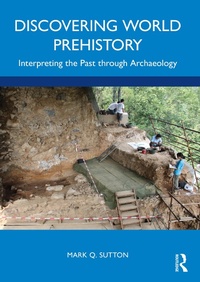
Discovering World Prehistory
Interpreting the Past through Archaeology
1st Edition
Published on 27. February 2022
442 pages
978-1-000-53387-3 (ISBN)
Description

Discovering World Prehistory introduces the general field of archaeology and highlights for students the difference between obtaining data (basic archaeology) and interpreting those data into a prehistory, a coherent model of the past.
The opening section of the book covers the history, methods, and techniques of archaeology to provide a detailed examination of archaeological investigation. It highlights the excitement of archaeological discovery and how archaeologists analyze and interpret evidence. The second half covers global prehistory and shows how archaeological data is interpreted through theoretical frameworks to create a picture of the past. Starting with human evolution, chapters detail the key stages, from around the world, of prehistory, finishing with the transition to post-prehistoric societies.
Including chapter overviews, highlight boxes, chapter summaries, key concepts, and suggested reading, Discovering World Prehistory is designed to support introductory courses in archaeology and allows students to experience both methods and interpretation, offering a perfect introduction to the discipline.
The opening section of the book covers the history, methods, and techniques of archaeology to provide a detailed examination of archaeological investigation. It highlights the excitement of archaeological discovery and how archaeologists analyze and interpret evidence. The second half covers global prehistory and shows how archaeological data is interpreted through theoretical frameworks to create a picture of the past. Starting with human evolution, chapters detail the key stages, from around the world, of prehistory, finishing with the transition to post-prehistoric societies.
Including chapter overviews, highlight boxes, chapter summaries, key concepts, and suggested reading, Discovering World Prehistory is designed to support introductory courses in archaeology and allows students to experience both methods and interpretation, offering a perfect introduction to the discipline.
More details
Edition
1. Auflage
Language
English
Place of publication
London
United Kingdom
Publishing group
Taylor & Francis Ltd
Target group
College/higher education
Illustrations
10 Tables, black and white; 5 Line drawings, black and white; 99 Halftones, black and white; 104 Illustrations, black and white
ISBN-13
978-1-000-53387-3 (9781000533873)
Copyright in bibliographic data and cover images is held by Nielsen Book Services Limited or by the publishers or by their respective licensors: all rights reserved.
Schweitzer Classification
Other editions
Additional editions
Book
03/2022
1st Edition
Routledge
€65.71
Shipment within 15-20 days
Book
02/2022
1st Edition
Routledge
€204.61
Shipment within 15-20 days
Person
Mark Q. Sutton began his career in 1968, earning a BA (1972), an MA (1977), and a PhD (1987) in anthropology. He taught at California State University, Bakersfield from 1987 to 2007 where he retired as Emeritus Professor of Anthropology. He now teaches at the University of San Diego.
Content
Part I. Archaeology: A Synergistic Discipline; 1. The Discipline of Archaeology; 2. A Brief History of Archaeology; Part II. Unearthing the Evidence; 3. The Archaeological Record; 4. Archaeological Investigation; 5. Dating; 6. Bioarchaeolgy: Testimonies of the Dead; 7. Forging an Agile Past; 8. Contexts of Interpretation; Part III. The Roots of Humanity; 9. Humanity Emerging; 10. The Lower Paleolithic: Homo erectus and Friends; 11. The Middle Paleolithic: The Neanderthals and Friends; Part IV. The Upper Paleolithic and Beyond: A Prehistory of Modern Humans; 12. The Later Prehistory of the Near East; 13. The Later Prehistory of Africa; 14. The Later Prehistory of Europe; 15. The Later Prehistory of Asia; 16. Australia and Oceania; 17. A Prehistory of the Americas; 18. After Prehistory: The Development of the First States
