

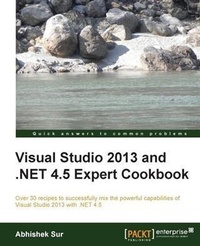
Visual Studio 2013 and .NET 4.5 Expert Cookbook
Over 30 recipes to successfully mix the powerful capabilities of Visual Studio 2013 with .NET 4.5
1st Edition
Published on 7. October 2025
308 pages
978-1-84968-973-1 (ISBN)
Description

Key FeaturesBook DescriptionIf you are a Visual Studio 2013 or.NET developer who would like to sharpen your existing skill set and adapt to new.NET technologies, this is the book for you. A basic understanding of.NET and C# is required.What you will learn - Get to grips with Visual Studio 2013 IDE and its various components utilizing its tools to debug your code better Understand the Windows Phone 8 development environment and gain practical experience on app development on the platform Create service-oriented applications using WCF and study advanced use cases on implementing a RESTful service with WCF Test your application inside Visual Studio 2013 IDE and advanced use case scenarios to handle testing issues Effectively utilize the various components of Team Foundation Server for better management of code Extend Visual Studio 2013 IDE to add your own custom changes enhancing your experience Discover the advanced usage of cloud computing with Windows Azure and its various components
Who this book is for
Who this book is for
More details
Other editions
Additional editions
Abhishek Sur
Visual Studio 2013 and .Net 4.5 Expert Cookbook
Book
08/2014
Packt Publishing
€69.10
Shipment within 3-4 weeks
Person
Sur Abhishek :
Abhishek Sur has been a Microsoft MVP since 2011. He is currently working as a Product Head with Insync Tech-Fin Solutions Pvt Ltd. He has profound theoretical insight and years of hands-on experience in different.NET products and languages. Over the years, he has helped developers throughout the world with his experience and knowledge. He owns a Microsoft User Group in Kolkata named Kolkata Geeks and regularly organizes events and seminars in various places to spread.NET awareness. A renowned public speaker, voracious reader, and technology buff, Abhishek's main interest lies in exploring the new realms of.NET technology and coming up with priceless write-ups on the unexplored domains of.NET. He is associated with Microsoft's Insider list on WPF and C# and stays in touch with Product Group teams. He holds a Master's degree in Computer Application along with various other certificates to his credit. Abhishek is a freelance content producer, developer, and site administrator. His website www.abhisheksur.com guides both budding and experienced developers in understanding the details of languages and latest technologies. He has a huge fan following on social networks. You can reach him at books@abhisheksur.com, get online updates from his Facebook account, or follow him on Twitter @abhi2434.
Abhishek Sur has been a Microsoft MVP since 2011. He is currently working as a Product Head with Insync Tech-Fin Solutions Pvt Ltd. He has profound theoretical insight and years of hands-on experience in different.NET products and languages. Over the years, he has helped developers throughout the world with his experience and knowledge. He owns a Microsoft User Group in Kolkata named Kolkata Geeks and regularly organizes events and seminars in various places to spread.NET awareness. A renowned public speaker, voracious reader, and technology buff, Abhishek's main interest lies in exploring the new realms of.NET technology and coming up with priceless write-ups on the unexplored domains of.NET. He is associated with Microsoft's Insider list on WPF and C# and stays in touch with Product Group teams. He holds a Master's degree in Computer Application along with various other certificates to his credit. Abhishek is a freelance content producer, developer, and site administrator. His website www.abhisheksur.com guides both budding and experienced developers in understanding the details of languages and latest technologies. He has a huge fan following on social networks. You can reach him at books@abhisheksur.com, get online updates from his Facebook account, or follow him on Twitter @abhi2434.
Content
- Intro
- Visual Studio 2013 and .NET 4.5 Expert Cookbook
- Table of Contents
- Visual Studio 2013 and .NET 4.5 Expert Cookbook
- Credits
- About the Author
- About the Reviewers
- www.PacktPub.com
- Support files, eBooks, discount offers, and more
- Why subscribe?
- Free access for Packt account holders
- Instant updates on new Packt books
- Preface
- What this book covers
- What you need for this book
- Who this book is for
- Conventions
- Reader feedback
- Customer support
- Downloading the example code
- Errata
- Piracy
- Questions
- 1. A Guide to Debugging with Visual Studio
- Introduction
- Debugging source code using breakpoints
- How to do it...
- How it works...
- There's more...
- Changing the execution step while debugging
- Labeling a breakpoint
- Adding a condition in breakpoints
- Exporting breakpoints
- Breakpoint hit counters
- Adding tracepoints while debugging
- Filtering breakpoints
- Using DataTips during debugging
- How to do it...
- How it works...
- There's more...
- Importing/Exporting DataTips
- Clearing DataTips
- Working with debugger visualizers
- Inspecting different Watch windows
- Autos
- Locals
- Watch windows
- Creating an object ID
- Working with the Error List window
- Debugging a multithreaded program
- Getting ready
- How to do it...
- How it works...
- There's more...
- How to Flag Just My Code
- Debugging parallel programs
- What are PDB files and what do they contain?
- See also
- Exploring the Command and Immediate windows
- How to do it...
- How it works.
- There's more.
- The differences between the Command and Immediate windows
- See also.
- Making use of IntelliTrace in Visual Studio
- How to do it.
- How it works.
- There's more.
- Saving an IntelliTrace file
- Reducing the size of trace files
- Working with Debugger Canvas
- Debugging a .NET program using the framework library source
- How to do it.
- How it works.
- Debugging a process that is already deployed
- Getting ready
- How to do it.
- How it works.
- There's more.
- Calling a debugger using code
- 2. Enhancements to WCF 4.5
- Introduction
- Understanding Windows Communication Foundation (WCF) by creating a basic application
- Getting ready
- How to do it...
- How it works...
- There's more...
- Understanding IMetadataExchange endpoint and adding it to the application
- Using DataContract in a service
- Using the svcutil tool to generate proxy classes
- See also
- Hosting a WCF service in different hosting environments
- Getting ready
- How to do it...
- How it works...
- There's more...
- What is Windows Process Activation Services (WAS)?
- See also
- Streaming data over a network using a WCF service
- How to do it...
- How it works...
- Writing a REST-based WCF service
- How to do it...
- How it works...
- There's more...
- Working with WebSockets in WCF
- See also
- Creating a WCF service using the Open Data Protocol standards
- Getting ready
- How to do it...
- How it works...
- There's more...
- Consuming OData services
- Securing the OData application behind a valid authentication
- Consuming the OData service
- See also
- Extending a WCF service (service extensibility)
- Getting ready
- How to do it...
- How it works.
- 3. Building a Touch-sensitive Device Application Using Windows Phone 8
- Introduction
- Building your first Windows Phone 8 application following the MVVM pattern
- Getting ready
- How to do it...
- How it works...
- There's more...
- Using ApplicationBar on the app
- Tombstoning
- Working with Launchers and Choosers in Windows Phone
- Getting ready
- How to do it...
- How it works...
- There's more...
- Adding Windows Phone toolkit to the solution
- Creating alarms and reminders
- Working with the calendar in Windows Phone
- See also
- Working with relational databases and persistent storage
- Getting ready
- How to do it...
- How it works...
- There's more...
- Encrypting data before storing it in the filesystem
- Working with the settings file in Windows Phone applications
- Reading a file from an SD card in the Windows Phone application
- See also
- Working with notifications in Windows Phone
- Getting ready
- How to do it...
- How it works...
- There's more...
- Learning about other tile formats
- See also
- 4. Working with Team Foundation Server
- Introduction
- Installing TFS
- Configuring TFS for project hosting and management
- Getting ready
- How to do it...
- How it works...
- There's more...
- How to add a work item to the TFS
- How to add an e-mail notification to the TFS
- Configuring Agile iterations to a TFS project
- Working with branching and merging in Team Foundation Server
- How to do it...
- How it works...
- There's more.
- Inspecting a visualizer to check TFS branching
- Branch visualization
- Changeset visualization
- See also
- Creating TFS-scheduled jobs
- Getting ready
- How to do it...
- How it works.
- See also
- 5. Testing Applications Using Visual Studio 2013
- Introduction
- Understanding Visual Studio unit test projects
- Getting ready
- How to do it...
- How it works...
- There's more...
- Testing private types and members
- Using code coverage results
- Dealing with test-driven development in Visual Studio
- See also
- Working with the Microsoft Fakes framework in Visual Studio
- Getting ready
- How to do it...
- How it works...
- See also
- Understanding how Coded UI testing works in Visual Studio
- Getting ready
- How to do it...
- How it works...
- There's more...
- How to drive a test using predefined data
- How to analyze UI tests
- See also
- 6. Extending the Visual Studio IDE
- Introduction
- Working with T4 templates in Visual Studio
- Getting ready
- How to do it...
- How it works...
- There's more...
- Creating multiple output files using T4 templates
- Optimizing code generation using T4 templates and its easy syntaxes
- See also
- Working with Managed Extensibility Framework to write editor extensions
- Getting ready
- How to do it...
- How it works...
- There's more...
- Creating a SmartTag extender using MEF
- Creating Visual Studio Package for tool windows and editor menus
- Getting ready
- How to do it...
- How it works...
- 7. Understanding Cloud Computing with Windows Azure
- Introduction
- Working with various storage options in Windows Azure
- Getting ready
- How to do it...
- How it works...
- There's more...
- Combining Blobs and Queues for Big Data sequential processing
- Choosing the best Azure Storage based on the type of use
- See also
- Creating, updating, and deploying a cloud service in Windows Azure
- Getting ready
- How to do it...
- How it works...
- There's more...
- Using DataMarkets for your applications
- Working with SQL Azure
- Getting ready
- How to do it...
- How it works...
- There's more...
- Running transactional queries from the portal
- See also
- Working with HDInsight (Hadoop) for Big Data processing
- Getting ready
- How to do it...
- How it works...
- See also
- Working with Mobile Services in Windows Azure
- Getting ready
- How to do it...
- How it works...
- There's more...
- Calling a custom API from Mobile Services
- Uploading big files to Mobile Services
- Index
