

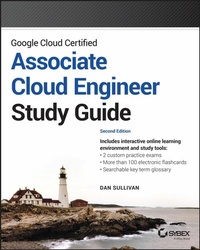
Google Cloud Certified Associate Cloud Engineer Study Guide
Description

In the newly updated Second Edition of Google Cloud Certified Associate Cloud Engineer Study Guide, expert engineer and tech educator Dan Sullivan delivers an essential handbook for anyone preparing for the challenging Associate Cloud Engineer exam offered by Google and for those seeking to upgrade their Google Cloud engineering skillset.
The book provides readers with coverage of every domain and competency tested by the Associate Cloud Engineer exam, including how to select the right Google compute service from the wide variety of choices, how to choose the best storage option for your services, and how to implement appropriate security controls and network functionality.
This guide also offers:
* A strong emphasis on transforming readers into competent, job-ready applicants, with a focus on building skills in high demand by contemporary employers
* Concrete test-taking strategies, techniques, and tips to help readers conquer exam anxiety
* Complimentary access to a comprehensive online learning environment, complete with practice tests
A must-have resource for practicing and aspiring Google Cloud engineers, Google Cloud Certified Associate Cloud Engineer Study Guide allows you to prepare for this challenging certification efficiently and completely.
More details
Other editions
Additional editions
Person
DAN SULLIVAN is a data architect specializing in data architecture, data analytics, and machine learning. Dan has also written the official Google Cloud study guides for the Professional Architect and Professional Data Engineer certification exams. He has taught courses on machine learning, data science, and cloud computing for LinkedIn Learning and Udemy, and holds a PhD in genetics, bioinformatics, and computational biology with a focus on infectious disease genomics.
Content
- Cover
- Title Page
- Copyright Page
- Contents at a Glance
- Contents
- Introduction
- What Does This Book Cover?
- Interactive Online Learning Environment and Test Bank
- Exam Objectives
- Objective Map
- How to Contact the Publisher
- Assessment Test
- Answers to Assessment Test
- Chapter 1 Overview of Google Cloud
- Types of Cloud Services
- Compute Resources
- Storage
- Networking
- Specialized Services
- Cloud Computing vs. Data Center Computing
- Rent Instead of Own Resources
- Pay-as-You-Go-for-What-You-Use Model
- Elastic Resource Allocation
- Specialized Services
- Summary
- Exam Essentials
- Review Questions
- Chapter 2 Google Cloud Computing Services
- Computing Components of Google Cloud
- Computing Resources
- Storage Components of Google Cloud
- Storage Resources
- Databases
- Networking Components of Google Cloud
- Networking Services
- Identity Management and Security
- Development Tools
- Additional Components of Google Cloud
- Management and Observability Tools
- Specialized Services
- Summary
- Exam Essentials
- Review Questions
- Chapter 3 Projects, Service Accounts, and Billing
- How Google Cloud Organizes Projects and Accounts
- Google Cloud Resource Hierarchy
- Organization Policies
- Managing Projects
- Roles and Identities
- Roles in Google Cloud
- Granting Roles to Identities
- Service Accounts
- Billing
- Billing Accounts
- Billing Budgets and Alerts
- Exporting Billing Data
- Enabling APIs
- Summary
- Exam Essentials
- Review Questions
- Chapter 4 Introduction to Computing in Google Cloud
- Compute Engine
- Virtual Machine Images
- Virtual Machines Are Contained in Projects
- Virtual Machines Run in a Zone and Region
- Users Need Privileges to Create Virtual Machines
- Preemptible Virtual Machines
- Custom Machine Types
- Use Cases for Compute Engine Virtual Machines
- App Engine
- Structure of an App Engine Application
- App Engine Standard and Flexible Environments
- Use Cases for App Engine
- Kubernetes Engine
- Kubernetes Functionality
- Kubernetes Cluster Architecture
- Kubernetes Engine Use Cases
- Anthos
- Cloud Run
- Cloud Run Use Cases
- Cloud Functions
- Cloud Functions Execution Environment
- Cloud Functions Use Cases
- Summary
- Exam Essentials
- Review Questions
- Chapter 5 Computing with Compute Engine Virtual Machines
- Creating and Configuring Virtual Machines with the Console
- Main Virtual Machine Configuration Details
- Advanced Configuration Details
- Creating and Configuring Virtual Machines with Cloud SDK
- Installing Cloud SDK
- Example Installation on Ubuntu Linux
- Creating a Virtual Machine with Cloud SDK
- Creating a Virtual Machine with Cloud Shell
- Basic Virtual Machine Management
- Starting and Stopping Instances
- Network Access to Virtual Machines
- Monitoring a Virtual Machine
- Cost of Virtual Machines
- Guidelines for Planning, Deploying, and Managing Virtual Machines
- Summary
- Exam Essentials
- Review Questions
- Chapter 6 Managing Virtual Machines
- Managing Single Virtual Machine Instances
- Managing Single Virtual Machine Instances in the Console
- Managing a Single Virtual Machine Instance with Cloud Shell and the Command Line
- Introduction to Instance Groups
- Creating and Removing Instance Groups and Templates
- Instance Groups Load Balancing and Autoscaling
- Guidelines for Managing Virtual Machines
- Summary
- Exam Essentials
- Review Questions
- Chapter 7 Computing with Kubernetes
- Introduction to Kubernetes Engine
- Kubernetes Cluster Architecture
- Kubernetes Objects
- Deploying Kubernetes Clusters
- Deploying Kubernetes Clusters Using Cloud Console
- Deploying Kubernetes Clusters Using Cloud Shell and Cloud SDK
- Deploying Application Pods
- Monitoring Kubernetes
- Summary
- Exam Essentials
- Review Questions
- Chapter 8 Managing Standard Mode Kubernetes Clusters
- Viewing the Status of a Kubernetes Cluster
- Viewing the Status of Kubernetes Clusters Using Cloud Console
- Pinning Services to the Top of the Navigation Menu
- Viewing the Status of Kubernetes Clusters Using Cloud SDK and Cloud Shell
- Adding, Modifying, and Removing Nodes
- Adding, Modifying, and Removing Nodes with Cloud Console
- Adding, Modifying, and Removing Nodes with Cloud SDK and Cloud Shell
- Adding, Modifying, and Removing Pods
- Adding, Modifying, and Removing Pods with Cloud Console
- Adding, Modifying, and Removing Pods with Cloud SDK and Cloud Shell
- Adding, Modifying, and Removing Services
- Adding, Modifying, and Removing Services with Cloud Console
- Adding, Modifying, and Removing Services with Cloud SDK and Cloud Shell
- Creating Repositories in the Artifact Registry
- Viewing the Image Repository and Image Details with Cloud Console
- Summary
- Exam Essentials
- Review Questions
- Chapter 9 Computing with Cloud Run and App Engine
- Overview of Cloud Run
- Cloud Run Services
- Cloud Run Jobs
- Creating a Cloud Run Service
- Creating a Cloud Run Job
- App Engine Components
- Deploying an App Engine Application
- Deploying an App Using Cloud Shell and SDK
- Scaling App Engine Applications
- Splitting Traffic Between App Engine Versions
- Summary
- Exam Essentials
- Review Questions
- Chapter 10 Computing with Cloud Functions
- Introduction to Cloud Functions
- Events, Triggers, and Functions
- Runtime Environments
- Cloud Functions Receiving Events from Cloud Storage
- Deploying a Cloud Function for Cloud Storage Events Using Cloud Console
- Deploying a Cloud Function for Cloud Storage Events Using gcloud Commands
- Cloud Functions Receiving Events from Pub/Sub
- Deploying a Cloud Function for Cloud Pub/Sub Events Using Cloud Console
- Deploying a Cloud Function for Cloud Pub/Sub Events Using gcloud Commands
- Summary
- Exam Essentials
- Review Questions
- Chapter 11 Planning Storage in the Cloud
- Types of Storage Systems
- Cache
- Persistent Storage
- Object Storage
- Storage Types When Planning a Storage Solution
- Storage Data Models
- Object: Cloud Storage
- Relational: Cloud SQL and Cloud Spanner
- Analytical: BigQuery
- NoSQL: Cloud Firestore and Bigtable
- Choosing a Storage Solution: Guidelines to Consider
- Summary
- Exam Essentials
- Review Questions
- Chapter 12 Deploying Storage in Google Cloud
- Deploying and Managing Cloud SQL
- Creating and Connecting to a MySQL Instance
- Creating a Database, Loading Data, and Querying Data
- Backing Up MySQL in Cloud SQL
- Deploying and Managing Firestore
- Adding Data to a Firestore Database
- Backing Up Firestore
- Deploying and Managing BigQuery
- Estimating the Cost of Queries in BigQuery
- Viewing Jobs in BigQuery
- Deploying and Managing Cloud Spanner
- Deploying and Managing Cloud Pub/Sub
- Deploying and Managing Cloud Bigtable
- Deploying and Managing Cloud Dataproc
- Managing Cloud Storage
- Summary
- Exam Essentials
- Review Questions
- Chapter 13 Loading Data into Storage
- Loading and Moving Data to Cloud Storage
- Loading and Moving Data to Cloud Storage Using the Console
- Loading and Moving Data to Cloud Storage Using the Command Line
- Importing and Exporting Data
- Importing and Exporting Data: Cloud SQL
- Importing and Exporting Data: Cloud Firestore
- Importing and Exporting Data: BigQuery
- Importing and Exporting Data: Cloud Spanner
- Exporting Data from Cloud Bigtable
- Importing and Exporting Data: Cloud Dataproc
- Streaming Data to Cloud Pub/Sub
- Summary
- Exam Essentials
- Review Questions
- Chapter 14 Networking in the Cloud: Virtual Private Clouds and Virtual Private Networks
- Creating a Virtual Private Cloud with Subnets
- Creating a Virtual Private Cloud with Cloud Console
- Creating a Virtual Private Cloud with gcloud
- Creating a Shared Virtual Private Cloud Using gcloud
- Deploying Compute Engine with a Custom Network
- Creating Firewall Rules for a Virtual Private Cloud
- Structure of Firewall Rules
- Creating Firewall Rules Using Cloud Console
- Creating Firewall Rules Using gcloud
- Creating a Virtual Private Network
- Creating a Virtual Private Network Using Cloud Console
- Creating a Virtual Private Network Using gcloud
- Summary
- Exam Essentials
- Review Questions
- Chapter 15 Networking in the Cloud: DNS, Load Balancing, Google Private Access, and IP Addressing
- Configuring Cloud DNS
- Creating DNS Managed Zones Using Cloud Console
- Creating DNS Managed Zones Using gcloud
- Configuring Load Balancers
- Types of Load Balancers
- Configuring Load Balancers Using Cloud Console
- Configuring Load Balancers Using gcloud
- Google Private Access
- Managing IP Addresses
- Expanding CIDR Blocks
- Reserving IP Addresses
- Summary
- Exam Essentials
- Review Questions
- Chapter 16 Deploying Applications with Cloud Marketplace and Cloud Foundation Toolkit
- Deploying a Solution Using Cloud Marketplace
- Browsing Cloud Marketplace and Viewing Solutions
- Deploying Cloud Marketplace Solutions
- Building Infrastructure Using the Cloud Foundation Toolkit
- Deployment Manager Configuration Files
- Deployment Manager Template Files
- Launching a Deployment Manager Template
- Cloud Foundation Toolkit
- Config Connector
- Summary
- Exam Essentials
- Review Questions
- Chapter 17 Configuring Access and Security
- Managing Identity and Access Management
- Viewing Account IAM Assignments
- Assigning IAM Roles to Accounts and Groups
- Defining Custom IAM Roles
- Managing Service Accounts
- Managing Service Accounts with Scopes
- Assigning a Service Account to a VM Instance
- Viewing Audit Logs
- Summary
- Exam Essentials
- Review Questions
- Chapter 18 Monitoring, Logging, and Cost Estimating
- Cloud Monitoring
- Creating Dashboards
- Using Metric Explorer
- Creating Alerts
- Cloud Logging
- Log Routers and Log Sinks
- Configuring Log Sinks
- Viewing and Filtering Logs
- Viewing Message Details
- Using Cloud Trace and Google Cloud Status
- Overview of Cloud Trace
- Viewing Google Cloud Status
- Using the Pricing Calculator
- Summary
- Exam Essentials
- Review Questions
- Appendix Answers to Review Questions
- Chapter 1: Overview of Google Cloud
- Chapter 2: Google Cloud Computing Services
- Chapter 3: Projects, Service Accounts, and Billing
- Chapter 4: Introduction to Computing in Google Cloud
- Chapter 5: Computing with Compute Engine Virtual Machines
- Chapter 6: Managing Virtual Machines
- Chapter 7: Computing with Kubernetes
- Chapter 8: Managing Standard Mode Kubernetes Clusters
- Chapter 9: Computing with Cloud Run and App Engine
- Chapter 10: Computing with Cloud Functions
- Chapter 11: Planning Storage in the Cloud
- Chapter 12: Deploying Storage in Google Cloud
- Chapter 13: Loading Data into Storage
- Chapter 14: Networking in the Cloud: Virtual Private Clouds and Virtual Private Networks
- Chapter 15: Networking in the Cloud: DNS, Load Balancing, Google Private Access, and IP Addressing
- Chapter 16: Deploying Applications with Cloud Marketplace and Cloud Foundation Toolkit
- Chapter 17: Configuring Access and Security
- Chapter 18: Monitoring, Logging, and Cost Estimating
- Index
- EULA
Introduction
Google Cloud is a leading public cloud that provides its users with some of the same software, hardware, and networking infrastructure used to power Google services. Businesses, organizations, and individuals can launch servers in minutes, store petabytes of data, and implement global virtual clouds with Google Cloud. It includes an easy-to-use console interface, command-line tools, and application programming interfaces (APIs) for managing resources in the cloud. Users can work with general resources, such as virtual machines (VMs) and persistent disks, or opt for highly focused services for Internet of Things (IoT), machine learning, media, and other specialized domains.
Deploying and managing applications and services in Google Cloud requires a clear understanding of the way Google structures user accounts and manages identities and access controls; you also need to understand the advantages and disadvantages of using various services. Certified Associate Cloud Engineers have demonstrated the knowledge and skills needed to deploy and operate infrastructure, services, and networks in Google Cloud.
This study guide is designed to help you understand Google Cloud in depth so that you can meet the needs of those operating resources in Google Cloud. Yes, this book will, of course, help you pass the Associate Cloud Engineer certification exam, but this is not an exam cram guide. You will learn more than is required to pass the exam; you will understand how to meet the day-to-day challenges faced by cloud engineers, including choosing services, managing users, deploying and monitoring infrastructure, and helping map business requirements into cloud-based solutions.
Each chapter in this book covers a single topic and includes an "Exam Essentials" section that outlines key information you should know to pass the certification exam. There are also exercises to help you review and reinforce your understanding of the chapter's topic. Sample questions are included at the end of each chapter so that you can get a sense of the types of questions you will see on the exam. The book also includes flashcards and practice exams that cover all topics you'll learn about with this guide.
What Does This Book Cover?
This book describes products and services in Google Cloud. It does not include G Suite administration topics.
- Chapter 1: Overview of Google Cloud Platform In the opening chapter, we look into the types of services provided by Google Cloud, which include compute, storage, and networking services as well as specialized services, such as machine learning products. This chapter also describes some of the key differences between cloud computing and data center or on-premises computing.
- Chapter 2: Google Cloud Computing Services This chapter provides an overview of infrastructure services such as computing, storage, and networking. It introduces the concept of identity management and related services. It also introduces DevOps topics and tools for deploying and monitoring applications and resources. Google Cloud includes a growing list of specialized services, such as machine learning and natural language processing services. Those are briefly discussed in this chapter. The chapter introduces Google Cloud's organizational structure, with a look at regions and zones.
- Chapter 3: Projects, Service Accounts, and Billing One of the first things you will do when starting to work with Google Cloud is to set up your accounts. In this chapter, you will learn how resources in accounts are organized into organizations, folders, and projects. You will learn how to create and edit these structures. You will also see how to enable APIs for particular projects as well as manage user identities and their access controls. This chapter describes how to create billing accounts and link them to projects. You will also learn how to create budgets and define billing alerts to help you manage costs.
- Chapter 4: Introduction to Computing in Google Cloud In this chapter, you will see the variety of options available for running applications and services in Google Cloud. Options include Compute Engine, which provides VMs running Linux or Windows operating systems. Cloud Run and App Engine are platform as a service (PaaS) options that allows developers to run their applications without having to concern themselves with managing VMs. If you will be running multiple applications and services, you may want to take advantage of containers, which are a lightweight alternative to VMs. You will learn about containers and how to manage them with Kubernetes Engine. This chapter also introduces Cloud Functions, which is for event-driven, short-running tasks such as triggering the processing of an image loaded into Cloud Storage.
- Chapter 5: Computing with Compute Engine Virtual Machines In this chapter, you will learn how to configure VMs, including selecting CPU, memory, storage options, and operating system images. You will learn how to use Google Cloud Console and Cloud Shell to work with VMs. In addition, you will see how to install the command-line interface and SDK, which you will use to start and stop VMs. The chapter also describes how to enable network access to VMs.
- Chapter 6: Managing Virtual Machines In the previous chapter, you learned how to create VMs, and in this chapter you will learn how to manage individual and groups of VMs. You will start by managing a single instance of a VM using the Google Cloud console and then perform the same operations using Cloud Shell and the command line. You will also learn how to view currently running VMs. Next, you'll learn about instance groups, which allow you to create sets of VMs that you can manage as a single unit. In the section on instance groups, you will learn the difference between managed and unmanaged instance groups. You will also learn about preemptible instances, which are low-cost VMs that may be shut down by Google. You will learn about the cost-benefit trade-offs of preemptible instances. Finally, the chapter closes with guidelines for managing VMs.
- Chapter 7: Computing with Kubernetes This chapter introduces Kubernetes Engine, Google's managed Kubernetes service. Kubernetes is a container orchestration platform created and released as open source by Google. In this chapter, you will learn the basics of containers, container orchestration, and the Kubernetes architecture. The discussion will include an overview of Kubernetes objects such as pods, services, volumes, and namespaces, as well as Kubernetes controllers such as ReplicaSets, Deployments, and Jobs.
Next, the chapter turns to deploying a Kubernetes cluster using Google Cloud console, Cloud Shell, and SDK. You will also see how to deploy pods, which includes downloading an existing Docker image, building a Docker image, creating a pod, and then deploying an application to the Kubernetes cluster. Of course, you will need to know how to monitor a cluster of servers. This chapter provides a description of how to set up monitoring and logging with Cloud Operations, which is Google's application, service, container, and infrastructure monitoring service. - Chapter 8: Managing Standard Mode Kubernetes Clusters In this chapter you will learn the basics of managing a Kubernetes cluster, including viewing the status of the cluster, viewing the contents of the image repository, viewing details about images in the repository, and adding, modifying, and removing nodes, pods, and services. As in the chapter on managing VMs, in this chapter you will learn how to perform management operations with the three management tools: Google Cloud console, Cloud Shell, and SDK. The chapter concludes with a discussion of guidelines and good practices for managing a Kubernetes cluster.
- Chapter 9: Computing with Cloud Run and App Engine Cloud Run and App Engine are part of Google Cloud's serverless offerings. This chapter introduces Cloud Run, a service for running containers in the cloud. You will learn about the difference between Cloud Run Services and Cloud Run Jobs. Cloud Run will likely replace App Engine as the preferred choice for running containers in a serverless service, but App Engine is still in use and will be covered in this book. You will learn about App Engine components such as applications, services, versions, and instances. The chapter also covers how to define configuration files and specify dependencies of an application. In this chapter, you will learn how to view App Engine resources using Google Cloud console, Cloud Shell, and SDK. The chapter also describes how to distribute workload by adjusting traffic with splitting parameters. You will also learn about autoscaling in App Engine.
- Chapter 10: Computing with Cloud Functions Cloud Functions is for event-driven, serverless computations. This chapter introduces Cloud Functions and shows you how to use it to receive events, evoke services, and return results. Next, you'll see use cases for Cloud Functions, such as integrating with third-party APIs and event-driven processing. You will learn about Google's Pub/Sub service for publication- and subscription-based processing and how to use Cloud Functions with Pub/Sub. Cloud Functions are well suited to respond to events in Cloud Storage. The chapter describes Cloud Storage events and how to use Cloud Functions to receive and respond to those events. You will learn how to...
