

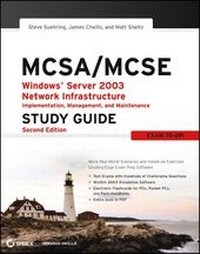
MCSA / MCSE
Windows Server 2003 Network Infrastructure Implementation, Management, and Maintenance Study Guide: Exam 70-291
2nd Edition
Published on 28. June 2008
576 pages
978-0-471-99827-3 (ISBN)
Description

* This exam (70291) is a core requirement for both the MCSA andMCSE.
* Now updated for the new version of the exam covering WindowsServer 2003 R2 and revised with enhanced troubleshooting guidanceand new case studies.
* The CD-ROM includes the cutting-edge WinSim simulation program,plus hundreds of sample questions, an e-version of the book, andflashcards.
* More and more companies have begun upgrading to Windows Server2003, increasing demand for Microsoft certified administrators andengineers.
More details
Other editions
Additional editions
Steve Suehring | James Chellis | Matthew Sheltz
MCSA/MCSE: Windows Server 2003 Network Infrastructure Implementation, Management, and Maintenance Study Guide
Exam 70-291
Book
02/2006
2nd Edition
Sybex Inc.,U.S.
€47.00
Article not available at the moment
Persons
James Chellis, MCT, MCSE, is CEO of Comcourse, Inc., anonline learning provider that delivers information technologycourses through career colleges nationwide.
Matt Sheltz is a software engineer and systemsadministrator for Comcourse, Inc. and has more than a decade ofexperience writing bestselling training books and developingeducational technologies.
Content
- Intro
- MCSA/MCSE: Windows Server 2003 Network Infrastructure Implementation, Management, and Maintenance
- Acknowledgments
- Contents at a Glance
- Contents
- Introduction
- Assessment Test
- Answers to Assessment Test
- Chapter 1: Understanding Windows Server 2003 Networking
- The OSI Model
- Microsoft's Network Components and the OSI Model
- Understanding IP Addressing
- Subnetting a Network
- Summary
- Exam Essentials
- Review Questions
- Answers to Review Questions
- Chapter 2: Installing and Configuring TCP/IP
- Configuring Basic TCP/IP Settings
- Configuring Advanced TCP/IP Settings
- Configuring Network Bindings
- Monitoring Network Traffic
- Troubleshooting Network Protocols
- Summary
- Exam Essentials
- Review Questions
- Answers to Review Questions
- Chapter 3: Administering Security Policy
- An Overview of User and Group Accounts
- Security Policy Types and Tools
- Administering the Local Computer's System Policies
- Analyzing Security Configurations with the Security Configuration and Analysis Tool
- Managing Software Installation and Maintenance
- Managing Windows Server 2003 Services
- Summary
- Exam Essentials
- Review Questions
- Answers to Review Questions
- Chapter 4: Managing IP Security
- Understanding How IPSec Works
- Installing IPSec
- Configuring IPSec
- Configuring IPSec for Tunnel Mode
- Managing and Monitoring IPSec
- Troubleshooting IPSec
- Summary
- Exam Essentials
- Hands-On Lab: Using Event Viewer to Troubleshoot IPSec Connections
- Review Questions
- Answers to Review Questions
- Chapter 5: Managing the Dynamic Host Configuration Protocol (DHCP)
- Overview of DHCP
- Installing DHCP
- Creating and Managing DHCP Scopes
- Monitoring and Troubleshooting DHCP
- Summary
- Exam Essentials
- Review Questions
- Answers to Review Questions
- Chapter 6: Installing and Managing Domain Name System (DNS)
- DNS Fundamentals
- Installing and Configuring a DNS Server
- Monitoring and Troubleshooting DNS
- Summary
- Exam Essentials
- Review Questions
- Answers to Review Questions
- Chapter 7: Managing Remote Access Services
- Overview of Dial-Up Networking (DUN)
- Overview of Virtual Private Networks
- Installing the Routing and Remote Access Services
- Configuring Your Remote Access Server
- Installing a VPN
- Configuring a VPN
- Managing Your Remote Access Server
- Integrating RRAS with DHCP
- Configuring a RAS or VPN Client
- Summary
- Exam Essentials
- Review Questions
- Answers to Review Questions
- Chapter 8: Managing User Access to Remote Access Services
- Remote Access Security
- Configuring User Access
- Configuring Security
- Troubleshooting Example
- Summary
- Exam Essentials
- Review Questions
- Answers to Review Questions
- Chapter 9: Managing IP Routing
- Understanding IP Routing
- Installing RRAS
- Configuring IP Routing
- Configuring TCP/IP Packet Filters
- Configuring VPN Packet Filters
- Managing IP Routing
- Troubleshooting Example
- Summary
- Exam Essentials
- Review Questions
- Answers to Review Questions
- Glossary
- Index
