

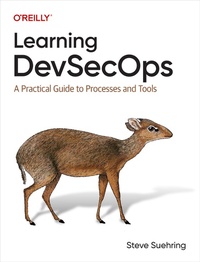
Learning DevSecOps
A Practical Guide to Processes and Tools
Published on 17. May 2024
194 pages
978-1-0981-4483-8 (ISBN)
Description

How do some organizations maintain 24-7 internet-scale operations? How can organizations integrate security while continuously deploying new features? How do organizations increase security within their DevOps processes?This practical guide helps you answer those questions and more. Author Steve Suehring provides unique content to help practitioners and leadership successfully implement DevOps and DevSecOps. Learning DevSecOps emphasizes prerequisites that lead to success through best practices and then takes you through some of the tools and software used by successful DevSecOps-enabled organizations.You'll learn how DevOps and DevSecOps can eliminate the walls that stand between development, operations, and security so that you can tackle the needs of other teams early in the development lifecycle.With this book, you will:Learn why DevSecOps is about culture and processes, with tools to support the processesUnderstand why DevSecOps practices are key elements to deploying software in a 24-7 environmentDeploy software using a DevSecOps toolchain and create scripts to assistIntegrate processes from other teams earlier in the software development lifecycleHelp team members learn the processes important for successful software development
More details
Other editions
Additional editions
Book
05/2024
O'Reilly
€52.50
Shipment within 15-20 days
Content
- Cover
- Copyright
- Table of Contents
- Preface
- What Is DevSecOps?
- Who Is This Book For?
- How This Book Is Organized
- Conventions Used in This Book
- O'Reilly Online Learning
- How to Contact Us
- Acknowledgments
- Chapter 1. The Need for DevSecOps
- Developing Software
- Developing Agility
- Developing Broken Software
- Operating in a Darkroom
- Security as an Afterthought
- Culture First
- Processes over Tools
- Promoting the Right Skills
- DevSecOps as Process
- The DevSecOps SDLC
- Summary
- Chapter 2. Foundational Knowledge in 25 Pages or Less
- The Command-Line Interface
- Command Line Versus Terminal Versus Shell
- Why Do I Need the Command Line?
- Getting Started with the Command Line
- Protocols: A High-Level Overview
- Protocol Layers
- Two Protocols Plus Another
- Basic Internet Protocols
- Data Security: Confidentiality, Integrity, and Availability
- Development Overview for Scripting
- Commands and Built-ins
- Basic Programmatic Constructs: Variables, Data, and Data Types
- Making Decisions with Conditionals
- Looping
- Lists and Arrays
- Summary
- Chapter 3. Integrating Security
- Integrating Security Practices
- Implementing Least Privilege
- Maintaining Confidentiality
- Data in Flight
- Data at Rest
- Verifying Integrity
- Checksums
- Verifying Email
- Providing Availability
- Service-Level Agreements and Service-Level Objectives
- Identifying Stakeholders
- Identifying Availability Needs
- Defining Availability and Estimating Costs
- What About Accountability?
- Site Reliability Engineering
- Code Traceability and Static Analysis
- Becoming Security Aware
- Finding Formal Training
- Obtaining Free Knowledge
- Enlightenment Through Log Analysis
- Practical Implementation: OWASP ZAP
- Creating a Target
- Installing ZAP
- Getting Started with ZAP: Manual Scan
- Summary
- Chapter 4. Managing Code and Testing
- Examining Development
- Be Intentional and Deliberate
- Don't Repeat Yourself
- Managing Source Code with Git
- A Simple Setup for Git
- Using Git (Briefly)
- Branching and Merging
- Examining the Gitflow Pattern
- Examining the Trunk-Based Pattern
- Testing Code
- Unit Testing
- Integration Testing
- System Testing
- Automating Tests
- Summary
- Chapter 5. Moving Toward Deployment
- Managing Configuration as Code and Software Bill of Materials (SBOM)
- Using Docker
- Container and Image Concepts
- Obtaining Images
- Deploying Safely with Blue-Green Deployment
- Summary
- Chapter 6. Deploy, Operate, and Monitor
- Continuous Integration and Continuous Deployment
- Building and Maintaining Environments with Ansible
- Using Jenkins for Deployment
- Creating a Pipeline
- Monitoring
- Summary
- Chapter 7. Plan and Expand
- Scaling Up with Kubernetes
- Understanding Basic Kubernetes Terms
- Installing Kubernetes
- Deploying with Kubernetes
- Defining a Deployment
- Defining a Service
- Moving Toward Microservices
- Connecting the Resources
- Integrating Helm
- Summary
- Chapter 8. Beyond DevSecOps
- DevSecOps Patterns
- Shifting Left and Adding CI/CD
- Multicloud Integration
- Integrated and Automatic Security
- Linux Everywhere
- Refactor and Redeploy
- Summary
- Appendix A. Ports and Protocols
- Appendix B. Command Reference
- Basic Command-Line Navigation
- Directory Listing
- Pager
- Command Recall and Tab Completion
- Creating Directories
- Changing Permissions and Ownership
- Screen Is Your Friend
- Using grep
- Using touch
- DNS with dig
- Determine Address for a Host
- Changing the Server to Be Queried
- Finding the Authoritative Nameserver
- Querying the Authoritative Nameserver
- Finding Mail Servers
- Finding SPF and TXT Records
- Examining the Root
- Index
- About the Author
- Colophon
