

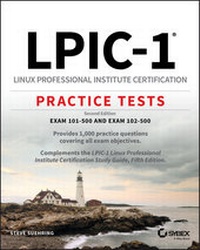
LPIC-1 Linux Professional Institute Certification Practice Tests
Description

Linux Servers currently have a 20% market share which continues to grow. The Linux OS market saw a 75% increase from last year and is the third leading OS, behind Windows and MacOS. There has never been a better time to expand your skills, broaden your knowledge, and earn certification from the Linux Professional Institute.
LPIC-1: Linux Professional Institute Certification Practice Tests is the must-have complement to the bestselling LPIC-1 Study Guide. Practice tests help you gain confidence and identify the areas in need of more attention. Ten full-length tests, covering the ten objective domains, and two additional 60-question practice exams contain 1000 practice questions, complete with answers and full explanations!
Divided into two parts, this volume of practice tests covers Exams 101-500 and 102-500. Part I covers system architecture, Linux installation and Package management, GNU and Unix Commands, and devices, and Linux filesystems and filesystem hierarchy. Part II focuses on shells and shell scripting, user interfaces and desktops, administrative tasks, essential system services, networking, and security. This book:
* Covers all objective domains of the LPIC-1 exam
* Provides additional practice questions to supplement the LPIC-1 Study Guide
* Helps reinforce vital skills and knowledge
* Includes one year of FREE access to the online test bank
LPIC-1: Linux Professional Institute Certification Practice Tests is a must-have resource for network and system administrators studying for the LPIC-1 exams and Linux administrators or IT professionals looking to update their skillset.
More details
Other editions
Additional editions
Content
Chapter 2
Topic 102: Linux Installation and Package Management
THE FOLLOWING EXAM OBJECTIVES ARE COVERED IN THIS CHAPTER:
- 102.1 Design hard disk layout.
- Key knowledge areas:
- Allocate filesystems and swap space to separate partitions or disks.
- Tailor the design to the intended use of the system.
- Ensure the /boot partition conforms to the hardware architecture requirements for booting.
- Knowledge of basic features of LVM
- The following is a partial list of the used files, terms, and utilities:
- /(root) filesystem
- /var filesystem
- /home filesystem
- /boot filesystem
- EFI System Partition (ESP)
- swap space
- mount points
- partitions
- Key knowledge areas:
- 102.2 Install a boot manager.
- Key knowledge areas:
- Provide alternative boot locations and backup boot options.
- Install and configure a boot loader such as GRUB Legacy.
- Perform basic configuration changes for GRUB2.
- Interact with the boot loader.
- The following is a partial list of the used files, terms, and utilities:
- menu.lst, grub.cfg, and grub.conf
- grub-install
- grub-mkconfig
- MBR
- Key knowledge areas:
- 102.3 Manage shared libraries.
- Key knowledge areas:
- Identify shared libraries.
- Identify the typical locations of system libraries.
- Load shared libraries.
- The following is a partial list of the used files, terms, and utilities:
- ldd
- ldconfig
- /etc/ld.so.conf
- LD_LIBRARY_PATH
- Key knowledge areas:
- 102.4 Use Debian package management.
- Key knowledge areas:
- Install, upgrade, and uninstall Debian binary packages.
- Find packages containing specific files or libraries which may or may not be installed.
- Obtain package information like version, content, dependencies, package integrity, and installation status (whether or not the package is installed).
- Awareness of apt
- The following is a partial list of the used files, terms, and utilities:
- /etc/apt/sources.list
- dpkg
- dpkg-reconfigure
- apt-get
- apt-cache
- Key knowledge areas:
- 102.5 Use RPM and yum package management.
- Key knowledge areas:
- Install, re-install, upgrade, and remove packages using RPM, yum, and zypper.
- Obtain information on RPM packages such as version, status, dependencies, integrity, and signatures.
- Determine what files a package provides, as well as find which package a specific file comes from.
- Awareness of dnf
- The following is a partial list of the used files, terms, and utilities:
- rpm
- rpm2cpio
- /etc/yum.conf
- /etc/yum.repos.d/
- yum
- zypper
- Key knowledge areas:
- 102.6 Linux as a virtualization guest
- Key knowledge areas:
- Understand the general concept of virtual machines and containers.
- Understand common elements of virtual machines in an IaaS cloud, such as computing instances, block storage, and networking.
- Understand unique properties of a Linux system that have to change when a system is cloned or used as a template.
- Understand how system images are used to deploy virtual machines, cloud instances, and containers.
- Understand Linux extensions that integrate Linux with a virtualization product.
- Awareness of cloud-init
- The following is a partial list of the used files, terms, and utilities:
- Virtual machine
- Linux container
- Application container
- Guest drivers
- SSH host keys
- D-Bus machine id
- Key knowledge areas:
-
A Serial Advanced Technology Attachment (SATA) disk will use which of the following identifiers?
- /dev/hdX
- /dev/sataX
- /dev/sdX
- /disk/sataX
-
Which option given at boot time within the GRUB configuration will boot the system into single-user mode?
- single-user
- su
- single
- root
-
During boot of a system with GRUB, which key can be pressed to display the GRUB menu?
- Shift
- E
- V
- H
-
When booting, which option can be added to a GRUB configuration line to set or change the root partition at boot time to /dev/sda2?
- rootpartition={hd0,2}
- root=/dev/sda2
- root={hd0,3}
- rootpartition=/dev/sda2
-
Which key combination will enable you to edit the kernel options and then boot when using GRUB Legacy?
- ESC for editing and then Return to boot
- v for editing and then Return to boot
- e for editing and then b to boot
- v for editing and then b to boot
-
During the boot process for a virtual machine, what is the next step in the boot process after the kernel has taken over the initialization process and initializes devices?
- The system BIOS initializes devices.
- The system is placed in multi-user mode.
- The boot loader initializes the kernel.
- The root partition is mounted.
-
Where in the filesystem will the EFI system partition (ESP) typically be mounted?
- /etc/efi
- /efi
- /sys/efi
- /boot/efi
-
When partitioning a disk for a mail server running postfix, which partition/mounted directory should be the largest in order to allow for mail storage?
- /etc
- /usr/bin
- /var
-
Which option within GRUB Legacy is used to indicate that a root partition contains a non-Linux kernel?
- initrd
- non-linux
- rootnoverify
- root-win
-
Which command will output a new GRUB2 configuration file and send the output to the correct location for booting?
- update-grub > /boot/grub/grub.cfg
- update-grub boot > /boot/grub.cfg
- grub-rc.d
- grub-boot
-
What is the maximum number of primary partitions available on an MBR partitioning system?
- 2
- 4
- 1
- 5
-
Which command is used to update the links and cache for shared libraries on the system?
- ldcache
- cache-update
- link-update
- ldconfig
-
Which command and option is used to update a Debian system to the latest software?
- apt-update
- apt-get upgrade
- dpkg -U
- apt-cache clean
-
Which option given to a yum command will install a given package?
- update
- configure
- install
- get
-
What is the location of the home directory for the root user?
- /home/root
- /home/su
- /root
- /
-
When using rpm2cpio, by default the output is sent to which location?
- STDOUT
- The cpio.out file
- The a.out file
- The /tmp/cpi.out file
-
Which partition or directory structure typically holds most of the programs for a Linux system?
- /etc
- /usr
- /home
- /var
-
Your GRUB Legacy configuration includes a dual-boot option with Linux listed first and another operating system listed second. Which of the following options will boot to the Linux partition by default?
- default=linux
- default=0
- default=1
- default=other
-
Which file should you edit when using GRUB2 in order to set things like the timeout?
- /etc/default/grub
- /etc/grub/boot
- /etc/boot/grub.d
- /grub.d/boot
-
Which yum...
