

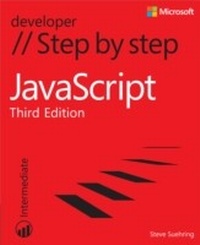
JavaScript Step by Step
3rd Edition
Published on 15. June 2013
978-0-7356-6732-7 (ISBN)
Description

Your hands-on guide to JavaScript fundamentals
Expand your expertise-and teach yourself the fundamentals of JavaScript. If you have previous programming experience but are new to JavaScript, this tutorial delivers the step-by-step guidance and coding exercises you need to master core topics and techniques.
Discover how to:
Work with JavaScript syntax, variables, and data types
Master techniques for building cross-browser programs
Speed up and simplify app development with jQuery
Quickly retrieve data from a server using AJAX requests
Adapt your app for mobile devices with jQuery Mobile
Build Windows 8 apps using HTML, CSS, and JavaScript
Expand your expertise-and teach yourself the fundamentals of JavaScript. If you have previous programming experience but are new to JavaScript, this tutorial delivers the step-by-step guidance and coding exercises you need to master core topics and techniques.
Discover how to:
Work with JavaScript syntax, variables, and data types
Master techniques for building cross-browser programs
Speed up and simplify app development with jQuery
Quickly retrieve data from a server using AJAX requests
Adapt your app for mobile devices with jQuery Mobile
Build Windows 8 apps using HTML, CSS, and JavaScript
More details
Series
Edition
3rd edition
Language
English
Place of publication
Redmond
United States
Target group
College/higher education
ISBN-13
978-0-7356-6732-7 (9780735667327)
Copyright in bibliographic data and cover images is held by Nielsen Book Services Limited or by the publishers or by their respective licensors: all rights reserved.
Schweitzer Classification
Other editions
Additional editions
Steve Suehring
JavaScript Step by Step
Book
06/2013
3rd Edition
Microsoft Press
€56.50
Article exhausted; check different version
Person
Steve Suehring has been working with the Windows Server family in a professional capacity since NT 4. Steve's experience includes Windows Server in an Internet hosting environment and a large-scale Windows Server deployment at a Fortune 1000 company. Steve has co-authored several Windows Server books and certification titles, including the Windows Server 2008 70-646 Training Kit.
Content
Introduction
Javawhat? The where, why, and how of JavaScript
Chapter 1: JavaScript is more than you might think
Chapter 2: Developing in JavaScript
Chapter 3: JavaScript syntax and statements
Chapter 4: Working with variables and data types
Chapter 5: Using operators and expressions
Chapter 6: Controlling flow with conditionals and loops
Chapter 7: Working with functions
Chapter 8: Objects in JavaScript
Chapter 9: The Browser Object Model
Chapter 10: An introduction to JavaScript libraries and frameworks
Chapter 11: An introduction to jQuery
Integrating JavaScript into Design
Chapter 12: The Document Object Model
Chapter 13: JavaScript events and the browser
Chapter 14: Working with images in JavaScript
Chapter 15: Using JavaScript with web forms
Chapter 16: JavaScript and CSS
Chapter 17: jQuery effects and plug-ins
Chapter 18: Mobile development with jQuery Mobile
Chapter 19: Getting data into JavaScript
AJAX and Server-Side Integration
Chapter 20: Using AJAX
Chapter 21: Developing for Windows 8
JavaScript and Windows 8
Chapter 22: Using Visual Studio for Windows 8 development
Chapter 23: Creating a Windows app
Answer key to exercises
Writing JavaScript with other tools
About the Author
Javawhat? The where, why, and how of JavaScript
Chapter 1: JavaScript is more than you might think
Chapter 2: Developing in JavaScript
Chapter 3: JavaScript syntax and statements
Chapter 4: Working with variables and data types
Chapter 5: Using operators and expressions
Chapter 6: Controlling flow with conditionals and loops
Chapter 7: Working with functions
Chapter 8: Objects in JavaScript
Chapter 9: The Browser Object Model
Chapter 10: An introduction to JavaScript libraries and frameworks
Chapter 11: An introduction to jQuery
Integrating JavaScript into Design
Chapter 12: The Document Object Model
Chapter 13: JavaScript events and the browser
Chapter 14: Working with images in JavaScript
Chapter 15: Using JavaScript with web forms
Chapter 16: JavaScript and CSS
Chapter 17: jQuery effects and plug-ins
Chapter 18: Mobile development with jQuery Mobile
Chapter 19: Getting data into JavaScript
AJAX and Server-Side Integration
Chapter 20: Using AJAX
Chapter 21: Developing for Windows 8
JavaScript and Windows 8
Chapter 22: Using Visual Studio for Windows 8 development
Chapter 23: Creating a Windows app
Answer key to exercises
Writing JavaScript with other tools
About the Author
