

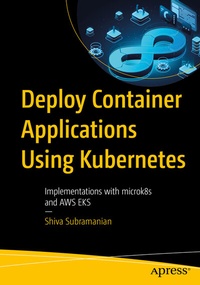
Deploy Container Applications Using Kubernetes
Description

In the first half of the book, you'll learn the practical tips on how to setup the system for visibility and troubleshooting, how to reduce the attack vector and reduce risks. The second half of the book focuses on Kubernetes, the popular container orchestration system. You'll see how to setup your Kubernetes for practical applications such as show/chargeback using tagging, efficient use of namespaces and pods, various isolation layers. It also shows you how to integrate with popular implementations of K8S such as AWS EKS (Elastic Container Service), GCP Google Kubernetes Engine (GKE) in touch points such as authentication and authorization, optimization, logging and troubleshooting tools, etc.
By practicing the scenarios given in this book, you will be able to make better design choices that are appropriate for the constraints you are working with. Deploy Container Applications Using Kubernetes is your go-to resource for an optimal deployment of workloads using containers and Kubernetes in both public and private cloud settings.
What You'll Learn
-
Understand the various design choices, their pros and cons
- Build a better CI/CD pipeline for your containers and Kubernetes
- Deploy your first container application in a public cloud K8S engine
- Improve your existing K8S deployment for efficiency and elegance
Who This Book Is For
IT Platform Architects, System Engineers/, and System Administrators
More details
Other editions
Additional editions
Person
He has 20 years experience in the BFSI sector in areas such as core banking solutions, payment networks, electronic billpay/bill presentment solutions, Anti-Money Laundering solutions, loan origination platforms, credit-union platforms, teller/customer/branch management systems, investment banking platforms (APL), mobile commerce (SMS banking) and bank intelligence platforms (BI/BW) just to name a few knowledge domains.
Content
Chapter 1 - From VMs to Containers.- Chapter 2 - Container hello-world.- Chapter 3 - Container basics using Docker.- Chapter 4 Building our first container image.- Chapter 5 Introduction to Kubernetes.- Chapter 6 Deploying our first app in Kubernetes.- Chapter 7 - Deployment Files & Automation.- Chapter 8 - A Closer Look at Kubernetes.- Chapter 9 - Scaling the deployment.- Chapter 10 - Scaling Compute Nodes.- Chapter 11 Kubernetes RBAC.- Chapter 12 Artifact Repository and Container Registry.- Chapter 13 Elastic Kubernetes Service from AWS.- Chapter 14 - Operating the EKS cluster.- Chapter 15 Data Persistence in EKS.- Chapter 16 Networking and Ingress.- Chapter 17 Kubernetes Tools.
