

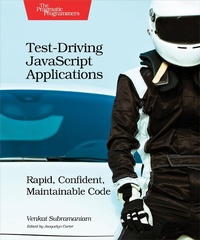
Test-Driving JavaScript Applications
Description

Debunk the myth that JavaScript is not easily testable. Whether you use Node.js, Express, MongoDB, jQuery, AngularJS, or directly manipulate the DOM, you can test-drive JavaScript. Learn the craft of writing meaningful, deterministic automated tests with Karma, Mocha, and Chai. Test asynchronous JavaScript, decouple and properly mock out dependencies, measure code coverage, and create lightweight modular designs of both server-side and client-side code. Your investment in writing tests will pay high dividends as you create code that''s predictable and cost-effective to change. Design and code JavaScript applications with automated tests. Writing meaningful tests is a skill that takes learning, some unlearning, and a lot of practice, and with this book, you''ll hone that skill. Fire up the editor and get hands-on through practical exercises for effective automated testing and designing maintainable, modular code. Start by learning when and why to do manual testing vs. automated verification. Focus tests on the important things, like the pre-conditions, the invariants, complex logic, and gnarly edge cases. Then begin to design asynchronous functions using automated tests. Carefully decouple and mock out intricate dependencies such as the DOM, geolocation API, file and database access, and Ajax calls to remote servers. Step by step, test code that uses Node.js, Express, MongoDB, jQuery, and AngularJS. Know when and how to use tools such as Chai, Istanbul, Karma, Mocha, Protractor, and Sinon. Create tests with minimum effort and run them fast without having to spin up web servers or manually edit HTML pages to run in browsers. Then explore end-to-end testing to ensure all parts are wired and working well together. Don''t just imagine creating testable code, write it. What You Need: A computer with a text editor and your favorite browser. The book provides instructions to install the necessary automated testing-related tools.
More details
Other editions
Additional editions
Content
- Cover
- Table of Contents
- Acknowledgments
- Introduction
- What's in This Book?
- Who Is This Book For?
- Online Resources
- Your Own Workspace
- 1. Automation Shall Set You Free
- The Challenges of Change
- Testing vs. Verification
- Adopting Automated Verification
- Why Is It Hard to Verify?
- How to Approach Automated Testing
- Wrapping Up
- Part I-Creating Automated Tests
- 2. Test-Drive Your Design
- Let's Get Started
- Design with Positive, Negative, and Exception Tests
- Design Server-Side Code
- Measure Server-Side Code Coverage
- Prepare for Client-Side Testing
- Design Client-Side Code
- Measure Client-Side Code Coverage
- Wrapping Up
- 3. Test Asynchrony
- Server-Side Callbacks
- Client-Side Callbacks
- Test Your Promises
- Wrapping Up
- 4. Tactfully Tackle Dependencies
- A Problem and Spiking to Learn
- Visualize a Modular Design
- Separate Dependencies Where Possible
- Employ Test Doubles
- Inject the Dependencies
- Test Interactions
- Use Sinon to Reduce Noise
- Review and Run
- Wrapping Up
- Part II-Real-World Automated Testing
- 5. Test-Drive Node.js Apps
- Start with a Strategic-Just Enough-Design
- Leap Into Tactical-Test First-Design
- Continue the Design
- Create a Spike to Gain Insight
- Modularize to Facilitate Testing
- Separate Concerns
- Integrate and Run
- Review the Coverage and Design
- Providing HTTP Access
- Wrapping Up
- 6. Test-Drive Express Apps
- Design for Testability
- Set Up the Express App and Run a Canary Test
- Design the Database Connection
- Design the Model
- Design the Routes
- Measure Code Coverage
- Take It for a Drive
- Wrapping Up
- 7. Working with the DOM and jQuery
- Create a Strategic Design
- Create the Tactical Design with Tests
- Evolve Code in Small Steps
- Take the UI for a Short Drive
- Complete the Design
- Test with jQuery
- Measure Code Coverage
- Wrapping Up
- 8. Using AngularJS
- Testing the AngularJS Way
- Start with an Initial Design
- Focus on the Controller
- Design Service Interaction
- Separate Concerns, Reduce Mocking
- Continue the Design
- Design the Service
- Measure Code Coverage
- Take the UI for a Drive
- Wrapping Up
- 9. Test-Drive Angular 2
- Spike to Learn Angular
- Design Angular Apps with Tests
- Test-Drive the Component
- Test-Drive the Service
- Test-Drive the Pipe
- Test-Drive the BootStrap Code
- Take It for a Ride
- Complete the Design
- Wrapping Up
- 10. Integrate and Test End-to-End
- Get to Know Protractor
- Start the Server and Configure the Database
- Test jQuery UI
- Let's Use a Page Object
- Test AngularJS UI
- Test Angular 2 UI
- Wrapping Up
- 11. Test-Drive Your Apps
- The Fruits of Our Efforts
- Size and Levels of Testing
- Test Driving: The Programmer's Guide
- Test Driving: The Team Lead's/Architect's Guide
- Test Driving: The Manager's Guide
- Rock On!
- A1. Web Resources
- Bibliography
- Index
- - SYMBOLS -
- - A -
- - B -
- - C -
- - D -
- - E -
- - F -
- - G -
- - H -
- - I -
- - J -
- - K -
- - L -
- - M -
- - N -
- - O -
- - P -
- - Q -
- - R -
- - S -
- - T -
- - U -
- - V -
- - W -
