

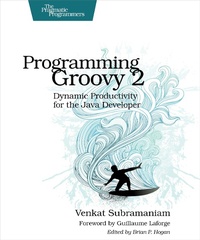
Programming Groovy 2
Dynamic Productivity for the Java Developer
Published on 15. July 2013
370 pages
978-1-68050-434-7 (ISBN)
Description

Groovy brings you the best of both worlds: a flexible, highly productive, agile, dynamic language that runs on the rich framework of the Java Platform. Groovy preserves the Java semantics and extends the JDK to give you true dynamic language capabilities. Programming Groovy 2 will help you, the experienced Java developer, learn and take advantage of the latest version of this rich dynamic language. You'll go from the basics of Groovy to the latest advances in the language, including options for type checking, tail-call and memoization optimizations, compile time metaprogramming, and fluent interfaces to create DSLs. You don't have to leave the rich Java Platform to take advantage of Groovy. Groovy preserves Java's semantics and extends the JDK, so programming in Groovy feels like the Java language has been augmented; it's like working with a lighter, more elegant Java. If you're an experienced Java developer who wants to learn how Groovy works, you'll find exactly what you need in this book.You'll start with the fundamentals of programming in Groovy and how it works with Java, and then you'll explore advanced concepts such as unit testing with mock objects, using Builders, working with databases and XML, and creating DSLs. You'll master Groovy's powerful yet complex run-time and compile-time metaprogramming features.Much has evolved in the Groovy language since the publication of the first edition of Programming Groovy. Programming Groovy 2 will help you learn and apply Groovy's new features. Creating DSLs is easier now, and Groovy's already-powerful metaprogramming facilities have improved even more. You'll see how to work with closures, including tail call optimization and memoization. The book also covers Groovy's new static compilation feature.Whether you're learning the basics of the language or interested in getting proficient with the new features, Programming Groovy 2 has you covered.What You NeedTo work on the examples in the book you need Groovy 2.0.5 and Java JDK 5 or higher.
More details
Other editions
Additional editions
Book
10/2013
2nd Edition
The Pragmatic Programmers
€33.00
Shipment within 3-4 weeks
Content
- Cover
- Table of Contents
- Foreword to the Second Edition
- Introduction
- What's Groovy?
- Why Dynamic Languages?
- Why Groovy?
- What's in This Book?
- Changes Since This Book's First Edition
- Who Is This Book For?
- Online Resources
- Acknowledgments
- Part I-Beginning Groovy
- 1. Getting Started
- Installing Groovy
- Installing and Managing Groovy Versions
- Test-Drive Using groovysh
- Using groovyConsole
- Running Groovy on the Command Line
- Using an IDE
- 2. Groovy for Java Eyes
- From Java to Groovy
- JavaBeans
- Flexible Initialization and Named Arguments
- Optional Parameters
- Using Multiple Assignments
- Implementing Interfaces
- Groovy Boolean Evaluation
- Operator Overloading
- Support of Java 5 Language Features
- Using Groovy Code-Generation Transformations
- Gotchas
- 3. Dynamic Typing
- Typing in Java
- Dynamic Typing
- Dynamic Typing != Weak Typing
- Design by Capability
- Optional Typing
- Multimethods
- Dynamic: To Be or Not to Be?
- Switching Off Dynamic Typing
- 4. Using Closures
- The Convenience of Closures
- Programming with Closures
- Ways to Use Closures
- Passing Parameters to Closures
- Using Closures for Resource Cleanup
- Closures and Coroutines
- Curried Closure
- Dynamic Closures
- Closure Delegation
- Programming with Tail Recursion
- Improving Performance Using Memoization
- 5. Working with Strings
- Literals and Expressions
- GString Lazy-Evaluation Problem
- Multiline Strings
- String Convenience Methods
- Regular Expressions
- 6. Working with Collections
- Using List
- Iterating Over an ArrayList
- Using Finder Methods
- Other Convenience Methods on Lists
- Using the Map Class
- Iterating Over Map
- Other Convenience Methods on Maps
- Part II-Using Groovy
- 7. Exploring the GDK
- Using Object Extensions
- Other Extensions
- Custom Methods Using the Extension Modules
- 8. Working with XML
- Parsing XML
- Creating XML
- 9. Working with Databases
- Setting Up the Database
- Connecting to a Database
- Database Select
- Transforming Data to XML
- Using DataSet
- Inserting and Updating
- Accessing Microsoft Excel
- 10. Working with Scripts and Classes
- The Melting Pot of Java and Groovy
- Running Groovy
- Using Groovy Classes from Groovy
- Intermixing Groovy and Java with Joint Compilation
- Creating and Passing Groovy Closures from Java
- Calling Groovy Dynamic Methods from Java
- Using Java Classes from Groovy
- Using Groovy Scripts from Groovy
- Using Groovy Scripts from Java
- Part III-MOPping Groovy
- 11. Exploring Metaobject Protocol (MOP)
- Groovy Object
- Querying Methods and Properties
- Dynamically Accessing Objects
- 12. Intercepting Methods Using MOP
- Intercepting Methods Using GroovyInterceptable
- Intercepting Methods Using MetaClass
- 13. MOP Method Injection
- Injecting Methods Using Categories
- Injecting Methods Using ExpandoMetaClass
- Injecting Methods into Specific Instances
- Injecting Methods Using Mixins
- Decorating Classes with Multiple Mixins
- 14. MOP Method Synthesis
- Method Synthesis Using methodMissing
- Method Synthesis Using ExpandoMetaClass
- Synthesizing Methods for Specific Instances
- 15. MOPping Up
- Creating Dynamic Classes with Expando
- Method Delegation: Putting It All Together
- Review of MOP Techniques
- 16. Applying Compile-Time Metaprogramming
- Analyzing Code at Compile Time
- Intercepting Method Calls Using AST Transformations
- Injecting Methods Using AST Transformations
- Part IV-Using Metaprogramming
- 17. Groovy Builders
- Building XML
- Building JSON
- Building Swing
- Custom Builder Using Metaprogramming
- Using BuilderSupport
- Using FactoryBuilderSupport
- 18. Unit Testing and Mocking
- Code in This Book and Automated Unit Tests
- Unit Testing Java and Groovy Code
- Testing for Exceptions
- Mocking
- Mocking by Overriding
- Mocking Using Categories
- Mocking Using ExpandoMetaClass
- Mocking Using Expando
- Mocking Using Map
- Mocking Using the Groovy Mock Library
- 19. Creating DSLs in Groovy
- Context
- Fluency
- Types of DSLs
- Designing Internal DSLs
- Groovy and DSLs
- Using Command-Chain Fluency
- Closures and DSLs
- Method Interception and DSLs
- The Parentheses Limitation and a Workaround
- Categories and DSLs
- ExpandoMetaClass and DSLs
- A1. Web Resources
- A2. Bibliography
- Index
- - SYMBOLS -
- - A -
- - B -
- - C -
- - D -
- - E -
- - F -
- - G -
- - H -
- - I -
- - J -
- - K -
- - L -
- - M -
- - N -
- - O -
- - P -
- - Q -
- - R -
- - S -
- - T -
- - U -
- - V -
- - W -
- - X -
