

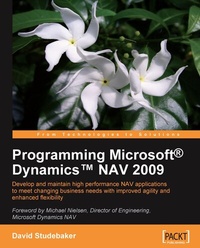
Programming Microsoft Dynamics NAV 2009
Description

- Thoroughly covers the new features of NAV 2009, including Service Pack 1
- Focused on development for the three-tier environment and the Role Tailored Client
- For experienced programmers with little or no previous knowledge of NAV development
- Contains detailed documentation and explanations ñ with useful examples ñ not readily available elsewhere
Book DescriptionMicrosoft Dynamics NAV is a well established Enterprise Resource Planning (ERP) application, part of the Microsoft Dynamics family. Dynamics NAV is installed worldwide, with well over one million users. Version 2009 contains many major new features and structures, requiring even experienced Dynamics NAV developers to refresh their NAV development knowledge. Renowned for its challenging learning curve, Dynamics NAV is a complex piece of software with a unique design structure. For developers learning to modify or enhance Dynamics NAV for vital business purposes, the task can sometimes be intimidating. This book is an in-depth step-by-step guide to programming NAV, designed to ease you through the complexities of NAV application development. You will learn the skills and develop the confidence to tackle your own critical NAV applications. This book will act as your experienced NAV programming mentor, helping you to become productive as a NAV developer much more quickly. NAV development is quite complex, with a steep learning curve. This book makes it easy for you. From basic NAV terminology and concept definitions, through the essential building blocks of NAV data structure and objects, you will gain an understanding of the fundamental underlying concepts of NAV. You will learn practical details about NAV object construction and the tools available, including table, page, and report design. You will learn how to use NAV's tools to effectively navigate through the various features of objects, including properties, triggers, and C/AL code, and receive practical guidance on ways to develop and test in the unique NAV C/SIDE development environment. Extensive guidance on software design for NAV is provided along with tips for efficient design of new NAV applications or enhancing existing applications. With its comprehensive collection of NAV information and distillation of years of NAV development experience, this book is not only designed to help you learn, but to act as a reference as well.What you will learn - Get started and master NAV business management solutions concepts
- Create tables to define your NAV data structure, review the types of tables found in the out-of-the-box NAV application and understand how to use these in new enhancements
- Explore all NAV data types and learn how they help develop financially oriented business applications
- Define filters to apply defined limits on data in any business process
- Meet several data presentation tools and create pages to input data and output information for users
- Create reports ñ using the Report Designer tools ñ which are intuitive to work with and easier to distribute
- Dive into C/SIDE and C/AL ñ essential navigation, object construction, numbering, basic syntax, naming rules, SIFT technology, string operators and functions, numeric operators and functions, logical and relational operators and functions, and the whole range of input/output functions
- Debug your NAV applications using the Debuggers and associated tools and techniques
- Integrate data and business logic from NAV 2009 with other applications
Who this book is forThis book is for NAV consultants and developers, and developers or designers of business applications. Managers of NAV development or consultants will also find the book a helpful introduction to understanding NAV development capabilities. Any previous experience with NAV is not expected. Some basic knowledge of object-oriented programming will be quite helpful.
All prices
More details
Other editions
Additional editions
Content
- Cover
- Copyright
- Credits
- About the Author
- About the Reviewers
- Table of Contents
- Preface
- Chapter 1: A Short Tour through NAV 2009
- NAV 2009: An ERP system
- Financial Management
- Manufacturing
- Supply Chain Management (SCM)
- Business intelligence and reporting
- Relationship Management (RM)
- Human Resource management
- Project management
- Significant changes in NAV 2009
- Two-tier versus three-tier
- Role Tailored Client
- SSRS-compatible report viewer
- Web services
- NAV 2009: A set of building blocks and development tools
- NAV object types
- The C/SIDE Integrated Development Environment
- Object Designer tool icons
- NAV object and system elements
- NAV functional terminology
- User interfaces
- An introduction to development
- Our scenario for development exercises
- Getting started with application design
- Application tables
- Designing a simple table
- Creating a simple table
- Field numbering
- Pages/Forms
- Keyboard shortcuts
- Run a table
- Reports
- Creating a List format report
- Codeunits
- MenuSuites
- Dataports
- XMLports
- Integration tools
- Backups and documentation
- Summary
- Review questions
- Chapter 2: Tables
- Overview of tables
- Components of a table
- Table naming
- Table numbering
- Table properties
- Table triggers
- Keys
- SumIndexFields
- Field Groups
- Expanding our sample application
- Creating and modifying tables
- Assigning a TableRelation property
- Creating Forms for testing
- Adding Secondary keys
- Adding some activity-tracking tables
- New tables
- Keys and SumIndexFields in our examples
- Types of tables
- Wholly modifiable tables
- Master
- Journal
- Template
- Ledger
- Reference
- Register
- Posted Document
- Setup
- Temporary
- Content-modifiable tables
- System
- Read-Only tables
- Virtual
- Summary
- Review questions
- Chapter 3: Data Types and Fields for Data Storage and Processing
- Basic definitions
- Fields
- Field properties
- Field numbering
- Changing the data type of a field
- Field triggers
- Data structure examples
- Variable naming
- Data types
- Fundamental data types
- Numeric data
- String data
- Date/Time data
- Complex data types
- Data structure
- Objects
- Automation
- Input/Output
- DateFormula
- References and other
- Data type usage
- FieldClass property options
- Filtering
- Defining filter syntax and values
- Filtering on equality and inequality
- Filtering by ranges
- Filtering with Boolean operators
- Filtering with wildcards
- Filtering with combinations
- Experimenting with filters
- Accessing filter controls
- Summary
- Review questions
- Chapter 4: Pages-Tools for Data Display
- What is a page?
- Controls
- Bound and unbound
- Pages-a stroll through the gallery
- A sample RoleTailored Client page
- Types of pages
- List page
- Card page
- Document page
- FastTab
- List+ page
- Journal/Worksheet page
- Confirmation (Dialog) page
- Request page
- Navigate page
- Departments page
- Role Center page
- Page parts
- FactBoxes
- Page names
- Accessing the Page Designer
- What makes up a page?
- Page properties
- Types of page controls
- Inheritance
- Page control details
- Container controls
- Group controls
- Field controls
- Using page controls in a Card page
- Page Part controls
- Creating a Card Part FactBox
- Page Control triggers
- Adding more List pages to our ICAN application
- Creating a simple list page
- Creating related List and Card pages
- Learning more about pages
- UX (User Experience) Guidelines
- Creative plagiarism
- Experimenting with page controls and control properties
- Help searching
- Experimentation
- Testing
- Design
- Summary
- Review questions
- Chapter 5: Chapter 5: Reports
- What is a report?
- Two NAV report designers
- A hybrid report designer
- NAV report-look and feel
- NAV report types
- Report types summarized
- Report naming
- Report components overview
- The components of a report description
- Report Data Flow
- The elements of a report
- Report properties
- Report triggers
- Data Items
- Data item properties
- Data item triggers
- Data item Sections
- Creating RTC reports via the Classic Report Wizard
- Learn by experimentation
- Runtime formatting
- Inheritance
- Other ways to create RTC reports
- Modify an existing RTC report
- The Visual Studio Report Designer layout screen
- Report Items
- Make the report changes
- Request Page
- Processing-Only reports
- Creating a report from scratch
- Creative report plagiarism
- Summary
- Review questions
- Chapter 6: Introduction to C/SIDE and C/AL
- Essential navigation
- Object Designer
- Starting a new object
- Some designer navigation pointers
- Exporting objects
- Importing objects
- Text objects
- Object number licensing
- Some useful practices
- Changing data definitions
- Saving and compiling
- Some C/AL naming conventions
- Variables
- Global identifiers
- Local identifiers
- Special working storage variables
- A definition of programming in C/SIDE
- Functions
- Basic C/AL syntax
- Assignment and punctuation
- Wildcards
- Expressions
- Operators
- Some basic C/AL
- MESSAGE, ERROR, CONFIRM, and STRMENU functions
- MESSAGE function
- ERROR function
- CONFIRM function
- STRMENU function
- SETCURRENTKEY function
- SETRANGE function
- GET function
- FIND
- FIND ([Which]) options and the SQL Server alternates
- BEGIN-END compound statement
- IF-THEN-ELSE statement
- Indenting code
- Some simple coding modifications
- Adding a validation to a table
- Adding code to enhance a report
- Summary
- Review questions
- Chapter 7: Intermediate C/AL
- Some C/AL development tools
- C/AL Symbol Menu
- Internal documentation
- Computation and Validation utility functions
- TESTFIELD
- FIELDERROR
- VALIDATE
- ROUND
- TODAY, TIME, and CURRENTDATETIME functions
- WORKDATE function
- Data conversion functions
- FORMAT function
- EVALUATE function
- DATE functions
- DATE2DMY function
- DATE2DWY function
- MY2DATE and DWY2DATE functions
- CALCDATE function
- FlowField-SumIndexField functions
- CALCFIELDS function
- CALCSUMS function
- CALCFIELDS and CALCSUMS comparison
- Flow control
- REPEAT-UNTIL control structure
- WHILE-DO control structure
- CASE-ELSE statement
- WITH-DO statement
- QUIT, BREAK, EXIT, SKIP, and SHOWOUTPUT functions
- QUIT function
- BREAK function
- EXIT function
- SKIP function
- SHOWOUTPUT function
- Input and Output functions
- NEXT function with FIND or FINDSET
- INSERT function
- MODIFY function
- Rec and xRec
- DELETE function
- MODIFYALL function
- DELETEALL function
- Filtering
- SETRANGE function
- SETFILTER function
- COPYFILTER and COPYFILTERS functions
- GETFILTER and GETFILTERS functions
- MARK function
- CLEARMARKS function
- MARKEDONLY function
- RESET function
- Filter Groups
- InterObject communication
- Communication via data
- Communication through function parameters
- Communication via object calls
- Using the new knowledge
- A development challenge for you
- Creating more ICAN test data
- Developing the Donor Recognition Status report
- Summary
- Review questions
- Chapter 8: Advanced NAV Development Tools
- NAV process flow
- Data preparation
- Transactions entry
- Testing and Posting the Journal batch
- Accessing the data
- Ongoing maintenance
- Role Center pages
- Role Center structure
- Role Center activities page
- Cue Groups and Cues
- Cue source table
- Cue Group Actions
- System Part
- Page Part
- Navigation Pane and Action Menus
- Departments
- MenuSuite levels
- MenuSuite structure
- MenuSuite development
- MenuSuite transformation
- Configuration and personalization
- Creating new C/AL routines
- Callable functions
- Codeunit - 358 Date Filter-Calc
- Codeunit 359 - Period Form Management
- Codeunit 365 - Format Address
- Codeunit 396 - NoSeriesManagement
- Codeunit 397 - Mail
- Codeunit 408 - Dimension Management
- Codeunit 412 - Common Dialog Management
- Sampling of function models to review
- Codeunit 228 - Test Report-Print
- Codeunit 229 - print documents
- Other objects to review
- Management codeunits
- Documenting modifications
- Multi-language system
- Multi-currency system
- Code analysis and debugging tools
- Developer's Toolkit
- Relations to Tables
- Relations from Objects
- Source Access
- Where Used
- Trying it out
- Working in exported text code
- Using Navigate
- Testing with Navigate
- The C/SIDE Debugger
- The C/SIDE Code Coverage tool
- Client Monitor
- Debugging NAV in Visual Studio
- Dialog function debugging techniques
- Debugging with MESSAGE
- Debugging with CONFIRM
- Debugging with DIALOG
- Debugging with text output
- Debugging with ERROR
- C/SIDE test driven development
- Summary
- Review questions
- Chapter 9: Extend, Integrate, and Design-into the Future
- Interfaces
- XMLports
- XMLport components
- XMLport properties
- XMLport triggers
- XMLport data lines
- XMLport line properties
- Element or attribute
- XMLport line triggers
- XMLport Request Page
- Advanced interface tools
- Automation Controller
- NAV Communication Component
- Linked Server Data Sources
- C/OCX
- C/FRONT
- NAV Application Server (NAS)
- Client Add-ins
- Client Add-in definition
- Client Add-in construction
- Client Add-in comments
- Web services
- Exposing a web service
- Publishing a web service
- Determining what was published
- Customizing Help
- NAV development projects
- Knowledge is key
- Different approaches for different scopes
- Advantages of designing new functionality
- Modifying an existing functional area
- NAV development time planning
- Data-focused design
- Determining the data needs
- Defining the needed data views
- Designing the data tables
- Designing the user data access interface
- Designing the data validation
- Data design review and revision
- Designing the Posting processes
- Designing the supporting processes
- Double-check everything
- Design for efficiency
- Disk I/O
- Locking
- Design for updating
- Customization project recommendations
- One change at a time
- Testing thoroughly
- Plan for upgrading
- Benefits of upgrading
- Coding considerations
- Careful naming
- Good documentation
- Low-impact coding
- The upgrade process
- Upgrade executables only
- Full upgrade
- Supporting material
- Sure Step
- RIM
- Other reference material
- Into the future...
- Summary
- Review questions
- Answers
- Chapter 1
- Chapter 2
- Chapter 3
- Chapter 4
- Chapter 5
- Chapter 6
- Chapter 7
- Chapter 8
- Chapter 9
- Index
Main e-mail protocols: SMTP, POP, and IMAP
Why are we discussing basic network communication protocols in this book? Are we not running advanced software? Indeed we are, but knowing one's way around the protocols cannot only assist debugging a possibly non-working system but also increases the understanding of a mail system's behavior. We will start with a rather non-technical overview of the protocols, after which we will focus on the protocol details.
Overview
In the UNIX environment, traditional mail applications did not use any network protocol at all. They have instead accessed the locally stored mailbox files directly through the file system. Typically, the inbox of each user is stored in a single file in either the /var/mail or the /var/spool/mail directory with the same name as that of the user (for example, /var/spool/mail/joe). The focus of this book is to discuss Linux based e-mail solutions for a small office where users do not wish to log on to a central server with a terminal application in order to access their mail, so local mail storage will be covered only briefly.
The most important protocol in Internet mailing is the Simple Mail Transfer Protocol (SMTP). Its purpose is to transport e-mail messages between two systems. Both these computers may either be servers, or one of them may be a client machine on which the user runs the mail application-Outlook, Thunderbird, Eudora, or whatever. To collect new messages, the end user does not utilize SMTP. This is where the Post Office Protocol (POP) and the Internet Message Access Protocol (IMAP) come in.
Some proprietary systems such as Microsoft Exchange and Lotus Notes use their own protocols to access messages, and we will not discuss them here.
POP protocol
POP is the older and more widely used protocol of the two. It focuses on giving the users access to their inboxes, from which the users can download the new messages to their local computers and then delete them from the server. POP servers are not meant to be used for permanent storage of messages. The POP services of some Internet providers even prohibit users from leaving messages on the server after they have been downloaded once. The chief disadvantage of POP is that it only provides an intermediary storage medium and the users must store their messages permanently someplace else (for example, on their local hard drives). This is not only impractical for users who want to access their e-mail messages from multiple locations, but it is also a hassle for the System Administrator who may have to implement a backup solution for the users' messages on their local hard drives. POP also does not have any notion of providing multiple folders for every user; with POP a user can access his/her inbox only.
IMAP protocol
IMAP is meant as an access method to a first class mail store, that is, it is designed to allow the user to store the messages permanently on the server. This solves the System Administrator's backup problem and allows the user to access all messages from any place in the world (firewall restrictions aside). IMAP also has a more widespread implementation of TLS-secured connections, making IMAP safe to use in hostile environments. To improve performance and allow users to work with their mailboxes while not being connected to the mail server, most mail applications with IMAP support caching the downloaded mailboxes and messages in the local hard drive.
Unlike POP, IMAP supports multiple folders and stores message state information (whether or not the message has been read, replied to, or deleted) on the server. This means that a user accessing their message store from different locations, with possibly different e-mail clients, will be presented with a consistent, up-to-date view of their messages. IMAP also supports server-side searching, so the client application does not need to download all the messages to search for an e-mail.
The SMTP protocol
SMTP is a line-oriented text protocol that runs over TCP, which makes it trivial to decode SMTP transcripts and to initiate SMTP sessions using the regular telnet client found on just about any computer. An SMTP client starts a session by connecting to port 25 on the SMTP server. After the server has greeted the client, the client must respond by saying hello, or actually HELO or EHLO, followed by the client's hostname. If the server accepts the cordial greeting, the client may begin the first mail transaction.
An SMTP mail transaction consists of three parts-a sender, one or more recipients, and the actual message contents. The sender is specified with the MAIL FROM command, each recipient with an RCPT TO command, and the start of the message contents with a DATA command. If the server accepts the message, the client may continue with additional transactions or issue the QUIT command to terminate the SMTP session.
Let's be less abstract and look at an actual SMTP session to illustrate the protocol. The bold face print represents what the client sends to the server.
220 mail.example.com ESMTP Postfix (2.12.6.2) EHLO gw.example.net 250-mail.example.com 250-PIPELINING 250-SIZE 250-VRFY 250-ETRN 250 8BITMIME 250-STARTTLS 250-ENHANCEDSTATUSCODES MAIL FROM:<jack@example.net> SIZE=112 250 Ok RCPT TO:<jill@example.com> 250 Ok RCPT TO:<jack@example.com> 250 Ok RCPT TO:<joe@example.com> 550 <joe@example.com>: Recipient address rejected: User unknown in local recipient table DATA 354 End data with <CR><LF>.<CR><LF> Subject: Test mail To: <root@example.com> Date: Sun, 15 May 2009 20:23:22 +0200 (CEST) This is a test message. . 250 Ok: queued as B059D3C2B QUIT 221 ByeThis example shows a host that claims to be named gw.example.net connecting to an SMTP server that calls itself mail.example.com. Because the server's first response contains ESMTP, the client decides to try Enhanced SMTP (ESMTP) and greets the server with EHLO instead of HELO. The server accepts this greeting and responds with a list of the supported ESMTP extensions.
Together with the sender address, the client sends the SIZE attribute to indicate the size of the message to the server. This is allowed because the server has stated that it supports the SIZE extension. If the size specified by the client exceeds the message size limit set by the server, the message can be rejected at once rather than after the whole message has been received and the server can assess the size.
An SMTP message can obviously have more than one recipient. This has a few consequences that must be remembered while implementing a mail system and inventing policies. In the previous example, the mail server accepts the first two recipients but rejects the third one. As two recipients have been accepted by the server, the client will try to send the message contents. Here the message is accepted by the server and queued for delivery (250 Ok: queued as B059D3C2B), which means that the SMTP server has taken over the responsibility for the delivery of the message to the accepted recipients. If the message cannot be delivered, the server will send a non-delivery message (bounce) back to the sender. The server could also have chosen to reject the whole message. If so, it would have rejected it for all recipients and not delivered it at all. In other words, in response to the message contents the server must either reject the message for all recipients or accept it for all recipients.
It is vital to understand the difference between the envelope and the header. The envelope of a message consists of the information given in the MAIL FROM and RCPT TO commands, that is, the sender and recipient information that are used to deliver the message. An SMTP server pays no attention what so ever to the From, To, and Cc message headers. In our example the To header contains just a single address with no other relation to the actual recipient addresses than the domain, but that is just a coincidence. Bounces are always sent to the envelope sender address, in this case jack@example.net. The sender address of bounce messages is the empty sender address, often called the null sender. However tempting it may be for some people, the null sender address must not be blocked.
So far, we have not commented on the numerical codes given by the server at the beginning of each line. Each number has a specific meaning and it is important to learn the correct interpretation of the first digit.
Digit
Meaning
2
Server has accepted the previous command and is awaiting your next...

