

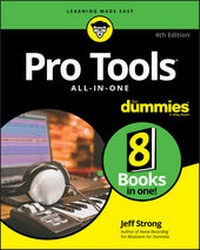
Pro Tools All-in-One For Dummies
4th Edition
Published on 27. September 2018
784 pages
978-1-119-51456-5 (ISBN)
Description

A complete Pro Tools reference - from recording to mixing to mastering
Pro Tools has long been the recording industry's leading solution for capturing, mixing, and outputting audio. While it was once a tool known and used exclusively by engineers in pro studios, it is now readily available to anyone wishing to create their own recording.
This updated edition of Pro Tools All-in-One For Dummies covers the features you'll encounter in both Pro Tools | First as well as the versions designed for next-level recording. It guides you through the very basics of recording, capturing both live and digital instruments, how to sweeten your sound in mixing, and how to tweak and output your final master. Now get ready to make some beautiful sounds!
* Get up to speed with recording basics
* Pick the Pro Tools version that works for you
* Record acoustic audio
* Get to know MIDI
* Discover how to set compression and EQ
* Sweeten your final product with mastering
* Create a final file you can stream online
Assuming no past experience with audio recording, this book shares the basics of recording and how to capture both live and digital instruments using Pro Tools.
Pro Tools has long been the recording industry's leading solution for capturing, mixing, and outputting audio. While it was once a tool known and used exclusively by engineers in pro studios, it is now readily available to anyone wishing to create their own recording.
This updated edition of Pro Tools All-in-One For Dummies covers the features you'll encounter in both Pro Tools | First as well as the versions designed for next-level recording. It guides you through the very basics of recording, capturing both live and digital instruments, how to sweeten your sound in mixing, and how to tweak and output your final master. Now get ready to make some beautiful sounds!
* Get up to speed with recording basics
* Pick the Pro Tools version that works for you
* Record acoustic audio
* Get to know MIDI
* Discover how to set compression and EQ
* Sweeten your final product with mastering
* Create a final file you can stream online
Assuming no past experience with audio recording, this book shares the basics of recording and how to capture both live and digital instruments using Pro Tools.
More details
Other editions
Additional editions
Jeff Strong
Pro Tools All-in-One For Dummies
Book
11/2018
4th Edition
Wiley
€41.00
Shipment within 15-20 days
Content
Introduction 1
Book 1: Getting Started with Pro Tools 5
Chapter 1: Discovering What You Need 7
Chapter 2: Configuring Your Computer 33
Chapter 3: Choosing and Setting Up Your Hardware 49
Chapter 4: Examining Software Basics 59
Book 2: Understanding Recording Basics 79
Chapter 1: Getting Connected: Setting Up Your Studio 81
Chapter 2: Understanding Signal Flow 105
Chapter 3: Understanding the Pro Tools Windows 123
Chapter 4: Importing and Exporting Files 169
Book 3: Recording Live Audio and Acoustic Instruments 195
Chapter 1: Taking Care of Tracks 197
Chapter 2: Understanding Microphones 217
Chapter 3: Miking: Getting a Great Source Sound 245
Chapter 4: Preparing to Record 285
Chapter 5: Recording Audio 307
Book 4: Recording Electronic Instruments with MIDI 331
Chapter 1: Understanding Electronic Instruments and MIDI 333
Chapter 2: Preparing to Record MIDI 349
Chapter 3: Recording Electronic Instruments with MIDI 367
Book 5: Editing Your Performances (Audio and MIDI) 385
Chapter 1: Audio Editing Basics 387
Chapter 2: Selecting Material to Edit 411
Chapter 3: Getting into Editing 441
Chapter 4: Adding to Your Audio Editing Palette 471
Chapter 5: Editing MIDI Data 495
Chapter 6: Performing MIDI Operations 525
Book 6: Mixing 549
Chapter 1: Mixing Basics 551
Chapter 2: Setting Up Your Mix 567
Chapter 3: Using Equalization 593
Chapter 4: Digging into Dynamics Processors 609
Chapter 5: Singling Out Signal Processors 631
Chapter 6: Automating Your Mix 641
Chapter 7: Making Your Mix 659
Book 7: Mastering 667
Chapter 1: Mastering Basics 669
Chapter 2: Mastering Your Music 677
Book 8: Getting Your Music to the Masses 691
Chapter 1: Putting Your Music on CD and Vinyl 693
Chapter 2: Getting Your Music on the Internet 707
Index 727
Book 1: Getting Started with Pro Tools 5
Chapter 1: Discovering What You Need 7
Chapter 2: Configuring Your Computer 33
Chapter 3: Choosing and Setting Up Your Hardware 49
Chapter 4: Examining Software Basics 59
Book 2: Understanding Recording Basics 79
Chapter 1: Getting Connected: Setting Up Your Studio 81
Chapter 2: Understanding Signal Flow 105
Chapter 3: Understanding the Pro Tools Windows 123
Chapter 4: Importing and Exporting Files 169
Book 3: Recording Live Audio and Acoustic Instruments 195
Chapter 1: Taking Care of Tracks 197
Chapter 2: Understanding Microphones 217
Chapter 3: Miking: Getting a Great Source Sound 245
Chapter 4: Preparing to Record 285
Chapter 5: Recording Audio 307
Book 4: Recording Electronic Instruments with MIDI 331
Chapter 1: Understanding Electronic Instruments and MIDI 333
Chapter 2: Preparing to Record MIDI 349
Chapter 3: Recording Electronic Instruments with MIDI 367
Book 5: Editing Your Performances (Audio and MIDI) 385
Chapter 1: Audio Editing Basics 387
Chapter 2: Selecting Material to Edit 411
Chapter 3: Getting into Editing 441
Chapter 4: Adding to Your Audio Editing Palette 471
Chapter 5: Editing MIDI Data 495
Chapter 6: Performing MIDI Operations 525
Book 6: Mixing 549
Chapter 1: Mixing Basics 551
Chapter 2: Setting Up Your Mix 567
Chapter 3: Using Equalization 593
Chapter 4: Digging into Dynamics Processors 609
Chapter 5: Singling Out Signal Processors 631
Chapter 6: Automating Your Mix 641
Chapter 7: Making Your Mix 659
Book 7: Mastering 667
Chapter 1: Mastering Basics 669
Chapter 2: Mastering Your Music 677
Book 8: Getting Your Music to the Masses 691
Chapter 1: Putting Your Music on CD and Vinyl 693
Chapter 2: Getting Your Music on the Internet 707
Index 727
