

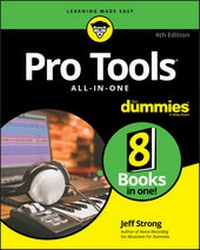
Pro Tools All-in-One For Dummies
Description

Pro Tools has long been the recording industry's leading solution for capturing, mixing, and outputting audio. While it was once a tool known and used exclusively by engineers in pro studios, it is now readily available to anyone wishing to create their own recording.
This updated edition of Pro Tools All-in-One For Dummies covers the features you'll encounter in both Pro Tools | First as well as the versions designed for next-level recording. It guides you through the very basics of recording, capturing both live and digital instruments, how to sweeten your sound in mixing, and how to tweak and output your final master. Now get ready to make some beautiful sounds!
* Get up to speed with recording basics
* Pick the Pro Tools version that works for you
* Record acoustic audio
* Get to know MIDI
* Discover how to set compression and EQ
* Sweeten your final product with mastering
* Create a final file you can stream online
Assuming no past experience with audio recording, this book shares the basics of recording and how to capture both live and digital instruments using Pro Tools.
More details
Other editions
Additional editions
Content
Book 1: Getting Started with Pro Tools 5
Chapter 1: Discovering What You Need 7
Chapter 2: Configuring Your Computer 33
Chapter 3: Choosing and Setting Up Your Hardware 49
Chapter 4: Examining Software Basics 59
Book 2: Understanding Recording Basics 79
Chapter 1: Getting Connected: Setting Up Your Studio 81
Chapter 2: Understanding Signal Flow 105
Chapter 3: Understanding the Pro Tools Windows 123
Chapter 4: Importing and Exporting Files 169
Book 3: Recording Live Audio and Acoustic Instruments 195
Chapter 1: Taking Care of Tracks 197
Chapter 2: Understanding Microphones 217
Chapter 3: Miking: Getting a Great Source Sound 245
Chapter 4: Preparing to Record 285
Chapter 5: Recording Audio 307
Book 4: Recording Electronic Instruments with MIDI 331
Chapter 1: Understanding Electronic Instruments and MIDI 333
Chapter 2: Preparing to Record MIDI 349
Chapter 3: Recording Electronic Instruments with MIDI 367
Book 5: Editing Your Performances (Audio and MIDI) 385
Chapter 1: Audio Editing Basics 387
Chapter 2: Selecting Material to Edit 411
Chapter 3: Getting into Editing 441
Chapter 4: Adding to Your Audio Editing Palette 471
Chapter 5: Editing MIDI Data 495
Chapter 6: Performing MIDI Operations 525
Book 6: Mixing 549
Chapter 1: Mixing Basics 551
Chapter 2: Setting Up Your Mix 567
Chapter 3: Using Equalization 593
Chapter 4: Digging into Dynamics Processors 609
Chapter 5: Singling Out Signal Processors 631
Chapter 6: Automating Your Mix 641
Chapter 7: Making Your Mix 659
Book 7: Mastering 667
Chapter 1: Mastering Basics 669
Chapter 2: Mastering Your Music 677
Book 8: Getting Your Music to the Masses 691
Chapter 1: Putting Your Music on CD and Vinyl 693
Chapter 2: Getting Your Music on the Internet 707
Index 727
Chapter 1
Discovering What You Need
IN THIS CHAPTER
Understanding the components of a home studio
Discovering how each component contributes to the final sound
Whether you use a PC- or Mac-based system for your Pro Tools studio, your home recording system of choice employs much of the same basic technology. In fact, your simple Pro Tools studio consists of the same basic components as a typical, million-dollar, professional studio complex.
In this chapter, you discover the purpose of each component of a home recording studio, and you also discover how each of these components relates to the quality of sound you ultimately get from your studio. This knowledge will help you to spend the right amount of money on the right stuff. (See Book 1, Chapter 2 and Book 2, Chapter 1 for more on purchasing gear.)
Eyeing the Big Picture
In spite of what you may surmise from this chapter - with its long list of equipment - you need only a few things to do multitrack recording with Pro Tools. This simple list comprises instruments and microphones (called input devices), a computer, a compatible audio interface, Pro Tools software, and monitors (speakers, to you home stereo enthusiasts). No matter how complicated your system becomes and how many pieces of gear you end up accumulating, your studio will still consist of these basic parts.
This chapter breaks down recording systems into the components they have to have, but you may not need to purchase every component separately to get a great-sounding system. Many of these components come bundled together. For example, your audio interface will likely include preamps - or you may find speakers that come with a power amp inside them.
Piping the Music into Pro Tools
As you begin to build your home studio, you'll notice a long list of components - okay, go ahead and call them "extras" - lurking within the Top Five basics of your studio: input devices, computer, interface, software, and monitors. In this section, I focus on these details of input devices so you can understand just what roles they play in your system.
As you get more and more involved in recording, you'll find you can add almost any of these components to your existing system to expand and enhance what you can do.
Interpreting input devices
All your expensive recording gear is useless if you have nothing to plug in to it. This is where the input device comes into play. An input device is, simply, any instrument, microphone, or sound module that produces or delivers a sound to the recorder.
Instruments
An electric guitar, a bass, a synthesizer, and drum machines are typical instruments that plug in to the interface and represent most of the input devices that you use in your studio. A synthesizer and drum machine can plug directly into the Line In inputs of your interface, whereas an electric guitar or a bass needs a direct box (or its equivalent) to plug in to first. (In the case of a Avid interface, you need to use one of the inputs that has a preamp.)
A direct box is an intermediary device that allows you to plug your guitar directly into a mixer without going through your amp first. (For more on direct boxes, see the upcoming section, "Deciphering direct boxes.") Check out Figure 1-1 for an example of an instrument-input device.
FIGURE 1-1: An instrument-input device, which you can plug right into the mixer.
Microphone
You use a microphone (mic) to record the sound of a voice or a purely acoustic instrument - sound sources that, last time I checked, can't be plugged directly into the interface. A microphone converts sound waves into electrical energy that can be understood by the interface. I detail the several types of microphones in Book 3, Chapter 2. Check out Figure 1-2 for a look at a microphone.
FIGURE 1-2: Use a microphone when your instrument can't plug in to the mixer directly.
Sound modules
Sound modules are special kinds of synthesizers and/or drum machines. What makes a sound module different from a regular synthesizer or drum machine is that these contain no triggers or keys that you can play. Instead, sound modules are controlled externally by another synthesizer's keyboard or by a Musical Instrument Digital Interface (MIDI) controller (a specialized box designed to control MIDI instruments). Sound modules have MIDI ports (MIDI jacks) to enable you to connect them to other equipment.
Often sound modules are rack-mountable, meaning they have screw holes and mounting ears so you can put them into an audio component rack. Some controllers, however, are not rack-mountable; Figure 1-3, for example, shows a drum module that rests on a stand or tabletop.
FIGURE 1-3: The sound module can be plugged right into the mixer but has to be played by another source.
Deciphering direct boxes
A direct box (or DI box, short for Direct Induction) is used to connect a guitar or bass directly into the mixer without having to run it through an amp first. A direct box's purpose is twofold:
- To change the guitar's impedance level so that the mixer can create the best sound possible
-
To change the nature of the connection from unbalanced (quarter-inch) to balanced (XLR) so that you can use a long cord without creating electrical noise between instrument and mixer
For more on cord types as well as balanced versus unbalanced signals, see Book 2, Chapter 1.
For most home recordists, the main purpose of a direct box is to act as an impedance transformer. You're unlikely to need a long run of cords from your guitar to your mixer. Without a direct box changing your impedance levels, your guitar signal may sound thin or have excess noise.
Perusing the preamp
Microphones produce a lower signal level than line-level devices (synthesizers, for example); thus they need to have their signal level increased. For this purpose, you need a preamp, a device that boosts a microphone's output. Preamps can be internal or external, meaning they can reside within your mixer or be a separate unit that you plug in between your microphone and mixer.
The preamp is one of the most crucial elements of a recording system because using one can affect your instrument's sound significantly. Most professional recording studios have a variety of preamps to choose from, and engineers use particular preamps depending upon the type of sound they're trying to capture.
The three basic types of preamps available are solid-state, tube, and hybrid. (You can find out more about preamps in Book 3, Chapter 2.)
Solid-state
Solid-state preamps use transistors to boost the level of the microphone or instrument. Top-quality (expensive) solid-state preamps are generally designed to produce a sound that's clear and accurate (George Massenburg Labs and Crane Song brands, for instance). Solid-state preamps can also be designed to add a pleasing distortion to the music (Neve and Neve-clone preamps, for example). Many recording professionals prefer the clear and accurate sound of a solid-state preamp for acoustic or classical music or any situation where capturing a very natural sound is important. The preamps in nearly all audio interfaces are solid-state. Although not as high in quality as many of the more expensive external preamps, they are certainly serviceable for most purposes and allow you to create top-quality music when you use them correctly. (I show you how to do this in Book 3, Chapter 2.)
Tube
Since the beginning of the digital recording revolution, professionals have complained about the harshness of digital recording. As a result, many digital-recording pros prefer classic tube preamps because they can add warmth to the recording. This "warmth" is actually distortion, albeit a pleasing one. All-tube preamps are generally very expensive, but they're highly sought after among digital recording aficionados because of their sound. Tube preamps work well with music when you want to add color to the sound (that is, not produce an accurate representation of the original source sound). No wonder they show up a lot in rock and blues - and they're great for recording drums. You can also find tube preamps that are clean and open - much like the high-end solid-state preamps that I describe earlier - such as those made by Manley Labs.
Hybrid
A hybrid preamp contains both solid-state and tube components. Most of the inexpensive tube preamps that you find in the marketplace are actually hybrids. (These are also called starved-plate designs because the tubes don't run the same level of voltage as the expensive tube designs.) These types of preamps are usually designed to add the classic tube warmth to your instrument's sound. How much the sound is colored by the tubes - and how pleasing that colored sound is to the listener's ears - will depend upon the quality of the preamp. Most hybrid preamps allow you to dial in the amount of character (pleasing...
