

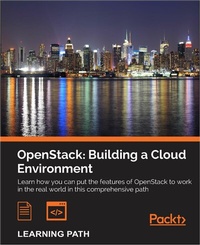
OpenStack: Building a Cloud Environment
Building a Cloud Environment
Published on 15. April 2025
807 pages
978-1-78712-941-2 (ISBN)
Description

No detailed description available for "OpenStack: Building a Cloud Environment".
All prices
More details
Edition
Digital original
Language
English
Place of publication
Birmingham
United Kingdom
Target group
Professional and scholarly
US School Grade: College Graduate Student
Edition type
Digital original
File size
40,09 MB
ISBN-13
978-1-78712-941-2 (9781787129412)
Copyright in bibliographic data and cover images is held by Nielsen Book Services Limited or by the publishers or by their respective licensors: all rights reserved.
Schweitzer Classification
Other editions
Additional editions
Book
01/2017
Packt Publishing
€99.60
Shipment within 3-4 weeks
Persons
Strid Rikard :
Tom Hamshere is based in North London and has been a frontend developer since 1998, working on a wide variety of projects. He has been a part of the Twitter UK flock since May 2012, focusing primarily on TweetDeck, an awesome JavaScript Twitter client. He was the first developer to implement Flight outside of www.twitter.com, and is responsible for a number of Flight-related open source projects, including jasmine-flight and flight-keyboard-shortcuts. When not hacking away at the codeface, Tom enjoys gardening, cooking, skiing, and traveling.Bunch Cody :
Cody Bunch is a principal architect in the Rackspace Private Cloud group, based out of San Antonio, Texas. Cody has been working with OpenStack since early 2012, coauthored the second edition of this book, and also coauthored OpenStack Security Guide, OpenStack Foundation. Cody has extensive experience with virtualized and cloud environments in variously sized enterprises and hosting environments.Sigler Egle :
Egle Sigler is an OpenStack Foundation board member and a principal architect in the Rackspace Private Cloud group, based out of San Antonio, Texas. Egle holds an MS degree in computer science. She started her career as a software developer and still has a soft spot for all the people who write, test, and deploy code, since she has had the chance to do all of these tasks throughout her career. Egle dreams about a day when writing, testing, and deploying code will be a seamless and easy process-bug and frustration free for all. Egle believes that knowledge should be shared and has tried to do this by writing this book, giving talks and workshops at conferences, and blogging.Sarat Sunil :
Sunil Sarat is the vice president of Cloud and Mobility Services at Microland Ltd, an India-based global hybrid IT infrastructure services provider. He played a key role in setting up and running emerging technology practices dealing with areas such as public/private cloud (AWS and Azure, VMware vCloud Suite, Microsoft, and OpenStack), hybrid IT (VMware vRealize Automation/Orchestration, Chef, and Puppet), enterprise mobility (Citrix Xenmobile and VMware Airwatch), VDI /app virtualization (VMware Horizon Suite, Citrix XenDesktop/XenApp, Microsoft RDS, and AppV), and associated transformation services. He is a technologist and a business leader with an expertise in creating new practices/service portfolios and in building and managing high performance teams, strategy definition, technology roadmaps, and 24/7 global remote infrastructure operations. He has varied experiences in handling diverse functions such as innovation/technology, service delivery, transition, presales/solutions, and automation. He has authored white papers, blogs, and articles on various technology- and service-related areas. Also, he is a speaker at cloud-related events and reviews technical books. He has reviewed the books Learning Airwatch and Mastering VMware Horizon 6, Packt Publishing. He holds various industry certifications in the areas of compute, storage, and security and also has an MBA degree in marketing. Besides technology and business, he is passionate about filmmaking and is a part-time filmmaker as well. For more information, you can visit his Linkedin profile at https://www.linkedin.com/in/sunilsarat or follow him at @sunilsarat.
Tom Hamshere is based in North London and has been a frontend developer since 1998, working on a wide variety of projects. He has been a part of the Twitter UK flock since May 2012, focusing primarily on TweetDeck, an awesome JavaScript Twitter client. He was the first developer to implement Flight outside of www.twitter.com, and is responsible for a number of Flight-related open source projects, including jasmine-flight and flight-keyboard-shortcuts. When not hacking away at the codeface, Tom enjoys gardening, cooking, skiing, and traveling.Bunch Cody :
Cody Bunch is a principal architect in the Rackspace Private Cloud group, based out of San Antonio, Texas. Cody has been working with OpenStack since early 2012, coauthored the second edition of this book, and also coauthored OpenStack Security Guide, OpenStack Foundation. Cody has extensive experience with virtualized and cloud environments in variously sized enterprises and hosting environments.Sigler Egle :
Egle Sigler is an OpenStack Foundation board member and a principal architect in the Rackspace Private Cloud group, based out of San Antonio, Texas. Egle holds an MS degree in computer science. She started her career as a software developer and still has a soft spot for all the people who write, test, and deploy code, since she has had the chance to do all of these tasks throughout her career. Egle dreams about a day when writing, testing, and deploying code will be a seamless and easy process-bug and frustration free for all. Egle believes that knowledge should be shared and has tried to do this by writing this book, giving talks and workshops at conferences, and blogging.Sarat Sunil :
Sunil Sarat is the vice president of Cloud and Mobility Services at Microland Ltd, an India-based global hybrid IT infrastructure services provider. He played a key role in setting up and running emerging technology practices dealing with areas such as public/private cloud (AWS and Azure, VMware vCloud Suite, Microsoft, and OpenStack), hybrid IT (VMware vRealize Automation/Orchestration, Chef, and Puppet), enterprise mobility (Citrix Xenmobile and VMware Airwatch), VDI /app virtualization (VMware Horizon Suite, Citrix XenDesktop/XenApp, Microsoft RDS, and AppV), and associated transformation services. He is a technologist and a business leader with an expertise in creating new practices/service portfolios and in building and managing high performance teams, strategy definition, technology roadmaps, and 24/7 global remote infrastructure operations. He has varied experiences in handling diverse functions such as innovation/technology, service delivery, transition, presales/solutions, and automation. He has authored white papers, blogs, and articles on various technology- and service-related areas. Also, he is a speaker at cloud-related events and reviews technical books. He has reviewed the books Learning Airwatch and Mastering VMware Horizon 6, Packt Publishing. He holds various industry certifications in the areas of compute, storage, and security and also has an MBA degree in marketing. Besides technology and business, he is passionate about filmmaking and is a part-time filmmaker as well. For more information, you can visit his Linkedin profile at https://www.linkedin.com/in/sunilsarat or follow him at @sunilsarat.
Content
- Cover
- Copyright
- Credits
- Preface
- Table of Contents
- Module 1
- Chapter 1: An Introduction to OpenStack
- Choosing an orchestrator
- Building a private cloud
- When to choose OpenStack?
- Preparing for the OpenStack setup
- Summary
- Chapter 2: Authentication and Authorization Using Keystone
- Identity concepts in Keystone
- Architecture and subsystems
- Installing common components
- Installing Keystone
- Verifying the installation
- Troubleshooting the installation and configuration
- Summary
- Chapter 3: Storing and Retrieving Data and Images using Glance, Cinder, and Swift
- Introducing storage services
- Working with Glance
- Working with Cinder
- Working with Swift
- Troubleshooting steps
- Summary
- Chapter 4: Building Your Cloud Fabric Controller Using Nova
- Working with Nova
- Installing Nova components
- Verifying the installation
- Console access
- Designing your Nova environment
- Troubleshooting installation
- Summary
- Chapter 5: Technology-Agnostic Network Abstraction Using Neutron
- The software-defined network paradigm
- Neutron
- Installing Neutron
- Troubleshooting Neutron
- Summary
- Chapter 6: Building Your Portal in the Cloud
- Working with Horizon
- Troubleshooting Horizon
- Summary
- Chapter 7: Your OpenStack Cloud in Action
- Gathering service requirements
- Tenant and user management
- Network management
- Requesting services
- Behind the scenes - how it all works
- Creating VM templates
- Summary
- Chapter 8: Taking Your Cloud to the Next Level
- Working with Heat
- Ceilometer
- Testing the installation
- Billing and usage reporting
- Summary
- Chapter 9: Looking Ahead
- OpenStack distributions
- OpenStack in action
- The roadmap
- What is in it for you?
- Summary
- Appendix: New Releases
- The releases
- Features and differences
- Changes in the installation procedure
- Upgrading from Juno
- Module 2
- Chapter 1: Keystone - OpenStack Identity Service
- Installing the OpenStack Identity Service
- Configuring OpenStack Identity for SSL communication
- Creating tenants in Keystone
- Configuring roles in Keystone
- Adding users to Keystone
- Defining service endpoints
- Creating the service tenant and service users
- Configuring OpenStack Identity for LDAP Integration
- Chapter 2: Glance - OpenStack Image Service
- Installing OpenStack Image Service
- Configuring OpenStack Image Service with OpenStack Identity Service
- Configuring OpenStack Image Service with OpenStack Object Storage
- Managing images with OpenStack Image Service
- Registering a remotely stored image
- Sharing images among tenants
- Viewing shared images
- Using image metadata
- Migrating a VMware image
- Creating an OpenStack image
- Chapter 3: Neutron - OpenStack Networking
- Installing Neutron and Open vSwitch on a dedicated network node
- Configuring Neutron and Open vSwitch
- Installing and configuring the Neutron API service
- Creating a tenant Neutron network
- Deleting a Neutron network
- Creating an external floating IP Neutron network
- Using Neutron networks for different purposes
- Configuring Distributed Virtual Routers
- Using Distributed Virtual Routers
- Chapter 4: Nova - OpenStack Compute
- Installing OpenStack Compute controller services
- Installing OpenStack Compute packages
- Configuring database services
- Configuring OpenStack Compute
- Configuring OpenStack Compute with OpenStack Identity Service
- Stopping and starting nova services
- Installation of command-line tools on Ubuntu
- Using the command-line tools with HTTPS
- Checking OpenStack Compute services
- Using OpenStack Compute
- Managing security groups
- Creating and managing key pairs
- Launching our first cloud instance
- Fixing a broken instance deployment
- Terminating your instances
- Using live migration
- Working with nova-schedulers
- Creating flavors
- Defining host aggregates
- Launching instances in specific Availability Zones
- Launching instances on specific Compute hosts
- Removing Nova nodes from a cluster
- Chapter 5: Swift - OpenStack Object Storage
- Configuring Swift services and users in Keystone
- Installing OpenStack Object Storage services - proxy server
- Configuring OpenStack Object Storage - proxy server
- Installing OpenStack Object Storage services - storage nodes
- Configuring physical storage for use with Swift
- Configuring Object Storage replication
- Configuring OpenStack Object Storage - storage services
- Making the Object Storage rings
- Stopping and starting OpenStack Object Storage
- Setting up SSL access
- Chapter 6: Using OpenStack Object Storage
- Installing the swift client tool
- Creating containers
- Uploading objects
- Uploading large objects
- Listing containers and objects
- Downloading objects
- Deleting containers and objects
- Using OpenStack Object Storage ACLs
- Using Container Synchronization between two Swift Clusters
- Chapter 7: Administering OpenStack Object Storage
- Managing the OpenStack Object Storage cluster with swift-init
- Checking cluster health
- Managing the Swift cluster capacity
- Removing nodes from a cluster
- Detecting and replacing failed hard drives
- Collecting usage statistics
- Chapter 8: Cinder - OpenStack Block Storage
- Configuring Cinder-volume services
- Configuring OpenStack Compute for Cinder-volume
- Creating volumes
- Attaching volumes to an instance
- Detaching volumes from an instance
- Deleting volumes
- Configuring third-party volume services
- Working with Cinder snapshots
- Booting from volumes
- Chapter 9: More OpenStack
- Using cloud-init to run post-installation commands
- Using cloud-config to run the post-installation configuration
- Installing OpenStack Telemetry
- Using OpenStack Telemetry to interrogate usage statistics
- Installing Neutron LBaaS
- Using Neutron LBaaS
- Configuring Neutron FWaaS
- Using Neutron FWaaS
- Installing the Heat OpenStack Orchestration service
- Using Heat to spin up instances
- Chapter 10: Using the OpenStack Dashboard
- Installing OpenStack Dashboard
- Using OpenStack Dashboard for key management
- Using OpenStack Dashboard to manage Neutron networks
- Using OpenStack Dashboard for security group management
- Using OpenStack Dashboard to launch instances
- Using OpenStack Dashboard to terminate instances
- Using OpenStack Dashboard to connect to instances using a VNC
- Using OpenStack Dashboard to add new tenants - projects
- Using OpenStack Dashboard for user management
- Using OpenStack Dashboard with LBaaS
- Using OpenStack Dashboard with OpenStack Orchestration
- Chapter 11: Production OpenStack
- Installing the MariaDB Galera cluster
- Configuring HA Proxy for the MariaDB Galera cluster
- Configuring HA Proxy for high availability
- Installing and configuring Pacemaker with Corosync
- Configuring OpenStack services with Pacemaker and Corosync
- Bonding network interfaces for redundancy
- Automating OpenStack installations using Ansible - host configuration
- Automating OpenStack installations using Ansible - Playbook configuration
- Automating OpenStack installations using Ansible - running Playbooks
- Module 3
- Chapter 1: The Troubleshooting Toolkit
- The project overview of OpenStack
- The supporting technologies
- Basic troubleshooting methodology and tools
- Installed packages
- Summary
- Chapter 2: Troubleshooting OpenStack Identity
- Know your version
- Running Keystone under Eventlet
- Summary
- Chapter 3: Troubleshooting the OpenStack Image Service
- Glance services
- Glance logging and configuration
- Common errors
- Summary
- Chapter 4: Troubleshooting OpenStack Networking
- Identifying Neutron issues
- Neutron services and agents
- Common problems
- Troubleshooting tools
- The Neutron client
- Summary
- Chapter 5: Troubleshooting OpenStack Compute
- Checking the services
- Supporting services
- Summary
- Chapter 6: Troubleshooting OpenStack Block Storage
- Cinder processes
- Cinder dependencies
- Cinder errors
- Summary
- Chapter 7: Troubleshooting OpenStack Object Storage
- Swift processes
- Swift authentication
- Summary
- Chapter 8: Troubleshooting the OpenStack the Orchestration Service
- Heat services
- Heat authentication
- Heat template errors
- Summary
- Chapter 9: Troubleshooting the OpenStack Telemetry Service
- Ceilometer processes
- Ceilometer authentication
- Ceilometer dependencies
- The command-line client
- Summary
- Chapter 10: OpenStack Performance, Availability, and Reliability
- Databases
- RabbitMQ
- Services
- Community resources
- Summary
- Bibliography

