

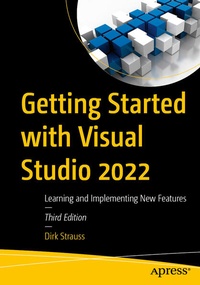
Getting Started with Visual Studio 2022
Description

Explore Visual Studio 2022 and supercharge your .NET development workflow with the latest AI-powered tools and modern application design.
Whether you're a seasoned .NET developer or looking to level up in Visual Studio 2022, this practical guide is your roadmap to becoming a faster, smarter, and more efficient programmer. Updated to reflect the cutting-edge advancements in Visual Studio 2022, this book goes far beyond the basics, diving into intelligent code completion with GitHub Copilot, AI-assisted testing, debugging, and even commit message generation.
You'll also explore .NET Aspire, Microsoft's modern approach to building scalable, observable, and distributed applications with clean orchestration and built-in support for services, containers, and cloud-native workflows.
New To This Edition:
- AI-Powered Development with GitHub Copilot
- In-Depth .NET Aspire Coverage
- Advanced Debugging, Debugging and Unit Test creation using AI, Productivity Tools
- hands-on guidance for managing source control using GitHub, including multi-repo support, branch comparison, line staging, and seamless collaboration within Visual Studio
What You Will Learn
- Integrate GitHub Copilot for AI-assisted code generation, debugging, unit testing, and commit authoring
- Create and manage .NET Aspire apps with Redis, container orchestration, and distributed service wiring
- Streamline your debugging workflow with advanced breakpoints and visualizers
- Master GitHub source control with multi-account support, pull requests, line staging, branch comparison, and more, all inside Visual Studio
- Write safer, more maintainable code with AI-driven insights and Copilot's /Test and Chat feature
Who This Book Is For
Software developers working on the .NET stack.
More details
Other editions
Additional editions
Previous edition
Person
As a seasoned software developer with an extensive career in C# and Visual Studio, Dirk Strauss has had the privilege of working with several companies and learning from some of the most talented professionals in the industry. In addition to his professional experience, he has authored multiple books covering topics such as C#, Visual Studio, and ASP.NET Core. His passion for programming remains unwavering, and he is committed to staying current with the latest technologies while sharing his expertise with others.
Content
Chapter 1: Getting to know Visual Studio 2022.- Chapter 2: Working with Visual Studio 2022.- Chapter 3: Debugging your code.- Chapter 4: Unit testing.- Chapter 5: Source control.
