

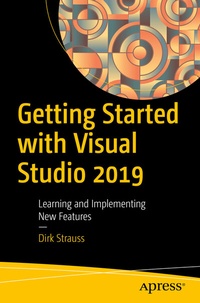
Getting Started with Visual Studio 2019
Learning and Implementing New Features
Published on 27. November 2019
XVI, 267 pages
978-1-4842-5449-3 (ISBN)
Description

Know how to use the features of Visual Studio 2019 and utilize the IDE correctly to become your one-stop solution for creating quality code. Learn what's new in VS 2019 and explore the existing features of Visual Studio so you can use them more efficiently.
Getting Started with Visual Studio 2019 begins with an overview of Visual Studio and explores new features such as Visual Studio Live Share, Visual Studio Search, Solution Filters, and Intellicode. Author Dirk Strauss teaches you how to create project templates, write code snippets, and manage NuGet packages. You will learn how to: debug your code using breakpoints and step into specific methods, use data tips, and utilize the DebuggerDisplay attribute. You will then move on to learn unit testing and explore the tools provided by Visual Studio to create and run unit tests. The book also covers source control integration in Visual Studio and how to use GitHub to implement a source control strategyin your code.
What You Will Learn
Who This Book Is For
Beginners and software developers working on the .NET stack
Getting Started with Visual Studio 2019 begins with an overview of Visual Studio and explores new features such as Visual Studio Live Share, Visual Studio Search, Solution Filters, and Intellicode. Author Dirk Strauss teaches you how to create project templates, write code snippets, and manage NuGet packages. You will learn how to: debug your code using breakpoints and step into specific methods, use data tips, and utilize the DebuggerDisplay attribute. You will then move on to learn unit testing and explore the tools provided by Visual Studio to create and run unit tests. The book also covers source control integration in Visual Studio and how to use GitHub to implement a source control strategyin your code.
What You Will Learn
- Create and use code snippets in Visual Studio 2019
- Utilize diagnostic tools and the Immediate window for code debugging
- Generate unit tests with IntelliTest
- Use NuGet in applications
- Create and handle pull requests
Who This Book Is For
Beginners and software developers working on the .NET stack
More details
Series
Edition
First Edition
Language
English
Place of publication
Berkeley
United States
Publishing group
APRESS
Target group
Professional and scholarly
Product notice
Reflowable
Illustrations
XVI, 267 p. 260 illus.
File size
12,91 MB
ISBN-13
978-1-4842-5449-3 (9781484254493)
DOI
10.1007/978-1-4842-5449-3
Schweitzer Classification
Other editions
Additional editions
Book
11/2019
Apress
€40.65
Article exhausted; check for reprint
Person
Dirk Strauss
is a software developer from South Africa with over 13 years of programming experience. He has extensive experience in SYSPRO Customization, with C# and web development being his main focus. He studied at the Nelson Mandela University where he wrote software on a part-time basis to gain a better understanding of the technology. He remains passionate about writing code and imparting what he learns with others.
Content
Chapter 1: Getting to Know Visual Studio 2019. - Chapter 2: Working with Visual Studio 2019. - Chapter 3: Debugging Your Code. - Chapter 4: Unit Testing. - Chapter 5: Source Control.
