

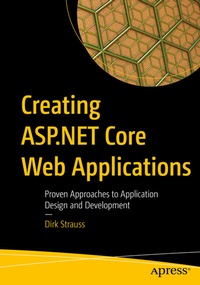
Creating ASP.NET Core Web Applications
Proven Approaches to Application Design and Development
Published on 5. March 2021
XVI, 291 pages
978-1-4842-6828-5 (ISBN)
Description

Design and develop an ASP.NET Core web application using .NET Core 3.0. This book shows you how to publish a web application to a web server and connect the published web application to a production database.
Creating ASP.NET Core Web Application s starts by setting up the Visual Studio project where you will learn about Razor pages, Entities, and creating a data service. You will create models along with methods to use a query string and handle bad requests. Modifying data with Tag helpers is discussed as well as installation of Entity Framework, working with database migrations, and implementing a data access service. You will learn how to use layout pages and sections with Partial Views, _ViewImports, and _ViewStart files. You also will create custom middleware and log application events. You will be able to deploy the web application as well as connect it to a SQL Server database.
What YouWill Learn
Who This Book Is For
Software developers on the .NET stack who want to create ASP.NET Core web applications
Creating ASP.NET Core Web Application s starts by setting up the Visual Studio project where you will learn about Razor pages, Entities, and creating a data service. You will create models along with methods to use a query string and handle bad requests. Modifying data with Tag helpers is discussed as well as installation of Entity Framework, working with database migrations, and implementing a data access service. You will learn how to use layout pages and sections with Partial Views, _ViewImports, and _ViewStart files. You also will create custom middleware and log application events. You will be able to deploy the web application as well as connect it to a SQL Server database.
What YouWill Learn
- Work with models
- Modify data
- Work with EF Core and SQL Server
- Work with Razor pages and Partial Views
- Use separate scripts for production vs development
- Trace client-side errors using Chrome Developer tools
- Create cascading style sheets (CSS) with Sassy CSS (SCSS)
- Explore middleware
- Deploy your web application to IIS
Who This Book Is For
Software developers on the .NET stack who want to create ASP.NET Core web applications
More details
Series
Edition
First Edition
Language
English
Place of publication
Berkeley
United States
Publishing group
APRESS
Target group
Professional and scholarly
Product notice
Reflowable
Illustrations
XVI, 291 p. 153 illus.
File size
10,57 MB
ISBN-13
978-1-4842-6828-5 (9781484268285)
DOI
10.1007/978-1-4842-6828-5
Schweitzer Classification
Other editions
Additional editions
Dirk Strauss
Creating ASP.NET Core Web Applications
Proven Approaches to Application Design and Development
Book
03/2021
APress
€64.19
Shipment within 15-20 days
Person
Dirk Strauss
is a software developer from South Africa who has been writing code since 2003. He has extensive experience in SYSPRO, with C# and web development being his main focus. He studied at the Nelson Mandela University, where he wrote software on a part-time basis to gain a better understanding of the technology. He remains passionate about writing code and imparting what he learns with others.
Content
Chapter 1: Creating and Setting Up Your Project.- Chapter 2: Creating Models.- Chapter 3: Modifying Data.- Chapter 4: EF Core and SQL Server.- Chapter 5: Working with Razor Pages.- Chapter 6: Adding Client-Side Logic.- Chapter 7: Exploring Middleware.- Chapter 8: Web Application Deployment.
