
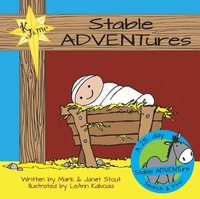
Stable Adventures
Description
Alles über E-Books | Antworten auf Fragen rund um E-Books, Kopierschutz und Dateiformate finden Sie in unserem Info- & Hilfebereich.
More details
Other editions
Additional editions

Persons
Mark and Janet Stout created Stable ADVENTures out of a love for God's Word and a passion to share Jesus with children everywhere. Mark has been a Bible teacher for over twenty-five years and is the author of Arrowproof: What It Means to Have Faith. Janet has been an elementary school teacher, a children's pastor, a CASA, and is currently teaching children at Community Bible Study. They have three beautiful granddaughters and another on the way who they trust will meet Jesus in a new and deeper way as they seek Him through Stable ADVENTures.
LeAnn Kalvoda was born and raised in Dodge City, Kansas. Her parents taught her the value of an education and a love for Jesus Christ. After graduating from high school, she left for the big city to pursue a career in art. She has been involved in ministering to children since she was in children's ministry herself! She loves to use her talents in art to help lead people, especially-small people-to a relationship with Christ!

System requirements
File format: ePUB
Copy protection: Adobe-DRM (Digital Rights Management)
System requirements:
- Computer (Windows; MacOS X; Linux): Install the free reader Adobe Digital Editions prior to download (see eBook Help).
- Tablet/smartphone (Android; iOS): Install the free app Adobe Digital Editions or the app PocketBook before downloading (see eBook Help).
- E-reader: Bookeen, Kobo, Pocketbook, Sony, Tolino and many more (not Kindle).
The file format ePub works well for novels and non-fiction books – i.e., „flowing” text without complex layout. On an e-reader or smartphone, line and page breaks automatically adjust to fit the small displays.
This eBook uses Adobe-DRM, a „hard” copy protection. If the necessary requirements are not met, unfortunately you will not be able to open the eBook. You will therefore need to prepare your reading hardware before downloading.
Please note: We strongly recommend that you authorise using your personal Adobe ID after installation of any reading software.
For more information, see our ebook Help page.