

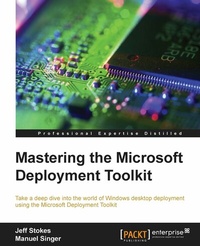
Mastering the Microsoft Deployment Toolkit
Take a deep dive into the world of Windows desktop deployment using the Microsoft Deployment Toolkit
Published on 8. July 2025
330 pages
978-1-78217-250-5 (ISBN)
Description

Take a deep dive into the world of Windows desktop deployment using the Microsoft Deployment Toolkit
Key Features
[*] Learn Microsoft Deployment Toolkit best practices and how to adopt them into your deployment project
[*]Troubleshoot task sequence errors and quickly resolve deployment blockers
[*]An easy-to-follow, in-depth guide to image creation, customization, and deployment of Windows
Book DescriptionTopic The Microsoft Deployment Toolkit (MDT) provides a comprehensive collection of tools, processes, and guidance for automating desktop and server deployments. It considerably reduces deployment time and standardizes desktop and server images. Moreover, MDT offers improved security and ongoing configuration management. Microsoft Deployment Toolkit is the official supported method of creating and customizing Windows images for deployment. Description: Starting from scratch, this book walks you through the MDT setup, task sequence creation, and image deployment steps in detail. Breaking down the various MDT concepts, this book will give you a thorough understanding of the deployment process. Beginning with imaging concepts and theory, you will go on to build a Microsoft Deployment Toolkit environment. You will understand the intricacies of customizing the default user profile in different versions of Windows. Driver handling can be a challenge for larger organizations; we'll cover various driver concepts including mandatory driver profiles. ]Other important topics like the User State Migration Tool (USMT), configuration of XML files, and how to troubleshoot the USMT are also discussed in the book. We will cover the verifier and Windows Performance Toolkit for image validation scenarios. Furthermore, you will learn about MDT web frontend implementation as well as how to utilize the database capabilities of MDT for deeper deployment options. We'll wrap it all up with some links to resources for more information, blogs to watch, and useful Twitter handles.What you will learn
[*] Build a production-ready MDT environment
[*]Administer the environment for multiple users
[*]Customize your reference image with an MDT Task Sequence
[*]Create standalone media for offline deployments
[*]Customize the default user profile according to the version of Windows
[*]Get to grips with some troubleshooting steps and processes to reduce the time for recovery of a failed image
[*]Customize and create Windows images for deployment
[*]Discover useful tips and tricks to help save time in your deployment projects
Who this book is forThis book is ideal for those deploying or planning to deploy Windows, in need of a top-to-bottom guide on project deployment. It is also an invaluable resource for consultants who need a top-to-bottom guide (or just a refresher) on project deployment.
Key Features
[*] Learn Microsoft Deployment Toolkit best practices and how to adopt them into your deployment project
[*]Troubleshoot task sequence errors and quickly resolve deployment blockers
[*]An easy-to-follow, in-depth guide to image creation, customization, and deployment of Windows
Book DescriptionTopic The Microsoft Deployment Toolkit (MDT) provides a comprehensive collection of tools, processes, and guidance for automating desktop and server deployments. It considerably reduces deployment time and standardizes desktop and server images. Moreover, MDT offers improved security and ongoing configuration management. Microsoft Deployment Toolkit is the official supported method of creating and customizing Windows images for deployment. Description: Starting from scratch, this book walks you through the MDT setup, task sequence creation, and image deployment steps in detail. Breaking down the various MDT concepts, this book will give you a thorough understanding of the deployment process. Beginning with imaging concepts and theory, you will go on to build a Microsoft Deployment Toolkit environment. You will understand the intricacies of customizing the default user profile in different versions of Windows. Driver handling can be a challenge for larger organizations; we'll cover various driver concepts including mandatory driver profiles. ]Other important topics like the User State Migration Tool (USMT), configuration of XML files, and how to troubleshoot the USMT are also discussed in the book. We will cover the verifier and Windows Performance Toolkit for image validation scenarios. Furthermore, you will learn about MDT web frontend implementation as well as how to utilize the database capabilities of MDT for deeper deployment options. We'll wrap it all up with some links to resources for more information, blogs to watch, and useful Twitter handles.What you will learn
[*] Build a production-ready MDT environment
[*]Administer the environment for multiple users
[*]Customize your reference image with an MDT Task Sequence
[*]Create standalone media for offline deployments
[*]Customize the default user profile according to the version of Windows
[*]Get to grips with some troubleshooting steps and processes to reduce the time for recovery of a failed image
[*]Customize and create Windows images for deployment
[*]Discover useful tips and tricks to help save time in your deployment projects
Who this book is forThis book is ideal for those deploying or planning to deploy Windows, in need of a top-to-bottom guide on project deployment. It is also an invaluable resource for consultants who need a top-to-bottom guide (or just a refresher) on project deployment.
All prices
More details
Edition
Digital original
Language
English
Place of publication
Birmingham
United Kingdom
Target group
Professional and scholarly
US School Grade: College Graduate Student
Edition type
Digital original
File size
24,36 MB
ISBN-13
978-1-78217-250-5 (9781782172505)
Copyright in bibliographic data and cover images is held by Nielsen Book Services Limited or by the publishers or by their respective licensors: all rights reserved.
Schweitzer Classification
Other editions
Additional editions
Jeff Stokes | Manuel Singer
Mastering the Microsoft Deployment Toolkit
Take a deep dive into the world of Windows desktop deployment using the Microsoft Deployment Toolkit
Book
05/2016
Packt Publishing
€63.30
Shipment within 3-4 weeks
Persons
Stokes Jeff :
Jeff Stokes is a Windows / Microsoft Engineer currently employed at Microsoft. He specializes in Operating System Health, Reliability, and Performance. He is skilled in Windows Deployment with MDT (Microsoft Deployment Toolkit) and has exceptional skills in VDI (Virtual Desktop) and performance analysis. He is an active writer and blogger and loves technology.Singer Manuel :
Manuel Singer works as a Senior Premier Field Engineer for Windows Client at Microsoft and is based in Germany. He has more than 10 years of experience in system management and deployment using Microsoft technologies. He specializes in client enterprise design, deployment, performance, reliability, and Microsoft devices. Manuel works with local and international top customers from the private and public sector to provide professional technical and technological support.
Jeff Stokes is a Windows / Microsoft Engineer currently employed at Microsoft. He specializes in Operating System Health, Reliability, and Performance. He is skilled in Windows Deployment with MDT (Microsoft Deployment Toolkit) and has exceptional skills in VDI (Virtual Desktop) and performance analysis. He is an active writer and blogger and loves technology.Singer Manuel :
Manuel Singer works as a Senior Premier Field Engineer for Windows Client at Microsoft and is based in Germany. He has more than 10 years of experience in system management and deployment using Microsoft technologies. He specializes in client enterprise design, deployment, performance, reliability, and Microsoft devices. Manuel works with local and international top customers from the private and public sector to provide professional technical and technological support.
Content
Table of Contents
Imagining concepts and theory
Setting Up Your Environment
Creating Reference Images
Default User Profile Customizations
CustomSettings.ini and the task sequence
Drivers
Deployment of the image
USMT
Troubleshooting Deployment Logs
Validating the image
Web Services and Database and User Exit scripts
Appendix
Imagining concepts and theory
Setting Up Your Environment
Creating Reference Images
Default User Profile Customizations
CustomSettings.ini and the task sequence
Drivers
Deployment of the image
USMT
Troubleshooting Deployment Logs
Validating the image
Web Services and Database and User Exit scripts
Appendix

