

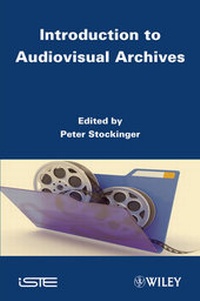
Introduction to Audiovisual Archives
Published on 7. February 2013
284 pages
978-1-118-56620-6 (ISBN)
Description

Today, audiovisual archives and libraries have become very popularespecially in the field of collecting, preserving and transmittingcultural heritage. However, the data from these archives orlibraries - videos, images, sound tracks, etc. -constitute as such only potential cognitive resources for a givenpublic (or "target community"). They have to undergomore or less significant qualitative transformations in order tobecome user- or community-relevant intellectual goods.
These qualitative transformations are performed through a series ofconcrete operations such as: audiovisual text segmentation, contentdescription and indexing, pragmatic profiling, translation, etc.These and other operations constitute what we call the semioticturn in dealing with digital (audiovisual) texts, corpora of textsor even entire (audiovisual) archives and libraries. Theydemonstrate practically and theoretically the well-known"from data to meta-data" or "from (simple)information to (relevant) knowledge" problem - aproblem that obviously directly influences the effective use, thesocial impact and relevancy and therefore also the future ofdigital knowledge archives.
It constitutes, indeed, the heart of a diversity of importantR&D programs and projects all over the world.
More details
Other editions
Additional editions
Peter Stockinger
Introduction to Audiovisual Archives
Book
12/2011
1st Edition
Wiley-ISTE
€166.50
Article not available at the moment
Content
- Cover
- Introduction to Audiovisual Archives
- Title Page
- Copyright Page
- Table of Contents
- Introduction
- Chapter 1. Context and Issues
- 1.1. The ARA program - a brief historical overview
- 1.2. The scientific and cultural heritage of the ARA program
- 1.3. The working process
- 1.4. Knowledge engineering in the service of the ARA program
- 1.4.1. Some questions
- 1.4.2. Recourse to the semiotics of the audiovisual text
- 1.4.3. Metalanguage of description, models and scenarios
- 1.4.4. Models and scenarios of collection/prodution of audiovisual corpora
- 1.4.5. Models and scenarios for publishing/republishing
- 1.5. The digital environment and the working process
- 1.6. Analyzing an audiovisual corpus using ASW Studio
- PART 1: THE SEGMENTATION AND DESCRIPTION WORKSHOPS FOR AUDIOVISUAL CORPORA
- Chapter 2. The Segmentation Workshop for Audiovisual Resources
- 2.1. Introduction
- 2.2. Segmentation of audiovisual corpora - a general presentation
- 2.2.1. Example of segmentation of a scientific interview
- 2.2.2. Example of the segmentation of a conference
- 2.2.3. Exemplication of the segmentation of an amateur video
- 2.2.4. Example of the segmentation of an audiovisual report
- 2.2.5. Other possible segmentations
- 2.3. Appropriation of the segmentation workshop
- 2.4. Some additional thoughts about segmentation
- 2.5. Perspectives relating to the segmentation workshop
- Chapter 3. Description Workshop for Audiovisual Corpora
- 3.1. A general overview
- 3.2. The "metadescription" part of an audiovisual analysis in ASW Studio: the mark of the editor's choice
- 3.2.1. General overview
- 3.2.2. Focus on the "general" sub-section of metadescription
- 3.3. The "identifying information of an audiovisual resource" part in the ASW description workshop
- Chapter 4. Analysis of Audiovisual Expression
- 4.1. Introduction
- 4.2. Analysis of the visual shot
- 4.2.1. General overview
- 4.2.2. General description of the visual shot and analysis procedures
- 4.2.3. Examples of describing the visual shot of an audiovisual text
- 4.2.4. Some specific uses of the analyzed visual shots
- 4.3. Analysis of the sound shot
- 4.3.1. General description of the sound shot and analysis procedures
- 4.3.2. Example of analysis of a video described using the sound shot
- 4.3.3. Some uses for sound clips
- Chapter 5. Analysis of the Audiovisual Content
- 5.1. Thematic analysis
- 5.2. A concrete example of the description of a topic
- 5.3. The model of thematic description
- 5.4. The objects of thematic analysis
- 5.5. Procedures of analysis
- 5.6. The different components of a model of thematic description
- 5.7. Libraries of models for the description of subjects
- Chapter 6. Uses of an Audiovisual Resource
- 6.1. The "Uses" part of the ASW description workshop
- 6.1.1. The "genres" of uses of an audiovisual text
- 6.1.2. The target audience of an audiovisual text
- 6.2. Producing a linguistic adaptation of an audiovisual resource
- Chapter 7. Model of an Audiovisual Publication in the form of a Web Portal
- 7.1. Introduction
- 7.2. The ArkWork homepage
- 7.3. Thematic access to audiovisual resources
- 7.4. Direct accesses to the audiovisual resources
- 7.5. Access to the audiovisual resources by thesaurus
- 7.6. Contextualization of the video
- PART 2: TECHNOLOGICAL ENVIRONMENT, DEVELOPMENT AND NEW PERSPECTIVES
- Chapter 8. The ASW Digital Environment
- 8.1. Introduction
- 8.2. General presentation
- 8.2.1. Management of roles and rights
- 8.2.2. The technologies
- 8.2.3. The working process in the ASW environment
- 8.3. SemioscapeLibrary
- 8.3.1. The abstraction layers
- 8.3.2. The objects layer
- 8.3.3. The data access layer
- 8.3.4. The data processing layer
- 8.4. Semioscape
- 8.4.1. The database
- 8.4.2. The Web services
- 8.5. Conclusion
- Chapter 9. The ASW Studio
- 9.1. Introduction
- 9.2. The common libraries
- 9.2.1. SemioscapeResources
- 9.2.2. SemioscapeUserControls
- 9.3. SemioscapeData
- 9.3.1. Ontology of work configuration
- 9.3.2. Static ontology
- 9.3.3. Metalexicon of conceptual terms
- 9.3.4. Domain ontologies
- 9.3.5. Listings of the ontologies
- 9.4. ESCoM Update
- 9.5. ESCoM ffCoder
- 9.6. ESCoM OntoEditor
- 9.7. ESCoM-INA Interview
- 9.8. ESCoM SemioscapeAdmin
- 9.9. The ESCoM suite 2011 installer
- 9.10. Semiosphere
- 9.10.1. SemiosphereLibrary
- 9.10.2. Customization
- 9.10.3. Multilingualism
- 9.10.4. Site maps
- 9.11. Conclusion
- Chapter 10. The Technical Development of the "Web Portal" Publishing Model
- 10.1. The notion of "publishing module"
- 10.2. RIAs
- 10.3. The "Menu" publishing module
- 10.4. The "Video player" publishing module
- 10.5. The "contextualization of a video" publishing module
- 10.6. The "temporal location" publishing module
- 10.7. The "geographical location" publishing module
- 10.7.1. The geographical location
- 10.8. Conclusion
- Glossary of Specialized Terms
- Glossary of Acronyms and Names
- Bibliography
- List of Authors
- Index
