

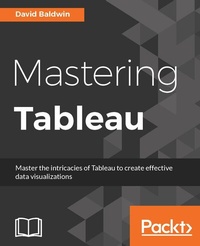
Mastering Tableau
Smart Business Intelligence techniques to get maximum insights from your data
1st Edition
Published on 3. June 2024
476 pages
978-1-78439-884-2 (ISBN)
Description

Master the intricacies of Tableau to create effective data visualizationsKey Features - Arm yourself with an arsenal of advanced chart types and geocoding to efficiently and engagingly present information
- Map a grid over a network node diagram and use that grid to demonstrate loads, processing time, and more in Tableau
- Integrate R with Tableau by utilizing R functions, libraries, and saved models
Book DescriptionTableau has emerged as one of the most popular Business Intelligence solutions in recent times, thanks to its powerful and interactive data visualization capabilities. This book will empower you to become a master in Tableau by exploiting the many new features introduced in Tableau 10.0. You will embark on this exciting journey by getting to know the valuable methods of utilizing advanced calculations to solve complex problems. These techniques include creative use of different types of calculations such as row-level, aggregate-level, and more. You will discover how almost any data visualization challenge can be met in Tableau by getting a proper understanding of the tool's inner workings and creatively exploring possibilities. You'll be armed with an arsenal of advanced chart types and techniques to enable you to efficiently and engagingly present information to a variety of audiences through the use of clear, efficient, and engaging dashboards. Explanations and examples of efficient and inefficient visualization techniques, well-designed and poorly designed dashboards, and compromise options when Tableau consumers will not embrace data visualization will build on your understanding of Tableau and how to use it efficiently. By the end of the book, you will be equipped with all the information you need to create effective dashboards and data visualization solutions using Tableau. What you will learn - Create a worksheet that can display the current balance for any given period in time
- Recreate a star schema from in a data warehouse in Tableau
- Combine level of detail calculations with table calculations, sets, and parameters
- Create custom polygons to build filled maps for area codes in the USA
- Visualize data using a set of analytical and advanced charting techniques
- Know when to use Tableau instead of PowerPoint
- Build a dashboard and export it to PowerPoint
Who this book is forIf you are a business analyst without developer-level programming skills, then this book is for you. You are expected to have at least a fundamental understanding of Tableau and basic knowledge of joins, however SQL knowledge is not assumed. You should have basic computer skills, including at least moderate Excel proficiency.
- Map a grid over a network node diagram and use that grid to demonstrate loads, processing time, and more in Tableau
- Integrate R with Tableau by utilizing R functions, libraries, and saved models
Book DescriptionTableau has emerged as one of the most popular Business Intelligence solutions in recent times, thanks to its powerful and interactive data visualization capabilities. This book will empower you to become a master in Tableau by exploiting the many new features introduced in Tableau 10.0. You will embark on this exciting journey by getting to know the valuable methods of utilizing advanced calculations to solve complex problems. These techniques include creative use of different types of calculations such as row-level, aggregate-level, and more. You will discover how almost any data visualization challenge can be met in Tableau by getting a proper understanding of the tool's inner workings and creatively exploring possibilities. You'll be armed with an arsenal of advanced chart types and techniques to enable you to efficiently and engagingly present information to a variety of audiences through the use of clear, efficient, and engaging dashboards. Explanations and examples of efficient and inefficient visualization techniques, well-designed and poorly designed dashboards, and compromise options when Tableau consumers will not embrace data visualization will build on your understanding of Tableau and how to use it efficiently. By the end of the book, you will be equipped with all the information you need to create effective dashboards and data visualization solutions using Tableau. What you will learn - Create a worksheet that can display the current balance for any given period in time
- Recreate a star schema from in a data warehouse in Tableau
- Combine level of detail calculations with table calculations, sets, and parameters
- Create custom polygons to build filled maps for area codes in the USA
- Visualize data using a set of analytical and advanced charting techniques
- Know when to use Tableau instead of PowerPoint
- Build a dashboard and export it to PowerPoint
Who this book is forIf you are a business analyst without developer-level programming skills, then this book is for you. You are expected to have at least a fundamental understanding of Tableau and basic knowledge of joins, however SQL knowledge is not assumed. You should have basic computer skills, including at least moderate Excel proficiency.
All prices
More details
Other editions
Additional editions
David Baldwin
Mastering Tableau
Smart Business Intelligence techniques to get maximum insights from your data
Book
11/2016
Packt Publishing
€64.30
Shipment within 3-4 weeks
Persons
Baldwin David :
David Baldwin has been providing consulting in the business intelligence sector for 22 years. His experience includes Tableau training and consulting, developing BI solutions, project management, technical writing, and web and graphic design. His vertical experience includes financial, healthcare, human resources, aerospace, energy, education, government, and entertainment industries.
David Baldwin has been providing consulting in the business intelligence sector for 22 years. His experience includes Tableau training and consulting, developing BI solutions, project management, technical writing, and web and graphic design. His vertical experience includes financial, healthcare, human resources, aerospace, energy, education, government, and entertainment industries.
Content
Table of Contents - Getting Up to Speed - a Review of the Basics
- All about Data - Getting Your Data Ready
- All about Data - Joins, Blends, Views, and Data Structures
- All about Data - Data Densification, Cubes, and Big Data
- Table Calculations
- Level of Detail Calculations
- Beyond the Basic Chart Types
- Mapping
- Tableau for Presentations
- Visualization Best Practices and Dashboard Design
- Improving Performance
- Interacting with Tableau Server
- R Integration
- All about Data - Getting Your Data Ready
- All about Data - Joins, Blends, Views, and Data Structures
- All about Data - Data Densification, Cubes, and Big Data
- Table Calculations
- Level of Detail Calculations
- Beyond the Basic Chart Types
- Mapping
- Tableau for Presentations
- Visualization Best Practices and Dashboard Design
- Improving Performance
- Interacting with Tableau Server
- R Integration

