

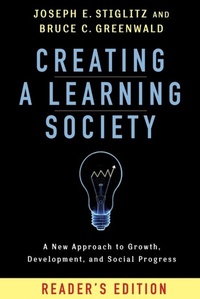
Creating a Learning Society
A New Approach to Growth, Development, and Social Progress, Reader's Edition
1st Edition
Published on 29. October 2015
432 pages
978-0-231-54062-9 (ISBN)
Description

Since its publication Creating a Learning Society has served as an effective tool for those who advocate government policies to advance science and technology. It shows persuasively how enormous increases in our standard of living have been the result of learning how to learn, and it explains how advanced and developing countries alike can model a new learning economy on this example. Creating a Learning Society: Reader's Edition uses accessible language to focus on the work's central message and policy prescriptions. As the book makes clear, creating a learning society requires good governmental policy in trade, industry, intellectual property, and other important areas. The text's central thesis-that every policy affects learning-is critical for governments unaware of the innovative ways they can propel their economies forward.
All prices
More details
Other editions
Additional editions
Joseph E. Stiglitz | Bruce Greenwald
Creating a Learning Society
A New Approach to Growth, Development, and Social Progress, Reader's Edition
Book
10/2015
Columbia University Press
€26.50
Shipment within 10-20 days
Persons
Joseph E. Stiglitz is University Professor at Columbia University, former chief economist and senior vice president of the World Bank, and former chair of the Council of Economic Advisers under President Clinton. His books include Making Globalization Work; The Price of Inequality: How Today's Divided Society Endangers Our Future; The Great Divide: Unequal Societies and What to Do About Them; and Fair Trade for All (with Andrew Charlton). In 2001, he was awarded the Nobel Prize in economics.
Bruce C. Greenwald is Robert Heilbrunn Professor of Finance and Asset Management at Columbia Business School. He is director of the Heilbrunn Center for Graham and Dodd Investing. His books include Value Investing: From Graham to Buffett and Beyond; Competition Demystified: A Radically Simplified Approach to Business Strategy Portfolio; Towards a New Paradigm in Monetary Economics (with Joseph E. Stiglitz); and Globalization: n. The Irrational Fear that Someone in China Will Take Your Job (with Judd Kahn).
Bruce C. Greenwald is Robert Heilbrunn Professor of Finance and Asset Management at Columbia Business School. He is director of the Heilbrunn Center for Graham and Dodd Investing. His books include Value Investing: From Graham to Buffett and Beyond; Competition Demystified: A Radically Simplified Approach to Business Strategy Portfolio; Towards a New Paradigm in Monetary Economics (with Joseph E. Stiglitz); and Globalization: n. The Irrational Fear that Someone in China Will Take Your Job (with Judd Kahn).
Content
Preface to the Reader's Edition
Preface to the Original Edition
Acknowledgments
Introduction
Part I. Creating a Learning Society: A New Approach to Growth, Development, and Social Progress: Basic Concepts and Analysis
1. The Learning Revolution
2. On the Importance of Learning
3. A Learning Economy
4. Creating a Learning Firm and a Learning Environment
5. Market Structure, Welfare, and Learning
6. The Welfare Economics of Schumpeterian Competition
7. Learning in a Closed Economy
8. The Infant-Economy Argument for Protection: Trade Policy in a Learning Environment
Part II. Policies for a Learning Society
9. The Role of Industrial and Trade Policy in Creating a Learning Society
10. Financial Policy and Creating a Learning Society
11. Macroeconomic and Investment Policies for a Learning Society
12. Intellectual Property
13. Social Transformation and the Creation of a Learning Society
14. Concluding Remarks
Notes
References
Index
Preface to the Original Edition
Acknowledgments
Introduction
Part I. Creating a Learning Society: A New Approach to Growth, Development, and Social Progress: Basic Concepts and Analysis
1. The Learning Revolution
2. On the Importance of Learning
3. A Learning Economy
4. Creating a Learning Firm and a Learning Environment
5. Market Structure, Welfare, and Learning
6. The Welfare Economics of Schumpeterian Competition
7. Learning in a Closed Economy
8. The Infant-Economy Argument for Protection: Trade Policy in a Learning Environment
Part II. Policies for a Learning Society
9. The Role of Industrial and Trade Policy in Creating a Learning Society
10. Financial Policy and Creating a Learning Society
11. Macroeconomic and Investment Policies for a Learning Society
12. Intellectual Property
13. Social Transformation and the Creation of a Learning Society
14. Concluding Remarks
Notes
References
Index

