

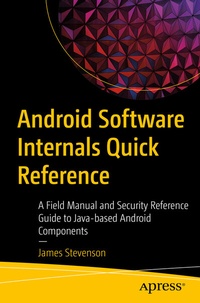
Android Software Internals Quick Reference
Description

Use this handy field guide as a quick reference book and cheat sheet for all of the techniques you use or reference day to day. Covering up to Android 11, this Android Java programming reference guide focuses on non-UI elements with a security focus. You won't see Android UI development, nor will you see low-level C or kernel techniques. Instead, this book focuses on easily digestible, useful, and interesting techniques in Java and the Android system.
This reference guide was created out of the need for myself to jot down all the useful techniques I commonly reached for, and so I'm now sharing these techniques with you, whether you are an Android internals software engineer or security researcher.
What You Will Learn
- Discover the differences between and how to access application names, package names, IDs, and unique identifiers in Android
- Quickly reference common techniques such as storage, the activity lifecycle, and permissions
- Debug using the Android shell
- Work with Android's obfuscation and encryption capabilities
- Extract and decompile Android applications
- Carry out Android reflection and dex class loading
Who This Book Is For
Programmers, developers, and admins with at least prior Android and Java experience.
More details
Other editions
Additional editions
Person
At the time of writing James is a full-time security researcher, part-time Ph.D. student, and occasional conference speaker. Outside of Android internals James' research has also focused on offender profiling and cybercrime detection capabilities. For more information and contact details visit https://JamesStevenson.me.
