

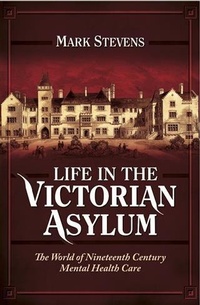
Life in the Victorian Asylum
The World of Nineteenth Century Mental Health Care
Published on 30. October 2014
176 pages
978-1-4738-4237-3 (ISBN)
Description

Life in the Victorian Asylum reconstructs the lost world of the nineteenth century public asylums. This fresh take on the history of mental health reveals why county asylums were built, the sort of people they housed and the treatments they received, as well as the enduring legacy of these remarkable institutions.Mark Stevens, the best-selling author of Broadmoor Revealed, is a professional archivist and expert on asylum records. In this book, he delves into Victorian mental health archives to recreate the experience of entering an asylum and being treated there, perhaps for a lifetime. Praise for Broadmoor Revealed'Superb,' Family Tree magazine'Detailed and thoughtful,' Times Literary Supplement'Paints a fascinating picture,' Who Do You Think You Are? Magazine
More details
Other editions
Additional editions
Mark Stevens
Life in the Victorian Asylum
Book
02/2015
Pen & Sword Books Ltd
€44.75
Article exhausted; check different version
Content
- Cover
- Title Page
- Copyright Page
- Contents
- Acknowledgements
- Preface
- Part I: The Victorian Asylum Patient's Handbook
- Chapter 1: Lunacy and Lunatics in Victorian England
- Chapter 2: Admission
- Chapter 3: Accommodation
- Chapter 4: Diagnosis
- Chapter 5: Staff
- Chapter 6: The Daily Routine
- Chapter 7: Treatment
- Chapter 8: General Health and Patient Care
- Chapter 9: Patient Rights
- Chapter 10: Discharge
- Chapter 11: Useful Information for Patients' Friends or Family
- Part II: The History of the Victorian Asylums
- Chapter 1: Moulsford Asylum: The Inspiration for this Book
- Chapter 2: A Word about Broadmoor
- Chapter 3: The Victorian Asylum: What Happened Next?
- Chapter 4: Become a Friend of the Victorian Asylum: Researching Archives and Visiting Remaining Sites
- Chapter 5: Before You Go: Moulsford Patient Portraits
- Sources
- Bibliography
- Index
