

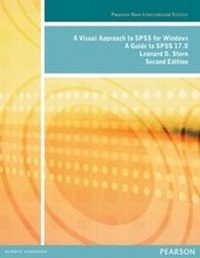
Visual Approach to SPSS for Windows, A: A Guide to SPSS 17.0
Pearson New International Edition
2nd Edition
Published on 28. August 2013
416 pages
978-1-292-03577-2 (ISBN)
Description

For courses on SPSS. SPSS is, essentially, a visually-driven program, but most texts rely primarily on a verbal approach to describe its use. A Visual Approach to SPSS for Windows is the first text of its kind to employ what the author refers to as visual sequencing to teach students how to use SPSS.
More details
Edition
2nd edition
Language
English
Place of publication
Harlow
United Kingdom
Target group
College/higher education
ISBN-13
978-1-292-03577-2 (9781292035772)
Copyright in bibliographic data and cover images is held by Nielsen Book Services Limited or by the publishers or by their respective licensors: all rights reserved.
Schweitzer Classification
Other editions
Additional editions
Leonard Stern | Leonard D. Stern
Visual Approach to SPSS for Windows, A: A Guide to SPSS 17.0
Pearson New International Edition
Book
08/2013
2nd Edition
Pearson Education Limited
€86.49
Shipment within 10-20 days
Content
Preface
Chapter 1: The Basics
Chapter 2: Entering and Saving Data
Chapter 3: Modifying Data in the Data Editor
Chapter 4: Defining Variables' Properties
Chapter 5: The SPSS Statistics Viewer
Chapter 6: Graphing Data with the Chart Builder
Chapter 7: Data Transformation and Case Selection
Chapter 8: The Frequencies Procedure
Chapter 9: Other Procedures for Obtaining Descriptive Measures
Chapter 10: Bivariate Correlation and Regression
Chapter 11: Multiple Regression and Correlation
Chapter 12: Chi-Square Tests of Independence and Goodness-of-Fit
Chapter 13: One and Two Sample T-Tests
Chapter 14: One-Way Analysis of Variance
Chapter 15: Two-Way and Higher Order Analyses of Variance
Chapter 16: Within-Subjects ANOVAS
Chapter 17: Nonparametric or Distribution Free Tests
Chapter 18: Discriminant Analysis
Chapter 19: Exploratory Factor Analysis
References
Index
Chapter 1: The Basics
Chapter 2: Entering and Saving Data
Chapter 3: Modifying Data in the Data Editor
Chapter 4: Defining Variables' Properties
Chapter 5: The SPSS Statistics Viewer
Chapter 6: Graphing Data with the Chart Builder
Chapter 7: Data Transformation and Case Selection
Chapter 8: The Frequencies Procedure
Chapter 9: Other Procedures for Obtaining Descriptive Measures
Chapter 10: Bivariate Correlation and Regression
Chapter 11: Multiple Regression and Correlation
Chapter 12: Chi-Square Tests of Independence and Goodness-of-Fit
Chapter 13: One and Two Sample T-Tests
Chapter 14: One-Way Analysis of Variance
Chapter 15: Two-Way and Higher Order Analyses of Variance
Chapter 16: Within-Subjects ANOVAS
Chapter 17: Nonparametric or Distribution Free Tests
Chapter 18: Discriminant Analysis
Chapter 19: Exploratory Factor Analysis
References
Index
