

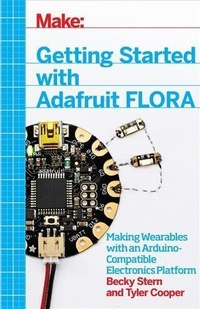
Getting Started with Adafruit FLORA
Making Wearables with an Arduino-Compatible Electronics Platform
1st Edition
Published on 5. February 2015
112 pages
978-1-4571-8320-1 (ISBN)
Description

This book introduces readers to building wearable electronics projects using Adafruit's tiny FLORA board: at 4.4 grams, and only 1.75 inches in diameter, and featuring Arduino compatibility, it's the most beginner-friendly way to create wearable projects. This book shows you how to plan your wearable circuits, sew with electronics, and write programs that run on the FLORA to control the electronics. The FLORA family includes an assortment of sensors, as well as RGB LEDs that let you add lighting to your wearable projects.
More details
Other editions
Additional editions
Becky Stern | Tyler Cooper
Getting Started with Adafruit FLORA
Making Wearables with an Arduino-Compatible Electronics Platform
Book
03/2015
1st Edition
O'Reilly
€16.50
Shipment within 10-20 days
Content
- Cover
- Copyright
- Table of Contents
- Preface P. Preface
- Wearable Electronics
- What Is FLORA?
- Conventions Used in This Book
- Using Code Examples
- Safari® Books Online
- How to Contact Us
- Chapter 1. What You'll Need
- Tools
- Sewing Needle
- Scissors
- Embroidery Hoop
- Conductive Thread
- Clear Nail Polish or Fray Check
- Sewing Machine
- Disappearing Marking Pen
- Clothes Iron
- Soldering Iron
- Solder
- Wire Strippers
- Flush Diagonal Cutters
- Multimeter
- Techniques
- Sewing
- Soldering
- Washing Your Wearable Projects
- Chapter 2. Getting the Software
- Installing Arduino Libraries
- Let's Get Blinking!
- Chapter 3. Hardware
- Little, Round, Different
- FLORA Power
- Family of Add-ons
- LED Sequins
- RGB NeoPixels
- FLORA Accelerometer/Compass Module (Motion Sensor)
- FLORA Accelerometer/Compass/Gyro (Motion Sensor)
- FLORA Light Sensor
- FLORA UV Index Sensor
- FLORA Color Sensor
- FLORA GPS (Location Sensor)
- Chapter 4. Making Stitches
- Threading the Needle
- Using an Embroidery Hoop
- The Running Stitch
- Connecting Components
- Tying and Sealing Knots
- Attaching Conductive Thread Buses with a Sewing Machine
- Chapter 5. Your First FLORA Project
- Layout and Circuit Diagram
- Sew the Circuit
- Set Up
- Stitch the Pixel
- Fish Fin Switch
- Get Your Code On
- Hand Embroidering the Design
- Battery
- Chapter 6. Intermediate Project: Sparkle Skirt
- Layout and Circuit Diagram
- Sew the Circuit
- Code and Battery
- Wear It!
- Chapter 7. Advanced Project: FLORA NeoGeo Watch
- Layout and Circuit Diagram
- Assemble the Circuit
- Assemble the Watch
- The Code
- Using the Watch
- Modifying Your NeoGeo Watch
- Chapter 8. Troubleshooting
- Connectivity
- Arduino IDE Issues
- Compilation Errors
- Upload Errors
- Usage Issues
- Frequently Asked Questions
- Manufacturer Support
- Chapter 9. More Resources
- Adafruit Online Resources
- Other Online Resources
- Print Resources
- Index
