

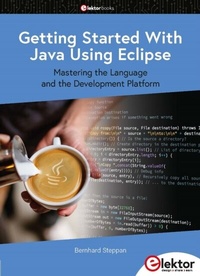
Getting Started With Java Using Eclipse
Description

Many people would like to learn Java but getting started is not easy since programming with Java requires at least two things: mastering the programming language and the development environment. With the help of many examples, this book shows how the language is structured. In addition, it employs the Eclipse development environment as an example of a powerful tool to teach developing Java programs.
In Basics, the first part of the book, you acquire your Java and Eclipse basic knowledge. This part lays the programming foundations, gives you an overview of Java technology, and shows you what is special about object-oriented programming.
In the second part called Java Language, everything revolves around the subtleties of the Java language and this is where the first small Java applications are created, aided by a fine blend of the knowledge part and practical exercises.
Java Technology is both the name and the focus of the third part which also introduces you to the rules to observe when programming, what class libraries are and what advantages they have. In addition, you will learn how to test programs, what algorithms are, and how to program them.
The fourth part, Java Projects, enables you to apply all the previous elements in an application with a graphical user interface. The project shows how to develop a larger application piece by piece with the Eclipse development environment. The Appendix concludes with a section on frequent errors that can occur when working with Eclipse, and a Glossary.
All sample programs discussed in the book, and bonus material, are contained in an archive file which is available free of charge from the Elektor website www.elektor.com/20550.
All prices
More details
Other editions
Additional editions
Person
Content
- Intro
- Contents
- Preface
- PART I Basics
- 1 Programming Basics
- 1.1 Introduction
- 1.2 The Language of the Machine World
- 1.3 High-Level Programming Languages
- 1.4 Development Environment
- 1.5 Runtime Environment
- 1.6 Summary
- 1.7 Literature
- 1.8 Exercises
- 2 Technology Overview
- 2.1 Introduction
- 2.2 Overview
- 2.2.1 The Early Days of Java
- 2.2.2 The Growth Period of Java
- 2.2.3 The Presence And Future of Java
- 2.3 Why Java?
- 2.3.1 Easy to Read
- 2.3.2 Object-Oriented
- 2.3.3 Safe And Robust
- 2.3.4 Very Powerful
- 2.3.5 Universally Useable
- 2.3.6 Free of Charge
- 2.3.7 Open Source
- 2.3.8 Easily Portable
- 2.3.9 Easily Expandable
- 2.3.10 Easy to Develop And Test
- 2.4 What Belongs to Java?
- 2.4.1 Java Programming Language
- 2.4.2 Java Virtual Machine
- 2.4.3 Java Class Libraries
- 2.4.4 Java Development Tools
- 2.5 Java Versions
- 2.6 Java Editions
- 2.6.1 Java Standard Edition
- 2.6.2 Java Enterprise Edition
- 2.6.3 Java Micro Edition
- 2.7 Summary
- 2.8 Literature
- 2.9 Exercises
- 3 Object-Oriented Programming
- 3.1 Introduction
- 3.2 Overview
- 3.3 Object
- 3.4 Class
- 3.4.1 Properties
- 3.4.1.1 Identifier
- 3.4.2 Methods
- 3.5 Abstraction
- 3.6 Inheritance
- 3.6.1 Base Classes
- 3.6.2 Derived Classes
- 3.6.3 Multiple Inheritance
- 3.7 Access Protection
- 3.8 Relationships
- 3.8.1 Relationships Without Inheritance
- 3.8.1.1 Association
- 3.8.1.2 Aggregation
- 3.8.1.3 Composition
- 3.8.2 Inheritance Relationships
- 3.8.2.1 Generalization
- 3.8.2.2 Specialization
- 3.9 Design Flaws
- 3.10 Refactoring
- 3.11 Modeling
- 3.12 Persistence
- 3.13 Polymorphism
- 3.13.1 Static Polymorphism
- 3.13.2 Dynamic Polymorphism
- 3.14 Design Rules
- 3.15 Summary
- 3.16 Literature
- 3.17 Exercises
- 4 Development Environment
- 4.1 Introduction
- 4.2 Installation
- 4.2.1 Operating System
- 4.2.2 Install Java
- 4.2.3 Install Eclipse
- 4.2.4 Install Sample Programs
- 4.2.5 Installation Check
- 4.3 Eclipse Introduction
- 4.3.1 Overview
- 4.3.2 Workbench
- 4.3.3 Perspectives, Views and Editors
- 4.3.4 Package Explorer
- 4.3.5 Java Editor
- 4.3.6 Code Formatter
- 4.3.7 Build System
- 4.3.8 Debugger
- 4.3.9 Modular Structure
- 4.3.10 Eclipse Workspace
- 4.3.11 Software Update
- 4.3.12 Help System
- 4.4 Summary
- 4.5 Literature
- 4.6 Exercises
- PART II Java Language
- 5 Program Structure
- 5.1 Introduction
- 5.2 Overview
- 5.3 Language Elements
- 5.3.1 Comments
- 5.3.2 Packages
- 5.3.3 Classes
- 5.3.4 Methods
- 5.3.5 Statements
- 5.4 Structure of the Program
- 5.5 Program Flow
- 5.7 Summary
- 5.8 Tutorial
- 5.9 Exercises
- 6 Variables
- 6.1 Introduction
- 6.2 Overview
- 6.2.1 Variable Purpose
- 6.2.2 Variable Types
- 6.2.3 Variable Usage
- 6.3 Local Variables
- 6.4 Parameters
- 6.5 Instance Variables
- 6.5.1 Individual Instance Variables
- 6.5.2 Instance Variable »this«
- 6.6 Class Variables
- 6.7 Constants
- 6.8 Summary
- 6.9 Literature
- 6.10 Tutorial
- 6.11 Exercises
- 7 Statements
- 7.1 Introduction
- 7.2 Overview
- 7.2.1 Statement Purpose
- 7.2.2 Statement Types
- 7.3 Declaration
- 7.4 Assignment
- 7.4.1 Java Assignment Structure
- 7.4.2 Java Assignments Are Not Equal to Mathematical Equations
- 7.4.3 Is x = y Equal to y = x?
- 7.4.4 Combination of Declaration and Value Assignment
- 7.5 Block
- 7.6 Variable Call
- 7.7 Method Call
- 7.8 Summary
- 7.9 Literature
- 7.10 Tutorial
- 7.11 Exercises
- 8 Primitive Data Types
- 8.1 Introduction
- 8.2 Overview
- 8.2.1 Purpose of Primitive Data Types
- 8.2.2 Types of Primitive Data Types
- 8.2.3 Use of Primitive Data Types
- 8.3 Integer Data Types
- 8.3.1 Data Type »byte«
- 8.3.2 Data Type »short«
- 8.3.3 Data Type »int«
- 8.3.4 Data Type »long«
- 8.4 Floating Point Data Types
- 8.4.1 Data Type »float«
- 8.4.2 Data Type »double«
- 8.5 Character Data Type
- 8.6 Boolean Data Type
- 8.7 Summary
- 8.8 Literature
- 8.9 Tutorial
- 8.10 Exercises
- 9 Classes and Objects
- 9.1 Introduction
- 9.2 Overview
- 9.2.1 Purpose of a Class
- 9.2.2 Types of Classes
- 9.2.3 Definition of Classes
- 9.2.4 Use of Classes
- 9.3 Anonymous Classes
- 9.3.1 Definition of Concrete Classes
- 9.3.2 Creation of Objects of a Concrete Class
- 9.3.3 Inner Classes
- 9.3.4 Local Classes
- 9.3.5 Anonymous Classes
- 9.3.6 Inheritance
- 9.4 Abstract Classes
- 9.5 Interfaces
- 9.6 Generics
- 9.6.1 Definition of Generic Classes
- 9.6.2 Creation of Generic Objects
- 9.7 Summary
- 9.8 Literature
- 9.9 Tutorial
- 9.10 Exercises
- 10 Enumerations
- 10.1 Introduction
- 10.2 Overview
- 10.2.1 Purpose of Enums
- 10.2.2 Definition And Declaration of Enums
- 10.2.3 Usage of Enums
- 10.3 Enum Classes
- 10.3.1 Constructor
- 10.3.2 Method »value()«
- 10.3.3 Separate Simple Enum Class
- 10.3.4 Separate Extended Enum Class
- 10.3.5 Inner Extended Enum Class
- 10.4 Summary
- 10.5 Literature
- 10.6 Tutorial
- 10.7 Exercises
- 11 Arrays
- 11.1 Introduction
- 11.2 Overview
- 11.2.1 Purpose of Arrays
- 11.2.2 Types of Arrays
- 11.2.3 Usage of Arrays
- 11.3 Summary
- 11.4 Tutorial
- 11.5 Exercises
- 12 Methods
- 12.1 Introduction
- 12.2 Overview
- 12.2.1 Method Purpose
- 12.2.2 Method Types
- 12.2.3 Method Definition
- 12.2.4 Method Usage
- 12.3 Constructors
- 12.3.1 Default Constructors
- 12.3.2 Constructors Without Parameters
- 12.3.3 Constructors With Parameters
- 12.4 Destructors
- 12.5 Operations
- 12.6 Getter Methods
- 12.6.1 Definition
- 12.6.2 Usage
- 12.7 Setter Methods
- 12.7.1 Definition
- 12.7.2 Usage
- 12.8 Summary
- 12.9 Literature
- 12.10 Tutorial
- 12.11 Exercises
- 13 Operators
- 13.1 Introduction
- 13.2 Overview
- 13.2.1 Operator Types
- 13.2.2 Operator Precedence
- 13.3 Arithmetic Operators
- 13.3.1 Unary Plus Operator
- 13.3.2 Unary Minus Operator
- 13.3.3 Addition Operator
- 13.3.4 Subtraction Operator
- 13.3.5 Multiplication Operator
- 13.3.6 Division Operator
- 13.3.7 Remainder Operator
- 13.3.8 Pre-increment Operator
- 13.3.8.1 Post-increment Operator
- 13.3.8.2 Pre-decrement Operator
- 13.3.8.3 Post-decrement Operator
- 13.4 Relational Operators
- 13.4.1 »Equal to« Operator
- 13.4.2 »Not Equal to« Operator
- 13.4.3 »Less Than« Operator
- 13.4.4 »Less Than or Equal to« Operator
- 13.4.5 »Greater Than« Operator
- 13.4.6 »Greater Than Or Equal To« Operator
- 13.4.7 Type Comparison Operator
- 13.5 Logical Operators
- 13.5.1 Logical Complement Operator
- 13.5.2 AND Operator
- 13.5.3 OR Operator
- 13.5.4 Ternary Operator
- 13.6 Bitwise Operators
- 3.7 Assignment Operators
- 13.8 New Operator
- 13.9 Cast Operator
- 13.10 Access Operators
- 13.10.1 Dot Operator
- 13.10.2 Lambda Operator
- 13.11 Summary
- 13.12 Literature
- 13.13 Tutorial
- 13.14 Exercises
- 14 Conditional Statements
- 14.1 Introduction
- 14.2 Overview
- 14.3 »If Then Else« Statement
- 14.4 Ternary Operator
- 14.5 Switch Statement
- 14.5.1 Switch Statement at the Level of Java 6
- 14.5.2 Switch Statement at the Level of Java 7
- 14.5.3 Yield Statement
- 14.5.4 Lambda Expression
- 14.6 Summary
- 14.7 Literature
- 14.8 Tutorial
- 14.9 Exercises
- 15 Loops
- 15.1 Introduction
- 15.2 Overview
- 15.2.1 Purpose of Loops
- 15.2.2 Types of Loops
- 15.3 While Loop
- 15.4 Do Loop
- 15.5 Simple For Loop
- 15.6 Extended For Loop
- 15.7 Summary
- 15.8 Literature
- 15.9 Tutorial
- 15.10 Exercises
- 16 Packages and Modules
- 16.1 Introduction
- 16.2 Overview
- 16.3 Packages
- 16.3.1 Class Import
- 16.4 Modules
- 16.5 Summary
- 16.6 Tutorial
- 16.7 Exercises
- 17 Exception Handling
- 17.1 Introduction
- 17.2 Overview
- 17.2.1 Motivation
- 17.2.2 Types of Errors
- 17.2.3 Use of Exception Handling
- 17.3 Base Class »Throwable«
- 17.4 Class »Error«
- 17.4.1 Subclass »OutOfMemoryError«
- 17.4.2 Subclass »StackOverflowError«
- 17.5 Class »Exception«
- 17.5.1 Subclass »RuntimeException«
- 17.5.2 Subclass »IOException«
- 17.5.3 Self-Programmed Exceptions
- 17.6 Summary
- 17.7 Literature
- 17.8 Tutorial
- 17.9 Exercises
- 18 Documentation
- 18.1 Introduction
- 18.2 Overview
- 18.3 Line Comments
- 18.4 Block Comments
- 18.5 Documentation Comments
- 18.6 Summary
- 18.7 Literature
- 18.8 Tutorial
- 18.9 Exercises
- 19 Annotations
- 19.1 Introduction
- 19.2 Overview
- 19.2.2 Annotation Types
- 19.2.3 Predefined Annotations
- 19.2.4 Use of Annotations
- 19.3 Compiler Control Annotations
- 19.3.1 Annotations »Deprecated«
- 19.3.2 Annotations »SuppressWarnings«
- 19.3.3 Annotation »Override«
- 19.4 Summary
- 19.5 Literature
- 19.6 Tutorial
- 19.7 Exercises
- PART III Java Technology
- 20 Development Processes
- 20.1 Introduction
- 20.2 Overview
- 20.2.1 Correlation Between Phases And Activities
- 20.2.2 Activities
- 20.2.3 Tools
- 20.3 Planning Phase
- 20.3.1 Order Clarification
- 20.3.2 Requirements Capture
- 20.4 Construction Phase
- 20.4.1 Analysis
- 20.4.2 Design
- 20.4.3 Implementation
- 20.4.4 Test
- 20.4.4.1 Documentation
- 20.4.4.2 Integration
- 20.5 Operating Phase
- 20.5.1 Deployment
- 20.5.2 Maintenance
- 20.6 Summary
- 20.7 Literature
- 20.8 Exercises
- 21 Runtime Environment
- 21.1 Introduction
- 21.2 Overview
- 21.3 Bytecode
- 21.4 Java Virtual Machine
- 21.4.1 Artificial Computer
- 21.4.2 Interpreter mode
- 21.4.3 JIT compiler mode
- 21.4.4 Hotspot Mode
- 21.4.5 Garbage Collector
- 21.5 Libraries
- 21.5.1 Native Libraries
- 21.5.2 Class Libraries
- 21.5.3 Resources And Property Files
- 21.6 Portability
- 21.6.1 Binary Compatible Bytecode
- 21.6.2 Porting Prerequisites
- 21.7 Program Start
- 21.7.1 Start Script
- 21.7.2 Native Wrapper
- 21.8 JVM Con guration
- 21.9 Summary
- 21.10 Literature
- 21.11 Exercises
- 22 Class Libraries
- 22.1 Introduction
- 22.2 Overview
- 22.2.1 Areas of Application
- 22.2.2 Reuse
- 22.2.3 Documentation
- 22.2.4 Language Extension
- 22.2.5 Types of Class Libraries
- 22.3 Java Standard Edition
- 22.3.1 Base Classes
- 22.3.2 Class »System«
- 22.3.2.1 Class »Runtime«
- 22.3.3 Threads
- 22.3.4 Streams
- 22.3.5 Properties
- 22.3.6 Container Classes
- 22.3.7 Abstract Windowing Toolkit
- 22.3.8 Swing
- 22.3.9 JavaBeans
- 22.3.10 Applets
- 22.3.11 Java Database Connectivity (JDBC)
- 22.3.12 Java Native Interface
- 22.3.13 Remote Method Invocation
- 22.4 Java Enterprise Edition
- 22.4.1 Entity Beans
- 22.4.2 Session Beans
- 22.4.3 Message Driven Beans
- 22.4.4 Interfaces
- 22.5 Java Micro Edition
- 22.6 External Class Libraries
- 22.6.1 Apache Software Foundation
- 22.6.2 Eclipse Community
- 22.6.3 SourceForge
- 22.6.4 Other Open-Source Software
- 22.6.5 Commercial Software
- 22.7 Summary
- 22.8 Literature
- 22.9 Exercises
- 23 Rules
- 23.1 Introduction
- 23.2 Overview
- 23.3 Writing Conventions
- 23.4 Access Protection
- 23.4.1 Four Levels of Access Protection
- 23.4.2 Access Level »private«
- 23.4.3 Access Level »default«
- 23.4.4 Access Level »protected«
- 23.4.5 Access Level »public«
- 23.4.6 Case Study
- 23.4.7 Scope of Variables
- 23.5 Evaluation Order
- 23.5.1 Dot Before Dash
- 23.5.2 Dot Before Dot
- 23.6 Type Conversion
- 23.6.1 Implicit Conversion
- 23.6.2 Explicit Conversion
- 23.7 Polymorphism
- 23.7.1 Method Overloading
- 23.7.2 Method Overriding
- 23.8 Summary
- 23.9 Literature
- 23.10 Exercises
- 24 Algorithms
- 24.1 Introduction
- 24.2 Overview
- 24.2.1 Developing Algorithms
- 24.2.2 Types of Algorithms
- 24.2.3 Use of Algorithms
- 24.3 Develop Algorithms
- 24.3.1 Sorting Algorithms
- 24.3.2 Graphics Algorithms
- 24.3.2.1 Customized Graphics Component
- 24.3.2.2 Customized Chart Algorithm
- 24.3.2.3 Implementation
- 24.4 Algorithm Usage
- 24.4.1 Sorting Algorithms
- 24.4.1.1 Collections
- 24.4.1.2 Arrays
- 24.4.2 Search Algorithms
- 24.5 Summary
- 24.6 Literature
- 24.7 Exercises
- PART IV Java Projects
- 25 Swing Programs
- 25.1 Introduction
- 25.2 Requirements
- 25.3 Analysis and Design
- 25.3.1 User Interface
- 25.3.2 Program Logic
- 25.4 Implementation
- 25.4.1 Start Eclipse With the Workspace »Exercises«
- 25.4.2 Create New Java project »Swing Programs«
- 25.4.3 Create New class »CourseStatisticsApp«
- 25.4.4 Implement Class »CourseStatisticsApp«
- 25.4.5 Create New Class »MainWindow«
- 25.4.6 Implementing Class »MainWindow«
- 25.4.7 Implementing Class »CsvParser«
- 25.4.8 Implementing the Class »TableFilter«
- 25.5 Test
- 25.6 Deployment
- 25.7 Summary
- PART V Appendix
- 26 Frequent Errors
- 26.1 Introduction
- 26.2 Java Errors
- 26.2.1 Cannot Make a Static Reference To The Non-Static Field
- 26.2.2 Output of a »null« Value
- 26.2.3 NullPointerException
- 26.2.4 Missing Break in Case Statement
- 26.2.5 Incorrect Comparison
- 26.2.6 Unhandled Exceptions
- 26.2.7 NoClassDefFoundError
- 26.2.8 ClassNotFoundException
- 26.3 Eclipse Errors
- 26.3.1 Eclipse Could Not Be Started
- 26.3.2 Chaotic Eclipse Perspective
- 26.3.3 Missing Window
- 26.4 Summary
- 26.5 Literature
- 27 Glossary
- Index
- Lege pagina
- Lege pagina
